linkedin
TryMyUI logo
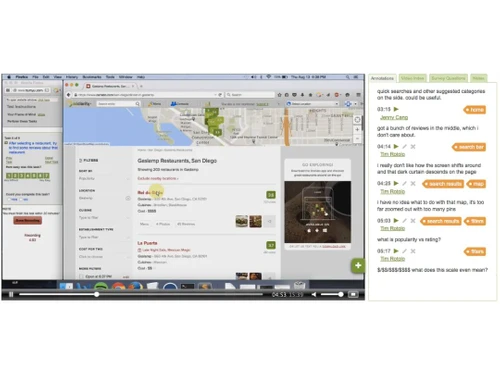
play Trymyui Demo
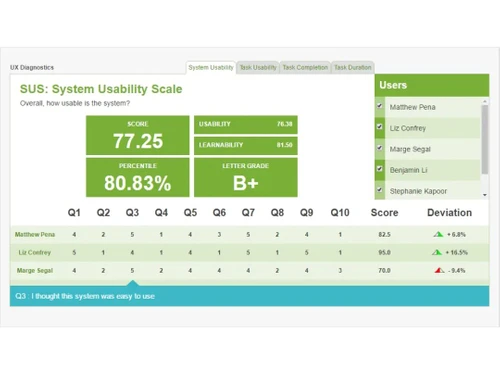
trymyui dashboard
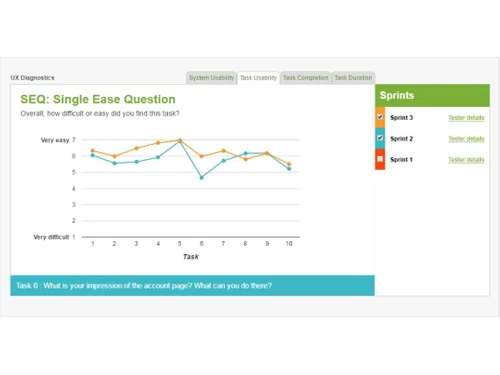
trymyui-single easy question

TryMyUI

Brand: TryMyUI

  • 4.4

  • 39 Ratings & 29 Reviews

TryMyUI (now known as Trymata) is a usability testing platform that allows entrepreneurs and designers to conduct user testing on their digital products, including websites, mobile apps, and more. It allows users to gather feedback on their products from real users, providing insights into how users interact with and perceive their products. TryMyUI provides a range of tools and features, includi...

See More

Have you used TryMyUI before?

Share your insights for better experience

Add a Review

Price Available on Request

Questions about pricing or customization? We’re here to help, just a click away.

100% Genuine
Products
Best Price
Guaranteed
Safe & Secure
Payment
  • Description

  • Pricing

  • Features

  • Specification

  • Review

  • Compare

  • Alternatives

  • FAQ

TryMyUI Software Overview

What Is TryMyUI?

TryMyUI (now known as Trymata) is a usability testing platform that allows entrepreneurs and designers to conduct user testing on their digital products, including websites, mobile apps, and more. It allows users to gather feedback on their products from real users, providing insights into how users interact with and perceive their products.

TryMyUI provides a range of tools and features, including video recordings of user sessions, task completion metrics, and user feedback surveys. These tools help users understand the experience of their users and identify areas for improvement. The platform aims to empower tech companies with qualitative and quantitative data to help them make informed decisions.

Key Functionalities of TryMyUI

  • Allows users to conduct remote usability testing of all types of digital products.
  • Allows UI designers to collect real-time feedback from users regarding a product’s design, user experience, and overall functionality.
  • Automatically captures screenshots and recordings of user interaction with the product being tested.
  • Provides users with comprehensive analysis and reporting features, including heatmaps, task analysis to help them identify areas for product improvement.
  • Allows designers to quickly create and customize tasks for their usability tests. This makes it easy to create tests that are tailored to specific needs.
  • Enables users to customize their tests to meet specific requirements. This includes customizing the questions, task types, and user segments.

Benefits of Using TryMyUI

  • Businesses can get real-time feedback from real users in a fraction of the time.
  • You can identify bottlenecks and make changes quickly to increase user engagement.
  • Users can create better interfaces based on test results, leading to increased conversion rates and more revenue generation.
  • It comes with an intuitive interface and a simple setup process. You can get started quickly and easily, without needing any specialized technical knowledge.


Read more

TryMyUI Company Details

Founded Year:  2010

TryMyUI has developed an interface that allows you to see and hear the people using your websites and apps.

Director/Founders Timothy Rotolo
Company Size 1-100 Employees

TryMyUI Pricing & Plans

Looking for The Right Pricing?

Share your requirements and get a plan built around your business.

  • Define your business needs
  • Get customised pricing
  • Choose features that fit your workflow

Price Available on Request

Get personalised TryMyUI pricing that fits your needs. Our team will connect with you.

TryMyUI Features

  • icon_check AB Testing
    A quantitative method that compares two versions of the design & select the best performing version of final product.
  • icon_check Landing Pages/Web Forms
    Using TryMyUI, assess what works for your landing page to attract visitors and drive more traffic.
  • icon_check Unmoderated Testing
    A convenient solution to collect user testing insights at user’s own pace, time and choice of location.
  • icon_check Prototype Creation
    Create interactive prototypes that are similar to final projects after analyzing your users & their behavior.
  • icon_check Reporting & Analytics
    With this feature, test any kind of product in real time regardless of whichever stage of development they are at.
  • icon_check Surveys & Feedback
    Provides excellent user testing surveys to understand user experience & get user feedback.
  • icon_check User Research Analysis
    This analysis helps study target users and their behavior that helps add real time insights to the design process.
TryMyUI Demo Video play icon

Get TryMyUI Demo

Watch the demo video to explore key features, real workflows, and how the software fits your business needs.

Understand
Key Features
Personal
Demo Insights
Interactive
Demo Support

TryMyUI Specifications

Supported Platforms
iOS iOS Android Android
Devices
Mobile Mobile
Deployment
Cloud-Based Cloud-Based
Suitable For
All Industries
Business Specific
All Businesses
Business Size
Small Business Startups Medium Business SMBs MSMBs
Language
English

TryMyUI Reviews

4.4

Out of 5

img

Overall Rating

Based on
29 Verified Reviews

Rating Breakdown

  • Features 4.3
  • Value for Money 4.5
  • Ease of Use 4.4
  • Customer Support 4.5

86% Recommend this Product

Add Review

Pros

  • "It is one of the best website for review available on the google. It has very user friendly interface. Great website"

    Anuj KumarJun 14, 2023

  • "TryMyUI is a great application for everyone and provides you the value for your money.It saved my time and effort. Highly recommend it."

    Shalendra Jun 12, 2023

  • "You can use the tool to earn money, The tool pays you for every review that you write and allows you to earn an amount."

    Gautam Jun 5, 2023

Cons

  • "After entering the website the people must get confused to where can I start my journey in this website which is totally agressive "

    Blessy MasheeJun 1, 2023

  • "I don't like TryMyUI specification section because it's seems local to me."

    Sayyed Sabreen FatimaMay 27, 2023

  • "I don't like least of trymyui but it needs skills and education to do . "

    Aryan KandariMay 15, 2023

TryMyUI Video Reviews

youtubeVideoId

4.5

“My honest TRYMYUI REVIEW is it LEGIT or a SCAM”

Review by: Mara Latorre

youtubeVideoId

4.4

“TryMyUI Test Review with Payment Proof and Demo Test”

Review by: SyntaxByte

Sheetal kumar

Founder

Industry: Mechanical or Industrial Engineering

4.7

Reviewed on: Nov 4, 2023

Techjockey Verified

“It is a good application. It is easy to use. I used this application till 2 years, it never gave me any chance of frustrated with it.”

I start using this app in 2021. My friend gave refrence of it. I became very happy to use this app.

Pros

I literally used all the products of this application. It is very useful to me evenly for all. I started it with a low level but now i became stable on this graeat application. I will definately refer it to my all friends.

Cons

None

Anuj Kumar

Digital Marketer

Industry: Market Research User since: < 6 months

5

Reviewed on: Jun 14, 2023

Techjockey Verified

“The most important to know about it”

Pros

It is one of the best website for review available on the google. It has very user friendly interface. Great website

Cons

NO CONS

Switched from TryMyUI

Reason to switch

Intermingled

KAMLESH SINGH

User

Industry: Banking User since: < 6 months

4.7

Reviewed on: Jun 14, 2023

Techjockey Verified

“Review Try My UI”

Pros

TryMyUI is a usability testing platform that allows companies to gather valuable feedback from users about their websites or applications. It offers features such as remote user testing, screen recording, and user feedback, which can be helpful for improving the user experience and identifying usability issues.

Cons

TryMyUI pricing structure or limited availability of test participants to be potential drawbacks. Others may feel that the platform could benefit from additional features or improvements in its user interface. It's important to note that individual opinions may vary, and it's always a good idea to try out different user testing platforms to find the one that best suits your specific needs.

Switched from TryMyUI

Reason to switch

It is the most useful for me and others

See All TryMyUI Reviews

Compare TryMyUI With other Testing Tools

Products
Ratings
Pricing
Device Supported
Deployment
Supported Platforms
  • img

    TryMyUI

  • 4.4

  • Price On Request

  • Desktop

    Mobile

  • Web based

    On Premises

  • Windows

    Mac OS

  • img

    Squish

  • 4.4

  • Price On Request

  • Desktop

    Mobile

  • Web based

    On Premises

  • Windows

    Mac OS

  • img

    Quokka

  • 4.2

  • Price On Request

  • Desktop

    Mobile

  • Web based

    On Premises

  • Windows

    Mac OS

  • img

    VMware Fusion

  • 4.1

  • Price On Request

  • Desktop

    Mobile

  • Web based

    On Premises

  • Windows

    Mac OS

  • img

    Kali GPT

  • 4.4

  • Price On Request

  • Desktop

    Mobile

  • Web based

    On Premises

  • Windows

    Mac OS

  • img

    Kualitee

  • 4

  • Price On Request

  • Desktop

    Mobile

  • Web based

    On Premises

  • Windows

    Mac OS

  • img

    Browserling

  • Price On Request

  • Desktop

    Mobile

  • Web based

    On Premises

  • Windows

    Mac OS

  • img

    Browserstack

  • 4.5

  • Price On Request

  • Desktop

    Mobile

  • Web based

    On Premises

  • Windows

    Mac OS

(0) Product(s) selected

TryMyUI Alternatives

See All TryMyUI Alternatives

Starting Price:

$1,190

Available

Price on Request

Available

Price on Request

Starting Price:

$12 /month

Articles for TryMyUI

See All Related Articles

Which operating system does TryMyUI support?

TryMyUI is compatible with Windows, Android, iOS and Mac operating systems.

Is there any TryMyUI app?

TryMyUI app is available for Android & iOS mobile devices.

What is the deployment type of TryMyUI?

TryMyUI supports cloud-based deployment type.

How much does TryMyUI cost?

TryMyUI pricing is available on request at techjockey.com.

Who are the potential users of TryMyUI?

TryMyUI is used commonly by Test Engineer, QA Engineer and Test Analysts among others.

Is there any free trial or demo for TryMyUI?

TryMyUI demo is available for free with techjockey.com.

Is TryMyUI free?

TryMyUI offers a free trial. However, the premium plan with advanced features is available at techjockey.com with exciting deals.

How can you download TryMyUI?

TryMyUI installation is not required, as it is cloud-based. Just open the Setup Wizard to get started.

How does TryMyUI works?

One test with TryMyUI gives you a detailed video of each specific user navigating app, website or prototpye specifying what they like or dislike as they navigate through the page. This platform allows one to conduct user based testing for their products, websites etc and get feedback on their products from real users.

20,000+ Software Listed

Best Price Guranteed

Free Expert Consultation

2M+ Happy Customers

Terms and Condtions

close

Users with registered businesses can purchase goods from merchants on the platform to satisfy their business needs. Users are not permitted to utilize any products acquired through the platform for resale, advertising, business, or further distribution.

For each purchase made, users will receive a Tax Invoice (or 'GST invoice') that includes specific details such as:

  • the GSTIN of the user associated with their registered business, and

  • the specified Entity Name for their business.

It should be noted that not all products are eligible for GST Invoice. Only the products displayed by participating sellers with the 'GST-based Invoice Available' callout on the product description page would qualify.

Certain goods and services are not eligible to get a GST Invoice, including items with VAS, i.e., Value Added Services (e.g., Total Mobile Protection/Assured Buyback) and those involving an exchange offer at the time of purchase.

Users must ensure the accuracy of the GSTIN, and business entity name provided for the GST Invoice. Requests for corrections into GST Invoice would not be accommodated by Techjockey.com or any Seller, and any issues arising from user-provided information are the sole responsibility of users.

Techjockey.com is not liable for the GST Invoice or any associated input tax credit. To efficiently claim an input tax credit, users should select the registered place of business address as per the GST authority's data and follow the provisions of the GST Act and rules.

To claim an input tax credit, the delivery and billing addresses must match. Furthermore, input tax credits will not be granted if the delivery address and GSTIN on the invoice are from different states. In case of incorrect GST details provided during the order placement, the order will be canceled automatically.