linkedin
Videobolt logo
play Easy YouTube Intro Maker | Videobolt.net | High-Quality Animations, VFX, Titles, Promos and more - Videobolt Demo
videobolt
videobolt

Videobolt

Brand: Videobolt

  • 4.2

  • 5 Ratings

Videobolt is a creative video creation platform that helps users to create professional-quality videos smoothly.

See More

Have you used Videobolt before?

Share your insights for better experience

Add a Review
Starting Price
$15

View plans

100% Genuine
Products
Best Price
Guaranteed
Safe & Secure
Payment
  • Description

  • Pricing

  • Features

  • Specification

  • Review

  • Compare

  • Alternatives

  • FAQ

Starting at $15

Videobolt Software Overview

What is Videobolt?

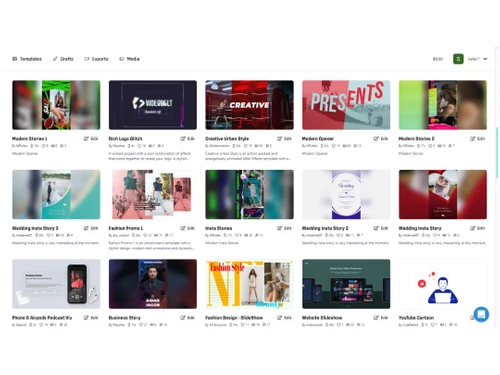
Videobolt is an advanced video creation tool that helps users to create professional-quality videos easily. It provides a rich set of templates and functionalities that help users create high quality videos from any device without the need of any external hardware or apps. It comes with powerful features that help in producing videos without the need for any expertise or skills. The interface is user-friendly, and supports drag-and-drop editing, branding options, and deep customization tools.

Videobolt provides a vast library of over 13,100+ premium templates that can be customized as per different use cases. The platform supports exporting videos in high resolutions, Full HD, 1440p, and 4K, professional-quality output. The platform supports sync animations with music, royalty-free audio, and stock media. It provides integrated workflows like Adobe After Effects extensions and direct publishing to platforms like YouTube platform, Twitter, Facebook, and LinkedIn for distribution and sharing.

Why Choose Videobolt Video Making Software?

  • Make professional videos: Create high-quality, professional videos effortlessly using pre-designed templates, enhancing your brand's visual presence.
  • Branding videos: Create consistent branding videos to strengthen your brand identity, making a lasting impression on your audience.
  • Generate HD and 4K resolution videos: Export videos in high resolutions, including Full HD and 4K, for stunning visual quality and clarity.
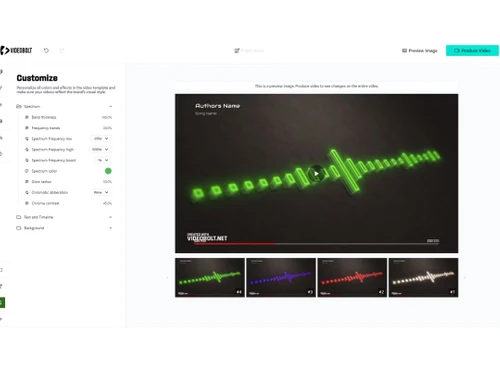
  • Add music visualizers: Design dynamic music visualizers that sync animations with your tracks, enhancing the visual appeal of your videos.
  • Share on platforms: Easily share your videos across various platforms, increasing your reach and engagement with your target audience.

Benefits of Videobolt

  • Drag and drop editing: Simplifies video creation with intuitive drag-and-drop functionality, making editing quick and easy.
  • Rich templates: Offers a wide variety of high-quality templates, saving time and enhancing video quality.
  • Quality videos: Produces professional-quality videos with high-resolution exports, ensuring impressive visual output.
  • License free: Provides access to license-free assets, eliminating copyright concerns and simplifying content creation.
  • Any device creation: Allows video creation and editing on any device, providing flexibility and convenience.
  • One-click branding: Easily applies consistent branding across videos, strengthening brand identity with minimal effort.

Pricing of Videobolt Video Making Software

Videobolt price in India starts at $15. Videobolt comes with multiple pricing plans and caters to the diverse customer base.

For subscription-related details and offers on premium packages, please request a call back from our product experts.

Read more

Videobolt Pricing & Plans

LITE
Starting at $15
    • Licenses

      Licenses
      Licenses
    • Monthly

      Monthly
      Monthly

Key Features

  • RESOLUTION- 720p

  • FRAMERATE- 24fps

  • DURATION (PER VIDEO)- up to 10 mins

  • LICENSE- Commercial

  • RENDER SPEED- Fast

PRO
Starting at $35
    • Licenses

      Licenses
      Licenses
    • Monthly

      Monthly
      Monthly

Key Features

  • RESOLUTION- up to 4K

  • FRAMERATE- up to 60fps

  • DURATION (PER VIDEO)- up to 1 hour

  • LICENSE- Commercial

  • RENDER SPEED- Ultra Fast

BUSINESS
Starting at $60
    • Licenses

      Licenses
      Licenses
    • Monthly

      Monthly
      Monthly

Key Features

  • RESOLUTION- up to 4K

  • FRAMERATE- up to 60fps

  • DURATION (PER VIDEO)- up to 2 hour

  • LICENSE- Resale

  • RENDER SPEED- Lightning Fast

Videobolt Features

  • icon_check AI-Powered Automation
    Generate videos quickly with AI-driven tools.
  • icon_check Video Collaboration Tools
    Helps in team collaboration on video projects, supporting real-time editing and feedback sharing.
  • icon_check Video Streaming
    Supports live video streaming, allowing users to broadcast content in real-time to their audience.
  • icon_check Title Studio & 3D Objects
    Provides advanced tools for creating titles and incorporating 3D objects, enhancing visual appeal.
  • icon_check Customizable Templates
    Offers a variety of templates that can be customized to match specific branding and design needs.
  • icon_check Live Chat
    Integrates live chat functionality, for real-time communication and interaction during video streams.
  • icon_check Animation
    Includes tools for creating animations, adding dynamic elements to videos and enhancing viewer engagement.
  • icon_check Video and photo slideshows
    WIth professionally designed templates, easily customize them with personal content through an intuitive online editor.
Videobolt Demo Video play icon

Get Videobolt Demo

Watch the demo video to explore key features, real workflows, and how the software fits your business needs.

Understand
Key Features
Personal
Demo Insights
Interactive
Demo Support

Videobolt Specifications

Supported Platforms
Windows Windows iOS iOS Android Android MacOS MacOS Linux Linux
Devices
Desktop Desktop Mobile Mobile Tablet Tablet iPad iPad
Deployment
Cloud-Based Cloud-Based
Suitable For
All Industries
Business Specific
All Businesses
Business Size
Small Business Medium Business Enterprises
Customer Support
Phone Email Live Chat Forums
Language
English
Training Resources
Live Online Documentation Videos
AI Features
AI Integrated

Explore the Best Alternative Solutions Similar to Your Business Size and Needs

Small Business

Designed for startups and growing businesses

Lumen5

4.7

Animoto

4.4

Movio

4.6

See More

Videobolt Review

4.2

Out of 5

img

Overall Rating

Based on
5 Verified Ratings

Rating Breakdown

  • Features 4.2
  • Value for Money 4.2
  • Ease of Use 4.1
  • Customer Support 4.3

92% Recommend this Product

Add Review

Techjockey Trusted Reviews from Verified Users

No reviews are currently available for Videobolt. Discover similar Video Making Software reviews

  • Designs Videomaker

    5.0

    Whats great - Quick and easy way of creating short form videos. All the content is available. Video making process is very intuitive read more

  • Wondershare Filmora

    4.3

    Whats great - It seemed to me all so familiar and straightforward, I easily processed various video files and made interesting titles and e... read more

  • Monarch Smart Cut Pro

    4.8

    Whats great - Awesome service and product! I would highly recommend Techjockey. read more

Compare Videobolt With other Video Making Software

Products
Ratings
Pricing
Device Supported
Deployment
Supported Platforms
  • img

    Videobolt

  • 4.2

  • Price On Request

  • Desktop

    Mobile

  • Web based

    On Premises

  • Windows

    Mac OS

  • img

    VEED

  • 4.6

  • ₹ 5988

  • Desktop

    Mobile

  • Web based

    On Premises

  • Windows

    Mac OS

  • img

    Movio

  • 4.6

  • Price On Request

  • Desktop

    Mobile

  • Web based

    On Premises

  • Windows

    Mac OS

  • img

    Renderforest

  • 4.5

  • ₹ 899

  • Desktop

    Mobile

  • Web based

    On Premises

  • Windows

    Mac OS

  • img

    D-ID

  • 4.7

  • Price On Request

  • Desktop

    Mobile

  • Web based

    On Premises

  • Windows

    Mac OS

  • img

    Designs Videomaker

  • 5

  • Price On Request

  • Desktop

    Mobile

  • Web based

    On Premises

  • Windows

    Mac OS

  • img

    Lumen5

  • 4.7

  • Price On Request

  • Desktop

    Mobile

  • Web based

    On Premises

  • Windows

    Mac OS

  • img

    Tavus

  • 4.5

  • Price On Request

  • Desktop

    Mobile

  • Web based

    On Premises

  • Windows

    Mac OS

  • img

    Quinvio AI

  • 4.6

  • Price On Request

  • Desktop

    Mobile

  • Web based

    On Premises

  • Windows

    Mac OS

  • img

    Beeble AI

  • 4.7

  • Price On Request

  • Desktop

    Mobile

  • Web based

    On Premises

  • Windows

    Mac OS

(0) Product(s) selected

Videobolt Alternatives

See All Videobolt Alternatives

Starting Price:

$275

Starting Price:

$12 /Month

Starting Price:

$59

Starting Price:

$18 /Month

Starting Price:

$59 /Month

Starting Price:

$47

Is there a demo version available for Videobolt?

Videobolt offers a demo version with limited features to help users explore the platform before purchasing.

Which operating systems support Videobolt?

Videobolt is browser-based and supports modern operating systems like Windows, macOS, and Linux through any updated browser.

Who are the potential users of Videobolt, and what are the use cases?

Videobolt is used by content creators, marketers, business owners, and musicians who need high-quality, customizable video production tools.

Can Videobolt support live video streaming?

Yes, Videobolt supports live video streaming, allowing users to broadcast content in real-time.

Does Videobolt offer tools for creating titles and 3D objects?

Yes, Videobolt includes Title Studio & 3D Objects tools, enhancing visual appeal and professionalism in videos.

Can Videobolt integrate live chat functionality during video streams?

Yes, Videobolt integrates live chat, enabling real-time communication and interaction during video streams or collaborative sessions.

What is the cloud storage capacity provided in Videobolt?

Videobolt offers cloud storage ranging from 20GB in the Lite plan to 100GB in the Business plan.

What export formats are supported by Videobolt?

Videobolt supports MP4, WEBM, MOV, and ProRes formats for exporting videos in various resolutions.

Is there a limit to the video length I can create on Videobolt?

The video length limit depends on the plan; the Pro plan allows up to 1 hour, and Business supports up to 2 hours.

Can I use custom fonts in Videobolt?

Yes, Videobolt allows you to upload and use custom fonts in addition to thousands of Google Fonts.

20,000+ Software Listed

Best Price Guranteed

Free Expert Consultation

2M+ Happy Customers

Terms and Condtions

close

Users with registered businesses can purchase goods from merchants on the platform to satisfy their business needs. Users are not permitted to utilize any products acquired through the platform for resale, advertising, business, or further distribution.

For each purchase made, users will receive a Tax Invoice (or 'GST invoice') that includes specific details such as:

  • the GSTIN of the user associated with their registered business, and

  • the specified Entity Name for their business.

It should be noted that not all products are eligible for GST Invoice. Only the products displayed by participating sellers with the 'GST-based Invoice Available' callout on the product description page would qualify.

Certain goods and services are not eligible to get a GST Invoice, including items with VAS, i.e., Value Added Services (e.g., Total Mobile Protection/Assured Buyback) and those involving an exchange offer at the time of purchase.

Users must ensure the accuracy of the GSTIN, and business entity name provided for the GST Invoice. Requests for corrections into GST Invoice would not be accommodated by Techjockey.com or any Seller, and any issues arising from user-provided information are the sole responsibility of users.

Techjockey.com is not liable for the GST Invoice or any associated input tax credit. To efficiently claim an input tax credit, users should select the registered place of business address as per the GST authority's data and follow the provisions of the GST Act and rules.

To claim an input tax credit, the delivery and billing addresses must match. Furthermore, input tax credits will not be granted if the delivery address and GSTIN on the invoice are from different states. In case of incorrect GST details provided during the order placement, the order will be canceled automatically.