linkedin

Best Storage Devices for iPhone in 2026

Best Storage Devices for iPhone

Check out our list of best Storage Devices for iPhone. Products featured on this list are the ones that offer ios app support to the software. As with most app versions, there are limitations like typical features, dashboards, etc will be limited. If you’d like to see more products and to evaluate additional feature options, compare all Storage Devices to ensure you get the right product.

Best Storage Devices for iPhone

(Showing 1 - 4 of 4 products)

Most PopularNewest FirstTop Rated Products
NetApp FAS Storage

NetApp FAS Storage

Brand: NetApp

4.5img

4.5 out of 5

(0 user reviews)

NetApp FAS Express Pack is an advanced data management software that guarantees a simple, secure, and reliable storage architecture. It is also known for... Read More About NetApp FAS Storage read review arrow

₹546,250

Seagate Ultra Compact SSD

Seagate Ultra Compact SSD

Brand: Seagate Technology

3.9img

3.9 out of 5

(0 user reviews)

Seagate Ultra Compact 1TB External Solid State Drive is a lightning-fast, pocket-sized storage device offering speeds up to 1000 MB/s.... Read More About Seagate Ultra Compact SSD read review arrow

₹9,299 /Quantity

7% OFF

Dell Storage SC8000

Dell Storage SC8000

Brand: Dell Technologies

4.1img

4.1 out of 5

(0 user reviews)

... Read More About Dell Storage SC8000 read review arrow

Price On Request

Storage Devices Product List Top Banner - 1
Storage Devices Product List Top Banner - 2
WD My Cloud

WD My Cloud

Brand: Western Digital

4.2img

4.2 out of 5

(1 user reviews)

My Cloud is a reliable, centralized personal storage with the automatic backup that plugs into your own home network. Share whatever you want, anywhere you... Read More About WD My Cloud read review arrow

Price On Request

Last Updated on : 02 Nov, 2026

ask your question about software

Got any questions?

Ask Question from Real Users
or Software Experts

img
img

We provide the best software solution for your business needs

Founded in 2016, Techjockey is an online marketplace for IT Solutions. We are a pioneer in this field, as we are taking IT solutions to SMBs & MSMEs in tier II & tier III cities and enabling digitization of day-to-day processes.

2 Million+

Happy Customers

500+

Categories

20,000+

Software listed

Storage Devices Questions

A:

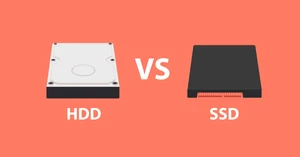
To Register a New SSD After Replacing an HDD, follow the steps given below:

  • Install the Operating System and necessary drivers
  • If cloning the HDD, use tools like Macrium Reflect
  • Register your SSD with the manufacturer’s software for warranty purposes
ashish kumar . Dec 09, 2024

Still got Questions on your mind?

Get answered by real users or software experts

20,000+ Software Listed 20,000+ Software Listed

Best Price Guaranteed Best Price Guaranteed

Free Expert Consultation Free Expert Consultation

2M+ Happy Customers 2M+ Happy Customers