linkedin
AutoCAD Electrical logo
play An Overview of AutoCAD Electrical
autocad-electrical-tool
autocad-electrical-tool-customer-&-supplier-collaboration

AutoCAD Electrical

Brand: Autodesk

  • 4.3

  • 4 Ratings

Autodesk's software for electrical engineers, simplifies electrical schematics, wiring diagrams, and control system documentation with automation and symbol libraries.

See More

Have you used AutoCAD Electrical before?

Share your insights for better experience

Add a Review
Starting Price
₹13540

View plans

100% Genuine
Products
Best Price
Guaranteed
Safe & Secure
Payment
  • Description

  • Pricing

  • Features

  • Specification

  • Review

  • Compare

  • Alternatives

  • FAQ

Starting at ₹13,540

AutoCAD Electrical Software Overview

What is AutoCAD Electrical?

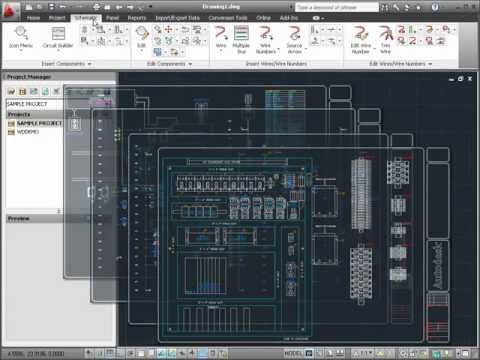
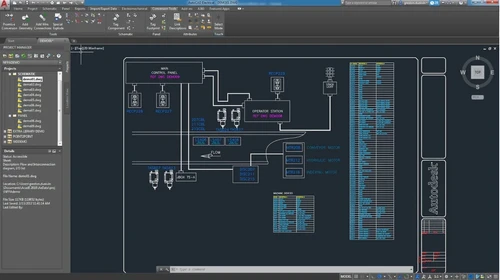
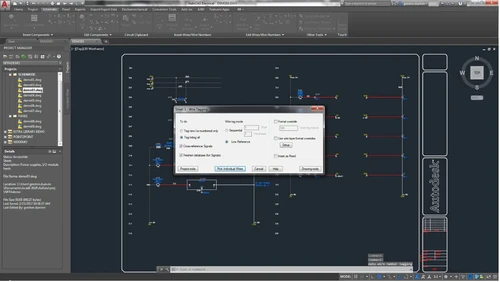
AutoCAD Electrical is specialized software developed by Autodesk specifically for electrical engineering and design. It helps users create accurate electrical schematics, panel layouts, and other essential documentation needed for designing electrical systems. The software features an extensive library of over 65,000 intelligent electrical symbols, which simplifies the drawing process.

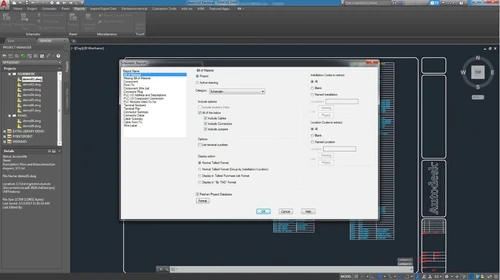
It also automates tasks like wire numbering and report generation, significantly improving productivity. Additionally, AutoCAD Electrical includes real-time error checking to identify issues during the design phase, preventing costly mistakes later on. The platform integrates seamlessly with other AutoCAD products, enhancing collaboration and efficiency in electrical design projects.

Why Choose AutoCAD Electrical Software?

  • Specialized Tools for Electrical Design: It offers unique tools tailored specifically for electrical engineering, streamlining the design process for electrical schematics and control systems.
  • Extensive Symbol Library: The software provides access to over 65,000 intelligent electrical symbols, allowing users to quickly and accurately create designs without starting from scratch.
  • Automation Features: AutoCAD Electrical automates repetitive tasks such as wire numbering and component tagging, significantly increasing productivity and reducing the likelihood of errors.
  • Real-Time Error Checking: The software includes real-time error checking capabilities, helping users identify and correct issues during the design phase before they become costly problems later.
  • Comprehensive Reporting: Users can automatically generate and update customized reports, making project documentation easier and more efficient.
  • Seamless Integration: It integrates smoothly with other Autodesk products, enhancing collaboration between electrical and mechanical design teams.
  • Compliance with Industry Standards: The software supports both regional and international electrical standards, ensuring that designs meet necessary regulatory requirements.
  • Improved Collaboration: It facilitates better teamwork by allowing multiple users to work on projects simultaneously, sharing design information easily across teams.
  • Enhanced Project Management: With features like project management tools and SQL database support, users can efficiently manage components and track changes throughout the design process.
  • Boosted Productivity: Studies have shown that using AutoCAD Electrical can increase productivity by up to 95% compared to traditional methods, making it a valuable investment for electrical engineers and designers.

Benefits of AutoCAD Electrical Software

  • Enhanced 3D Modeling Capabilities: It allows users to create detailed 3D models of electrical systems, aiding in better visualization and understanding of complex designs.
  • Clash Detection Features: The software includes tools for detecting potential clashes between electrical components and other systems, helping prevent costly design conflicts during construction.
  • Customizable User Interface: Users can personalize the interface to suit their workflow preferences, improving ease of use and productivity.
  • Support for Multiple Languages: It offers multilingual support, making it accessible for users around the world and facilitating collaboration in diverse teams.
  • Version Control and Change Management: The software provides features for managing design revisions and tracking changes, ensuring that all team members are working with the latest project information.
  • Integration with Project Management Tools: It can be integrated with various project management applications, enhancing overall project coordination and efficiency.
  • Training Resources and Community Support: Users benefit from extensive training materials, tutorials, and a supportive community, which can help them maximize the software's capabilities.
  • Remote Access Capabilities: With cloud-based options, users can access their projects from anywhere, allowing for greater flexibility in remote work environments.
  • Support for Industry-Specific Standards: The software is designed to comply with various industry standards, ensuring that designs meet regulatory requirements across different sectors.
  • Efficiency in Documentation Management: It automates the generation of essential documentation, such as bills of materials (BOMs) and wiring lists, streamlining project workflows.

Pricing of AutoCAD Electrical

AutoCAD Electrical price in India starts at INR 13,540 at techjockey.com.

The pricing model is based on different parameters, including extra features, deployment type, and the total number of users. For further queries related to the product, you can contact our product team and learn more about the pricing and offers.

Read more

Autodesk Company Details

Founded Year:  1982

Autodesk makes software for people who make things. If you’ve ever driven a high-performance car, admired a towering skyscraper, used a smartphone, or watched a great film, chances are you’ve experienced what millions of Autodesk customers are doing with our software.

Director/Founders John Walker / Dan Drake
Company Size 1000+ Employees

AutoCAD Electrical Pricing & Plans

AutoCAD
Starting at ₹13540
    • Users

      Users
      Users
    • Monthly

      Monthly
      Monthly

AutoCAD Electrical Features

  • icon_check Automatic Report Generation
    Creates detailed reports automatically for electrical designs.
  • icon_check Customer & Supplier Collaboration
    Facilitates collaboration with stakeholders for efficient project workflows.
  • icon_check Project Management
    Organizes and tracks multiple electrical design projects.
  • icon_check PDF Publishing
    Exports schematics and documents to PDF for easy sharing.
  • icon_check Wire Numbering
    Automates wire numbering for accuracy and consistency.
  • icon_check Circuit Design & Re-Use
    Allows reuse of circuit designs to save time.
  • icon_check Real-Time Error Checking
    Identifies errors instantly during the design process.
  • icon_check Catalogue Browser for Parts
    Provides access to a comprehensive parts catalog for quick component selection.
AutoCAD Electrical Demo Video play icon

Get AutoCAD Electrical Demo

Watch the demo video to explore key features, real workflows, and how the software fits your business needs.

Understand
Key Features
Personal
Demo Insights
Interactive
Demo Support

AutoCAD Electrical Specifications

Supported Platforms
Ubuntu Ubuntu Windows Windows MacOS MacOS Linux Linux
Devices
Desktop Desktop
Deployment
Cloud-Based Cloud-Based
Suitable For
All Industries
Business Specific
All Businesses
Business Size
Small Business Startups Medium Business Enterprises
Customer Support
Email Live Chat Communities
Language
English
Training Resources
Videos

Explore the Best Alternative Solutions Similar to Your Business Size and Needs

AutoCAD Electrical Review

4.3

Out of 5

img

Overall Rating

Based on
4 Verified Ratings

Rating Breakdown

  • Features 4.2
  • Value for Money 4.5
  • Ease of Use 4.1
  • Customer Support 4.5

87% Recommend this Product

Add Review

Techjockey Trusted Reviews from Verified Users

No reviews are currently available for AutoCAD Electrical. Discover similar Electrical Design Software reviews

  • Transformers Design Software

    4.4

    Whats great - I was wary at what was my first attempt to buy software from other than the maker, but this experience worked out perfect. Ev... read more

  • AUTOCAD Mep Toolset

    4.4

    Whats great - autodesk-autocad-mep it is anything but difficult to plan 2D and 3D drawing , and its simple handle too . what's more, the en... read more

  • Solid Edge

    5.0

    Whats great - We are using solid edge, It is very easy to learn and use for 3D Modelling. No hanging Issue, It is handling large assemblies... read more

Compare AutoCAD Electrical With other Electrical Design Software

Products
Ratings
Pricing
Device Supported
Deployment
Supported Platforms
  • img

    AutoCAD Electrical

  • 4.3

  • Price On Request

  • Desktop

    Mobile

  • Web based

    On Premises

  • Windows

    Mac OS

  • img

    Altium 365

  • 4.3

  • Price On Request

  • Desktop

    Mobile

  • Web based

    On Premises

  • Windows

    Mac OS

  • img

    PowerCalc

  • 4.4

  • Price On Request

  • Desktop

    Mobile

  • Web based

    On Premises

  • Windows

    Mac OS

  • img

    Aveva

  • 4.3

  • Price On Request

  • Desktop

    Mobile

  • Web based

    On Premises

  • Windows

    Mac OS

  • img

    E3 Series

  • 4.1

  • Price On Request

  • Desktop

    Mobile

  • Web based

    On Premises

  • Windows

    Mac OS

  • img

    ELEK Cable Pro Web

  • 4.4

  • Price On Request

  • Desktop

    Mobile

  • Web based

    On Premises

  • Windows

    Mac OS

  • img

    Elec Calc

  • 4.2

  • Price On Request

  • Desktop

    Mobile

  • Web based

    On Premises

  • Windows

    Mac OS

(0) Product(s) selected

AutoCAD Electrical Alternatives

See All AutoCAD Electrical Alternatives

Available

Price on Request

How much does AutoCAD Electrical Software cost?

AutoCAD Electrical price in India starts at INR 13,540 at techjockey.com.

Is there any AutoCAD Electrical Software app?

No, AutoCAD Electrical does not offer an Android and iOS app.

Which operating system does AutoCAD Electrical Software support?

AutoCAD Electrical supports Ubuntu, Windows, MacOS, and Linux operating systems.

Does AutoCAD Electrical offer a free trial?

Yes, AutoCAD Electrical offers a 30-day free trial for users to explore its features and capabilities before purchasing a subscription.

How does AutoCAD Electrical Software work?

AutoCAD Electrical Software works by providing a specialized environment for electrical engineers to create, modify, and manage electrical schematics and control systems, utilizing automated tools for tasks like wire numbering, real-time error checking, and generating reports, all within a user-friendly interface.

Who are the potential users of AutoCAD Electrical Software?

Potential users of AutoCAD Electrical Software include electrical engineers, control system designers, instrumentation specialists, drafters, and project managers in industries such as manufacturing, construction, and automation.

Is there any free demo for AutoCAD Electrical Software?

Yes, AutoCAD Electrical offers a free demo to showcase its capabilities to potential users.

Is AutoCAD Electrical Software free?

No, AutoCAD Electrical is not free; it offers a 30-day free trial, after which a paid subscription is required to continue using the software.

20,000+ Software Listed

Best Price Guranteed

Free Expert Consultation

2M+ Happy Customers

Terms and Condtions

close

Users with registered businesses can purchase goods from merchants on the platform to satisfy their business needs. Users are not permitted to utilize any products acquired through the platform for resale, advertising, business, or further distribution.

For each purchase made, users will receive a Tax Invoice (or 'GST invoice') that includes specific details such as:

  • the GSTIN of the user associated with their registered business, and

  • the specified Entity Name for their business.

It should be noted that not all products are eligible for GST Invoice. Only the products displayed by participating sellers with the 'GST-based Invoice Available' callout on the product description page would qualify.

Certain goods and services are not eligible to get a GST Invoice, including items with VAS, i.e., Value Added Services (e.g., Total Mobile Protection/Assured Buyback) and those involving an exchange offer at the time of purchase.

Users must ensure the accuracy of the GSTIN, and business entity name provided for the GST Invoice. Requests for corrections into GST Invoice would not be accommodated by Techjockey.com or any Seller, and any issues arising from user-provided information are the sole responsibility of users.

Techjockey.com is not liable for the GST Invoice or any associated input tax credit. To efficiently claim an input tax credit, users should select the registered place of business address as per the GST authority's data and follow the provisions of the GST Act and rules.

To claim an input tax credit, the delivery and billing addresses must match. Furthermore, input tax credits will not be granted if the delivery address and GSTIN on the invoice are from different states. In case of incorrect GST details provided during the order placement, the order will be canceled automatically.