 USA
USA UAE
UAESmall Business
Designed for startups and growing businesses
See More




Brand: Autodesk
Autodesk AutoCAD Mep Toolset, is a nifty best designing solution for designers, engineers, architects and construction professionals who wish to design smarter and better buildings. The solution comes integrated with AutoCAD and works across all the primary verticals of a building: MEP (mechanical, ...
See MoreHave you used AUTOCAD Mep Toolset before?
Share your insights for better experience
Brand: Autodesk
Founded Year: 1982
Autodesk makes software for people who make things. If you’ve ever driven a high-performance car, admired a towering skyscraper, used a smartphone, or watched a great film, chances are you’ve experienced what millions of Autodesk customers are doing with our software.
Looking for The Right Pricing?
Share your requirements and get a plan built around your business.
Price Available on Request
Get personalised AUTOCAD Mep Toolset pricing that fits your needs. Our team will connect with you.
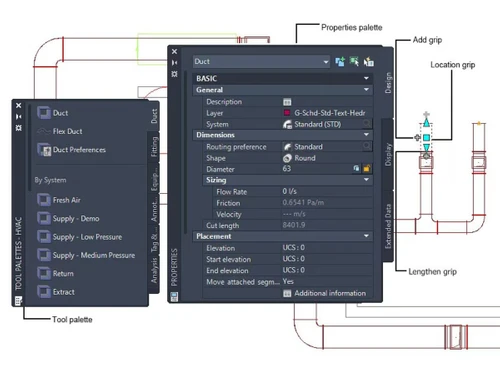
 MEP Object Library Automatic Object Updates Editing workspace Conduit Alignment Better Documentation Connected Support Files Conversion Display System Browsing Protection Space & Zone Management Layer Standards Support Detail Component Manager Drawing Version Control Electrical System Design Tools Collaboration & Cloud Integration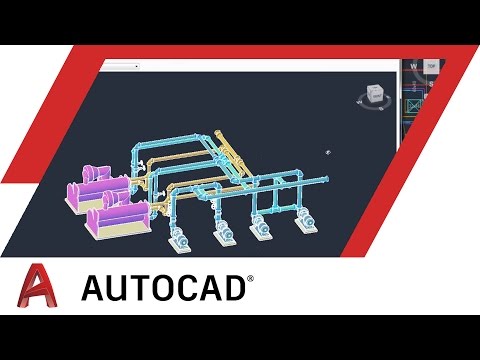

Watch the demo video to explore key features, real workflows, and how the software fits your business needs.
 Windows
  Desktop
  Cloud-Based
  Perpetual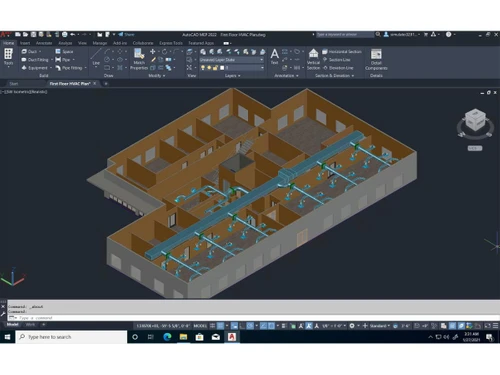
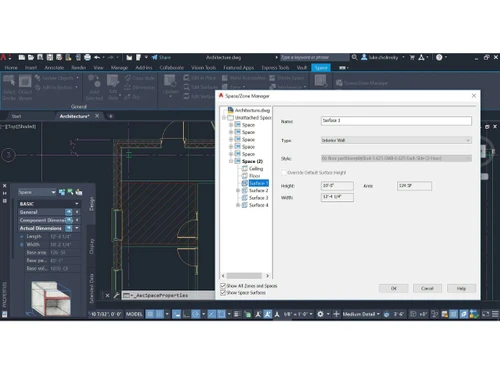
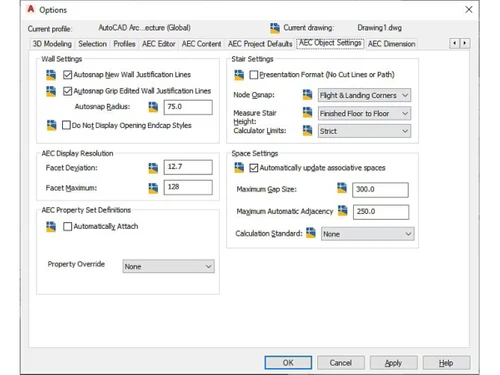
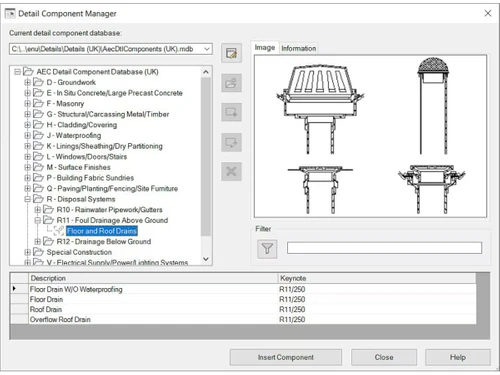
Small Business
Designed for startups and growing businesses
Medium Business
Built for business growth and flexibility
Enterprises
Designed for complex and large-scale business needs
4.4
Out of 5

Overall Rating
Based on
3 Verified Reviews
Rating Breakdown
93% Recommend this Product
Add ReviewUsers generally appreciate the AUTOCAD Mep Toolset for its user-friendly interface, making it easy to create both 2D and 3D drawings, even for newcomers. The software's straightforward measurement tools also receive positive remarks. However, some users have experienced occasional issues with downloads, although customer support is noted for its prompt assistance in resolving these problems. Overall, the sentiment is largely favorable, highlighting the toolset's accessibility and effective support.

Apr 16, 2019
Techjockey Verified
“Drawn maping”
Pros
autodesk-autocad-mep it is anything but difficult to plan 2D and 3D drawing , and its simple handle too . what's more, the entomb face likewise plummet. furthermore, it have been there notwithstanding for another comers likewise can without much of a stretch utilize this . what's more, the estimation taking likewise very easy to use .
Cons
NO CONS
Mar 27, 2019
Techjockey Verified
“2D to 3D”
Pros
It is anything easy to plan 2D and 3D drawing , and its exceptionally simple handle too . furthermore, the entomb face likewise plummet. what's more, it have been there notwithstanding for another comers likewise can without much of a stretch utilize this . furthermore, the estimation taking additionally very easy to understand.
Cons
NO CONS
Jun 7, 2018
Techjockey Verified
“They suggested several good matches ”
Pros
I have used them twice. The first time the download was easy. The second time I had a couple of problems getting the download to work but the company responded to my need for help very quickly and got the issues resolved.
Cons
N/A

AUTOCAD Mep Toolset
Price On Request
Desktop
Mobile
Web based
On Premises
Windows
Mac OS

AutoCAD Electrical
Price On Request
Desktop
Mobile
Web based
On Premises
Windows
Mac OS

Altium 365
Price On Request
Desktop
Mobile
Web based
On Premises
Windows
Mac OS

PowerCalc
Price On Request
Desktop
Mobile
Web based
On Premises
Windows
Mac OS

Cadison E&I Designer
Price On Request
Desktop
Mobile
Web based
On Premises
Windows
Mac OS

Electrical for AutoCAD
Price On Request
Desktop
Mobile
Web based
On Premises
Windows
Mac OS

Aveva
Price On Request
Desktop
Mobile
Web based
On Premises
Windows
Mac OS

E3 Series
Price On Request
Desktop
Mobile
Web based
On Premises
Windows
Mac OS

ELEK Cable Pro Web
Price On Request
Desktop
Mobile
Web based
On Premises
Windows
Mac OS

Elec Calc
Price On Request
Desktop
Mobile
Web based
On Premises
Windows
Mac OS

LDE Electrical Analyzer
Price On Request
Desktop
Mobile
Web based
On Premises
Windows
Mac OS
(2) Product(s) selected
Available
Price on Request
Available
Price on Request
AUTOCAD Mep Toolset Designing Solutions is compatible with Windows operating systems.
AUTOCAD Mep Toolset Designing Solutions app is not available.
AUTOCAD Mep Toolset Designing Solutions supports Web-Based.
AUTOCAD Mep Toolset Designing Solutions is typically used in All Industries.
AUTOCAD Mep Toolset Designing Solutions demo is available for free with Techjockey.com
AUTOCAD Mep Toolset Designing Solutions offers a free trial. However, the premium plan with advanced features available at Techjockey .
For AUTOCAD Mep Toolset Designing Solutions installation, insert the given CD/USB flash storage in your system and open the Setup Wizard to get started.
AUTOCAD Mep Toolset Designing Solutions helps with Editing workspace,Better Documentation,Conversion and Browsing Protection.
20,000+ Software Listed
Best Price Guranteed
Free Expert Consultation
2M+ Happy Customers
Terms and Condtions

Users with registered businesses can purchase goods from merchants on the platform to satisfy their business needs. Users are not permitted to utilize any products acquired through the platform for resale, advertising, business, or further distribution.
For each purchase made, users will receive a Tax Invoice (or 'GST invoice') that includes specific details such as:
the GSTIN of the user associated with their registered business, and
the specified Entity Name for their business.
It should be noted that not all products are eligible for GST Invoice. Only the products displayed by participating sellers with the 'GST-based Invoice Available' callout on the product description page would qualify.
Certain goods and services are not eligible to get a GST Invoice, including items with VAS, i.e., Value Added Services (e.g., Total Mobile Protection/Assured Buyback) and those involving an exchange offer at the time of purchase.
Users must ensure the accuracy of the GSTIN, and business entity name provided for the GST Invoice. Requests for corrections into GST Invoice would not be accommodated by Techjockey.com or any Seller, and any issues arising from user-provided information are the sole responsibility of users.
Techjockey.com is not liable for the GST Invoice or any associated input tax credit. To efficiently claim an input tax credit, users should select the registered place of business address as per the GST authority's data and follow the provisions of the GST Act and rules.
To claim an input tax credit, the delivery and billing addresses must match. Furthermore, input tax credits will not be granted if the delivery address and GSTIN on the invoice are from different states. In case of incorrect GST details provided during the order placement, the order will be canceled automatically.


