linkedin
Braina logo
play Braina Pro Speech Recognition Software for PC
Artificial Braina
dictionary braina

Braina

Brand: BrainaSoft

  • 4.5

  • 3 Ratings

Braina is AI trained speech recognition software for dictation, internet search, reminders, and remote PC control.

See More

Have you used Braina before?

Share your insights for better experience

Add a Review
Starting Price
$99

View plans

100% Genuine
Products
Best Price
Guaranteed
Safe & Secure
Payment
  • Description

  • Pricing

  • Features

  • Specification

  • Review

  • Compare

  • Alternatives

  • FAQ

Starting at $99

Braina Software Overview

What is Braina?

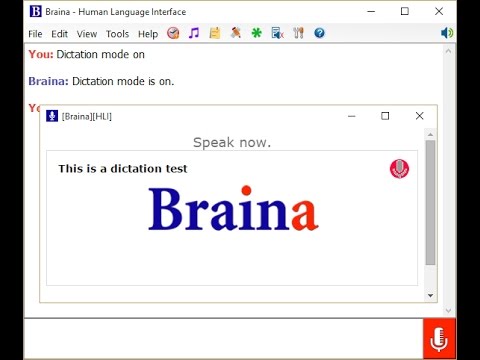
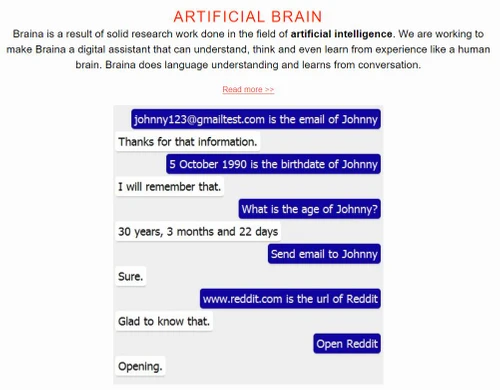
Braina is advanced speech recognition software that helps users interact with computers using voice commands. It is a personal assistant, automation tool, and interface for large language models (LLMs). It uses natural language-based commands, either typed or spoken, to perform tasks like internet search, dictating text, transcribing text, setting reminders, etc and control the PC remotely using an Android device. It has a user-friendly user interface and a dashboard where commands can be entered via text or voice.

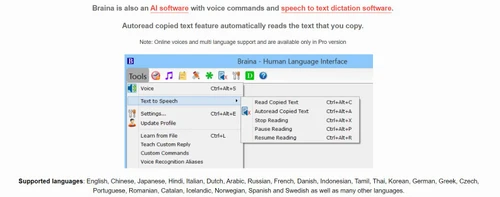
Braina supports voice dictation in multiple languages, automation of repetitive tasks, transcription of audio/video files, and multimodal LLM support for text and image-based data. It helps automate keyboard macros for various functions, control music or videos using voice, and read textual content aloud. The LocalLibrary tool allows users to chat with PDFs and other documents. It ensures security by implementing privacy controls and allows internet search of documents and text using voice commands. The search can be performed on the cloud or on LLM models.

Why choose Braina Speech Recognition Software?

  • Voice Dictation: It converts speech to text accurately in 100+ languages for writing emails, documents, and notes easily.
  • Task Automation: It automates repetitive tasks like keypresses, macros, web refreshes, and form filling, saving time and effort.
  • LocalLibrary Tool: Allows users to interact with PDFs and documents using natural language for research, study, or business analysis.
  • Remote Control: With the help of Android/iOS apps it allows you to control your PC remotely for playing music or performing tasks of internet search or reading text.
  • Set Reminders: Helps to effortlessly manage your schedule by setting and tracking reminders through simple voice commands.

Benefits of Braina Speech Recognition Software

  • Control PC Using Voice: Helps to perform PC-based tasks hands-free with natural language voice commands for convenience.
  • Multiple Language Support: Supports dictation and interaction in 100+ languages, giving versatile language options.
  • Automate Tasks: Helps to streamline repetitive processes, saving time and reducing manual effort.
  • Ensure Data Security: It uses local data storage and offline AI to ensure privacy and confidentiality of sensitive information.
  • Simple Interface: Its intuitive design makes it easy for anyone to navigate and use its features efficiently.
  • Improved Organization: Effortlessly set and track reminders, ensuring you never miss important tasks or events.

Pricing of Braina

Braina price in India starts at $99. Braina comes with multiple pricing plans and caters to the diverse customer base.

For subscription-related details and offers on premium packages, please request a call back from our product experts.

Read more

Braina Pricing & Plans

Braina Pro
Starting at $99
    • Licenses

      Licenses
      Licenses
    • Yearly

      Yearly
      Yearly

Key Features

  • All features of Lite

  • Use on 1 Windows PC device for 1 Year

  • 10,000 Free Advanced AI Credits (worth $20)

  • Unlimited Dictation

  • Use your OpenAI API key

  • Dictation Templates

  • Chat with PDF, Webpages and screenshots

Braina Pro Plus
Starting at $199
    • Licenses

      Licenses
      Licenses
    • Yearly

      Yearly
      Yearly

Key Features

  • All features of Pro

  • Use on up to 2 Windows PC devices for 2 Years!

  • 20,000 Free Advanced AI Credits (worth $40)

  • Priority Email, Chat & Remote Desktop Support

Braina Pro Ultra
Starting at $299
    • Licenses

      Licenses
      Licenses
    • Yearly

      Yearly
      Yearly

Key Features

  • All features of Pro

  • Use on up to 3 Windows PC devices for 3 Years!

  • 50,000 Free Advanced AI Credits (worth $75)

  • Priority Email, Chat & Remote Desktop Support

  • Onboarding & Training

  • Personalized Help for creating use-case specific c

Braina Features

  • icon_check Artificial Intelligence
    Advanced AI capabilities for efficient task management, enhancing productivity and user experience.
  • icon_check Speech Recognition
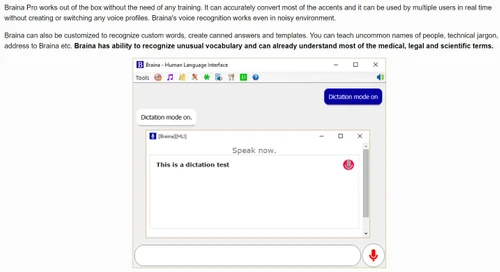
    Convert spoken words into text for hands-free typing, making multitasking easy and convenient.
  • icon_check Control PC Wirelessly Via Android or iOS Device
    Operate your computer remotely using your smartphone, adding flexibility to your routine.
  • icon_check Custom Commands, Replies & Hotkeys
    Create personalized commands and shortcuts to streamline tasks and improve efficiency.
  • icon_check Play Songs & Videos
    Enjoy media playback using voice commands, for a better entertainment experience.
  • icon_check Text to Speech
    Convert written text into spoken words, helping those with visual impairments or multitasking.
  • icon_check Mathematics
    Perform complex mathematical calculations easily using voice commands, saving time and effort.
  • icon_check Search Information
    Quickly find information online with voice commands, reducing the need for manual browsing.
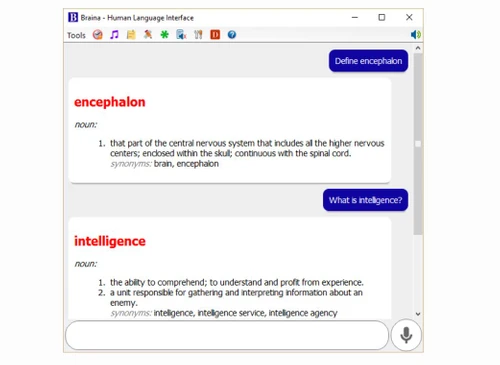
  • icon_check Dictionary & Thesaurus
    Access word definitions and synonyms through voice commands, supporting language learning and writing.
  • icon_check Automate Key-Presses
    Simplify repetitive tasks by automating key-presses, increasing efficiency in daily activities.
  • icon_check Notes
    Take quick notes using voice commands, keeping your thoughts and ideas organized.
  • icon_check Alerts & Reminders
    Set and manage reminders using voice commands so you never miss important tasks or events.
  • icon_check Windows Control
    Navigate and control your Windows operating system using voice commands, for daily interactions.
  • icon_check MISC. AUTOMATIC Features
    Use a variety of additional automatic features to enhance productivity and ease of use.
Braina Demo Video play icon

Get Braina Demo

Watch the demo video to explore key features, real workflows, and how the software fits your business needs.

Understand
Key Features
Personal
Demo Insights
Interactive
Demo Support

Braina Specifications

Supported Platforms
Windows Windows iOS iOS Android Android
Devices
Desktop Desktop
Deployment
Cloud-Based Cloud-Based Perpetual Perpetual
Suitable For
All Industries
Business Specific
All Businesses
Business Size
Small Business Startups
Customer Support
Email Communities
Language
English हिन्दी 日本人 Español
Training Resources
Videos
AI Features
AI Integrated

Explore the Best Alternative Solutions Similar to Your Business Size and Needs

Braina Review

4.5

Out of 5

img

Overall Rating

Based on
3 Verified Ratings

Rating Breakdown

  • Features 4.1
  • Value for Money 4.5
  • Ease of Use 4.6
  • Customer Support 5

86% Recommend this Product

Add Review

Techjockey Trusted Reviews from Verified Users

No reviews are currently available for Braina. Discover similar Speech Recognition Software reviews

  • TranscribeMe

    4.6

    Whats great - I am sending all of my transcripts to TranscribeMe because they are recommended by the International Coach Federation for the... read more

  • Speechmatics

    4.2

    Whats great - I was impressed with the set of advanced punctuation provided by the software. This is something which is not quite common in... read more

  • CallHippo

    4.4

    Whats great - Callhippo tool offers the ability to connect with the customers in a matter of minutes. The dashboard allows you to monitor t... read more

Compare Braina With other Speech Recognition Software

Products
Ratings
Pricing
Device Supported
Deployment
Supported Platforms
  • img

    Braina

  • 4.5

  • Price On Request

  • Desktop

    Mobile

  • Web based

    On Premises

  • Windows

    Mac OS

  • img

    Deepgram

  • 4.6

  • Price On Request

  • Desktop

    Mobile

  • Web based

    On Premises

  • Windows

    Mac OS

  • img

    Dragon Home

  • 4.2

  • Price On Request

  • Desktop

    Mobile

  • Web based

    On Premises

  • Windows

    Mac OS

  • img

    Lovo AI

  • 4.7

  • Price On Request

  • Desktop

    Mobile

  • Web based

    On Premises

  • Windows

    Mac OS

  • img

    Amazon Lex

  • 5

  • Price On Request

  • Desktop

    Mobile

  • Web based

    On Premises

  • Windows

    Mac OS

  • img

    Whisper

  • 4.3

  • Price On Request

  • Desktop

    Mobile

  • Web based

    On Premises

  • Windows

    Mac OS

  • img

    Speechmatics

  • 4.1

  • Price On Request

  • Desktop

    Mobile

  • Web based

    On Premises

  • Windows

    Mac OS

(0) Product(s) selected

Braina Alternatives

See All Braina Alternatives
SAVE UPTO 40%

Starting Price:

$4,000 /Year

SAVE UPTO 8%
SAVE UPTO 9%
SAVE UPTO 38%

Available

Price on Request

Available

Price on Request

Available

Price on Request

Available

Price on Request

Articles for Braina

See All Related Articles

What is the purpose of Braina Speech Recognition Software?

Braina simplifies PC tasks through the use of voice commands, automation, dictation, and AI integration, helping in productivity and efficiency.

Is there a demo available for Braina?

Yes, users can download and try Braina for Windows PC to explore its features. Contact www.techjockey.com for further details.

Who are the potential users of Braina?

Braina is ideal for professionals, researchers, students, and anyone seeking AI-driven productivity tools.

Can Braina run locally on my PC without internet access?

Yes, Braina supports local AI model execution, ensuring offline functionality and data privacy.

What operating systems are compatible with Braina Speech Recognition Software?

Braina is compatible with Windows PCs and offers remote control via Android and iOS apps.

Can I integrate Braina with ChatGPT and other LLMs?

Yes, Braina integrates LLMs like ChatGPT, Gemini, and Claude, with voice and text interfaces.

How can Braina help with transcription tasks?

Braina transcribes audio and video files into text accurately, supporting multiple file formats and languages.

Does Braina support multiple languages for speech-to-text?

Yes, Braina supports voice dictation in over 100 languages and accents worldwide.

Can I customize commands in Braina Speech Recognition Software?

Yes, Braina allows users to create custom commands, replies, and hotkeys for personalized task automation.

Can a user perform mathematical calculations with Braina?

Yes, users can execute complex mathematical calculations using voice commands in Braina.

20,000+ Software Listed

Best Price Guranteed

Free Expert Consultation

2M+ Happy Customers

Terms and Condtions

close

Users with registered businesses can purchase goods from merchants on the platform to satisfy their business needs. Users are not permitted to utilize any products acquired through the platform for resale, advertising, business, or further distribution.

For each purchase made, users will receive a Tax Invoice (or 'GST invoice') that includes specific details such as:

  • the GSTIN of the user associated with their registered business, and

  • the specified Entity Name for their business.

It should be noted that not all products are eligible for GST Invoice. Only the products displayed by participating sellers with the 'GST-based Invoice Available' callout on the product description page would qualify.

Certain goods and services are not eligible to get a GST Invoice, including items with VAS, i.e., Value Added Services (e.g., Total Mobile Protection/Assured Buyback) and those involving an exchange offer at the time of purchase.

Users must ensure the accuracy of the GSTIN, and business entity name provided for the GST Invoice. Requests for corrections into GST Invoice would not be accommodated by Techjockey.com or any Seller, and any issues arising from user-provided information are the sole responsibility of users.

Techjockey.com is not liable for the GST Invoice or any associated input tax credit. To efficiently claim an input tax credit, users should select the registered place of business address as per the GST authority's data and follow the provisions of the GST Act and rules.

To claim an input tax credit, the delivery and billing addresses must match. Furthermore, input tax credits will not be granted if the delivery address and GSTIN on the invoice are from different states. In case of incorrect GST details provided during the order placement, the order will be canceled automatically.