linkedin
Calendly logo
play How to Use Calendly
Calendly-scheduling
Calendly-workflows

Calendly

Brand: Calendly

  • 4.5

  • 3 Ratings & 3 Reviews

Calendly is an appointment scheduling software that simplifies the process of arranging meetings and appointments.

See More

Have you used Calendly before?

Share your insights for better experience

Add a Review
Starting Price
$12

View plans

100% Genuine
Products
Best Price
Guaranteed
Safe & Secure
Payment
  • Description

  • Pricing

  • Features

  • Specification

  • Review

  • Compare

  • Alternatives

  • FAQ

Starting at $12

Calendly Software Overview

What is Calendly Appointment Software?

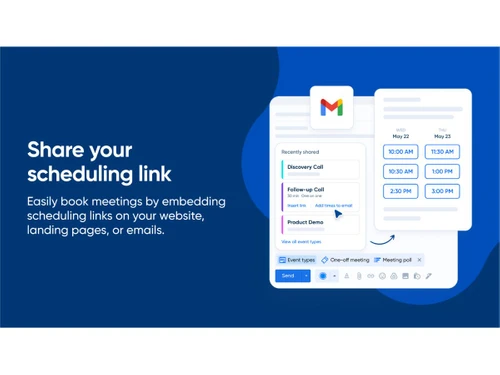
Calendly Appointment Software is a powerful visitor management software that empowers professionals and businesses to manage their appointments and meetings effortlessly. With its user-friendly interface and intuitive features, the platform allows you to set up your scheduling page seamlessly. You can easily configure your calendar rules, specify your availability, and determine the types of meetings you offer. Once your scheduling page is ready, you can share the unique link with clients, enabling them to select convenient time slots for their appointments.

The platform offers a smart availability display. Clients will only see when you're free to eliminate the back-and-forth emails typically associated with scheduling. Furthermore, you have the flexibility to customize the duration and type of meetings you offer to ensure that your calendar aligns perfectly with your business needs.

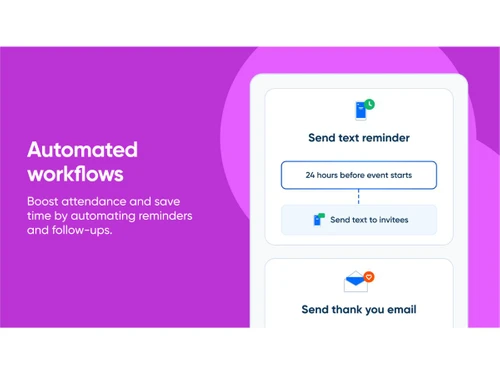
It automates essential administrative tasks such as sending reminder emails and follow-ups, allowing you to focus on your core activities and client interactions. This automation not only saves time but also enhances customer engagement and satisfaction.

Why Choose Calendly Appointment Software?

Calendly Appointment Software distributes appointments evenly among team members using the round-robin scheduling feature. It automatically adjusts available time slots based on your preferences and real-time changes. The software allows participants to join waiting lists for fully booked time slots and receive notifications if a slot becomes available. It sends appointment reminders and notifications via email for added convenience and improved communication.

The appointment scheduling tool allows you to set minimum and maximum durations for appointments to ensure efficient use of your schedule. It enables you to collect essential information from participants by creating customizable intake forms for each appointment type. The platform enables two-way calendar sync to ensure that your availability is up-to-date on your personal calendar as well as in Calendly. You can set limits on the number of participants who can book group events to ensure optimal participation and engagement.

Benefits of Calendly Appointment Software

  • The appointment software allows you to create different events or appointments with unique settings and durations.
  • It enables you to set up cancellation policies and customize the messaging participants receive when they cancel or reschedule appointments.
  • The platform allows you to configure reminder preferences, such as how far in advance participants receive reminders, to ensure appointments are not forgotten.
  • You can embed it directly on your website, blog, or landing pages to allow visitors to schedule appointments without leaving your site.
  • The appointment scheduling tool facilitates the scheduling of group events or meetings with multiple participants.

Calendly Pricing

Calendly price starts at $12 at Techjockey.com.

Calendly Appointment Software price in India may vary based on factors like customization, additional features required, number of users, and the deployment type. Please request a call back for subscription-related details and to avail offers on premium packages.

Read more

Calendly Company Details

Founded Year:  2013

Calendly is a modern scheduling platform that helps individuals, teams, and organizations automate meeting by removing the back and forth.

Director/Founders Tope Awotona
Company Size 101-500 Employees

Calendly Pricing & Plans

Standard
Starting at $12
    • Seat

      Seat
      Seat
    • Monthly

      Monthly
      Monthly

Key Features

  • Unlimited event types

  • Connect multiple calendars

  • Connect Hubspot, Mailchimp

  • Connect Stripe, Paypal

  • Connect with Zapier, webhooks

  • Automate meeting reminders

Teams
Starting at $20
    • Seat

      Seat
      Seat
    • Monthly

      Monthly
      Monthly

Key Features

  • Standard features, plus

  • Send meetings to Salesforce

  • Share Round-robin meetings

  • Qualify & route leads

  • Connect Hubspot, Marketo, Pardot

  • Advanced admin features

Calendly Features

  • icon_check Scheduling Automation
    Automates meeting scheduling with customizable availability, buffer times, and rules to eliminate back-and-forth emails.
  • icon_check Calendar Integration
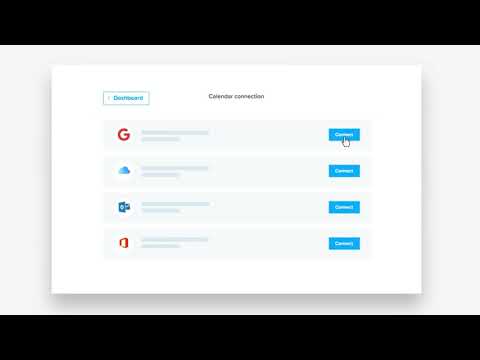
    Syncs with Google, Outlook, iCloud, and Office 365 calendars to avoid conflicts and ensure accurate availability.
  • icon_check Video Conferencing
    Connects with Zoom, Microsoft Teams, Webex, and Google Meet to auto-generate secure video meeting links.
  • icon_check Automated Reminder
    Sends email and SMS reminders, confirmations, and follow-ups to reduce no-shows and improve attendance.
  • icon_check Team Scheduling
    Supports round-robin, collective, and group scheduling for efficient team collaboration and client booking.
  • icon_check Custom Branding
    Allows personalized booking pages with company logos, colors, and custom messaging for a professional look.
  • icon_check Workflows & Automations
    Streamlines tasks with automated reminders, follow-ups, and integrations with CRM and productivity tools.
  • icon_check Time Zone Detection
    Automatically detects invitees’ time zones and adjusts scheduling to avoid confusion across regions.
  • icon_check Payment Gateway Integration
    Integrates with Stripe and PayPal to collect payments when scheduling paid appointments or consultations.
  • icon_check Enterprise Security
    Provides SSO, SCIM provisioning, audit logs, and compliance tools for secure and scalable enterprise use.
Calendly Demo Video play icon

Get Calendly Demo

Watch the demo video to explore key features, real workflows, and how the software fits your business needs.

Understand
Key Features
Personal
Demo Insights
Interactive
Demo Support

Calendly Specifications

Supported Platforms
Windows Windows iOS iOS Android Android MacOS MacOS
Devices
Desktop Desktop Mobile Mobile Tablet Tablet iPad iPad
Deployment
Cloud-Based Cloud-Based
Suitable For
All Industries
Business Specific
All Businesses
Business Size
Small Business Startups Medium Business Enterprises SMBs SMEs MSMBs MSMEs
Customer Support
Email Communities
Language
English
Integration
API Integration
Training Resources
Webinars Documentation Videos
AI Features
AI Integrated

Explore the Best Alternative Solutions Similar to Your Business Size and Needs

Calendly Reviews

4.5

Out of 5

img

Overall Rating

Based on
3 Verified Reviews

Rating Breakdown

  • Features 4.6
  • Value for Money 4.3
  • Ease of Use 4.5
  • Customer Support 4.8

80% Recommend this Product

Add Review

Calendly Video Reviews

youtubeVideoId

4.8

“Calendly Tutorial | Best Appointment Scheduling Software for Small Business”

Review by: StewartGauld

youtubeVideoId

4.8

“Calendly Review & Walkthrough for Online Appointments - Pricing, Features, Pros/Cons, and More”

Review by: Webeminence

youtubeVideoId

4.3

“Calendly Booking Software Review - Is it worth it?”

Review by: TRAFFICSALAD

Compare Calendly With other Appointment Scheduling Software

Products
Ratings
Pricing
Device Supported
Deployment
Supported Platforms
  • img

    Calendly

  • 4.5

  • Price On Request

  • Desktop

    Mobile

  • Web based

    On Premises

  • Windows

    Mac OS

  • img

    Reservio

  • 4.4

  • Price On Request

  • Desktop

    Mobile

  • Web based

    On Premises

  • Windows

    Mac OS

  • img

    GlossGenius

  • 4.5

  • Price On Request

  • Desktop

    Mobile

  • Web based

    On Premises

  • Windows

    Mac OS

  • img

    GoSchedule

  • 4.3

  • Price On Request

  • Desktop

    Mobile

  • Web based

    On Premises

  • Windows

    Mac OS

  • img

    Zoho Bookings

  • 4.2

  • ₹ 480

  • Desktop

    Mobile

  • Web based

    On Premises

  • Windows

    Mac OS

  • img

    Setmore

  • 4.3

  • Price On Request

  • Desktop

    Mobile

  • Web based

    On Premises

  • Windows

    Mac OS

  • img

    AppointEze

  • 3.9

  • Price On Request

  • Desktop

    Mobile

  • Web based

    On Premises

  • Windows

    Mac OS

  • img

    Booksy

  • 4.1

  • Price On Request

  • Desktop

    Mobile

  • Web based

    On Premises

  • Windows

    Mac OS

  • img

    SuperSaaS

  • 4.3

  • Price On Request

  • Desktop

    Mobile

  • Web based

    On Premises

  • Windows

    Mac OS

(0) Product(s) selected

Calendly Alternatives

See All Calendly Alternatives

Starting Price:

$12 /User/Month

Starting Price:

$30 /Month

Starting Price:

$9 /Month

Starting Price:

$4

Starting Price:

$15

Articles for Calendly

See All Related Articles

Which operating system does Calendly Appointment Software support?

Calendly Appointment Software is compatible with Windows operating system.

Is there any Calendly Appointment Software app?

Calendly Appointment Software is available for android and iOS app users.

What is the deployment type of Calendly software?

Calendly supports web-based deployment.

How much does Calendly cost?

Calendly price starts at $12 at Techjockey.com.

Who are the potential users of Calendly Appointment Software?

Calendly Appointment Software is suitable for professionals, businesses, and organizations seeking streamlined scheduling solutions, as well as individuals looking to efficiently manage appointments and meetings.

Is there any free trial or demo for Calendly Appointment Software?

Calendly Appointment Software free trial is available at techjockey.com.

Is Calendly Appointment Software free?

Calendly Software is not free. Price is available on request at techjockey.com.

How can you download Calendly Appointment Software monitoring software?

Calendly Appointment Software is a web-based platform. So, installation is not required. Just open the Setup Wizard to get started.

How does Calendly Appointment Software work?

This appointment scheduling tool helps users with Customization, Sending Notifications, Admin Features, Centralized Billing, Time Zone Detection, and more.

20,000+ Software Listed

Best Price Guranteed

Free Expert Consultation

2M+ Happy Customers

Terms and Condtions

close

Users with registered businesses can purchase goods from merchants on the platform to satisfy their business needs. Users are not permitted to utilize any products acquired through the platform for resale, advertising, business, or further distribution.

For each purchase made, users will receive a Tax Invoice (or 'GST invoice') that includes specific details such as:

  • the GSTIN of the user associated with their registered business, and

  • the specified Entity Name for their business.

It should be noted that not all products are eligible for GST Invoice. Only the products displayed by participating sellers with the 'GST-based Invoice Available' callout on the product description page would qualify.

Certain goods and services are not eligible to get a GST Invoice, including items with VAS, i.e., Value Added Services (e.g., Total Mobile Protection/Assured Buyback) and those involving an exchange offer at the time of purchase.

Users must ensure the accuracy of the GSTIN, and business entity name provided for the GST Invoice. Requests for corrections into GST Invoice would not be accommodated by Techjockey.com or any Seller, and any issues arising from user-provided information are the sole responsibility of users.

Techjockey.com is not liable for the GST Invoice or any associated input tax credit. To efficiently claim an input tax credit, users should select the registered place of business address as per the GST authority's data and follow the provisions of the GST Act and rules.

To claim an input tax credit, the delivery and billing addresses must match. Furthermore, input tax credits will not be granted if the delivery address and GSTIN on the invoice are from different states. In case of incorrect GST details provided during the order placement, the order will be canceled automatically.