USA
USA UAE
UAESmall Business
Designed for startups and growing businesses
See More


Brand: Piriform
CCleaner is a utility software that cleans and optimizes computer systems by removing unnecessary files and fixing registry issues. It enhances system performance, frees up disk space, and protects user privacy. CCleaner is available for Windows, macOS, and mobile devices.
See MoreHave you used CCleaner before?
Share your insights for better experience
Brand: Piriform
Founded Year: 2005
Piriform is a privately owned software house involved in creating PC optimization software.
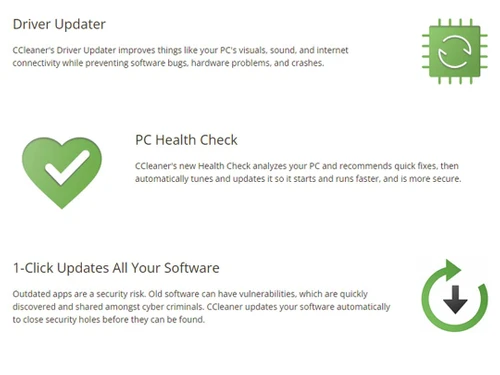
 Health Check Utility Custom Clean Engine Driver Updater Pro Software Updater UI Registry Cleaner Tool Startup Manager Junk File Removal Browser Plugin Manager Disk Analyzer Tool System Information Log Data Security Erasure Algorithm Certification Erasure Reporting User Authentication
  Windows
  MacOS
MacOS  Desktop
  Perpetual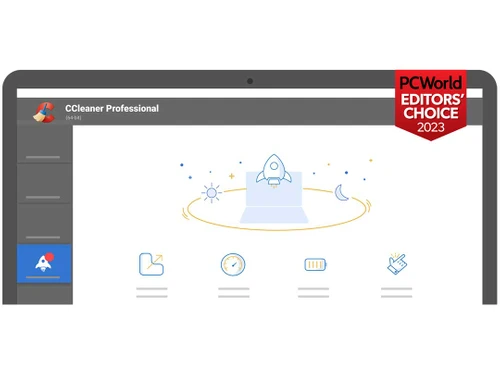
Small Business
Designed for startups and growing businesses
Medium Business
Built for business growth and flexibility
Enterprises
Designed for complex and large-scale business needs
4.6
Out of 5

Overall Rating
Based on
3 Verified Reviews
Rating Breakdown
95% Recommend this Product
Add Review


CCleaner
₹ 319.00 excl. GST
Desktop
Mobile
Web based
On Premises
Windows
Mac OS

iMyFone Umate Pro
₹ 2466
Desktop
Mobile
Web based
On Premises
Windows
Mac OS

Wise Care 365
₹ 1695
Desktop
Mobile
Web based
On Premises
Windows
Mac OS
Onerep
Price On Request
Desktop
Mobile
Web based
On Premises
Windows
Mac OS

iMyFone Umate Mac Cleaner
₹ 2466
Desktop
Mobile
Web based
On Premises
Windows
Mac OS

Blancco File Eraser
Price On Request
Desktop
Mobile
Web based
On Premises
Windows
Mac OS

Certus Erasing Software
Price On Request
Desktop
Mobile
Web based
On Premises
Windows
Mac OS
Lsoft Killdisk for Industrial Systems
Price On Request
Desktop
Mobile
Web based
On Premises
Windows
Mac OS
Advik Data Wipe
Price On Request
Desktop
Mobile
Web based
On Premises
Windows
Mac OS
WipeDrive
Price On Request
Desktop
Mobile
Web based
On Premises
Windows
Mac OS

BitRaser
Price On Request
Desktop
Mobile
Web based
On Premises
Windows
Mac OS
(0) Product(s) selected
Starting Price:
$15 /Month

Starting Price:
$24

Available
Price on Request
CCleaner pricing starts at INR 1240 per Year/PC at techjockey.com.
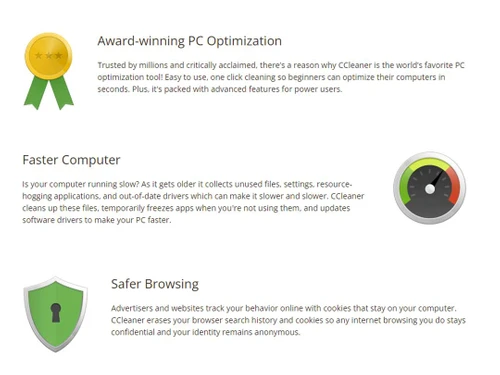
CCleaner scans your computer for temporary files, unused registry entries, and other unnecessary data. It then removes these files, freeing up disk space and potentially improving system performance. The software also offers tools for managing startup programs and uninstalling software.
CCleaner supports Windows and macOS and is available at techjockey.com.
Yes, CCleaner can be suitable for small businesses. It helps free up disk space and improve the performance of computers, which can be beneficial for small businesses with limited IT resources. The software's ability to manage startup programs and uninstall unnecessary software can also help maintain a clean and efficient system.
A demo of CCleaner is available at techjockey.com.
Yes, the CCleaner app is available for both Android and iOS users.
CCleaner offers features like cleaning temporary files, registry cleaning, software uninstaller, startup manager, browser plugin management, disk analyzer, duplicate finder, system restore, and drive wiper. You can contact our product experts for more information.
CCleaner employs data security measures, including erasure algorithms and reporting. While it has faced past security challenges, using the official version and staying updated enhances protection. For detailed information on the current security features, you can check their official documentation or consult techjockey.com.
CCleaner is designed for individuals and organizations looking to optimize their computer systems by removing unnecessary files and improving performance. It caters to users who want to maintain a clean and efficient digital environment, regardless of their technical expertise. The software's ease of use makes it accessible to a broad audience, ranging from casual computer users to IT professionals.
20,000+ Software Listed
Best Price Guranteed
Free Expert Consultation
2M+ Happy Customers
Terms and Condtions

Users with registered businesses can purchase goods from merchants on the platform to satisfy their business needs. Users are not permitted to utilize any products acquired through the platform for resale, advertising, business, or further distribution.
For each purchase made, users will receive a Tax Invoice (or 'GST invoice') that includes specific details such as:
the GSTIN of the user associated with their registered business, and
the specified Entity Name for their business.
It should be noted that not all products are eligible for GST Invoice. Only the products displayed by participating sellers with the 'GST-based Invoice Available' callout on the product description page would qualify.
Certain goods and services are not eligible to get a GST Invoice, including items with VAS, i.e., Value Added Services (e.g., Total Mobile Protection/Assured Buyback) and those involving an exchange offer at the time of purchase.
Users must ensure the accuracy of the GSTIN, and business entity name provided for the GST Invoice. Requests for corrections into GST Invoice would not be accommodated by Techjockey.com or any Seller, and any issues arising from user-provided information are the sole responsibility of users.
Techjockey.com is not liable for the GST Invoice or any associated input tax credit. To efficiently claim an input tax credit, users should select the registered place of business address as per the GST authority's data and follow the provisions of the GST Act and rules.
To claim an input tax credit, the delivery and billing addresses must match. Furthermore, input tax credits will not be granted if the delivery address and GSTIN on the invoice are from different states. In case of incorrect GST details provided during the order placement, the order will be canceled automatically.