 USA
USA UAE
UAESmall Business
Designed for startups and growing businesses


See More


Brand: Google
Released in 2008 for Microsoft Windows, Google Chrome is a fast and easy to use secure browser. It is built with free software components from Mozilla Firefox and Apple WebKit. The Google Chrome web browser is also a major component of Chrome OS and is available for Windows, Linux, iOS, Android, Mac OS X. How Does Chrome Work? Google Chrome web browser is based on the open-source Chromium project...
See MoreHave you used Google Chrome before?
Share your insights for better experience
Brand: Google
Founded Year: 1998
Google is a multinational corporation that specializes in Internet-related services and products.
This Product is Available Free Forever.
Start instantly with no fees, no subscriptions, and no commitments.
Free Forever Plan
Get started immediately at no cost. Upgrade anytime if your business demand more.
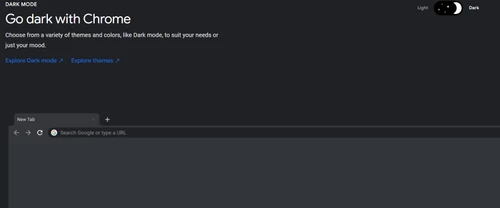
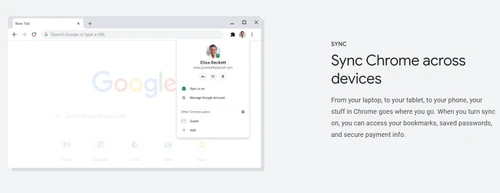
Free Forever Password Check Sync Dark Mode Tabs Articles for you Extensions Google Address Bar

Watch the demo video to explore key features, real workflows, and how the software fits your business needs.
 Ubuntu
  Windows
  iOS
iOS  Android MacOS Windows(Phone)
  Linux
Linux  Desktop
  Mobile
  Tablet
  iPad
iPad  Cloud-Based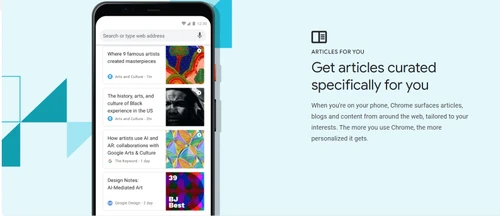
Small Business
Designed for startups and growing businesses
Medium Business
Built for business growth and flexibility
Enterprises
Designed for complex and large-scale business needs
5
Out of 5

Overall Rating
Based on
1 Verified Review
Rating Breakdown
100% Recommend this Product
Add Review
Mar 16, 2023
Techjockey Verified
“Chrome browser is very high up and down”
Pros
Chrome browser is very good for having apps, we can use the mobile phone, and many things can be done from the phone.
Cons
NO CONS

Google Chrome
FREE
Desktop
Mobile
Web based
On Premises
Windows
Mac OS
ChatGPT Atlas
₹ 399
Desktop
Mobile
Web based
On Premises
Windows
Mac OS
XNXubd VPN Browser
Price On Request
Desktop
Mobile
Web based
On Premises
Windows
Mac OS
Perplexity Comet
Price On Request
Desktop
Mobile
Web based
On Premises
Windows
Mac OS
SquareX
Price On Request
Desktop
Mobile
Web based
On Premises
Windows
Mac OS
DICloak Antidetect Browser
Price On Request
Desktop
Mobile
Web based
On Premises
Windows
Mac OS
Vivaldi
Price On Request
Desktop
Mobile
Web based
On Premises
Windows
Mac OS

Brave Browser
Price On Request
Desktop
Mobile
Web based
On Premises
Windows
Mac OS

Fellou
Price On Request
Desktop
Mobile
Web based
On Premises
Windows
Mac OS

GoLogin
Price On Request
Desktop
Mobile
Web based
On Premises
Windows
Mac OS

Mozilla Firefox
Price On Request
Desktop
Mobile
Web based
On Premises
Windows
Mac OS
(0) Product(s) selected
Starting Price:
₹399 /Month
Available
Price on Request
Starting Price:
$20 /Month
Available
Price on Request
Available
Price on Request
Starting Price:
$20 /Month
Starting Price:
$49 /month
Available
Price on Request

Available
Price on Request

Available
Price on Request

Available
Price on Request
Chrome is one of the fastest and easy to use secure browsers. Considering the several benefits of using Chrome such as in-built security features, wide range of extensions and more, one must use Google Chrome.
File menu is found on the File Explorer App. To access this feature, you can start File Explorer and then tap the File button in the top-left corner.
While Google and Google Chrome both may sound similar, you will need both on your device. While Google is the parent company that makes Google Chrome, Google Play, Gmail and many more, Google Chrome is the Chrome browser developed by Google.
If you are using Windows, Google Chrome creates a desktop shortcut on which you must double-click in order to open Chrome. Alternatively, you can access it from the Start Menu or pin it to the taskbar. On the other hand, if you are using Mac, you can open Chrome from Launchpad.
Follow the steps to get Chrome on your Android Phone or Tablet. Go to Google Chrome Click Install and then hit the Accept button To access, visit Home page or you can also go to the All Apps page, and click on the Chrome app
Absolutely! Google Chrome is a fast web browser available to download at no charge. However, before you download you must check if Chrome supports your OS.
The biggest reason why you should not use Google Chrome is due to the privacy related concerns with Google tracking. This means Google has tracking scripts on the sites you visit and holds the power to track you from various angles.
Google Chrome is a browser, that is, it is a program to display websites.
Despite being the most popular browser, Chrome has certain disadvantages. It is quite popular for privacy related concerns with Google tracking It doesn’t allow certain customization options and consumes more CPU and RAM compared to other browsers.
Google Chrome is so popular as it is easy to use and has minimal design as well as quick software support. Over the years, Chrome has rapidly grown in popularity.
To change language in Google Chrome you should:
0 0
Free Download Manager (FDM) is an integrated download manager with Google Chrome. You can access it by pressing Ctrl + J from your keyboard.
0 0
Yes, you can configure Google Chrome to save the data to a specific location, by following the steps given below:
0 0
To force Chrome to download only one file at a time, follow the steps given below:
0 3
To disable ‘Ask where to save each file before downloading’ extension in Google Chrome, follow the steps given below:
0 3
20,000+ Software Listed
Best Price Guranteed
Free Expert Consultation
2M+ Happy Customers
Terms and Condtions

Users with registered businesses can purchase goods from merchants on the platform to satisfy their business needs. Users are not permitted to utilize any products acquired through the platform for resale, advertising, business, or further distribution.
For each purchase made, users will receive a Tax Invoice (or 'GST invoice') that includes specific details such as:
the GSTIN of the user associated with their registered business, and
the specified Entity Name for their business.
It should be noted that not all products are eligible for GST Invoice. Only the products displayed by participating sellers with the 'GST-based Invoice Available' callout on the product description page would qualify.
Certain goods and services are not eligible to get a GST Invoice, including items with VAS, i.e., Value Added Services (e.g., Total Mobile Protection/Assured Buyback) and those involving an exchange offer at the time of purchase.
Users must ensure the accuracy of the GSTIN, and business entity name provided for the GST Invoice. Requests for corrections into GST Invoice would not be accommodated by Techjockey.com or any Seller, and any issues arising from user-provided information are the sole responsibility of users.
Techjockey.com is not liable for the GST Invoice or any associated input tax credit. To efficiently claim an input tax credit, users should select the registered place of business address as per the GST authority's data and follow the provisions of the GST Act and rules.
To claim an input tax credit, the delivery and billing addresses must match. Furthermore, input tax credits will not be granted if the delivery address and GSTIN on the invoice are from different states. In case of incorrect GST details provided during the order placement, the order will be canceled automatically.



