 USA
USA UAE
UAESmall Business
Designed for startups and growing businesses


See More




Brand: Churchteams
Small groups were the first area of focus as the de-centralized nature of them fit perfectly with the software being a web application. New Covenant began using it in the Fall of 2000 and within a year a number of other churches were using it as well. Consultants and several large, influential churc...
See MoreHave you used Churchteams before?
Share your insights for better experience
Brand: Churchteams
Founded Year: 2001
Churchteams
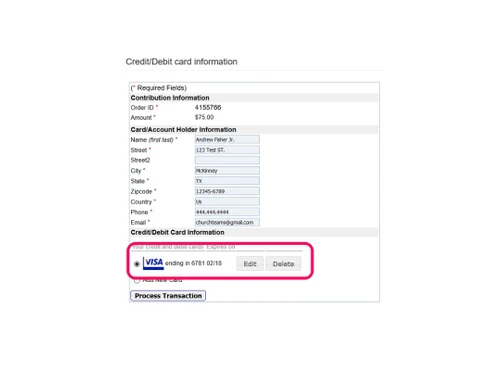
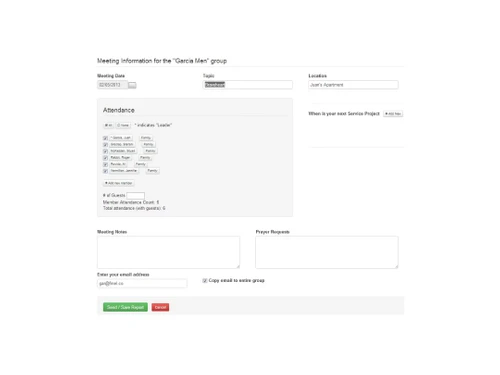
 Giving Membership Management Groups Check-in/Check-out Volunteers Registrations Communication

Watch the demo video to explore key features, real workflows, and how the software fits your business needs.
 Windows
  iOS
iOS  Android
  Desktop
  Mobile
  Tablet
  iPad
iPad  Cloud-Based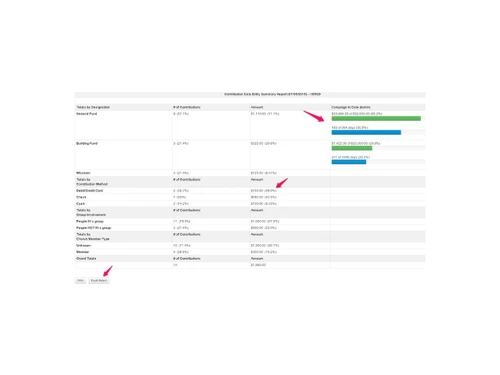
Small Business
Designed for startups and growing businesses
Medium Business
Built for business growth and flexibility
Enterprises
Designed for complex and large-scale business needs
4.5
Out of 5

Overall Rating
Based on
3 Verified Reviews
Rating Breakdown
96% Recommend this Product
Add ReviewUsers generally express high satisfaction with Churchteams, highlighting its user-friendly interface, affordability, and robust customer support. The platform is praised for its adaptability and features like group reporting and online giving. However, some users note limitations such as the lack of third-party integrations and the need for additional effort to complete certain tasks. Overall, Churchteams is well-regarded for its value, particularly among users seeking an efficient billing and records solution.

Sep 15, 2017
Techjockey Verified
“Helpful unbiased and knowledgeable”
Pros
I spoke with the gentleman from Techjockey, and within fifteen minutes, I received the first of six or seven calls that I received that day from vendors seeking to meet my need for a billing and records platform.?
Cons
N/A
May 24, 2018
Techjockey Verified
“I Love Churchteams!”
Pros
My favorite part of Churchteams is the ease of use- it's very user friendly and intuitive.
Cons
NO CONS
Feb 21, 2018
Techjockey Verified
“Great Product for the Cost”
Pros
Price, group reporting, customer support, mobile responsive, online giving and registration, adaptable.
Cons
No 3rd party integrations, some tasks require a little work to complete.

Churchteams
Price On Request
Desktop
Mobile
Web based
On Premises
Windows
Mac OS

Tithely
Price On Request
Desktop
Mobile
Web based
On Premises
Windows
Mac OS

Pushpay
Price On Request
Desktop
Mobile
Web based
On Premises
Windows
Mac OS

CHUMS
Price On Request
Desktop
Mobile
Web based
On Premises
Windows
Mac OS

Planning Center
Price On Request
Desktop
Mobile
Web based
On Premises
Windows
Mac OS

Aplos
Price On Request
Desktop
Mobile
Web based
On Premises
Windows
Mac OS

Anedot
Price On Request
Desktop
Mobile
Web based
On Premises
Windows
Mac OS

ACS Church Management Software
Price On Request
Desktop
Mobile
Web based
On Premises
Windows
Mac OS

Vanco Faith
Price On Request
Desktop
Mobile
Web based
On Premises
Windows
Mac OS

CristO
Price On Request
Desktop
Mobile
Web based
On Premises
Windows
Mac OS

Elvanto
Price On Request
Desktop
Mobile
Web based
On Premises
Windows
Mac OS
(0) Product(s) selected
Starting Price:
$72 /Month
Available
Price on Request
Available
Price on Request
Available
Price on Request
Available
Price on Request

Starting Price:
$72 /Month
No. You are subscribing for a service, not purchasing a product. The benefit of that is that you have the latest features, even minor tweaks, the minute they are released. This access and ease of use is the beauty of web-based software!
Absolutely! Protecting your personal information through online security is an absolute priority. We use Extended Validation SSL/TLS certificates and encryption which protects everyone accessing Churchteams. There are different security levels in the application you can manage and customize for limiting accessibility of personal and group data according to responsibility of individuals within your church. We have a bunch more information if you really want to geek out – Security Info.
Churchteams does not require a contract. The setup fee helps cover initial expenses related to sales and on-boarding support. We are confident that our excellent software and support is enough to earn and keep your business.
Call, text or email anytime. We even monitor these on nights and weekends in case of emergencies! Matthew 7:12, the Golden Rule, has always steered our #1 priority of excellent service. Our support team is made up of people just like you, pastors and admins who’ve used Churchteams while on church staff. We get it.
During the setup process, we have documentation that helps you export your data from whatever data source(s) you have. You then send us those CSV/Excel files and we import them for you – often within a day or two depending on volume and complexity of your data. We’ve developed tools to help clean up and merge data from different sources so that you can finally get all your people data in one place!
20,000+ Software Listed
Best Price Guranteed
Free Expert Consultation
2M+ Happy Customers
Terms and Condtions

Users with registered businesses can purchase goods from merchants on the platform to satisfy their business needs. Users are not permitted to utilize any products acquired through the platform for resale, advertising, business, or further distribution.
For each purchase made, users will receive a Tax Invoice (or 'GST invoice') that includes specific details such as:
the GSTIN of the user associated with their registered business, and
the specified Entity Name for their business.
It should be noted that not all products are eligible for GST Invoice. Only the products displayed by participating sellers with the 'GST-based Invoice Available' callout on the product description page would qualify.
Certain goods and services are not eligible to get a GST Invoice, including items with VAS, i.e., Value Added Services (e.g., Total Mobile Protection/Assured Buyback) and those involving an exchange offer at the time of purchase.
Users must ensure the accuracy of the GSTIN, and business entity name provided for the GST Invoice. Requests for corrections into GST Invoice would not be accommodated by Techjockey.com or any Seller, and any issues arising from user-provided information are the sole responsibility of users.
Techjockey.com is not liable for the GST Invoice or any associated input tax credit. To efficiently claim an input tax credit, users should select the registered place of business address as per the GST authority's data and follow the provisions of the GST Act and rules.
To claim an input tax credit, the delivery and billing addresses must match. Furthermore, input tax credits will not be granted if the delivery address and GSTIN on the invoice are from different states. In case of incorrect GST details provided during the order placement, the order will be canceled automatically.



