linkedin
EduPros logo
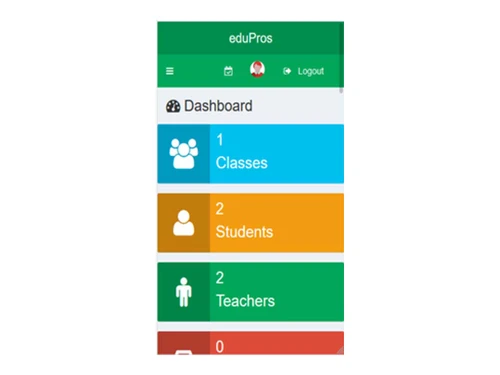
edupros dashboard
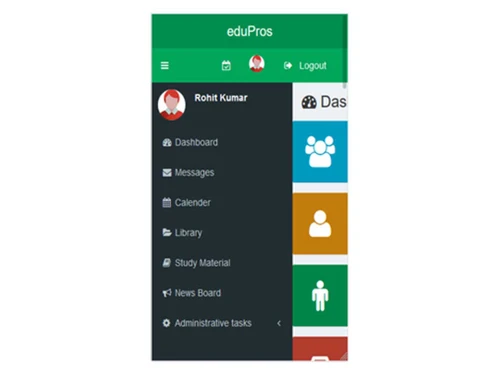
edupros student-profile
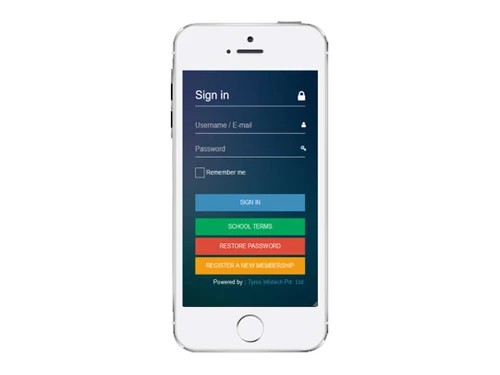
edupros-login

EduPros

Brand: Brilliant Techpro Solutions

  • 4.2

  • 5 Ratings

EduPros is a school management platform that helps educational institutions manage attendance, examinations, communication, and administrative operations.

See More

Have you used EduPros before?

Share your insights for better experience

Add a Review

Price Available on Request

Questions about pricing or customization? We’re here to help, just a click away.

100% Genuine
Products
Best Price
Guaranteed
Safe & Secure
Payment
  • Description

  • Pricing

  • Features

  • Specification

  • Review

  • Compare

  • Alternatives

  • FAQ

EduPros Software Overview

What is EduPros?

EduPros is a comprehensive and feature-rich School Management Software designed to create a unified digital ecosystem for educational institutions. It effectively integrates and streamlines administrative and academic processes by connecting the four key stakeholders: administrators, teachers, parents, and students. The platform serves as a central hub for managing everything from student admissions and attendance to online exams and financial accounting. By automating routine tasks and facilitating seamless communication, EduPros empowers schools to operate more efficiently, enhance collaboration, and provide a transparent and engaging educational experience for everyone involved.

The system is built to be highly customizable, supporting multiple languages, themes, and user-specific permissions. Its modular design allows schools to manage diverse functions such as library services, transportation, hostel accommodation, and event announcements, all from a single, intuitive interface. Whether it's a teacher uploading study materials, a parent checking their child's academic progress, or an administrator generating system-wide reports, EduPros provides the necessary tools to manage school operations effectively.

Why Choose EduPros?

  • All-in-One Integrated System: EduPros eliminates the need for multiple disparate software solutions by offering a single, cohesive platform. It manages academics, administration, communication, and finance, ensuring data consistency and reducing operational complexity.
  • Stakeholder Connectivity: The software provides dedicated portals for Admins, Teachers, Parents, and Students. This role-based access ensures that every user has the information and tools relevant to them, fostering a collaborative and transparent environment.
  • Enhanced Communication: With built-in private messaging and integrated Mail/SMS APIs, EduPros ensures timely and effective communication. Schools can send automated alerts for attendance, exam results, events, and other important announcements.
  • Deep Customization and Flexibility: EduPros is highly adaptable. It offers 12 distinct themes, support for 10 languages (including RTL), and allows administrators to define granular permissions for different user roles, tailoring the system to the school's specific policies.
  • Robust Academic Tools: The platform goes beyond basic administration with advanced academic features like online exam management with auto-marking, assignment tracking, digital library management, and bulk marksheet generation.
  • Data-Driven Insights: A powerful reporting module allows administrators to generate detailed reports on various aspects of the school's operations, from student attendance records to financial expenses, enabling informed decision-making.

Advanced Features of EduPros

  • Online Examination System: Create and manage online exams with multiple question types. The system supports automated marking, providing instant results and reducing the manual workload for teachers.
  • Comprehensive Accounting Module: Handle all financial operations with ease. The module supports automatic invoicing, expense tracking, and payment management, providing a clear overview of the institution's financial health.
  • Hostel & Transportation Management: Manage hostel-related student information and transportation services. The system supports hostel management and allows schools to track student transport subscriptions.
  • Mail/SMS API Integration: Keep parents and students informed with automated notifications. EduPros integrates with 8 different SMS APIs and 4 mail delivery methods to send alerts for attendance, exam schedules, results, and more.
  • Student Promotion & Academic Years: Seamlessly promote students to the next academic year at the end of a term. The system retains all past data, allowing for easy tracking of a student's academic progress over multiple years.
  • Digital Library & Study Materials: Create a robust online library and resource center. Teachers can upload and classify study materials by class, while the library module manages book availability and downloads.
  • Engagement & Communication Tools: Foster a vibrant school community with features like News & Events announcements, private user messaging, and interactive polls. Visibility for these features can be controlled based on user roles.

Modules of EduPros

  • Admin: The superuser with complete control over the system. The Admin can create and manage all other user accounts (including sub-admins and staff), configure system-wide settings, set permissions, and oversee all modules.
  • Teacher: Teachers manage their designated classes and students. Their capabilities include taking attendance, creating and grading assignments, managing exam marks, uploading study materials, and communicating with students and parents.
  • Student: Students have access to their personal academic world. They can view their class schedule, check attendance records, view marks and report cards, download study materials, and participate in online exams.
  • Parent: Parents are given a window into their child's school life. They can monitor daily, monthly, and yearly reports, check attendance, view marksheet, and use the messaging system to communicate with teachers.
  • Accountant: This role is dedicated to managing the financial aspects of the school within the accounting module, including invoicing, fee collection, and expense management.
  • Librarian: The Librarian manages the library module, including adding new members, issuing and returning books, and maintaining the digital catalog.
  • Clerk: A general administrative role designed to support various organizational tasks within the school.
  • Bus Driver: This user can access transportation-related information, such as bus routines and student pick-up/drop-off schedules.

How to Use EduPros?

Getting started with edupros is straightforward. The platform offers a comprehensive demo that allows prospective users to explore its full range of features from the perspective of different user roles. This hands-on experience is the best way to understand how the software can be tailored to your institution's specific needs. You can log in using the provided credentials to navigate the dashboard, test functionalities, and see the system in action.

Demo Credentials:

  • For Admin Access: Use ID/Password - admin/admin
  • For Staff (Teacher) Access: Use ID/Password - staff/staff
  • For Student Access: Use ID/Password - student/student

EduPros Pricing

EduPros pricing details are available on request on techjockey.com.

The pricing model is based on different parameters, including extra features, deployment type, and the total number of users. For further queries related to the product, you can contact our product team and learn more about the pricing and offers.

Read more

EduPros Pricing & Plans

Looking for The Right Pricing?

Share your requirements and get a plan built around your business.

  • Define your business needs
  • Get customised pricing
  • Choose features that fit your workflow

Price Available on Request

Get personalised EduPros pricing that fits your needs. Our team will connect with you.

EduPros Features

  • icon_check Online Exams
  • icon_check Transport Management
  • icon_check Student Management
  • icon_check User Role Management
  • icon_check Teacher, Parent Mobile Apps
  • icon_check Visitors
  • icon_check Assignments
  • icon_check Library Management
  • icon_check Reports
  • icon_check Dashboards
  • icon_check Hostel Management
  • icon_check Finance & Accounting

EduPros Specifications

Supported Platforms
Windows Windows iOS iOS Android Android
Devices
Desktop Desktop Mobile Mobile
Deployment
Cloud-Based Cloud-Based
Suitable For
Education Schools & Institutes Schools
Business Specific
School/Colleges
Business Size
Startups Medium Business SMBs SMEs MSMBs
Language
English

Explore the Best Alternative Solutions Similar to Your Business Size and Needs

EduPros Review

4.2

Out of 5

img

Overall Rating

Based on
5 Verified Ratings

Rating Breakdown

  • Features 3.9
  • Value for Money 4.1
  • Ease of Use 4.1
  • Customer Support 4.7

88% Recommend this Product

Add Review

Be the First to Review

This product has no reviews yet. Be the first to leave your feedback.

Add Review

Compare EduPros With other School Management Software

Products
Ratings
Pricing
Device Supported
Deployment
Supported Platforms
  • img

    EduPros

  • 4.2

  • Price On Request

  • Desktop

    Mobile

  • Web based

    On Premises

  • Windows

    Mac OS

  • img

    School Magica

  • 4.7

  • ₹ 20000

  • Desktop

    Mobile

  • Web based

    On Premises

  • Windows

    Mac OS

  • img

    Edunext School ERP

  • 4.7

  • Price On Request

  • Desktop

    Mobile

  • Web based

    On Premises

  • Windows

    Mac OS

  • img

    E-School ERP

  • 4.6

  • ₹ 40000

  • Desktop

    Mobile

  • Web based

    On Premises

  • Windows

    Mac OS

  • img

    Edu Manage Plus

  • 4.9

  • ₹ 18

  • Desktop

    Mobile

  • Web based

    On Premises

  • Windows

    Mac OS

  • img

    Vedcool

  • 4.6

  • ₹ 11000

  • Desktop

    Mobile

  • Web based

    On Premises

  • Windows

    Mac OS

  • img

    Gati School ERP

  • 5

  • Price On Request

  • Desktop

    Mobile

  • Web based

    On Premises

  • Windows

    Mac OS

  • img

    SchoolEZY

  • 4.5

  • ₹ 25000

  • Desktop

    Mobile

  • Web based

    On Premises

  • Windows

    Mac OS

  • img

    EducateSync

  • 4.7

  • ₹ 999

  • Desktop

    Mobile

  • Web based

    On Premises

  • Windows

    Mac OS

  • img

    EduOpus

  • 5

  • Price On Request

  • Desktop

    Mobile

  • Web based

    On Premises

  • Windows

    Mac OS

(2) Product(s) selected

EduPros Alternatives

See All EduPros Alternatives

Available

Price on Request

Available

Price on Request
Starting Price:

₹5,000 /Year

Articles for EduPros

See All Related Articles

What is EduPros?

EduPros is a comprehensive school management system designed to integrate and facilitate various user accounts within a school, enabling full management and control through its modules.

What are the features of EduPros?

EduPros offers a wide range of features including user role management, attendance tracking, mark sheet generation, online exams, library management, accounting, messaging, and academic year promotion, among many others.

How much does EduPros cost?

EduPros pricing details are available on request on techjockey.com.

How to login to EduPros?

To log in to EduPros, you would typically use a dedicated login page with your assigned credentials, such as the demo credentials provided for Admin (admin/admin), Staff (staff/staff), or Student (student/student).

Who can use EduPros?

EduPros is designed for various school stakeholders, including Admins, Teachers, Parents, Students, Accountants, Librarians, Clerks, and Bus Drivers, each with specific access and functionalities.

What types of user accounts does EduPros support?

EduPros supports four main user account types: Admin, Teacher, Parent, and Student, with additional roles like Accountant, Librarian, Clerk, and Bus Driver also integrated into the system.

Can parents track their child's progress with EduPros?

Yes, parents can use EduPros to check daily, monthly, and yearly reports, view their child's progress, absence records, mark sheets, and utilize the messaging feature for communication.

Does EduPros support online examinations?

Yes, EduPros includes robust functionality for managing online exams, offering multiple tools, automatic marking, and support for various question types.

What communication features are available in EduPros?

EduPros provides private messaging between users, and it also integrates with 8 SMS APIs and 4 mail delivery methods for sending attendance and exam details.

20,000+ Software Listed

Best Price Guranteed

Free Expert Consultation

2M+ Happy Customers

Terms and Condtions

close

Users with registered businesses can purchase goods from merchants on the platform to satisfy their business needs. Users are not permitted to utilize any products acquired through the platform for resale, advertising, business, or further distribution.

For each purchase made, users will receive a Tax Invoice (or 'GST invoice') that includes specific details such as:

  • the GSTIN of the user associated with their registered business, and

  • the specified Entity Name for their business.

It should be noted that not all products are eligible for GST Invoice. Only the products displayed by participating sellers with the 'GST-based Invoice Available' callout on the product description page would qualify.

Certain goods and services are not eligible to get a GST Invoice, including items with VAS, i.e., Value Added Services (e.g., Total Mobile Protection/Assured Buyback) and those involving an exchange offer at the time of purchase.

Users must ensure the accuracy of the GSTIN, and business entity name provided for the GST Invoice. Requests for corrections into GST Invoice would not be accommodated by Techjockey.com or any Seller, and any issues arising from user-provided information are the sole responsibility of users.

Techjockey.com is not liable for the GST Invoice or any associated input tax credit. To efficiently claim an input tax credit, users should select the registered place of business address as per the GST authority's data and follow the provisions of the GST Act and rules.

To claim an input tax credit, the delivery and billing addresses must match. Furthermore, input tax credits will not be granted if the delivery address and GSTIN on the invoice are from different states. In case of incorrect GST details provided during the order placement, the order will be canceled automatically.