USA
 UAE
Small Business
Designed for startups and growing businesses



See More



Brand: Quest Middle East
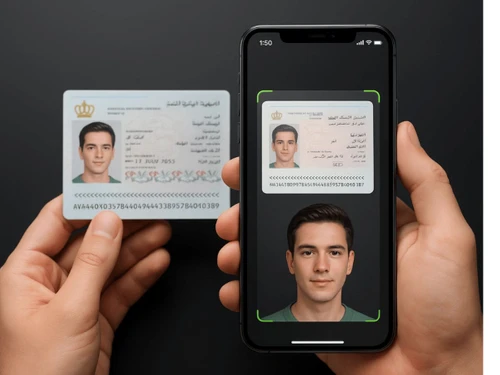
Entry2Exit is visitor management software for handling visitors, guests, vehicles, automated surveillance, and security for facility operations.
See MoreHave you used Entry2Exit before?
Share your insights for better experience
Looking for The Right Pricing?
Share your requirements and get a plan built around your business.
Price Available on Request
Get personalised Entry2Exit pricing that fits your needs. Our team will connect with you.
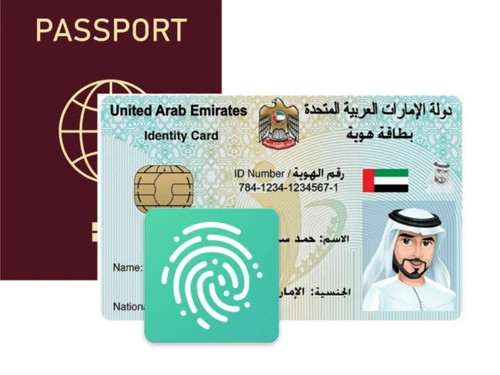
 Pre-Registration Walk-In Registration Customizable Workflows ID Scan Alerts & Notifications Visitor Badge Printing Role-Based Access Control (RBAC) Multi-Language Support Multi-Site Management Compliance Management Watchlist Screening Automated Reports
 Windows
 Android
 MacOS
 Desktop
 Mobile
 Tablet
 Cloud-Based
 Perpetual
Small Business
Designed for startups and growing businesses
Medium Business
Built for business growth and flexibility
Enterprises
Designed for complex and large-scale business needs
4.7
Out of 5

Overall Rating
Based on
1 Verified Review
Rating Breakdown
100% Recommend this Product
Add Review
Oct 18, 2025
Techjockey Verified
“An all in one system that is perfect for companies of all sizes”
Our facility used to have a tough time managing visitors. But after implementation of Entry2Exit visitor management system, Managing visitors is easier than ever.
Pros
Very customizable and easy to use.
Cons
Not much cons to be honest
Reason to switch
Managing visitors easily

Entry2Exit
Price On Request
Desktop
Mobile
Web based
On Premises
Windows
Mac OS

BelleVie
Price On Request
Desktop
Mobile
Web based
On Premises
Windows
Mac OS

Vizitor App
₹ 19200
Desktop
Mobile
Web based
On Premises
Windows
Mac OS

INDAS Visitor Management (iVMS)
Price On Request
Desktop
Mobile
Web based
On Premises
Windows
Mac OS

SeQure Visitor Management Software
₹ 500
Desktop
Mobile
Web based
On Premises
Windows
Mac OS

Spintly VMS
Price On Request
Desktop
Mobile
Web based
On Premises
Windows
Mac OS

VizPass
₹ 4999
Desktop
Mobile
Web based
On Premises
Windows
Mac OS

Archie
Price On Request
Desktop
Mobile
Web based
On Premises
Windows
Mac OS
EasyLobby
Price On Request
Desktop
Mobile
Web based
On Premises
Windows
Mac OS

VAMS
Price On Request
Desktop
Mobile
Web based
On Premises
Windows
Mac OS

GuestRAR
₹ 1999
Desktop
Mobile
Web based
On Premises
Windows
Mac OS
(0) Product(s) selected
Available
Price on Request
Available
Price on Request
Starting Price:
$109 /Month
Available
Price on Request
Available
Price on Request

Available
Price on Request

Available
Price on Request
Starting Price:
$2

Available
Price on Request

Starting Price:
$19 /Location/Month

Available
Price on Request
Entry2Exit pricing plans are available at techjockey.com. upon request.
Entry2Exit is used by organizations, enterprises, and facilities to manage visitors, vehicles, surveillance, and overall security operations.
Entry2Exit Visitor Management Software works by creating central digital visitor registration, vehicle entry, and surveillance, with real-time dashboards and automated alerts for facility management.
Entry2Exit runs smoothly on OS like Windows and web-based platforms.
Yes, a free demo of Entry2Exit software is available, allowing organizations to explore features before purchasing.
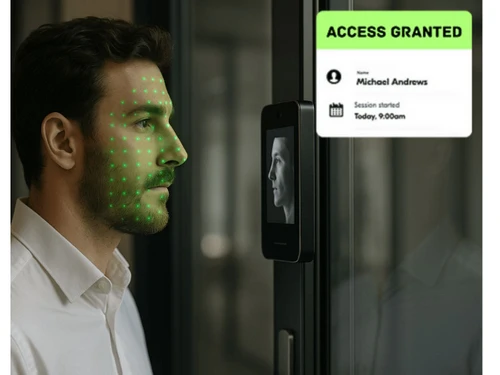
Yes, Entry2Exit Visitor Management Software supports QR code scanning and facial recognition, enabling secure, contactless visitor and staff access verification.
Entry2Exit supports multi-branch management, centralizing visitor data and ensuring consistent security across different organizational locations.
Entry2Exit integrates surveillance, access control, and real-time alerts to meet regulatory standards and strengthen facility security compliance.
Yes, Entry2Exit Visitor Management Software provides real-time alerts for suspicious activity, unauthorized access, or emergencies, ensuring rapid response and enhanced safety.
20,000+ Software Listed
Best Price Guranteed
Free Expert Consultation
2M+ Happy Customers
Terms and Condtions

Users with registered businesses can purchase goods from merchants on the platform to satisfy their business needs. Users are not permitted to utilize any products acquired through the platform for resale, advertising, business, or further distribution.
For each purchase made, users will receive a Tax Invoice (or 'GST invoice') that includes specific details such as:
the GSTIN of the user associated with their registered business, and
the specified Entity Name for their business.
It should be noted that not all products are eligible for GST Invoice. Only the products displayed by participating sellers with the 'GST-based Invoice Available' callout on the product description page would qualify.
Certain goods and services are not eligible to get a GST Invoice, including items with VAS, i.e., Value Added Services (e.g., Total Mobile Protection/Assured Buyback) and those involving an exchange offer at the time of purchase.
Users must ensure the accuracy of the GSTIN, and business entity name provided for the GST Invoice. Requests for corrections into GST Invoice would not be accommodated by Techjockey.com or any Seller, and any issues arising from user-provided information are the sole responsibility of users.
Techjockey.com is not liable for the GST Invoice or any associated input tax credit. To efficiently claim an input tax credit, users should select the registered place of business address as per the GST authority's data and follow the provisions of the GST Act and rules.
To claim an input tax credit, the delivery and billing addresses must match. Furthermore, input tax credits will not be granted if the delivery address and GSTIN on the invoice are from different states. In case of incorrect GST details provided during the order placement, the order will be canceled automatically.