linkedin
EventCRM logo
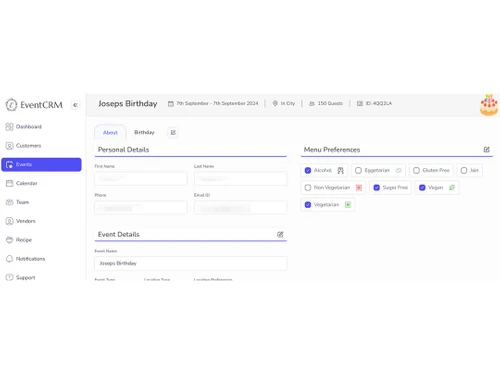
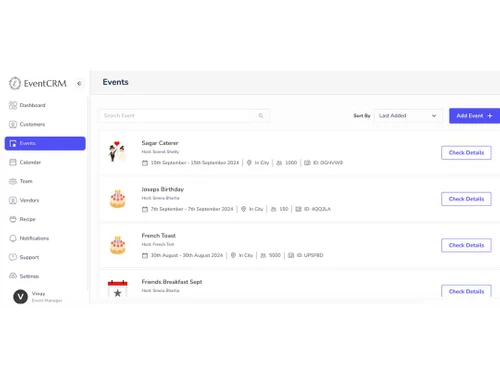
eventcrm events
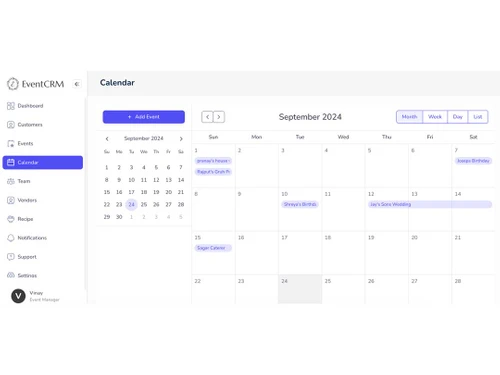
eventcrm calendar
eventcrm dashboard

EventCRM

Brand: IBEC Consulting Private Limited

  • 4.3

  • 5 Ratings

EventCRM is an Event management software that makes use of AI technology to efficiently manage operations of event services and catering.

See More

Have you used EventCRM before?

Share your insights for better experience

Add a Review

Price Available on Request

Questions about pricing or customization? We’re here to help, just a click away.

100% Genuine
Products
Best Price
Guaranteed
Safe & Secure
Payment
  • Description

  • Pricing

  • Features

  • Specification

  • Review

  • Compare

  • Alternatives

  • FAQ

EventCRM Software Overview

What is EventCRM?

EventCRM is a smart, AI-driven event management software for smooth event planning, catering, and weddings. The software has an interactive interface with a single dashboard to manage all the event-related tasks centrally. Artificial intelligence technology helps to provide automation of workflows, making customized menus, personalizing catering services, and planning. The software also supports multiple event management easily and ensures coordination and communication.

EventCRM provides AI-driven menu management for customizing catering options. It provides a structured timeline for events workflows for easy interpretation. It helps in guest list management to keep track of invites and RSVPs. The software integrates all the event-related elements, providing smooth, event coordination. It also provides support for customer management, team management, vendor management, venue management, décor management, artist management, and reporting and analytics.

Why choose EventCRM event Management Software?

  • Menu Management: It makes use of AI to personalize menu options, giving users the option to choose the catering services as desired.
  • Guest List Management: Tracks invites, RSVPs, and special requests, keeping all guest information organized and easily accessible.
  • Event Planning: Provides tools for detailed planning, from scheduling to vendor coordination, ensuring every aspect of the event is properly managed.
  • RSVP Tracking: Automates the RSVP process, making it easy to monitor guest responses and manage attendance.
  • Vendor Management: Coordinates with vendors smoothly for timely deliveries and services, and maintains high-quality standards.

Benefits of EventCRM Benefit Management Software

  • Better Event Coordination: It helps to simplify event planning by centralizing all tasks, saving time, and reducing stress.
  • Personalized Service: It uses AI for menu customization, and for giving catering options as per the guest preferences.
  • Efficiency: Helps to automate RSVP tracking and guest management, making the process smooth and hassle-free.
  • Client Experience: It helps to make events smooth thus providing detailed planning tools for flawless execution, increasing client satisfaction.
  • Multiple Event Management: Manages multiple events simultaneously with smooth coordination without overlaps or confusion.
  • Interactive Interface: Manages all tasks from one interface smoothly giving better user experience and operational efficiency.

Pricing of EventCRM

EventCRM price details are available on request at techjockey.com.

EventCRM price in India may vary based on factors like customization, additional features required, number of users, and the deployment type. Please request a call back for subscription-related details and to avail of offers on premium packages.

Read more

EventCRM Pricing & Plans

Looking for The Right Pricing?

Share your requirements and get a plan built around your business.

  • Define your business needs
  • Get customised pricing
  • Choose features that fit your workflow

Price Available on Request

Get personalised EventCRM pricing that fits your needs. Our team will connect with you.

EventCRM Features

  • icon_check Customer Management
    Manages client information and interactions, providing personalized service and enhancing customer satisfaction.
  • icon_check Team Management
    Coordinates team schedules and tasks, making collaboration and achieving productivity.
  • icon_check AI Menu Management
    It uses AI to customize menu options, for customization to fit the event theme and guest preferences.
  • icon_check Vendor Management
    Monitors vendor activities and schedules, ensuring timely deliveries and high-quality services.
  • icon_check Venue Management
    Handles venue bookings and layouts so that space meets event requirements and client expectations.
  • icon_check Guest Management
    Tracks guest lists and RSVPs, managing special requests and ensuring a better guest experience.
  • icon_check Task Management
    It organizes and assigns tasks, ensuring nothing is overlooked and everything runs smoothly.
  • icon_check Reporting & Analytics
    Provides detailed insights and data analytics, to help in decision-making for improving future events.

EventCRM Specifications

Supported Platforms
Windows Windows iOS iOS Android Android MacOS MacOS
Devices
Desktop Desktop
Deployment
Cloud-Based Cloud-Based
Suitable For
All Industries
Business Specific
All Businesses
Business Size
Small Business Medium Business Enterprises SMBs SMEs
Customer Support
Phone Email
Language
English
Training Resources
In Person

Explore the Best Alternative Solutions Similar to Your Business Size and Needs

EventCRM Review

4.3

Out of 5

img

Overall Rating

Based on
5 Verified Ratings

Rating Breakdown

  • Features 4.6
  • Value for Money 4.1
  • Ease of Use 4.2
  • Customer Support 4.3

94% Recommend this Product

Add Review

Be the First to Review

This product has no reviews yet. Be the first to leave your feedback.

Add Review

Compare EventCRM With other Event Management Software

Products
Ratings
Pricing
Device Supported
Deployment
Supported Platforms
  • img

    EventCRM

  • 4.3

  • Price On Request

  • Desktop

    Mobile

  • Web based

    On Premises

  • Windows

    Mac OS

  • img

    Zoho Backstage

  • 4.4

  • ₹ 7900

  • Desktop

    Mobile

  • Web based

    On Premises

  • Windows

    Mac OS

  • img

    Event Temple

  • 4.5

  • Price On Request

  • Desktop

    Mobile

  • Web based

    On Premises

  • Windows

    Mac OS

  • img

    Eventtia

  • 4.4

  • Price On Request

  • Desktop

    Mobile

  • Web based

    On Premises

  • Windows

    Mac OS

  • img

    Onlive.io

  • 4.2

  • Price On Request

  • Desktop

    Mobile

  • Web based

    On Premises

  • Windows

    Mac OS

  • img

    Goldcast

  • 4.3

  • Price On Request

  • Desktop

    Mobile

  • Web based

    On Premises

  • Windows

    Mac OS

  • img

    WedVista

  • 4.3

  • ₹ 50000

  • Desktop

    Mobile

  • Web based

    On Premises

  • Windows

    Mac OS

  • img

    WedPlan

  • 4.3

  • Price On Request

  • Desktop

    Mobile

  • Web based

    On Premises

  • Windows

    Mac OS

  • img

    Swoogo

  • 4.5

  • Price On Request

  • Desktop

    Mobile

  • Web based

    On Premises

  • Windows

    Mac OS

  • img

    Neoflo

  • 4.2

  • Price On Request

  • Desktop

    Mobile

  • Web based

    On Premises

  • Windows

    Mac OS

(0) Product(s) selected

EventCRM Alternatives

See All EventCRM Alternatives

Available

Price on Request

Available

Price on Request

Starting Price:

$11,800 /Year

Available

Price on Request

Available

Price on Request

Available

Price on Request

Available

Price on Request

Starting Price:

$199 /Month

Available

Price on Request

Available

Price on Request

Articles for EventCRM

See All Related Articles

Can EventCRM track team tasks and schedules?

Yes, EventCRM coordinates team schedules and tasks, ensuring efficient collaboration and productivity.

Can EventCRM automate reminders for tasks and events?

Yes, EventCRM can send automated reminders for tasks and events, keeping everyone on schedule.

Is there a demo available for EventCRM?

Yes, EventCRM offers a demo to help users explore its features and capabilities.

On which operating systems can EventCRM run?

EventCRM is web-based and can be accessed on any OS with an internet connection.

Who are the potential users of EventCRM and what are its primary uses?

EventCRM potential users include event planners, wedding coordinators, and catering companies for menu management, guest tracking, and smooth event coordination.

Can EventCRM track event budgets?

Yes, EventCRM tracks and manages event budgets, helping planners stay within financial limits.

Can EventCRM manage dietary restrictions for guests?

Yes, EventCRM tracks dietary restrictions and preferences, ensuring all guest needs are met.

Can EventCRM integrate with email marketing tools?

Yes, EventCRM integrates with CRM and email marketing tools, enabling effective communication and promotional campaigns.

How does EventCRM handle post-event feedback collection?

EventCRM automates post-event feedback collection, helping planners gather insights for future improvements. This feature is to be soon updated.

20,000+ Software Listed

Best Price Guranteed

Free Expert Consultation

2M+ Happy Customers

Terms and Condtions

close

Users with registered businesses can purchase goods from merchants on the platform to satisfy their business needs. Users are not permitted to utilize any products acquired through the platform for resale, advertising, business, or further distribution.

For each purchase made, users will receive a Tax Invoice (or 'GST invoice') that includes specific details such as:

  • the GSTIN of the user associated with their registered business, and

  • the specified Entity Name for their business.

It should be noted that not all products are eligible for GST Invoice. Only the products displayed by participating sellers with the 'GST-based Invoice Available' callout on the product description page would qualify.

Certain goods and services are not eligible to get a GST Invoice, including items with VAS, i.e., Value Added Services (e.g., Total Mobile Protection/Assured Buyback) and those involving an exchange offer at the time of purchase.

Users must ensure the accuracy of the GSTIN, and business entity name provided for the GST Invoice. Requests for corrections into GST Invoice would not be accommodated by Techjockey.com or any Seller, and any issues arising from user-provided information are the sole responsibility of users.

Techjockey.com is not liable for the GST Invoice or any associated input tax credit. To efficiently claim an input tax credit, users should select the registered place of business address as per the GST authority's data and follow the provisions of the GST Act and rules.

To claim an input tax credit, the delivery and billing addresses must match. Furthermore, input tax credits will not be granted if the delivery address and GSTIN on the invoice are from different states. In case of incorrect GST details provided during the order placement, the order will be canceled automatically.