linkedin
Fusion 20 logo
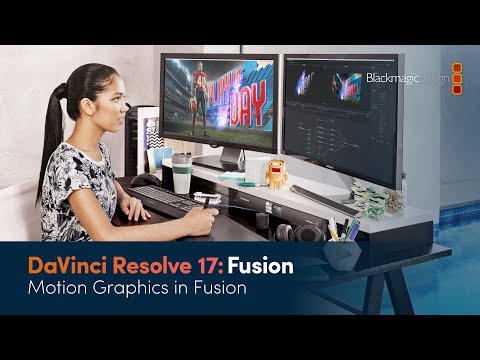
play DaVinci Resolve 18 Fusion Training - Motion Graphics in Fusion
Fusion 19 home
Fusion 19 editing

Fusion 20

Brand: Blackmagic Design

  • 4.0

  • 4 Ratings

Fusion 18 Graphic Design Software empowers designers with a comprehensive suite of tools, including advanced image editing, vector graphics creation, and seamless integration.

See More

Have you used Fusion 20 before?

Share your insights for better experience

Add a Review
Starting Price
₹29,980 excl.GST
₹ 29,980 incl. GST

View plans

offer Save upto 18%, Get GST Invoice on your business purchase T&C
offer Buy Now & Pay Later, Check offer on payment page.
Buy Now
100% Genuine
Products
Best Price
Guaranteed
Safe & Secure
Payment
  • Description

  • Pricing

  • Features

  • Specification

  • Review

  • Compare

  • Alternatives

  • FAQ

Starting at ₹29,980
Buy Now

Fusion 20 Software Overview

What is Fusion 20 Software?

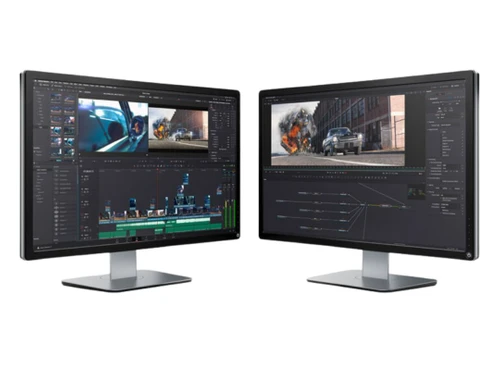
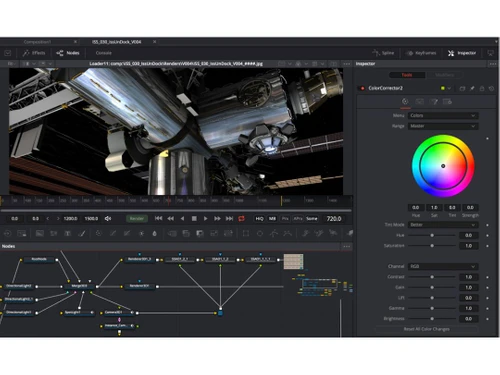
Fusion 20 is a powerful design software for visual effects enthusiasts and professionals. It lets you turn your wildest ideas into stunning creations with its cutting-edge features. It will help you to create captivating scenes with visual effects and lifelike 3D wonders using its advanced rendering engine. You can seamlessly integrate visual effects into your projects with precision and finesse.

Moreover, it makes collaboration easy, allowing you to work with fellow designers and artists to bring collective visions to life. You can streamline your design process and focus on creativity with intuitive workflow management tools. It will save time with automation features that handle repetitive tasks, giving you more freedom to focus on the most critical aspects of your design work.

You can tailor Fusion 20 to suit your needs with customizable scripting and interface options. So, get ready to embark on a creative journey with stereoscopic 3D tools, opening new dimensions of expression. You can fine-tune your designs to perfection with precise image analysis tools. It provides the tools to streamline workflow management, automate repetitive tasks, and customize the software according to specific needs.

Why Choose Fusion 20?

Fusion 20 is the perfect solution for many creative professionals and enthusiasts seeking to elevate their design projects to new heights. Visual effects artists, 3D animators, and filmmakers can benefit greatly from Fusion 20's advanced capabilities, as it empowers them to create captivating and immersive scenes with its robust visual effects and 3D rendering features. The precise VFX editing tools enable seamless integration of effects, ensuring the final output is of the highest quality.

Designers and artists working in collaborative environments will find Fusion 20 invaluable. Its collaboration tools facilitate easy communication and teamwork, allowing individuals to collaborate seamlessly on projects. Whether in the film industry, advertising, gaming, or any other creative field, With this, creative professionals can unlock limitless possibilities, showcase their imagination, and bring their artistic vision to life with unrivaled finesse and efficiency.

Benefits of Fusion 20 Graphic Design Software

  • Elevate your creativity with powerful visual effects and lifelike 3D rendering capabilities.
  • Seamlessly integrate and perfect visual effects in your projects with precision and finesse.
  • Collaborate effortlessly with fellow designers, fostering a dynamic creative environment.
  • Streamline your design process with intuitive workflow management and automation features.
  • Tailor Fusion 20 to your needs with customizable scripting and interface options.
  • Unlock new dimensions of expression with cutting-edge stereoscopic 3D tools and precise image analysis capabilities.

Fusion 20 Pricing

Fusion 20 graphic design system pricing starts from INR 29,980 per quantity at techjockey.com.

The pricing model is based on different parameters, including extra features, deployment type, and total users. For further queries related to the product, you can contact our product team and learn more about the pricing and offers.

Read more

Blackmagic Design Company Details

Founded Year:  2002

Blackmagic Design was founded in November 2002 and develops audio visual hardware products for feature films, live streaming and television.

Director/Founders Grant Petty
Company Size 501-1000 Employees

Fusion 20 Pricing & Plans

Fusion Studio
Key Features
  • Visual Effects
  • 3D Rendering
  • VFX Editing
  • Collaborate
  • Workflow Management
  • Automation

Calculated Price

29980 Exclusive of all taxes
    • Quantity

      Quantity
      Quantity

Key Features

  • Visual Effects

  • 3D Rendering

  • VFX Editing

  • Collaborate

  • Workflow Management

  • Automation

Fusion 20 Features

  • icon_check Visual Effects
    Create immersive scenes that leave a lasting impression on your audience.
  • icon_check 3D Rendering
    Dive into the world of lifelike three-dimensional wonders with its advanced rendering engine.
  • icon_check VFX Editing
    Seamlessly integrates visual effects with precision and finesse.
  • icon_check Collaborate
    Foster a dynamic creative environment by collaborating with fellow designers and artists.
  • icon_check Workflow Management
    Streamline design processes and optimize productivity with intuitive tools.
  • icon_check Automation
    Embrace efficiency by automating repetitive tasks, focusing on creativity.
  • icon_check Scripting
    Customize Fusion 18 for endless possibilities and unmatched creative control.
  • icon_check Customizable
    Tailor the interface and tools to suit individual preferences.
  • icon_check Stereoscopic 3D Tools
    Embark on a journey of creativity and expression in stereoscopic 3D design.
  • icon_check Image Analysis
    Fine-tune designs to perfection with precise image analysis tools.
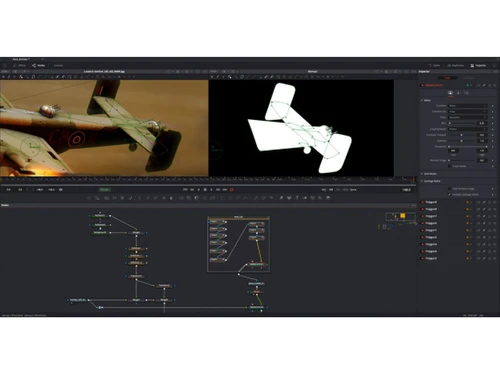
  • icon_check Node Workflow
    Uses a visual flow chart interface that connects image processing tools together to create complex cinematic effects easily.
  • icon_check GPU Acceleration
    Optimizes rendering and interactive performance using Metal, CUDA, and OpenCL to give artists instant visual feedback now.
  • icon_check Delta Keyer
    Features advanced image science to pull incredibly clean keys from blue or green screens while preserving fine hair details.
  • icon_check Vector Paint
    Includes resolution-independent tools for cloning, smearing, and painting to remove wires or rigs from your footage quickly.
Fusion 20 Demo Video play icon

Get Fusion 20 Demo

Watch the demo video to explore key features, real workflows, and how the software fits your business needs.

Understand
Key Features
Personal
Demo Insights
Interactive
Demo Support

Fusion 20 Specifications

Supported Platforms
Windows Windows MacOS MacOS
Devices
Desktop Desktop
Deployment
Cloud-Based Cloud-Based
Suitable For
All Industries
Business Specific
All Businesses
Business Size
Small Business Startups Medium Business
Customer Support
Email Communities
Language
English
Training Resources
Videos

Explore the Best Alternative Solutions Similar to Your Business Size and Needs

Fusion 20 Review

4.0

Out of 5

img

Overall Rating

Based on
4 Verified Ratings

Rating Breakdown

  • Features 4
  • Value for Money 4.2
  • Ease of Use 4.2
  • Customer Support 3.8

90% Recommend this Product

Add Review

Techjockey Trusted Reviews from Verified Users

No reviews are currently available for Fusion 20. Discover similar Graphic Design Software reviews

  • Spark by Adobe

    4.9

    Whats great - excellent software read more

  • Adobe After Effects CC for teams

    4.5

    Whats great - Streamlined workflow and User-friendly workspace. read more

  • Figma

    4.5

    Whats great - User-friendly app for UI designing with numerous plugins available. I really love the real-time collaboration abilities of th... read more

Compare Fusion 20 With other Graphic Design Software

Products
Ratings
Pricing
Device Supported
Deployment
Supported Platforms
  • img

    Fusion 20

  • 4.0

  • ₹ 29980.00 excl. GST

  • Desktop

    Mobile

  • Web based

    On Premises

  • Windows

    Mac OS

  • img

    Adobe Express

  • 4.2

  • Price On Request

  • Desktop

    Mobile

  • Web based

    On Premises

  • Windows

    Mac OS

  • img

    Pixelied

  • 4.2

  • Price On Request

  • Desktop

    Mobile

  • Web based

    On Premises

  • Windows

    Mac OS

  • img

    PosterMyWall

  • 4.5

  • ₹ 390

  • Desktop

    Mobile

  • Web based

    On Premises

  • Windows

    Mac OS

  • img

    Studio Polotno

  • 4.3

  • Price On Request

  • Desktop

    Mobile

  • Web based

    On Premises

  • Windows

    Mac OS

  • img

    Lunacy

  • 4.2

  • Price On Request

  • Desktop

    Mobile

  • Web based

    On Premises

  • Windows

    Mac OS

  • img

    Zoviz

  • 3.8

  • ₹ 999

  • Desktop

    Mobile

  • Web based

    On Premises

  • Windows

    Mac OS

  • img

    DesignO

  • 4.6

  • Price On Request

  • Desktop

    Mobile

  • Web based

    On Premises

  • Windows

    Mac OS

  • img

    VivaDesigner

  • 4.0

  • Price On Request

  • Desktop

    Mobile

  • Web based

    On Premises

  • Windows

    Mac OS

  • img

    Omi

  • Price On Request

  • Desktop

    Mobile

  • Web based

    On Premises

  • Windows

    Mac OS

(0) Product(s) selected

Fusion 20 Alternatives

See All Fusion 20 Alternatives

Starting Price:

$47 /Year

Starting Price:

$15 /User/Month

Available

Price on Request

Starting Price:

$9 /Month

Available

Price on Request

Available

Price on Request

Starting Price:

₹798 /Month

Articles for Fusion 20

See All Related Articles

Which operating system does Fusion 20 Software Support?

Fusion 20 software is compatible with Windows and macOS operating systems.

Is there any Fusion 20 Graphic Design App?

Fusion 20 Graphic Design app is unavailable on Android and iOS devices.

What is the deployment type of the Fusion 20?

Fusion 20 supports web-based deployment.

How much does Fusion 20 Cost?

Fusion 20 graphic design system pricing starts from INR 29,980 per quantity at techjockey.com.

Who are the potential users of the Fusion 20?

Fusion 20 can be used by graphic designers, visual effects artists, broadcast and motion graphic designers, and 3D animators.

Is there any free trial or demo for Fusion 20?

Fusion 20 demo is available for free with techjockey.com.

Is Fusion 20 Free?

Fusion 20 does not offer a free trial.

How can you download Fusion 20?

Fusion 20 is a web-based platform. So, you need not download any software or app to use it.

How Does Fusion 20?

Fusion 20 is a versatile graphic design software that offers a genuine 3D workspace for compositing, cinematic visual effects, and advanced broadcast motion graphics. It integrates 3D elements seamlessly into various projects, making it perfect for enhancing creativity and delivering impressive visual content.

20,000+ Software Listed

Best Price Guranteed

Free Expert Consultation

2M+ Happy Customers

Terms and Condtions

close

Users with registered businesses can purchase goods from merchants on the platform to satisfy their business needs. Users are not permitted to utilize any products acquired through the platform for resale, advertising, business, or further distribution.

For each purchase made, users will receive a Tax Invoice (or 'GST invoice') that includes specific details such as:

  • the GSTIN of the user associated with their registered business, and

  • the specified Entity Name for their business.

It should be noted that not all products are eligible for GST Invoice. Only the products displayed by participating sellers with the 'GST-based Invoice Available' callout on the product description page would qualify.

Certain goods and services are not eligible to get a GST Invoice, including items with VAS, i.e., Value Added Services (e.g., Total Mobile Protection/Assured Buyback) and those involving an exchange offer at the time of purchase.

Users must ensure the accuracy of the GSTIN, and business entity name provided for the GST Invoice. Requests for corrections into GST Invoice would not be accommodated by Techjockey.com or any Seller, and any issues arising from user-provided information are the sole responsibility of users.

Techjockey.com is not liable for the GST Invoice or any associated input tax credit. To efficiently claim an input tax credit, users should select the registered place of business address as per the GST authority's data and follow the provisions of the GST Act and rules.

To claim an input tax credit, the delivery and billing addresses must match. Furthermore, input tax credits will not be granted if the delivery address and GSTIN on the invoice are from different states. In case of incorrect GST details provided during the order placement, the order will be canceled automatically.