USA
USA UAE
UAESmall Business
Designed for startups and growing businesses


See More




Brand: GESCIS
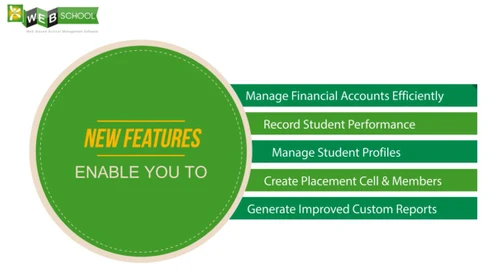
GESCIS Web School is an online school management software that enables the education institute to handle all the day-to-day functions in a comprehensive manner. The software is highly customizable solution having exclusive modules dedicated to effective management of teachers, students and staff rec...
See MoreHave you used GESCIS Web School ERP before?
Share your insights for better experience
Brand: GESCIS
Founded Year: 2011
GESCIS
Looking for The Right Pricing?
Share your requirements and get a plan built around your business.
Price Available on Request
Get personalised GESCIS Web School ERP pricing that fits your needs. Our team will connect with you.
 Assessment Management Student Management Finance & Accounting User Friendly Interface Customization Ultra Responsive :HTML 5 PHP :Powerful Scripting Language Cloud Based Installation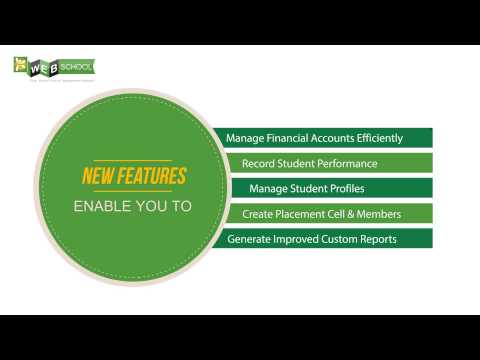

Watch the demo video to explore key features, real workflows, and how the software fits your business needs.
 Windows
  Desktop
  Cloud-Based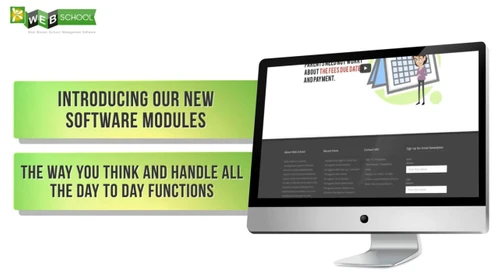
Small Business
Designed for startups and growing businesses
Medium Business
Built for business growth and flexibility
Enterprises
Designed for complex and large-scale business needs
4.9
Out of 5

Overall Rating
Based on
4 Verified Reviews
Rating Breakdown
100% Recommend this Product
Add ReviewCustomers generally express high satisfaction with GESCIS Web School ERP, highlighting its user-friendly interface and effective communication features for both teachers and students. Many users appreciate its adaptability to various educational settings, particularly for online learning. However, some feedback suggests a desire for additional functionality to align with global standards. Overall, the software is well-regarded for its practical capabilities, with users reporting minimal complaints.
Pros
"offers many wonderful and practical features that may be adjusted to fit the requirements of every class."
"The ease of use was what most struck our company. Our expectations were exceeded by each of the features and capabilities, which flawlessly suited our courses."
Cons
"More functionality can be added to meet global standards and operational structures"

Sep 6, 2022
Techjockey Verified
“Light and Powerful Application”
Pros
The ease of use was what most struck our company. Our expectations were exceeded by each of the features and capabilities, which flawlessly suited our courses.
Cons
Honestly, I found no faults with the software
Sep 19, 2022
Techjockey Verified
“easy to learn and use”
Pros
A very basic piece of software for novice users who may not be particularly computer savvy Additionally, recording and submitting grades is quite simple. It is also comparatively very easy for teachers and students to communicate and get notifications.
Cons
All things is working well, nothing to dislike
Sep 18, 2022
Techjockey Verified
“best product and features”
Pros
I've had a positive experience overall. Regardless of virtual or in-person learning, it was essential during 2020 and 2021 for online learning and continues to play a significant role for class resources and information.
Cons
Nothing, I have no complaints

GESCIS Web School ERP
Price On Request
Desktop
Mobile
Web based
On Premises
Windows
Mac OS
Vedcool
₹ 11000
Desktop
Mobile
Web based
On Premises
Windows
Mac OS

School Magica
₹ 20000
Desktop
Mobile
Web based
On Premises
Windows
Mac OS

Edunext School ERP
Price On Request
Desktop
Mobile
Web based
On Premises
Windows
Mac OS

E-School ERP
₹ 40000
Desktop
Mobile
Web based
On Premises
Windows
Mac OS

Edu Manage Plus
₹ 18
Desktop
Mobile
Web based
On Premises
Windows
Mac OS

Gati School ERP
Price On Request
Desktop
Mobile
Web based
On Premises
Windows
Mac OS
EduOpus
Price On Request
Desktop
Mobile
Web based
On Premises
Windows
Mac OS

SchoolEZY
₹ 25000
Desktop
Mobile
Web based
On Premises
Windows
Mac OS

Ranndass School ERP
Price On Request
Desktop
Mobile
Web based
On Premises
Windows
Mac OS

MyAppClass
₹ 11999
Desktop
Mobile
Web based
On Premises
Windows
Mac OS
(2) Product(s) selected
Available
Price on Request
Available
Price on Request
Available
Price on Request
Available
Price on Request

Available
Price on Request
Starting Price:
₹180 /Month
Available
Price on Request

Available
Price on Request

Starting Price:
₹12,000 /Year

Starting Price:
₹5,000 /Year

Available
Price on Request
The Web School App can be downloaded from Google Play Store, The link is https://play.google.com/store/apps/details?id=gescis.webschool&rdid=gescis.webschool. Once you install the app on your smart device then enter the School Code provided by School or mail our Support Team support@web-school.in. Login using Username and Password.
Login to Web School Mobile App. Click on the Menu option on the Top-left. Click on Attendance. You Can View Attendance details. Leave days will be marked in Red bubbles. Leave details will be displayed Below.
Yes it is!!! Please follow Below Steps Login to Web School Mobile App. Click on the Menu option on the Top-left. Click on Transportation. You can view either Route Details or Live Tracking. You can also get Contact details of Driver, if needed.
An academic year should be active every time for smooth functioning of Web School. To activate/deactivate an academic year go to Settings
Web School helps in generating various reports for different purposes. The reports are available in two forms, for whole school or for particular course & batch. The reports are listed below: Student Report. Student Details. Elective Subjects Report. Fee Due Report. Fee Paid Report. Absentees Report. Class Report. Fee Consolidated Report.
20,000+ Software Listed
Best Price Guranteed
Free Expert Consultation
2M+ Happy Customers
Terms and Condtions

Users with registered businesses can purchase goods from merchants on the platform to satisfy their business needs. Users are not permitted to utilize any products acquired through the platform for resale, advertising, business, or further distribution.
For each purchase made, users will receive a Tax Invoice (or 'GST invoice') that includes specific details such as:
the GSTIN of the user associated with their registered business, and
the specified Entity Name for their business.
It should be noted that not all products are eligible for GST Invoice. Only the products displayed by participating sellers with the 'GST-based Invoice Available' callout on the product description page would qualify.
Certain goods and services are not eligible to get a GST Invoice, including items with VAS, i.e., Value Added Services (e.g., Total Mobile Protection/Assured Buyback) and those involving an exchange offer at the time of purchase.
Users must ensure the accuracy of the GSTIN, and business entity name provided for the GST Invoice. Requests for corrections into GST Invoice would not be accommodated by Techjockey.com or any Seller, and any issues arising from user-provided information are the sole responsibility of users.
Techjockey.com is not liable for the GST Invoice or any associated input tax credit. To efficiently claim an input tax credit, users should select the registered place of business address as per the GST authority's data and follow the provisions of the GST Act and rules.
To claim an input tax credit, the delivery and billing addresses must match. Furthermore, input tax credits will not be granted if the delivery address and GSTIN on the invoice are from different states. In case of incorrect GST details provided during the order placement, the order will be canceled automatically.