Description
Pricing
Features
Specification
Review
Compare
FAQs
Alternatives
 Get Free Advice
Get Quote






Brand : hoverwatch


4.4 
12 Ratings & 12 Reviews
Have Questions?
Starting at
$ 30
Save Extra with 2 Offers
 Save upto 18%, Get GST Invoice on your business purchase |
Users with registered businesses can purchase goods from merchants on the platform to satisfy their business needs. Users are not permitted to utilize any products acquired through the platform for resale, advertising, business, or further distribution.
For each purchase made, users will receive a Tax Invoice (or 'GST invoice') that includes specific details such as:
the GSTIN of the user associated with their registered business, and
the specified Entity Name for their business.
It should be noted that not all products are eligible for GST Invoice. Only the products displayed by participating sellers with the 'GST-based Invoice Available' callout on the product description page would qualify.
Certain goods and services are not eligible to get a GST Invoice, including items with VAS, i.e., Value Added Services (e.g., Total Mobile Protection/Assured Buyback) and those involving an exchange offer at the time of purchase.
Users must ensure the accuracy of the GSTIN, and business entity name provided for the GST Invoice. Requests for corrections into GST Invoice would not be accommodated by Techjockey.com or any Seller, and any issues arising from user-provided information are the sole responsibility of users.
Techjockey.com is not liable for the GST Invoice or any associated input tax credit. To efficiently claim an input tax credit, users should select the registered place of business address as per the GST authority's data and follow the provisions of the GST Act and rules.
To claim an input tax credit, the delivery and billing addresses must match. Furthermore, input tax credits will not be granted if the delivery address and GSTIN on the invoice are from different states. In case of incorrect GST details provided during the order placement, the order will be canceled automatically.
Buy Now & Pay Later, Check offer on payment page. Hoverwatch is an employee monitoring system and parental control application that can be installed in smartphones to oversee their ward’s online activities. It helps you monitor call log, messages, GPS location, Snapchat, WhatsApp, among many others. It has a 360o approach to give you information...Read more
 Get Instant Expert
  Safe & Secure
  Assured Best Price
 We make it happen! Get your hands on the best solution based on your needs.
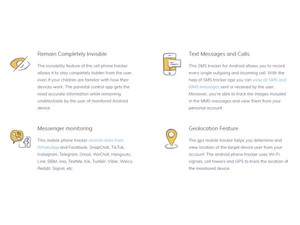
 Print Job Monitoring Record print tasks and capture content screenshots for audit of printed documents. Remote Control Take full mouse and keyboard control of monitored computers to troubleshoot or intervene. Real-Time Alerts Set custom alert rules that notify administrators when keywords or risky actions occur. Website & Application Blocking Block access to specific websites and apps entirely or on a time schedule. File Backup & Encryption Automatically back up files and encrypt sensitive corporate data to prevent unauthorized leaks. System Event Monitoring Track hardware/software inventory and system events like log-ins/log-outs. Centralized Activity Monitoringb Monitor all employee computer activities from one central console for a unified oversight solution. Stealth Mode Monitoring Operates invisibly on client computers with no pop-ups or icons so monitoring remains undisclosed to users. Real-Time Desktop Viewing View live desktops remotely to see exactly what employees are doing at any moment. Keystroke Logging Record all keystrokes made by employees across applications and sessions to review activity. User Internet Activity Monitoring Track visited URLs, websites viewed, online searches, and time spent on web pages. Application Usage Monitoring Log and analyze applications used and the duration for productivity insights. Chat & IM Monitoring Record instant messages and chats from popular platforms such as Skype and Google Talk.
Have recommended this product
Overall Score
Review this product
Your valuable feedback helps others like you make a better decision.
Pros
 “Rich feature set—location, screenshots, call logs, keystrokes” Neville Quadros - Apr 24, 2025
Cons
 “Performance and features vary—Windows/Mac apps aren’t as robust as Android ” Shashank Joahi - Jul 11, 2025
“Support is limited to email ticket—no live assistance for urgent issues” Neville Quadros - Apr 24, 2025
“No web or app blocking, so I still had to monitor everything manually” Burger Point Engineering College Chauraha Aliganj - Mar 13, 2025

“Hoverwatch Review : dose it really work? ”
4.6
Review by: Reviews Hub

“Hoverwatch Review : Best Phone Tracking App”
4.3
Review by: Tech Rehana
Verified reviewer:
Chartered Accountant, E-commerce
501-1000 Employees
Software user since: 1-2 years
Reviewed on: Apr 24, 2025
Verified reviewer:
Web Designer, Cosmetics
101-500 Employees
Software user since: 1-2 years
Reviewed on: May 7, 2025
Verified reviewer:
Civil Engineer, Software Development
101-500 Employees
Software user since: 1-2 years
Reviewed on: Aug 21, 2025
| Brand Name | hoverwatch |
| Information | Hoverwatch monitors and tracks user activity on the target smartphone, tablet, or personal computer. |
| Founded Year | 2002 |
| Director/Founders | Hoverwatch |
| Company Size | 1-100 Employees |


 20,000+ Software Listed
 Best Price Guaranteed
 Free Expert Consultation
 2M+ Happy Customers
 USA
USA UAE
UAE