USA
USA UAE
UAESmall Business
Designed for startups and growing businesses


See More



Brand: Jio
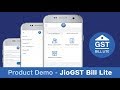
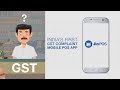
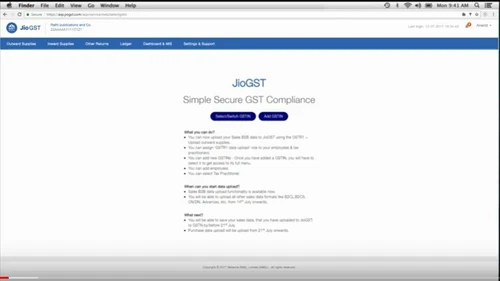
JioGST is a service from Jio that assists users in filing GST returns seamlessly. Users can make their invoices with its inbuilt billing process and get free data with JioFi. It provides integration with different application providers for easy GST compliance through the consumption of JioGST APIs. The software removes hassles of manual efforts in mapping and uploading GST related documents for s...
See MoreHave you used Jio GST before?
Share your insights for better experience
Brand: Jio
Founded Year: 1973
Jio is an Indian multinational conglomerate company headquartered in Mumbai, India. Reliance owns businesses across India engaged in energy, petrochemicals, textiles, natural resources, retail, and telecommunications.
Looking for The Right Pricing?
Share your requirements and get a plan built around your business.
Price Available on Request
Get personalised Jio GST pricing that fits your needs. Our team will connect with you.
 GST Registration HSN Finder Input Tax Credit Integration Multi-User Real-time data sharing Return Filing Security Multi Platform Adaptability Flexibility Backup & Restore User Interface & Reporting Billing & Invoicing Tax Management GST Auto Calculation GST Compliance GST Report Easy GST Billing GST E Waybill GST Returns GSTIN Validator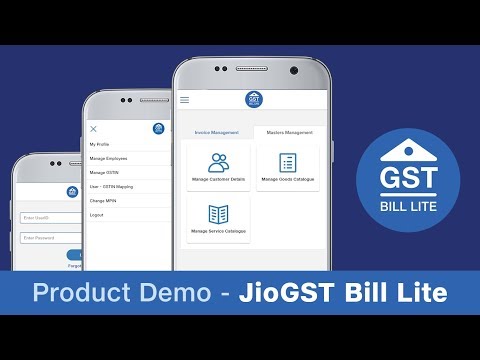

Watch the demo video to explore key features, real workflows, and how the software fits your business needs.
 Windows
  Desktop
  Cloud-Based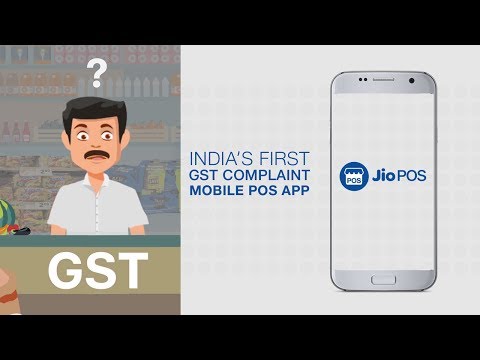
Small Business
Designed for startups and growing businesses
Medium Business
Built for business growth and flexibility
Enterprises
Designed for complex and large-scale business needs
3.2
Out of 5

Overall Rating
Based on
1 Verified Review
Rating Breakdown
50% Recommend this Product
Add Review
Jun 8, 2020
Techjockey Verified
“this s/w is a good for gst billing.”
Pros
gio gst is a good
Cons
very good

Jio GST
Price On Request
Desktop
Mobile
Web based
On Premises
Windows
Mac OS

EasyGST
₹ 3900
Desktop
Mobile
Web based
On Premises
Windows
Mac OS

GoGSTBill
₹ 1499
Desktop
Mobile
Web based
On Premises
Windows
Mac OS

Kernel GST Billing Software
₹ 1999
Desktop
Mobile
Web based
On Premises
Windows
Mac OS

ClearTax GST
Price On Request
Desktop
Mobile
Web based
On Premises
Windows
Mac OS

invny
Price On Request
Desktop
Mobile
Web based
On Premises
Windows
Mac OS
Spectrum Cloud
₹ 6300
Desktop
Mobile
Web based
On Premises
Windows
Mac OS

ProfitEazy
₹ 1499
Desktop
Mobile
Web based
On Premises
Windows
Mac OS

floTax
₹ 25000
Desktop
Mobile
Web based
On Premises
Windows
Mac OS

Atease
₹ 15000
Desktop
Mobile
Web based
On Premises
Windows
Mac OS

HostBooks GST
Price On Request
Desktop
Mobile
Web based
On Premises
Windows
Mac OS
(0) Product(s) selected
Input Tax Credit is basically the rate of GST levied on the supply of goods, which the taxpayer can use for making payments of the output tax liability.
GST is designed to help domestic businesses get on par with established ones with respect to imports and exports. The businesses can conduct their activities without having to care for their place of manufacture.
After getting registered under GST, users need to submit the prescribed information and adhere to the conditions, after which a final registration certificate will be granted. Users can even request a cancellation for their applications within a period of 30 days.
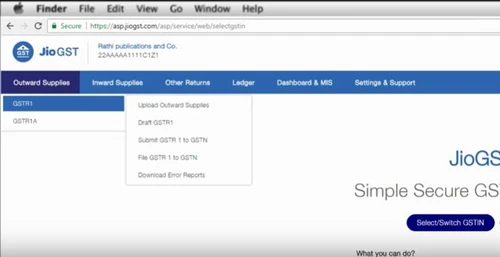
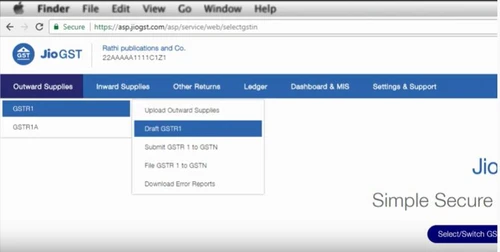
Jio GST lets businesses file their tax returns by putting in their unique GSTIN. With GSTIN, MSMEs authorise Jio GST empowered practitioners to file GST returns.
HSN is a six-digit code to identify the products that come under the purview of GST from over a thousand of them.
20,000+ Software Listed
Best Price Guranteed
Free Expert Consultation
2M+ Happy Customers
Terms and Condtions

Users with registered businesses can purchase goods from merchants on the platform to satisfy their business needs. Users are not permitted to utilize any products acquired through the platform for resale, advertising, business, or further distribution.
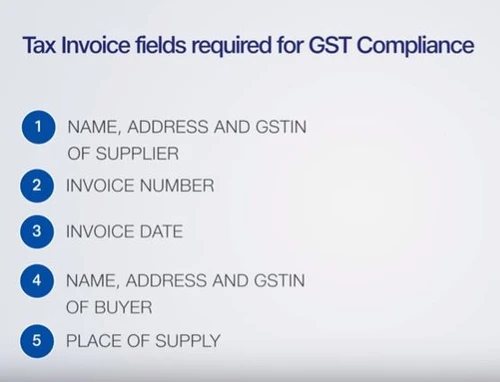
For each purchase made, users will receive a Tax Invoice (or 'GST invoice') that includes specific details such as:
the GSTIN of the user associated with their registered business, and
the specified Entity Name for their business.
It should be noted that not all products are eligible for GST Invoice. Only the products displayed by participating sellers with the 'GST-based Invoice Available' callout on the product description page would qualify.
Certain goods and services are not eligible to get a GST Invoice, including items with VAS, i.e., Value Added Services (e.g., Total Mobile Protection/Assured Buyback) and those involving an exchange offer at the time of purchase.
Users must ensure the accuracy of the GSTIN, and business entity name provided for the GST Invoice. Requests for corrections into GST Invoice would not be accommodated by Techjockey.com or any Seller, and any issues arising from user-provided information are the sole responsibility of users.
Techjockey.com is not liable for the GST Invoice or any associated input tax credit. To efficiently claim an input tax credit, users should select the registered place of business address as per the GST authority's data and follow the provisions of the GST Act and rules.
To claim an input tax credit, the delivery and billing addresses must match. Furthermore, input tax credits will not be granted if the delivery address and GSTIN on the invoice are from different states. In case of incorrect GST details provided during the order placement, the order will be canceled automatically.