 USA
USA UAE
UAESmall Business
Designed for startups and growing businesses

See More


Brand: Keystone Janitorial
Keystone JS is an open-source CMS designed for developers to efficiently build and scale applications. It offers a powerful GraphQL API, flexible schema design, customizable UI, and seamless integration with modern tools. Free to use, it’s ideal for creating custom back-end solutions.
See MoreHave you used KeystoneJS before?
Share your insights for better experience
Looking for The Right Pricing?
Share your requirements and get a plan built around your business.
Price Available on Request
Get personalised KeystoneJS pricing that fits your needs. Our team will connect with you.
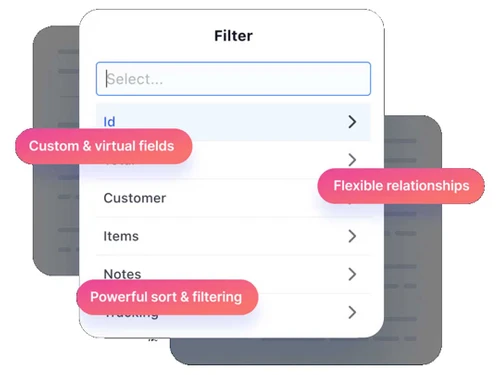
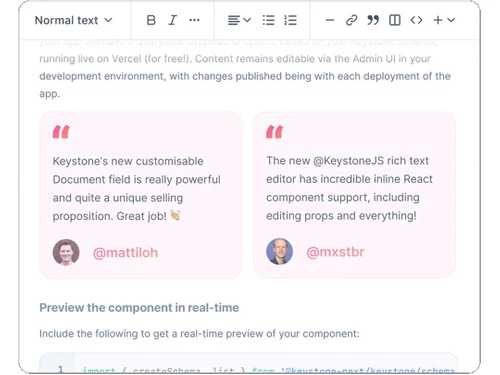
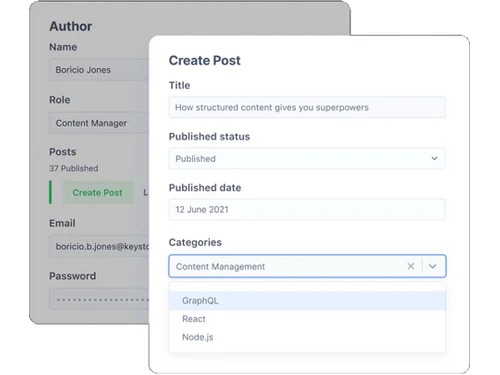
 WYSIWYG Editor Session Management Automated Backup Typescript Permission Management Powerful Filtering Database Migrations Custom themes and templates Document Management
  Windows
  Desktop
  Cloud-Based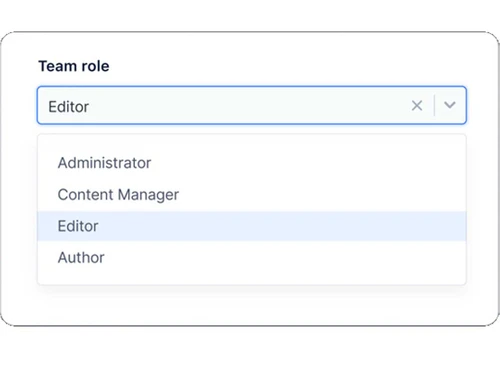
Small Business
Designed for startups and growing businesses
Medium Business
Built for business growth and flexibility
Enterprises
Designed for complex and large-scale business needs
3.8
Out of 5

Overall Rating
Based on
10 Verified Reviews
Rating Breakdown
78% Recommend this Product
Add ReviewUsers generally appreciate KeystoneJS for its ability to streamline website development and content management, highlighting its API-first approach, ease of use, and time-saving prebuilt codes. Many find it effective for organizing content across multiple projects, making it a valuable tool in their workflows. However, a common theme among reviews is the desire for expanded customization options and additional features, particularly for more complex projects. Overall, while it has some limitations, KeystoneJS is regarded as a solid choice for developers and content managers alike.

Sep 2, 2024
Techjockey Verified
“A fast and flexible platform for website development”
Pros
KeystoneJS, built on Node.js, has been great for developing websites that don’t look like typical CMS-driven products. Its API-first approach lets me design apps that are unique and more in line with what I want to achieve. It also feels faster and more modern compared to other systems I’ve used.
Cons
Since it’s relatively new, there are still some features that could be improved or added, but it’s been steadily growing in functionality.
Reason to switch
I chose KeystoneJS for its modern structure and the flexibility it offers in design and content management.
Jun 19, 2024
Techjockey Verified
“Easy tool for managing content and keeping everything organized”
Pros
KeystoneJS makes it easy to keep my website’s content organized. I like how it helps me structure everything and makes it simple to update or modify content whenever needed. I’ve been able to manage multiple sites without running into too many issues.
Cons
The customization options are good but could be expanded for even more control. Overall, it’s a useful tool that gets the job done.
Reason to switch
KeystoneJS offered more control over how I manage and update content, which was crucial for the types of projects I work on.
Sep 2, 2024
Techjockey Verified
“A practical tool for managing content and developing websites”
Pros
KeystoneJS has been a solid option for building websites and managing content in an organized manner. Its built-in tools make things easier, and the support from the larger developer community is also a big help when I run into questions. It’s a good alternative to other platforms I’ve used in the past.
Cons
I don’t really have anything to dislike, though more advanced customization would make it an even better tool for more complex projects.
Reason to switch
KeystoneJS gave me more control over content management without the unnecessary extras I didn’t need.

KeystoneJS
Price On Request
Desktop
Mobile
Web based
On Premises
Windows
Mac OS
Grav
Price On Request
Desktop
Mobile
Web based
On Premises
Windows
Mac OS

OpenText Web CMS
Price On Request
Desktop
Mobile
Web based
On Premises
Windows
Mac OS

Wix
Price On Request
Desktop
Mobile
Web based
On Premises
Windows
Mac OS

Cosmic AI
Price On Request
Desktop
Mobile
Web based
On Premises
Windows
Mac OS

Scrintal
Price On Request
Desktop
Mobile
Web based
On Premises
Windows
Mac OS

Contentful
Price On Request
Desktop
Mobile
Web based
On Premises
Windows
Mac OS

Wordable
Price On Request
Desktop
Mobile
Web based
On Premises
Windows
Mac OS
Bear CMS
Price On Request
Desktop
Mobile
Web based
On Premises
Windows
Mac OS

Genei
Price On Request
Desktop
Mobile
Web based
On Premises
Windows
Mac OS

Scalenut
Price On Request
Desktop
Mobile
Web based
On Premises
Windows
Mac OS
(2) Product(s) selected
Available
Price on Request
Available
Price on Request
Starting Price:
$99 /Month
Starting Price:
$5 /Month

Starting Price:
$149

Starting Price:
€29

Starting Price:
$5

Starting Price:
$99

Starting Price:
$170

Starting Price:
$18 /Month

Available
Price on Request





KeystoneJS is a powerful content management system (CMS) used for building and scaling applications efficiently. It provides developers with tools like flexible schema design and a powerful GraphQL API to create custom back-end solutions.
Yes, KeystoneJS is free to use under an open-source license. However, you may need to cover costs for hosting, custom development, and third-party integrations.
Keystone is a developer-centric framework that simplifies the creation of CMS-driven applications. It offers features like automatic GraphQL API generation, flexible schema design, and seamless integration with modern development tools.
Yes, KeystoneJS is an open-source project. It allows developers to customize and extend the platform to fit their specific needs while contributing to its ongoing development.
KeystoneJS offers a developer-friendly environment with features like a customizable admin UI, powerful GraphQL API, and automated database migrations. Its flexibility, scalability, and enterprise-ready solutions make it ideal for a wide range of applications.
To consume a REST API through KeystoneJS, you can create custom resolvers or hooks within your schema. This is a simple method that makes use of custom GraphQL resolvers:
axios or node-fetch within the resolver to make API calls to the REST endpoint.Example:

This query will fetch data from the external API and expose it through your Keystone GraphQL schema.
0 0
You can set a default value for the calendarDay field in KeystoneJS by providing the defaultValue option when defining the field in your schema. For example:

This will ensure that the field is pre-filled with a specific default date, such as the current date. You can also set other default values by modifying the function accordingly.
0 0
To make the document field show up bigger by default in KeystoneJS, you can change the admin dashboard's appearance. KeystoneJS doesn’t have a built-in way to do this directly, but you can use the ui option in your setup to change how fields show and work. This could let you make them open or bigger automatically with some custom code. You might need to add some extra features and create your own components to do this.
0 0
Using hooks like <code>resolveInput</code>, you can retrieve and send dynamic data to custom fields in KeystoneJS, allowing you to edit the data before storing it to the database.
0 0
In KeystoneJS, you can throw a custom error by returning an error object inside the schema's access control logic, like in <code>isAccessible</code>
0 0
20,000+ Software Listed
Best Price Guranteed
Free Expert Consultation
2M+ Happy Customers
Terms and Condtions

Users with registered businesses can purchase goods from merchants on the platform to satisfy their business needs. Users are not permitted to utilize any products acquired through the platform for resale, advertising, business, or further distribution.
For each purchase made, users will receive a Tax Invoice (or 'GST invoice') that includes specific details such as:
the GSTIN of the user associated with their registered business, and
the specified Entity Name for their business.
It should be noted that not all products are eligible for GST Invoice. Only the products displayed by participating sellers with the 'GST-based Invoice Available' callout on the product description page would qualify.
Certain goods and services are not eligible to get a GST Invoice, including items with VAS, i.e., Value Added Services (e.g., Total Mobile Protection/Assured Buyback) and those involving an exchange offer at the time of purchase.
Users must ensure the accuracy of the GSTIN, and business entity name provided for the GST Invoice. Requests for corrections into GST Invoice would not be accommodated by Techjockey.com or any Seller, and any issues arising from user-provided information are the sole responsibility of users.
Techjockey.com is not liable for the GST Invoice or any associated input tax credit. To efficiently claim an input tax credit, users should select the registered place of business address as per the GST authority's data and follow the provisions of the GST Act and rules.
To claim an input tax credit, the delivery and billing addresses must match. Furthermore, input tax credits will not be granted if the delivery address and GSTIN on the invoice are from different states. In case of incorrect GST details provided during the order placement, the order will be canceled automatically.



