linkedin
Kiran's Typing Tutor logo
kiran's typing tutor homepage
kiran's typing tutor themes
kiran's typing tutor user experience

Kiran's Typing Tutor

Brand: Microsoft Corporation

  • 4.0

  • 5 Ratings

Kiran's Typing Tutor is a free Windows typing software that helps users develop fast and accurate Hindi typing skills through structured practice.

See More

Have you used Kiran's Typing Tutor before?

Share your insights for better experience

Add a Review

Free Forever

Get started immediately at no cost. Upgrade anytime if your business demand more.

100% Genuine
Products
Best Price
Guaranteed
Safe & Secure
Payment
  • Description

  • Pricing

  • Features

  • Specification

  • Review

  • Compare

  • Alternatives

  • FAQ

Kiran's Typing Tutor Software Overview

What is Kiran's Typing Tutor?

Kiran's Typing Tutor is a specialized software application designed to help users learn touch typing and improve their typing skills and speed. It provides a structured learning environment for beginners and users looking to improve their typing proficiency through lessons, practice, tests, games, and other typing tools. The software is designed for Microsoft Windows and supports multiple keyboard and input language options.

The core objective of the tutor is to facilitate a seamless transition from manual writing to fast and accurate digital typing. Through a series of systematic lessons, interactive exercises, and performance tests, it guides users on correct finger placement, keystroke memory, and typing rhythm. The user-friendly interface and progressive difficulty curve help users build confidence and proficiency in touch typing for both personal and professional use.

Why Choose Kiran's Typing Tutor?

  • Structured Learning Curriculum: The software offers a scientifically designed curriculum that starts with the basics, such as understanding keyboard layouts and finger positions, and gradually progresses to typing practice and tests designed to improve speed and accuracy.
  • Support for Keyboard Practice: The software provides structured typing practice to help users learn keyboard layouts and improve their typing speed and accuracy.
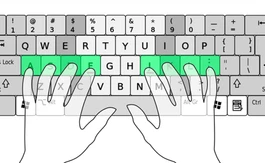
  • Engaging and Interactive Interface: Learning is made enjoyable through a clean, intuitive interface. Visual aids, such as an on-screen keyboard and hand guides, help users visualize correct finger positioning, reducing the learning curve significantly.
  • Detailed Performance Analytics: After each lesson or test, the software provides an in-depth analysis of the user's performance. Key metrics include typing speed in Words Per Minute (WPM), accuracy percentage, and a detailed error report, allowing users to identify and work on their specific weaknesses.
  • Abundant Practice Material: The tutor is packed with a vast library of practice content, including individual words, full paragraphs, and sample texts. This ensures that users have ample material to hone their skills and prepare for real-world typing tasks.

Advanced Features of Kiran's Typing Tutor

  • Customizable Practice Sessions: Users are not limited to the built-in lessons. The software allows you to import your own text files for practice, enabling you to work with material that is relevant to your field of work or study.
  • Adaptive Difficulty Engine: The tutor intelligently monitors your progress and can adjust the difficulty of subsequent lessons. If you are struggling with specific characters or words, it will provide targeted exercises to help you overcome those challenges.
  • Typing Games for Skill Reinforcement: To make practice less monotonous, the software includes a variety of typing games. These games are designed to improve speed, accuracy, and concentration in a fun and engaging way, making them particularly effective for younger learners.
  • Multi-User and Profile Management: The application supports the creation of multiple user profiles. This feature is ideal for families or educational institutions where a single computer is shared by several learners, as it allows each user to track their progress independently.
  • Ergonomic Guidance: To prevent bad habits and potential strain, the software provides visual cues and instructions on maintaining proper posture and hand positioning, promoting healthy and efficient typing practices from the very beginning.

Modules of Kiran's Typing Tutor

  • Beginner's Module: This foundational module introduces users to touch typing and keyboard layout basics through structured lessons designed for beginners.
  • Intermediate Module: Once the basics are mastered, this module focuses on building typing speed and fluency through progressively challenging practice exercises.
  • Advanced Practice Module: This module is for users aiming for higher typing proficiency. It provides more challenging practice material to build typing stamina, speed, and accuracy.
  • Typing Test Module: This module allows users to take typing tests and measure their typing speed and accuracy under timed conditions.
  • Numeric Typing Module: A dedicated section for mastering the numeric keypad, which is an essential skill for data entry and accounting roles.

How to Use Kiran's Typing Tutor?

  1. Installation: Download the software from the official source and run the installer. Follow the simple on-screen instructions to complete the installation on your Windows PC.
  2. Create Your Profile: Upon launching the application for the first time, create a user profile. This will be used to save your lesson progress, test scores, and performance history.
  3. Select a Keyboard Layout: Before starting the lessons, select the keyboard layout or typing configuration you want to practice.
  4. Follow the Lessons Sequentially: Start with the very first lesson in the Beginner's Module. It is highly recommended to progress through the lessons in the prescribed order to build a strong foundation.
  5. Practice Consistently: Dedicate at least 30-60 minutes each day to practice. Regular, consistent practice is the key to developing muscle memory and improving your typing speed.
  6. Analyze Your Results: Pay close attention to the feedback provided after each exercise. Identify the keys you frequently miss and use the practice module to work on those specific areas.

Kiran's Typing Tutor Pricing

Kiran's Typing Tutor is available for free on techjockey.com.

The pricing model is based on different parameters, including extra features, deployment type, and the total number of users. For further queries related to the product, you can contact our product team and learn more about the pricing and offers.

Read more

Microsoft Corporation Company Details

Founded Year:  1975

Microsoft Corporation is an American multinational technology company with headquarters in Redmond, Washington.

Director/Founders Paul Allen , Bill Gates
Company Size 1000+ Employees

Kiran's Typing Tutor Pricing & Plans

This Product is Available Free Forever.

Start instantly with no fees, no subscriptions, and no commitments.

  • Full access to basic version available
  • No credit card or sign-up required

Free Forever Plan

Get started immediately at no cost. Upgrade anytime if your business demand more.

Free Forever

Kiran's Typing Tutor Features

  • icon_check Easy to Use
  • icon_check Modern user experience
  • icon_check Provides multi-lingual user-interface
  • icon_check Integration
  • icon_check Certifications
  • icon_check Customization

Kiran's Typing Tutor Specifications

Supported Platforms
Windows Windows
Devices
Desktop Desktop
Deployment
Cloud-Based Cloud-Based Perpetual Perpetual
Suitable For
All Industries
Business Specific
All Businesses
Business Size
Small Business Startups SMBs SMEs
Language
English

Explore the Best Alternative Solutions Similar to Your Business Size and Needs

Kiran's Typing Tutor Review

4.0

Out of 5

img

Overall Rating

Based on
5 Verified Ratings

Rating Breakdown

  • Features 4.4
  • Value for Money 4.1
  • Ease of Use 4
  • Customer Support 3.8

92% Recommend this Product

Add Review

Techjockey Trusted Reviews from Verified Users

No reviews are currently available for Kiran's Typing Tutor. Discover similar Typing Software reviews

  • Lipikaar Typing Software

    4.5

    Whats great - I use Lipikar software both on mobile and Windows and it is helping me so much. I have a travelling job so accessing it is al... read more

  • Baraha Typing Software

    5.0

    Whats great - Easy to use and very good for beginners and it supports all native Indian languages. read more

  • Typing Baba

    5.0

    Whats great - Clarity of design and user friendly interface. read more

Compare Kiran's Typing Tutor With other Typing Software

Products
Ratings
Pricing
Device Supported
Deployment
Supported Platforms
  • img

    Kiran's Typing Tutor

  • 4.0

  • FREE

  • Desktop

    Mobile

  • Web based

    On Premises

  • Windows

    Mac OS

  • img

    TypingMaster

  • 3.8

  • ₹ 1395

  • Desktop

    Mobile

  • Web based

    On Premises

  • Windows

    Mac OS

  • img

    Typing Baba

  • 5

  • Price On Request

  • Desktop

    Mobile

  • Web based

    On Premises

  • Windows

    Mac OS

  • img

    Google Input Tools

  • 4.3

  • Price On Request

  • Desktop

    Mobile

  • Web based

    On Premises

  • Windows

    Mac OS

  • img

    TypingClub

  • Price On Request

  • Desktop

    Mobile

  • Web based

    On Premises

  • Windows

    Mac OS

  • img

    Nudi

  • 3.8

  • Price On Request

  • Desktop

    Mobile

  • Web based

    On Premises

  • Windows

    Mac OS

  • img

    TypingWale

  • ₹ 99

  • Desktop

    Mobile

  • Web based

    On Premises

  • Windows

    Mac OS

  • img

    Quillpad

  • 4.1

  • Price On Request

  • Desktop

    Mobile

  • Web based

    On Premises

  • Windows

    Mac OS

(0) Product(s) selected

Kiran's Typing Tutor Alternatives

See All Kiran's Typing Tutor Alternatives

Articles for Kiran's Typing Tutor

See All Related Articles

What does Kiran's Typing Tutor do?

Kiran's Typing Tutor is a software application designed to help users learn and improve their touch typing skills on Windows operating systems.

How much does Kiran's Typing Tutor cost?

Kiran's Typing Tutor is available for free on techjockey.com.

What are the main features of Kiran's Typing Tutor?

Kiran's Typing Tutor offers typing lessons, typing practice, typing tests, numeric typing, kids typing, typing games, performance statistics, finger preview, and key preview to help users improve their typing speed and accuracy.

Is there a free trial for Kiran's Typing Tutor?

Kiran's Typing Tutor is completely free, so there is no separate trial period.

Who can use Kiran's Typing Tutor?

Kiran's Typing Tutor is suitable for beginners and users who want to improve their typing speed and accuracy, including students and professionals.

What operating systems does Kiran's Typing Tutor support?

Kiran's Typing Tutor is designed for and supports Microsoft Windows.

Where can I download Kiran's Typing Tutor?

Kiran's Typing Tutor can be downloaded from the official Kiran Reddy website or the Microsoft Store.

Is Kiran's Typing Tutor suitable for beginners?

Yes, Kiran's Typing Tutor includes basic typing lessons designed to help beginners understand touch typing and develop their typing skills.

20,000+ Software Listed

Best Price Guranteed

Free Expert Consultation

2M+ Happy Customers

Terms and Condtions

close

Users with registered businesses can purchase goods from merchants on the platform to satisfy their business needs. Users are not permitted to utilize any products acquired through the platform for resale, advertising, business, or further distribution.

For each purchase made, users will receive a Tax Invoice (or 'GST invoice') that includes specific details such as:

  • the GSTIN of the user associated with their registered business, and

  • the specified Entity Name for their business.

It should be noted that not all products are eligible for GST Invoice. Only the products displayed by participating sellers with the 'GST-based Invoice Available' callout on the product description page would qualify.

Certain goods and services are not eligible to get a GST Invoice, including items with VAS, i.e., Value Added Services (e.g., Total Mobile Protection/Assured Buyback) and those involving an exchange offer at the time of purchase.

Users must ensure the accuracy of the GSTIN, and business entity name provided for the GST Invoice. Requests for corrections into GST Invoice would not be accommodated by Techjockey.com or any Seller, and any issues arising from user-provided information are the sole responsibility of users.

Techjockey.com is not liable for the GST Invoice or any associated input tax credit. To efficiently claim an input tax credit, users should select the registered place of business address as per the GST authority's data and follow the provisions of the GST Act and rules.

To claim an input tax credit, the delivery and billing addresses must match. Furthermore, input tax credits will not be granted if the delivery address and GSTIN on the invoice are from different states. In case of incorrect GST details provided during the order placement, the order will be canceled automatically.