 USA
USA UAE
UAESmall Business
Designed for startups and growing businesses


See More


Brand: Busysoft Systems
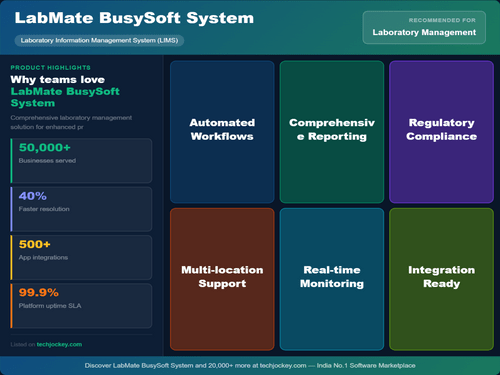
LabMate is a Lab management software that is used by pathology labs, X-ray centres and ultrasound and medical diagnostic centres. These centres store a number of specimen samples, ultrasounds, CT scans and MR investigations for the patients that are sent by physicians, laboratories and hospitals. The software helps in generating reports for the patients and physicians. Patients’ records are ke...
See MoreHave you used Lab Mate before?
Share your insights for better experience
Brand: Busysoft Systems
Founded Year: 1996
Busysoft Systems Private Limited is the software solutions, information technology services, and consultancy provider in healthcare, automation, process monitoring, and control systems.
Looking for The Right Pricing?
Share your requirements and get a plan built around your business.
Price Available on Request
Get personalised Lab Mate pricing that fits your needs. Our team will connect with you.
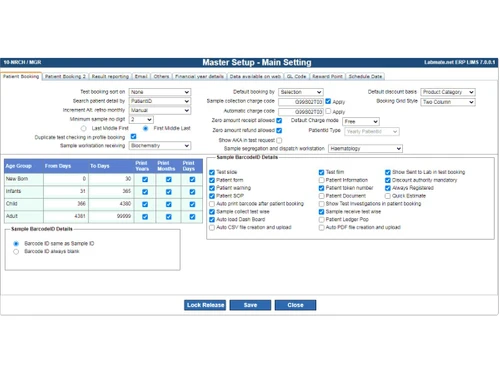
 Barcode Generation Sample Tracking Analyzer Interfacing Quality Control Inventory & Reagent Tracking Digital Signatures MIS & Analytics Outsource Management Appointment Management Patient Management SMS and Email Client Management Doctors Management Billing & Invoicing
  Ubuntu
  Windows
  MacOS
MacOS  Linux
Linux  Desktop
  Mobile
  Tablet
  Cloud-Based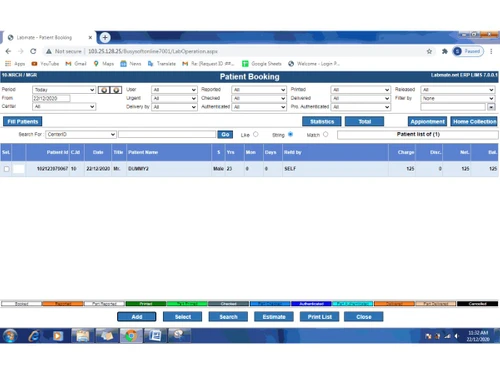
Small Business
Designed for startups and growing businesses
Medium Business
Built for business growth and flexibility
Enterprises
Designed for complex and large-scale business needs
4.5
Out of 5

Overall Rating
Based on
3 Verified Ratings
Rating Breakdown
90% Recommend this Product
Add ReviewTechjockey Trusted Reviews from Verified Users
No reviews are currently available for Lab Mate. Discover similar Laboratory Management Software reviews

MocDoc Lab Management System
Whats great - The Implementation team is highly responsive and guided us well during setup and training. Integration with our machines was ... read more

LabSmart
Whats great - Ease of using read more

Health Amaze
Whats great - Allows me to track my family’s health too. read more

Lab Mate
Price On Request
Desktop
Mobile
Web based
On Premises
Windows
Mac OS

Cloud Pathology
₹ 500
Desktop
Mobile
Web based
On Premises
Windows
Mac OS
LabLytic
₹ 499
Desktop
Mobile
Web based
On Premises
Windows
Mac OS

Qmarksoft Pathology Lab Software
₹ 1500
Desktop
Mobile
Web based
On Premises
Windows
Mac OS
.png)
Flabs Lab Management Software
Price On Request
Desktop
Mobile
Web based
On Premises
Windows
Mac OS

eLabAssist
₹ 1305
Desktop
Mobile
Web based
On Premises
Windows
Mac OS
LabSmart
₹ 2999
Desktop
Mobile
Web based
On Premises
Windows
Mac OS

SoftEazy PathoPro
₹ 1999
Desktop
Mobile
Web based
On Premises
Windows
Mac OS
MocDoc Lab Management System
Price On Request
Desktop
Mobile
Web based
On Premises
Windows
Mac OS

Fabric LIMS
₹ 7500
Desktop
Mobile
Web based
On Premises
Windows
Mac OS

Birlamedisoft PathoGold
₹ 5900
Desktop
Mobile
Web based
On Premises
Windows
Mac OS
(0) Product(s) selected
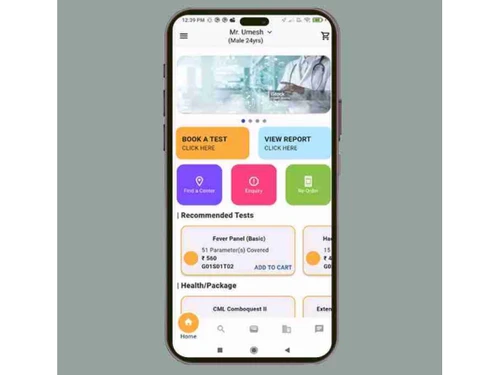
The software provides timely reminders to patients about the tests to be done, the number at which his slot has been fixed and also the availability of the doctor on that particular day. This helps the patient to decide whether or not to come to the clinic.
LabMate generates bills and receipts upon booking by a patient. However, the bills are issued to them only after the successful conduction of the tests.
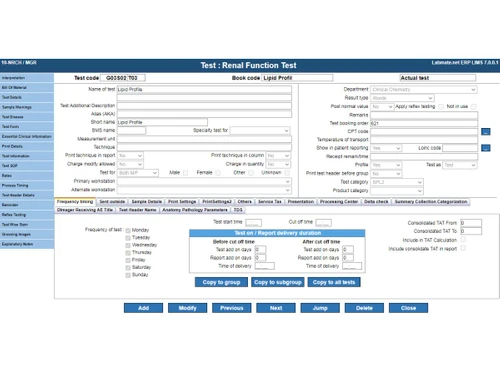
The software comes inbuilt with a result-reporting module that helps in a complete analysis and reporting of the test results. You can view the results with statistical and graphical representation for quality control. One can also store medical information for later usage.
YOu just need a computer with Windows operating system to use LabMate software.
You can take down the patient details, referencing doctor and the tests to be conducted on the individual at the time of booking. This helps to save time and also avoid the unnecessary hassles at the time of test conduction.
20,000+ Software Listed
Best Price Guranteed
Free Expert Consultation
2M+ Happy Customers
Terms and Condtions

Users with registered businesses can purchase goods from merchants on the platform to satisfy their business needs. Users are not permitted to utilize any products acquired through the platform for resale, advertising, business, or further distribution.
For each purchase made, users will receive a Tax Invoice (or 'GST invoice') that includes specific details such as:
the GSTIN of the user associated with their registered business, and
the specified Entity Name for their business.
It should be noted that not all products are eligible for GST Invoice. Only the products displayed by participating sellers with the 'GST-based Invoice Available' callout on the product description page would qualify.
Certain goods and services are not eligible to get a GST Invoice, including items with VAS, i.e., Value Added Services (e.g., Total Mobile Protection/Assured Buyback) and those involving an exchange offer at the time of purchase.
Users must ensure the accuracy of the GSTIN, and business entity name provided for the GST Invoice. Requests for corrections into GST Invoice would not be accommodated by Techjockey.com or any Seller, and any issues arising from user-provided information are the sole responsibility of users.
Techjockey.com is not liable for the GST Invoice or any associated input tax credit. To efficiently claim an input tax credit, users should select the registered place of business address as per the GST authority's data and follow the provisions of the GST Act and rules.
To claim an input tax credit, the delivery and billing addresses must match. Furthermore, input tax credits will not be granted if the delivery address and GSTIN on the invoice are from different states. In case of incorrect GST details provided during the order placement, the order will be canceled automatically.






![[Infographic] List of Best Laboratory Management Software](https://cdn.techjockey.com/blog/wp-content/uploads/2018/01/26140008/infographic-laboratory-management-software-list_feature.jpg?d=265x163 "Blog - [Infographic] List of Best Laboratory Management Software")