linkedin
Matlab logo
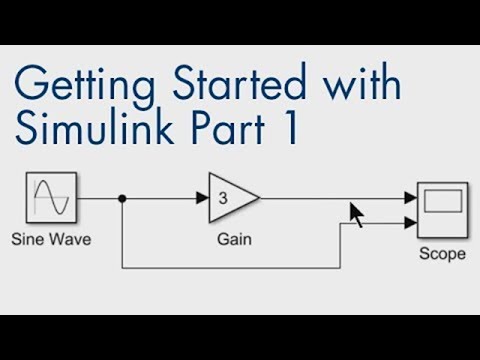
play Getting Started with Simulink, Part 1: How to Build and Simulate a Simple Simulink Model
Matlab app building
matlab

Matlab

Brand: MathWorks

  • 4.6

  • 3 Ratings

MATLAB is a high-level programming language for numerical computing, simulation, data analysis, and algorithm development.

See More

Have you used Matlab before?

Share your insights for better experience

Add a Review
Starting Price
₹84,250 excl.GST
₹ 99,415 incl. GST

View plans

offer Save upto 18%, Get GST Invoice on your business purchase T&C
offer Buy Now & Pay Later, Check offer on payment page.
Buy Now
100% Genuine
Products
Best Price
Guaranteed
Safe & Secure
Payment
  • Description

  • Pricing

  • Features

  • Specification

  • Review

  • Compare

  • Alternatives

  • FAQ

Starting at ₹84,250
Buy Now

Matlab Software Overview

What is MATLAB?

MATLAB is a simulation software with high-level programming language and environment. It is primarily used for numerical computing, simulation designs, data analysis, and algorithm development. It allows users to perform complex calculations, analyze data, visualize results, and develop models and algorithms. It comes with an interactive interface, consisting of a command window, editor, and workspace to help in coding, debugging, and visualization. It works by executing commands and scripts.

MATLAB provides extensive built-in functions, various kinds of toolboxes, and a vast array of libraries. There are libraries and toolboxes for domains like signal processing, control systems, artificial intelligence and machine learning, and image processing. It uses matrix-based language, and works using manipulation of matrices and multidimensional arrays. It provides a powerful set of built-in functions for mathematical computations. Its plotting capabilities include 2D and 3D visualizations. The Simulink feature offers model-based design for dynamic systems. With toolboxes for specialized tasks, it helps to make dynamic and static models for different areas like deep learning, artificial intelligence, machine learning, and statistics, helping to research in fields like engineering, finance, and scientific research.

Why choose MATLAB Simulation Software?

  • Data Analysis: MATLAB helps analyze large datasets, perform statistical operations, and extract insights through advanced algorithms and visualizations.
  • Signal Processing: MATLAB processes signals to filter, analyze, and manipulate data, widely used in communications and audio engineering.
  • Control Systems: MATLAB models, simulates, and designs control systems for engineering applications like robotics, aerospace, and automation.
  • Machine Learning: MATLAB provides tools to implement machine learning algorithms for classification, regression, and clustering with extensive toolboxes.
  • Image Processing: MATLAB allows image manipulation, enhancement, and analysis, commonly used in medical imaging, computer vision, and graphics.
  • Financial Modeling: MATLAB assists in developing complex financial models, pricing derivatives, risk management, and portfolio optimization in finance.

Benefits of MATLAB

  • Efficient Data Handling: MATLAB easily manages large datasets, enabling rapid processing and analysis for complex problems.
  • Advanced Visualization: It provides powerful plotting tools for creating detailed 2D and 3D graphical representations.
  • Extensive Libraries: MATLAB offers numerous toolboxes and functions for specialized tasks in engineering, finance, and science.
  • Simulink Integration: Simulink enhances MATLAB by allowing model-based design and simulation of dynamic systems in real-time.
  • User-Friendly Interface: MATLAB offers an intuitive, interactive interface with easy-to-use tools for coding, debugging, and visualization.
  • Comprehensive Tools: MATLAB provides specialized toolboxes for fields like machine learning, signal processing, and image analysis, enhancing functionality.

Pricing of MATLAB

MATLAB price starts at INR 84250 per year at techjockey.com. MATLAB comes with multiple pricing plans and caters to the diverse customer base.

For subscription-related details and offers on premium packages, please request a call back from our product experts.

Read more

MathWorks Company Details

Founded Year:  1984

The MathWorks, Inc. develops and supplies technical computing and model-based design software for engineers, scientists, mathematicians, and researchers. The company offers MATLAB, which is used for mathematical calculations, analyzing and visualizing data, and writing new software programs

Director/Founders Cleve Moler, Jack Little
Company Size 1-100 Employees

Matlab Pricing & Plans

Standard
Key Features
  • Machine Learning
  • Data Analysis
  • Graphics
  • Algorithm Development

Calculated Price

84250 Exclusive of all taxes
    • Licenses

      Licenses
      Licenses
    • Yearly

      Yearly
      Yearly

Key Features

  • Machine Learning

  • Data Analysis

  • Graphics

  • Algorithm Development

Matlab Features

  • icon_check Matrix-Based Programming
    Operates natively on vectors and matrices, allowing you to express complex linear algebra and math without using "for" loops.
  • icon_check Interactive Live Editor
    Combines executable code with formatted text, equations, and images in a single document for collaborative, visual notebooks.
  • icon_check Real-time Data Analytics
    Provides high-level functions to clean, filter, and normalize large datasets, including tools to handle missing or outlier data.
  • icon_check Professional Data Plots
    Offers a vast library of 2D and 3D plotting functions to create high-resolution, publication-quality visualizations instantly.
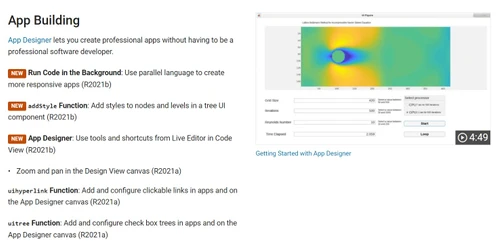
  • icon_check App Designer Environment
    Integrates a drag-and-drop UI layout editor with an object-oriented code view to build professional-grade desktop applications.
  • icon_check Deep Learning Toolbox AI
    Design and train neural networks with apps like Deep Network Designer, supporting transformers and modern GAN architectures now.
  • icon_check Simulink Model Integration
    Seamlessly connects with Simulink for multi-domain simulation and Model-Based Design of dynamic systems and control algorithms.
  • icon_check Python Integration
    Call Python libraries like TensorFlow and Pandas from MATLAB, or execute MATLAB as a computational engine within Python scripts.
  • icon_check GPU Computing
    Utilizes NVIDIA GPUs automatically to speed up matrix operations and deep learning training without requiring CUDA programming.
  • icon_check Machine Learning
    Develop, train, and evaluate models for classification, regression, and clustering with built-in functions.
  • icon_check Data Analysis
    Efficiently manipulate, transform, and analyze large datasets using statistical and mathematical techniques.
  • icon_check Graphics
    Create detailed 2D and 3D plots, visualizations, and interactive graphics for data interpretation and presentation.
  • icon_check Algorithm Development
    Quickly prototype, optimize, and implement custom algorithms for a variety of applications.
  • icon_check Scalability
    Handle small to large-scale computations, optimizing performance across machines, clusters, and cloud environments.
  • icon_check Parallel Computing
    Accelerate computations by distributing tasks across multiple processors, reducing processing time.
Matlab Demo Video play icon

Get Matlab Demo

Watch the demo video to explore key features, real workflows, and how the software fits your business needs.

Understand
Key Features
Personal
Demo Insights
Interactive
Demo Support

Matlab Specifications

Supported Platforms
Ubuntu Ubuntu Windows Windows iOS iOS Android Android MacOS MacOS Linux Linux
Devices
Desktop Desktop Mobile Mobile Tablet Tablet iPad iPad
Deployment
Cloud-Based Cloud-Based Perpetual Perpetual
Suitable For
All Industries
Business Specific
All Businesses
Business Size
Individual Small Business Startups Medium Business Enterprises SMBs SMEs Freelancers
Customer Support
Phone Email Communities Forums
Language
English
Integration
API Integration
Training Resources
In Person Live Online Webinars Documentation Videos
AI Features
AI Integrated
Technology
Next Generation

Explore the Best Alternative Solutions Similar to Your Business Size and Needs

Medium Business

Built for business growth and flexibility

Simphy

4.1

Simul8

4.2

PSIM

4.5

See More

Matlab Review

4.6

Out of 5

img

Overall Rating

Based on
3 Verified Ratings

Rating Breakdown

  • Features 4.3
  • Value for Money 4.6
  • Ease of Use 4.6
  • Customer Support 5

96% Recommend this Product

Add Review

Techjockey Trusted Reviews from Verified Users

No reviews are currently available for Matlab. Discover similar Simulation Software reviews

  • Chaosgroup Phoenix FD for Maya

    4.5

    Whats great - Capable of preview and interactive rendering inside the viewport. Simulations may be adjusted on the fly. read more

  • Chaosgroup Phoenix FD FOR 3ds Max

    4.7

    Whats great - I found that with new FLIP solver, fluid reenactment with PhoenixFD is really creation prepared. I invested the majority of t... read more

  • HAULSIM

    3.8

    Whats great - HAULSIM utilizes a 3D Discrete Event Simulation (DES) engine, enabling users to create a 'digital twin' of their mining opera... read more

Compare Matlab With other Simulation Software

Products
Ratings
Pricing
Device Supported
Deployment
Supported Platforms
  • img

    Matlab

  • 4.6

  • ₹ 84250.00 excl. GST

  • Desktop

    Mobile

  • Web based

    On Premises

  • Windows

    Mac OS

  • img

    Simulink

  • Price On Request

  • Desktop

    Mobile

  • Web based

    On Premises

  • Windows

    Mac OS

  • img

    OpenFOAM

  • 4.2

  • Price On Request

  • Desktop

    Mobile

  • Web based

    On Premises

  • Windows

    Mac OS

  • img

    PSIM

  • 4.5

  • Price On Request

  • Desktop

    Mobile

  • Web based

    On Premises

  • Windows

    Mac OS

  • img

    Simphy

  • 4.1

  • Price On Request

  • Desktop

    Mobile

  • Web based

    On Premises

  • Windows

    Mac OS

  • img

    Vensim

  • 4.3

  • Price On Request

  • Desktop

    Mobile

  • Web based

    On Premises

  • Windows

    Mac OS

  • img

    Simul8

  • 4.2

  • Price On Request

  • Desktop

    Mobile

  • Web based

    On Premises

  • Windows

    Mac OS

  • img

    HBK nCode

  • 4.1

  • Price On Request

  • Desktop

    Mobile

  • Web based

    On Premises

  • Windows

    Mac OS

(2) Product(s) selected

Matlab Alternatives

See All Matlab Alternatives

Starting Price:

₹127,500 /Year

Available

Price on Request

Starting Price:

$45

Available

Price on Request

Available

Price on Request

Available

Price on Request

Available

Price on Request

Available

Price on Request

Available

Price on Request

Available

Price on Request

Articles for Matlab

See All Related Articles

Is there a demo available for MATLAB?

Yes, MATLAB offers a free trial for users to explore its features and capabilities before purchasing.

On which operating systems can MATLAB run?

MATLAB is compatible with Windows, macOS, and Linux operating systems.

Who are the potential users of MATLAB?

MATLAB is widely used by engineers, scientists, researchers, and data analysts across various industries.

What types of graphs can MATLAB plot?

MATLAB can plot a variety of graphs, including 2D, 3D, scatter plots, histograms, and surface plots.

What types of simulation models can MATLAB create?

MATLAB can create simulation models for control systems, signal processing, robotics, communications, and dynamic systems using Simulink.

Can MATLAB run offline?

Yes, MATLAB can run offline once installed on a local machine, without the need for internet access.

Can MATLAB handle large datasets for analysis?

Yes, MATLAB efficiently handles large datasets with its optimized data structures and powerful computation tools.

Does MATLAB support parallel computing?

Yes, MATLAB supports parallel computing using the Parallel Computing Toolbox to distribute tasks across multiple processors.

What kind of optimization techniques can I implement in MATLAB?

MATLAB offers optimization tools like the Optimization Toolbox for linear, nonlinear, and mixed-integer optimization problems.

Does MATLAB offer any built-in debugging tools?

Yes, MATLAB provides an integrated debugger to step through code, set breakpoints, and inspect variables.

How much storage space is required for MATLAB?

MATLAB requires around 4 to 31.5 GB depending on the version and additional toolboxes.

How much does MATLAB cost?

MATLAB price starts at INR 84250 per year at techjockey.com.

20,000+ Software Listed

Best Price Guranteed

Free Expert Consultation

2M+ Happy Customers

Terms and Condtions

close

Users with registered businesses can purchase goods from merchants on the platform to satisfy their business needs. Users are not permitted to utilize any products acquired through the platform for resale, advertising, business, or further distribution.

For each purchase made, users will receive a Tax Invoice (or 'GST invoice') that includes specific details such as:

  • the GSTIN of the user associated with their registered business, and

  • the specified Entity Name for their business.

It should be noted that not all products are eligible for GST Invoice. Only the products displayed by participating sellers with the 'GST-based Invoice Available' callout on the product description page would qualify.

Certain goods and services are not eligible to get a GST Invoice, including items with VAS, i.e., Value Added Services (e.g., Total Mobile Protection/Assured Buyback) and those involving an exchange offer at the time of purchase.

Users must ensure the accuracy of the GSTIN, and business entity name provided for the GST Invoice. Requests for corrections into GST Invoice would not be accommodated by Techjockey.com or any Seller, and any issues arising from user-provided information are the sole responsibility of users.

Techjockey.com is not liable for the GST Invoice or any associated input tax credit. To efficiently claim an input tax credit, users should select the registered place of business address as per the GST authority's data and follow the provisions of the GST Act and rules.

To claim an input tax credit, the delivery and billing addresses must match. Furthermore, input tax credits will not be granted if the delivery address and GSTIN on the invoice are from different states. In case of incorrect GST details provided during the order placement, the order will be canceled automatically.