linkedin
Simphy logo
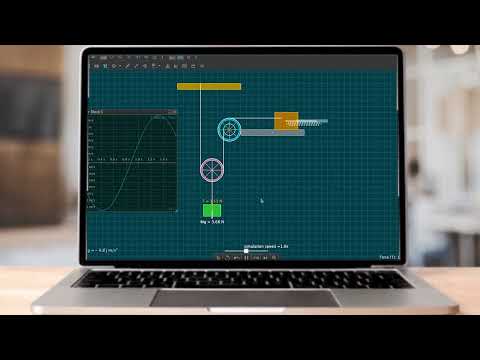
play SimPHY Demo | A glimpse of what SimPHY is capable of. | Best Simulation Software
Simphy
Simphy

Simphy

Brand: Simphy Softwares Private Limited

  • 4.1

  • 5 Ratings

Helps in modeling and simulating complex systems. It offers tools for designing, testing, and optimizing engineering solutions across various industries.

See More

Have you used Simphy before?

Share your insights for better experience

Add a Review
Starting Price
$60

View plans

100% Genuine
Products
Best Price
Guaranteed
Safe & Secure
Payment
  • Description

  • Pricing

  • Features

  • Specification

  • Review

  • Compare

  • Alternatives

  • FAQ

Starting at $60

SimphySoftware Overview

What is Simphy?

Simphy is an engineering design and simulation software used for modeling and simulating complex systems. It allows engineers to design, test, and optimize systems in fields like mechanical, electrical, and aerospace engineering. The software provides tools for creating digital twins, performing simulations, and analyzing system behaviors under various conditions.

Simphy supports both continuous and discrete system modeling, making it versatile for different types of engineering challenges. It helps in reducing development costs by allowing virtual testing before physical implementation. Simphy is widely used for its ability to streamline the design process and improve the efficiency of engineering solutions.

Why Choose Simphy Software?

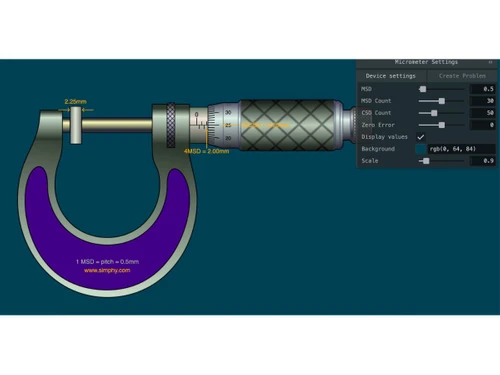
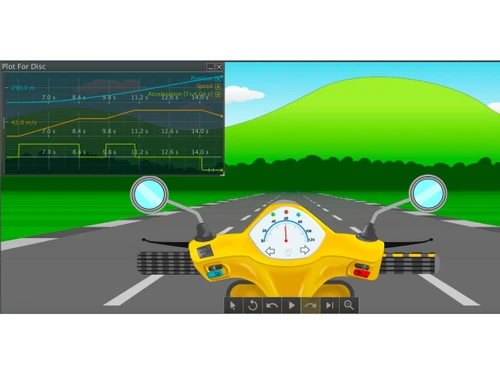
  • Interactive Learning: It enables teachers to create engaging physics simulations using easy drag-and-drop tools, enhancing student understanding of complex concepts.
  • Extensive Library: It offers a comprehensive library of ready-to-run interactive physics simulations based on the IIT JEE curriculum, facilitating effective live teaching.
  • User-Friendly Interface: The software is designed to be intuitive, allowing educators to easily develop and customize simulations without requiring extensive technical knowledge.
  • Visual Learning: It helps students visualize difficult physics phenomena, making it easier for them to grasp abstract concepts through interactive experiences.
  • Customizable Simulations: Teachers can tailor simulations to fit their lesson plans and student needs, fostering a more personalized learning environment.
  • Support for Various Educational Levels: Simphy caters to both high school and university curricula, making it suitable for a wide range of educational settings.
  • Free Lite Version: Users can start with a free lite version of the software, allowing them to explore its features before committing to a paid plan.
  • Advanced Features: Paid versions include advanced visualization tools, integrated modules for mathematics and 3D simulations, and programming environments for more sophisticated simulation development.
  • Training and Support: The software provides training resources and customer support to assist users in maximizing its potential in the classroom.
  • Community Feedback: Continuous updates and improvements are based on user feedback, ensuring that the software evolves to meet the changing needs of educators and students.

Benefits of Simphy Software

  • Cost-Effective Learning: It eliminates the need for physical lab equipment, reducing costs associated with traditional hands-on experiments.
  • Safe Experimentation: Students can conduct experiments in a virtual environment without the risks associated with real-life lab work, such as accidents or hazardous materials.
  • Instant Feedback: The software provides immediate feedback on student interactions with simulations, enhancing the learning experience and allowing for quick adjustments.
  • Plug-and-Play Functionality: Users can quickly implement simulations in their lessons, streamlining the teaching process and saving preparation time.
  • Comprehensive Curriculum Support: It aligns with various educational standards, including the IIT JEE curriculum, ensuring that it meets academic requirements.
  • Encouragement of Collaborative Learning: Simphy fosters collaboration among students by allowing them to work together on simulations, promoting teamwork and communication skills.
  • Support for Live Teaching: The platform is specifically designed for live teaching scenarios, enabling real-time interaction between teachers and students during lessons.
  • Accessible Anytime, Anywhere: Being web-based, students and teachers can access Simphy from any location with internet connectivity, facilitating remote learning.
  • Regular Updates and Improvements: The software is continuously updated based on user feedback, ensuring that it remains relevant and incorporates the latest educational practices.
  • Integration of Multimedia Resources: It allows the incorporation of videos and other multimedia elements into simulations, enriching the educational content.
  • Enhanced Student Engagement: The interactive nature of simulations captures students' attention and fosters a deeper interest in physics concepts, leading to improved retention and understanding.

Pricing of Simphy

Simphy price details are available on request at techjockey.com.

The pricing model is based on different parameters, including extra features, deployment type, and the total number of users. For further queries related to the product, you can contact our product team and learn more about the pricing and offers.

Read more

Simphy Pricing & Plans

Lite
Starting at $60
    • Licenses

      Licenses
      Licenses
    • Yearly

      Yearly
      Yearly

Key Features

  • No watermark

  • Download and Import Free simulations

  • Basic Body and World Settings

  • Virtual Call Center

  • Inbuilt recorder

Pro
Starting at $250
    • Licenses

      Licenses
      Licenses
    • Yearly

      Yearly
      Yearly

Key Features

  • premium simulations

  • Training & Support

  • No watermark in the simulations

  • Virtual Call Center

  • Inbuilt recorder

Simphy Features

  • icon_check Rigid Body Dynamics
    It simulates the motion of solid objects under various forces, helping engineers understand mechanical behavior.
  • icon_check Inbuilt Circuit Simulator
    Allows for the design and analysis of electrical circuits directly within the software, saving time on external tools.
  • icon_check Optics Simulator
    Simulates the behavior of light and optical systems, enabling engineers to test optical designs and systems.
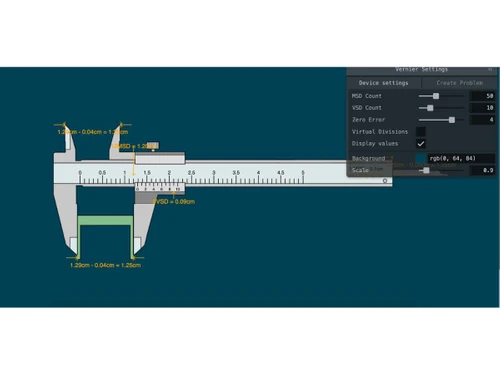
  • icon_check Virtual Labs
    Access a digital lab environment for conducting experiments virtually.
  • icon_check Inbuilt Fluid Simulator
    Simulate fluid mechanics for better understanding and visualization.
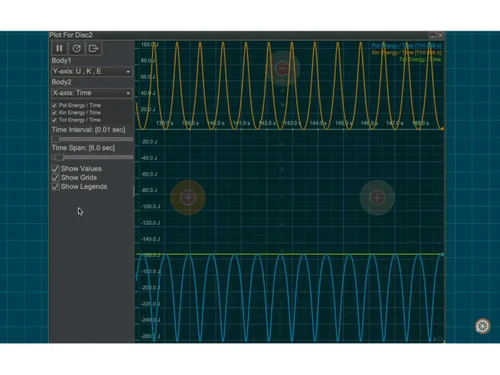
  • icon_check Analyse & Visualize
    Perform detailed analysis and visualize data for enhanced learning.
  • icon_check 3D Interactive Simulations
    Engage with immersive 3D simulations for complex concepts.
  • icon_check Math Formula Support
    A specialized calculation bridge that allows users to drive object behaviors using custom LaTeX or math equations now.
  • icon_check Wave Interference
    A mission critical physics tool used to visualize sound and light wave superposition and diffraction patterns today.
  • icon_check Vector Visualization
    A high utility visual aid that displays force, velocity, and acceleration vectors as dynamic, real time arrows now.
  • icon_check Collision Detection
    A high precision logic engine used to calculate friction and energy loss during impacts between various materials today.
  • icon_check Electrostatics Engine
    A specialized field simulator used to model charge interactions, electric fields, and potential surfaces now.
Simphy Demo Video play icon

Get Simphy Demo

Watch the demo video to explore key features, real workflows, and how the software fits your business needs.

Understand
Key Features
Personal
Demo Insights
Interactive
Demo Support

Simphy Specification

Supported Platforms
Windows Windows
Devices
Desktop Desktop
Deployment
Web-Based Web-Based
Suitable For
All Industries
Business Specific
All Businesses
Business Size
SMBs SMEs MSMBs
Language
English

Explore the Best Alternative Solutions Similar to Your Business Size and Needs

Medium Business

Built for business growth and flexibility

HBK nCode

4.1

Simul8

4.2

PSIM

4.5

See More

Simphy Review

4.1

Out of 5

img

Overall Rating

Based on
5 Verified Ratings

Rating Breakdown

  • Features 4.1
  • Value for Money 4.4
  • Ease of Use 4.2
  • Customer Support 3.9

88% Recommend this Product

Add Review

Techjockey Trusted Reviews from Verified Users

No reviews are currently available for Simphy. Discover similar Simulation Software reviews

  • Chaosgroup Phoenix FD for Maya

    4.5

    Whats great - Capable of preview and interactive rendering inside the viewport. Simulations may be adjusted on the fly. read more

  • Chaosgroup Phoenix FD FOR 3ds Max

    4.7

    Whats great - I found that with new FLIP solver, fluid reenactment with PhoenixFD is really creation prepared. I invested the majority of t... read more

  • HAULSIM

    3.8

    Whats great - HAULSIM utilizes a 3D Discrete Event Simulation (DES) engine, enabling users to create a 'digital twin' of their mining opera... read more

Compare Simphy With other Simulation Software

Products
Ratings
Pricing
Device Supported
Deployment
Supported Platforms
  • img

    Simphy

  • 4.1

  • Price On Request

  • Desktop

    Mobile

  • Web based

    On Premises

  • Windows

    Mac OS

  • img

    Matlab

  • 4.6

  • ₹ 84250

  • Desktop

    Mobile

  • Web based

    On Premises

  • Windows

    Mac OS

  • img

    OpenFOAM

  • 4.2

  • Price On Request

  • Desktop

    Mobile

  • Web based

    On Premises

  • Windows

    Mac OS

  • img

    PSIM

  • 4.5

  • Price On Request

  • Desktop

    Mobile

  • Web based

    On Premises

  • Windows

    Mac OS

  • img

    Vensim

  • 4.3

  • Price On Request

  • Desktop

    Mobile

  • Web based

    On Premises

  • Windows

    Mac OS

  • img

    WELSIM

  • 4.6

  • Price On Request

  • Desktop

    Mobile

  • Web based

    On Premises

  • Windows

    Mac OS

  • img

    DWSIM

  • 4.3

  • Price On Request

  • Desktop

    Mobile

  • Web based

    On Premises

  • Windows

    Mac OS

  • img

    HBK nCode

  • 4.1

  • Price On Request

  • Desktop

    Mobile

  • Web based

    On Premises

  • Windows

    Mac OS

(0) Product(s) selected

Simphy Alternatives

See All Simphy Alternatives

Available

Price on Request

Starting Price:

$45

Available

Price on Request

Available

Price on Request

Available

Price on Request

Available

Price on Request

Available

Price on Request

Available

Price on Request

Available

Price on Request

Available

Price on Request

Articles for Simphy

See All Related Articles

How much does Simphy Software Cost?

The pricing details for Simphy are available upon request at techjockey.com.

Is there any Simphy Software App?

Currently, Simphy Software does not offer a standalone mobile app.

Which operating system does Simphy Software Support?

Simphy Software supports Windows only.

Does Simphy offer a free trial?

Yes, Simphy Software offers a free trial for users to explore its features.

How does Simphy Software Work?

Simphy software works by allowing users to create and interact with physics simulations through an intuitive drag-and-drop interface, enabling the visualization of complex concepts in a virtual environment.

Who are the potential users of Simphy Software?

The potential users of Simphy software include teachers, students, educational content creators, coaching institutes, and science enthusiasts.

Is there any free demo for Simphy Software?

Yes, Simphy Software offers a free demo to give users a hands-on experience before purchasing.

Is Simphy Software Free?

No, Simphy Software is not free; it requires a paid license for full access.

20,000+ Software Listed

Best Price Guranteed

Free Expert Consultation

2M+ Happy Customers

Terms and Condtions

close

Users with registered businesses can purchase goods from merchants on the platform to satisfy their business needs. Users are not permitted to utilize any products acquired through the platform for resale, advertising, business, or further distribution.

For each purchase made, users will receive a Tax Invoice (or 'GST invoice') that includes specific details such as:

  • the GSTIN of the user associated with their registered business, and

  • the specified Entity Name for their business.

It should be noted that not all products are eligible for GST Invoice. Only the products displayed by participating sellers with the 'GST-based Invoice Available' callout on the product description page would qualify.

Certain goods and services are not eligible to get a GST Invoice, including items with VAS, i.e., Value Added Services (e.g., Total Mobile Protection/Assured Buyback) and those involving an exchange offer at the time of purchase.

Users must ensure the accuracy of the GSTIN, and business entity name provided for the GST Invoice. Requests for corrections into GST Invoice would not be accommodated by Techjockey.com or any Seller, and any issues arising from user-provided information are the sole responsibility of users.

Techjockey.com is not liable for the GST Invoice or any associated input tax credit. To efficiently claim an input tax credit, users should select the registered place of business address as per the GST authority's data and follow the provisions of the GST Act and rules.

To claim an input tax credit, the delivery and billing addresses must match. Furthermore, input tax credits will not be granted if the delivery address and GSTIN on the invoice are from different states. In case of incorrect GST details provided during the order placement, the order will be canceled automatically.