linkedin
MeetGeek logo
play 1-min explainer of Meetgeek - supercharge your meetings!
Meetgeek Capture Essential
Meetgeek Collaborative

MeetGeek

Brand: MeetGeek

  • 4.5

  • 3 Ratings

MeetGeek is an AI meeting assistant designed to revolutionize how you conduct and manage meetings. The platform seamlessly captures records, transcribes, and summarizes your meetings to provide valuable insights. Its intelligent video recording feature ensures no important detail is missed during meetings. By automatically transcribing the spoken content of the meeting, it eliminates the need for...

See More

Have you used MeetGeek before?

Share your insights for better experience

Add a Review
Starting Price
$19

View plans

100% Genuine
Products
Best Price
Guaranteed
Safe & Secure
Payment
  • Description

  • Pricing

  • Features

  • Specification

  • Review

  • Compare

  • Alternatives

  • FAQ

Starting at $19

MeetGeek Software Overview

What is MeetGeek?

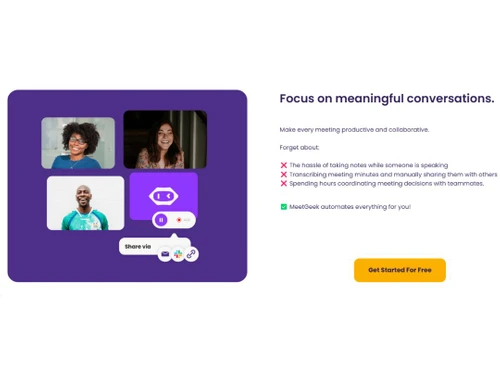
MeetGeek is an AI meeting assistant designed to revolutionize how you conduct and manage meetings. The platform seamlessly captures records, transcribes, and summarizes your meetings to provide valuable insights.

Its intelligent video recording feature ensures no important detail is missed during meetings. By automatically transcribing the spoken content of the meeting, it eliminates the need for manual note-taking and enables you to focus on the discussion at hand.

The meeting management software uses AI capabilities to analyze the meeting content, extract key points, and generate insightful summaries. These summaries condense the meeting's highlights, decisions, and action items into a concise format, ensuring everyone is on the same page and allowing for quick and efficient review.

Its advanced algorithms analyze the meeting data, identifying patterns, trends, and sentiment analysis. This enables you to understand the overall sentiment of the participants, track progress, and make data-driven decisions based on collective input.

Key Functionalities of MeetGeek Ai

  • Action Item Tracking: The AI meeting assistant allows you to assign tasks, set deadlines, and monitor progress to ensure accountability and efficient task management.
  • Smart Notifications: The platform sends smart notifications to remind participants about upcoming meetings, important agenda items, and pending action items.
  • Speaker Identification: It utilizes advanced speaker identification technology to attribute spoken content to specific individuals.
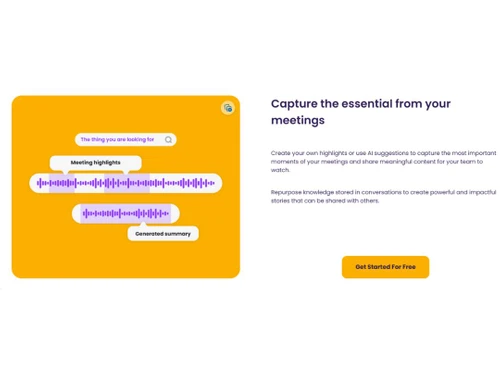
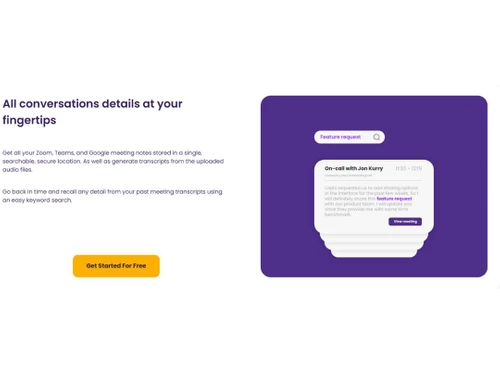
  • Historical Meeting Archive: The platform maintains a historical archive of all your past meetings to retrieve and review meeting records, transcripts, and insights whenever needed.
  • AI-Powered Voice Recognition: It accurately transcribes spoken content, even in diverse accents, speech patterns, or background noise.
  • Agenda Management: The AI meeting assistant allows you to create, edit, and share meeting agendas with participants to ensure structured and focused discussions.

Benefits of MeetGeek Ai

  • The AI meeting assistant allows you to navigate through the recorded meeting, jump to specific sections, and replay important moments for a thorough review.
  • It provides real-time text display of the spoken content, enabling accessibility for individuals with hearing impairments or language barriers.
  • The tool allows you to search for specific keywords, topics, or discussions within meeting transcripts, facilitating quick and targeted information retrieval.
  • It enables you to schedule and coordinate meetings effortlessly, eliminating the hassle of manual scheduling and ensuring optimal availability.

MeetGeek Pricing

MeetGeek price in India starts at $19 onwards. MeetGeek comes with multiple pricing plans and caters to a diverse customer base.

Read more

MeetGeek Company Details

Founded Year:  2020

MeetGeek is an AI meeting assistant that automatically video records, transcribes, summarizes, and provides the key points from every meeting.

Director/Founders Dan Huru
Company Size 1-100 Employees

MeetGeek Pricing & Plans

Pro
Key Features
  • 20 hours of transcription /mo
  • Unlimited transcript storage
  • 6 months video storage
  • Download transcripts & GDocs
  • Download video & caption files
  • Zapier integration
  • Automated workflows
  • Editing recurring meetings
  • Folders and Workspaces (Soon)
  • User management
Starting at $19
    • Licenses

      Licenses
      Licenses
    • Monthly

      Monthly
      Monthly

Key Features

  • 20 hours of transcription /mo

  • Unlimited transcript storage

  • 6 months video storage

  • Download transcripts & GDocs

  • Download video & caption files

  • Zapier integration

  • Automated workflows

  • Editing recurring meetings

  • Folders and Workspaces (Soon)

  • User management

MeetGeek Features

  • icon_check Auto-recording and Transcription
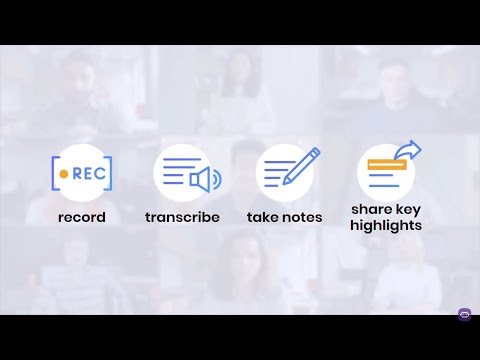
    recording and Transcription - Automatically records and creates accurate transcripts for your meetings.
  • icon_check Automatic Summaries
    Generates key points, decisions, and action items from meeting into a digestible format for efficient follow-up.
  • icon_check Team Collaboration
    Provides a central hub for team members to access meeting recordings, transcripts, and summaries.
  • icon_check Workflow and Integrations
    It integrates seamlessly with existing workflow & productivity tools, ensuring a smooth integration into your work processes.
  • icon_check Meeting Templates
    Offers pre-defined meeting templates that can be customized to suit your specific meeting needs.
  • icon_check Search & Replace
    Enables you to search and replace specific terms or phrases within the meeting transcripts.
  • icon_check Insights Sharing
    Allows you to share meeting insights and summaries with team members, stakeholders, or clients.
  • icon_check Customize Transcription
    Allows you to customize the language, formatting, or speaker identification settings to match your preferences.
  • icon_check Meeting Insights
    Offers valuable insights, such as sentiment analysis, trend identification, and participant engagement.
  • icon_check Reporting & Statistics
    Provides visual representations of meeting data, participation rates, and productivity metrics.
MeetGeek Demo Video play icon

Get MeetGeek Demo

Watch the demo video to explore key features, real workflows, and how the software fits your business needs.

Understand
Key Features
Personal
Demo Insights
Interactive
Demo Support

MeetGeek Specifications

Supported Platforms
Ubuntu Ubuntu Windows Windows MacOS MacOS Linux Linux
Devices
Desktop Desktop Mobile Mobile Tablet Tablet iPad iPad
Deployment
Cloud-Based Cloud-Based
Suitable For
All Industries
Business Specific
All Businesses
Business Size
Small Business Startups Medium Business Enterprises
Customer Support
Email Communities
Language
English
Training Resources
Documentation Videos
AI Features
AI Integrated

Explore the Best Alternative Solutions Similar to Your Business Size and Needs

Medium Business

Built for business growth and flexibility

Krisp

4.3

Read AI

4.4

Fellow

4.2

See More

MeetGeek Review

4.5

Out of 5

img

Overall Rating

Based on
3 Verified Ratings

Rating Breakdown

  • Features 4.3
  • Value for Money 4.6
  • Ease of Use 5
  • Customer Support 4.3

93% Recommend this Product

Add Review

Be the First to Review

This product has no reviews yet. Be the first to leave your feedback.

Add Review

Compare MeetGeek With other AI Meeting Assistants

Products
Ratings
Pricing
Device Supported
Deployment
Supported Platforms
  • img

    MeetGeek

  • 4.5

  • Price On Request

  • Desktop

    Mobile

  • Web based

    On Premises

  • Windows

    Mac OS

  • img

    Read AI

  • 4.4

  • Price On Request

  • Desktop

    Mobile

  • Web based

    On Premises

  • Windows

    Mac OS

  • img

    Krisp

  • 4.3

  • Price On Request

  • Desktop

    Mobile

  • Web based

    On Premises

  • Windows

    Mac OS

  • img

    Fellow

  • 4.2

  • Price On Request

  • Desktop

    Mobile

  • Web based

    On Premises

  • Windows

    Mac OS

  • img

    Cluely

  • 4.4

  • Price On Request

  • Desktop

    Mobile

  • Web based

    On Premises

  • Windows

    Mac OS

  • img

    Otter

  • 4.5

  • Price On Request

  • Desktop

    Mobile

  • Web based

    On Premises

  • Windows

    Mac OS

  • img

    Rumi AI

  • 4.2

  • Price On Request

  • Desktop

    Mobile

  • Web based

    On Premises

  • Windows

    Mac OS

  • img

    Claap

  • 4.4

  • Price On Request

  • Desktop

    Mobile

  • Web based

    On Premises

  • Windows

    Mac OS

  • img

    Laxis

  • 4.1

  • Price On Request

  • Desktop

    Mobile

  • Web based

    On Premises

  • Windows

    Mac OS

  • img

    Jamie

  • 4.1

  • Price On Request

  • Desktop

    Mobile

  • Web based

    On Premises

  • Windows

    Mac OS

  • img

    Meetily

  • 4.5

  • Price On Request

  • Desktop

    Mobile

  • Web based

    On Premises

  • Windows

    Mac OS

(0) Product(s) selected

MeetGeek Alternatives

See All MeetGeek Alternatives

Starting Price:

$29 /Host/Month

Starting Price:

$16 /Month

Starting Price:

€25 /Month

Available

Price on Request

Beyz

3.9

Starting Price:

$50 /Month

Hedy

4.2

Starting Price:

$10 /Month

Articles for MeetGeek

See All Related Articles

Which operating system does MeetGeek support?

MeetGeek is compatible with all operating systems such as windows, macOS, Linux, etc.

Is there any MeetGeek app?

MeetGeek app is not available for mobile devices.

What is the deployment type of MeetGeek?

MeetGeek, the meeting management software supports web based deployment type.

How much does MeetGeek cost?

MeetGeek pricing starts at $19 onwards.

Who are the potential users of MeetGeek?

MeetGeek, the meeting management software is typically used in small and medium sized businesses.

Is there any free trial or demo for MeetGeek?

MeetGeek demo is available for free with techjockey.com.

Is MeetGeek free?

MeetGeek offers a free trial. However, the premium plan with advanced features starts at $19 onwards.

How can you download MeetGeek?

For MeetGeek installation is not required, as it is web-based. Just open the Setup Wizard to get started.

20,000+ Software Listed

Best Price Guranteed

Free Expert Consultation

2M+ Happy Customers

Terms and Condtions

close

Users with registered businesses can purchase goods from merchants on the platform to satisfy their business needs. Users are not permitted to utilize any products acquired through the platform for resale, advertising, business, or further distribution.

For each purchase made, users will receive a Tax Invoice (or 'GST invoice') that includes specific details such as:

  • the GSTIN of the user associated with their registered business, and

  • the specified Entity Name for their business.

It should be noted that not all products are eligible for GST Invoice. Only the products displayed by participating sellers with the 'GST-based Invoice Available' callout on the product description page would qualify.

Certain goods and services are not eligible to get a GST Invoice, including items with VAS, i.e., Value Added Services (e.g., Total Mobile Protection/Assured Buyback) and those involving an exchange offer at the time of purchase.

Users must ensure the accuracy of the GSTIN, and business entity name provided for the GST Invoice. Requests for corrections into GST Invoice would not be accommodated by Techjockey.com or any Seller, and any issues arising from user-provided information are the sole responsibility of users.

Techjockey.com is not liable for the GST Invoice or any associated input tax credit. To efficiently claim an input tax credit, users should select the registered place of business address as per the GST authority's data and follow the provisions of the GST Act and rules.

To claim an input tax credit, the delivery and billing addresses must match. Furthermore, input tax credits will not be granted if the delivery address and GSTIN on the invoice are from different states. In case of incorrect GST details provided during the order placement, the order will be canceled automatically.