linkedin
Microsoft 365 Apps for Business logo
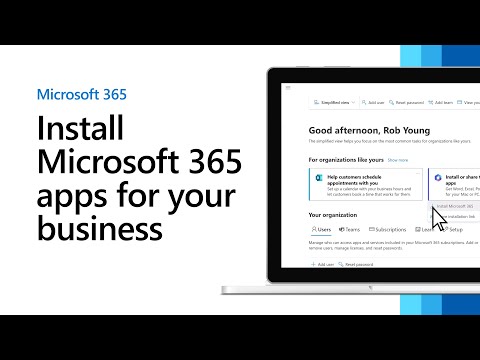
play Install Microsoft 365 apps for your business
m365-app for-business
m365-app for-business1

Microsoft 365 Apps for Business

Brand: Microsoft Corporation

  • 4.2

  • 3 Ratings

Microsoft 365 Apps for Business is a cloud-based productivity app designed for making document creation, sharing and editing processes a breeze. With built-in 1 TB OneDrive storage, the application can also be used for developing professional and engaging presentations, training material, and newsletters. Microsoft 365 Apps for Business offers effective work management solutions for setting the ...

See More

Have you used Microsoft 365 Apps for Business before?

Share your insights for better experience

Add a Review
Starting Price 23% OFF
₹906 excl.GST  ₹1,175
₹ 1,069 incl. GST

View plans

offer Save upto 18%, Get GST Invoice on your business purchase T&C
offer Buy Now & Pay Later, Check offer on payment page.
Buy Now
100% Genuine
Products
Best Price
Guaranteed
Safe & Secure
Payment
  • Description

  • Pricing

  • Features

  • Specification

  • Review

  • FAQ

Starting at ₹906
Buy Now

Microsoft 365 Apps for BusinessSoftware Overview

What is Microsoft 365 Apps for Business?

Microsoft 365 Apps for Business is a cloud-based productivity app designed for making document creation, sharing and editing processes a breeze. With built-in 1 TB OneDrive storage, the application can also be used for developing professional and engaging presentations, training material, and newsletters. 

Microsoft 365 Apps for Business offers effective work management solutions for setting the user access performing proactive monitoring. The collaboration solution also comes in handy for hosting intranet websites as well as websites for small teams. The inbuilt exchange server performs email management and other maintenance functions. Microsoft 365 Apps for Business productivity app further offers business intelligence tools for sorting, collecting and presenting the business data. 

Compatible Platforms for Microsoft 365 Apps for Business

Microsoft 365 Apps for Business is also available as desktop apps. It is compatible with:

  1. Windows 7/8.1/10
  2. Recent versions of macOS 
  3. iOS and Android

Languages Supported by Microsoft 365 Apps for Business

Aside from the languages enlisted here, Microsoft 365 Apps for Business lets you install additional languages from their official website. The supported languages currently are:

  1. English
  2. Hindi
  3. Tamil 
  4. Kannada
  5. Marathi
  6. Gujarati
  7. Bengali
  8. Assamese
  9. Odia 
  10. Konkani

Services Included with Microsoft 365 Apps for Business

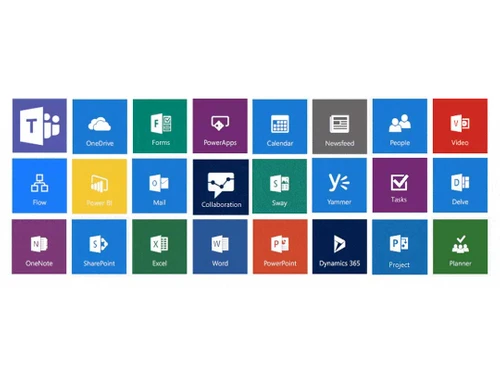
  1. Desktop versions for office apps available such as Word, Outlook, OneNote, & PowerPoint
  2. OneDrive 1 TB cloud storage per user for storing & sharing files
  3. Single license for all office apps on up to five mobile devices/tablets/PCs
  4. Automatic monthly updates
  5. Round-the-clock supportive customer service

Microsoft 365 Apps for Business Features

  1. Online meets- Host video calls & meetings online with up to three hundred users at a time. 
  2. Team sites- Easy to develop team sites for sharing information and content. 
  3. Real-time co-authoring- This feature help end-users work on a document simultaneously.
  4. Email hosting- Fifty GB mailbox for email hosting.
  5. Microsoft Lists- This tool is best for managing customer schedules and appointments. 
  6. Calendar management- Calendar & planner for scheduling meetings and creating custom scripts.
  7. Microsoft Teams- Microsoft Teams for team conversations and chats.

Why You Should Choose Microsoft 365 Apps for Business

  1. Regular updates and latest versions for MS office 
  2. Cross platform functionality for both mobile and desktop devices 
  3. Easy to use chat interface for effective Work management
  4. Secured cloud storage 1 TB for editing and sharing documents/photos
  5. Easy to prepare digital and interactive presentations, web-based reports and newsletters

Microsoft 365 Apps for Business Price in India:

You can buy Microsoft 354 Apps for Business at a monthly cost of Rs 906. For a free demo, discounts, other plans and expert consultation, you can request a call back.

CSP Product

Read more

Microsoft Corporation Company Details

Founded Year:  1975

Microsoft Corporation is an American multinational technology company with headquarters in Redmond, Washington.

Director/Founders Paul Allen , Bill Gates
Company Size 1000+ Employees

Microsoft 365 Apps for Business Pricing & Plans

M365 All apps for Business

Calculated Price

906 ₹1175
SAVE UPTO 23%
Exclusive of all taxes
  • Options

    • Quantity

      Quantity
      Quantity
    • Monthly

      Monthly
      Monthly

Microsoft 365 Apps for Business Features

  • icon_check Web and mobile versions of Office apps
    Web versions available for Excel, Word, OneNote and PowerPoint. Mobile version is also available for Android and iOS devices.
  • icon_check File Storage & Sharing
    Share files from any location, update and access them from remote with Microsoft 365 Apps for Business. Up to 1 Tb OneDrive
  • icon_check Support & Deployment
    Microsoft 365 Apps for Business supports Windows 7, 8.1 and 10 platforms. The subscription also includes 24/7 customer service
  • icon_check Desktop versions of Office apps for PC and Mac
    Updated and fully installed Outlook, OneNote, PowerPoint and Excel for desktop PC and Mac devices. 
Microsoft 365 Apps for Business Demo Video play icon

Get Microsoft 365 Apps for Business Demo

Watch the demo video to explore key features, real workflows, and how the software fits your business needs.

Understand
Key Features
Personal
Demo Insights
Interactive
Demo Support

Microsoft 365 Apps for Business Specification

Supported Platforms
Windows Windows iOS iOS Android Android MacOS MacOS
Devices
Desktop Desktop Mobile Mobile Tablet Tablet iPad iPad
Deployment
Web-Based Web-Based
Suitable For
All Industries
Business Specific
All Businesses
Business Size
Small Business Startups Medium Business Enterprises SMBs SMEs MSMBs MSMEs Freelancers
Customer Support
Phone Email Live Chat Communities Forums
Language
English
Training Resources
In Person Live Online Webinars Documentation Videos

Microsoft 365 Apps for Business Review

4.2

Out of 5

img

Overall Rating

Based on
3 Verified Ratings

Rating Breakdown

  • Features 3.6
  • Value for Money 4.1
  • Ease of Use 4.6
  • Customer Support 4.5

83% Recommend this Product

Add Review

Techjockey Trusted Reviews from Verified Users

No reviews are currently available for Microsoft 365 Apps for Business. Discover similar Office Suites reviews

  • Microsoft Office 365 Business Basic

    4.6

    Whats great - Easy to use, Outlook email, Teams meetings and OneDrive cloud storage are very helpful. read more

  • WPS Office

    4.6

    Whats great - Compatibility: WPS Office offers excellent compatibility with Microsoft Office formats, ensuring seamless document exchange w... read more

  • Microsoft 365 For Education

    4.7

    Whats great - In my teaching journey with Microsoft 365's OneNote, I've witnessed an incredible transformation in how my students engage wi... read more

Articles for Microsoft 365 Apps for Business

See All Related Articles

What is the use of Microsoft Forms in Microsoft 365 Apps for Business?

Microsoft Forms in Microsoft 365 Apps for Business help with collecting customer feedback for key business insights.

Is my data safe with Microsoft 365 Apps for Business?

Yes, your data is safe with Microsoft 365 Apps for Business because the platform offers good number of security features. Some such data security features include proactive monitoring, five-layered security, and Exchange Online Protection.

20,000+ Software Listed

Best Price Guranteed

Free Expert Consultation

2M+ Happy Customers

Terms and Condtions

close

Users with registered businesses can purchase goods from merchants on the platform to satisfy their business needs. Users are not permitted to utilize any products acquired through the platform for resale, advertising, business, or further distribution.

For each purchase made, users will receive a Tax Invoice (or 'GST invoice') that includes specific details such as:

  • the GSTIN of the user associated with their registered business, and

  • the specified Entity Name for their business.

It should be noted that not all products are eligible for GST Invoice. Only the products displayed by participating sellers with the 'GST-based Invoice Available' callout on the product description page would qualify.

Certain goods and services are not eligible to get a GST Invoice, including items with VAS, i.e., Value Added Services (e.g., Total Mobile Protection/Assured Buyback) and those involving an exchange offer at the time of purchase.

Users must ensure the accuracy of the GSTIN, and business entity name provided for the GST Invoice. Requests for corrections into GST Invoice would not be accommodated by Techjockey.com or any Seller, and any issues arising from user-provided information are the sole responsibility of users.

Techjockey.com is not liable for the GST Invoice or any associated input tax credit. To efficiently claim an input tax credit, users should select the registered place of business address as per the GST authority's data and follow the provisions of the GST Act and rules.

To claim an input tax credit, the delivery and billing addresses must match. Furthermore, input tax credits will not be granted if the delivery address and GSTIN on the invoice are from different states. In case of incorrect GST details provided during the order placement, the order will be canceled automatically.