linkedin
NeoDove logo
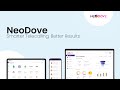
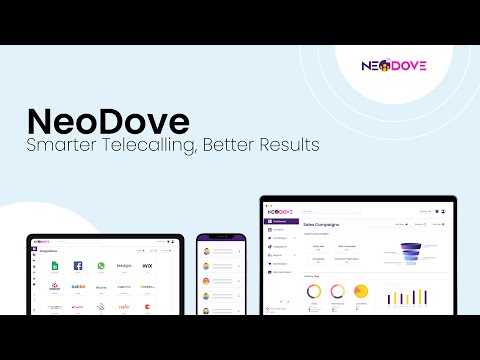
play What is NeoDove? | Business Communication Platform
play How to Use NeoDove Telecalling CRM
play Overview of NeoDove Web App: Step-by-Step Guide (English)

NeoDove

Brand: Simply Vyapar Apps Pvt Ltd ts_icon_wide

  • 4.3

  • 21 Ratings & 17 Reviews

NeoDove is a telecalling CRM and sales engagement software for tele callers. It helps increase their productivity and convert more leads. It gives users the ease of using a CRM without the complexity of it. Some of its noteworthy features are 360-degree management of leads and multi-channel engagement with customers. Equipped with features such as progressive and automated dialing, NeoDove works ...

See More

Have you used NeoDove before?

Share your insights for better experience

Add a Review
Starting Price
₹19,999 excl.GST
₹ 23,599 incl. GST

View plans

offer Save upto 18%, Get GST Invoice on your business purchase T&C
offer Buy Now & Pay Later, Check offer on payment page.
Buy Now
100% Genuine
Products
Best Price
Guaranteed
Safe & Secure
Payment
  • Description

  • Pricing

  • Features

  • Specification

  • Review

  • Compare

  • Alternatives

  • FAQ

Starting at ₹19,999
Buy Now

NeoDove Software Overview

What is NeoDove?

NeoDove is a telecalling CRM and sales engagement software for tele callers. It helps increase their productivity and convert more leads. It gives users the ease of using a CRM without the complexity of it. Some of its noteworthy features are 360-degree management of leads and multi-channel engagement with customers.

Equipped with features such as progressive and automated dialing, NeoDove works as a key factor in boosting the team’s efficacy in communication. Rather than dialing a new number every time a call ends, set up a calling list, and NeoDove will automatically call the next number, saving you time and energy.

NeoDove ensures streamlined calling and higher customer engagement with multi-platform integration. The telecalling CRM software provides integration with social media networks, websites, marketplace sites such as JustDial, Indiamart, 99acres, etc., and Google sheets.

Why Use NeoDove Telecalling & CRM Software?

Here are some compelling reasons as to why you should NeoDove:

  • Mobile Application: NeoDove allows tele callers to connect calls directly through a mobile CRM application. Working through a mobile application can be very handy.
  • User-friendly Web Portal: The telecalling software offers web portal access with a zero learning curve. NeoDove’s web portal is super-fast as it is backed by cloud computing.
  • Pocket-friendly: NeoDove is very easy on the user’s pocket. As it offers a quarterly plan for individual users. This flexible pricing system only makes you pay for the number of tele callers you have on board.
  • Flexibility: The software has an industry-wide usage, covering sectors like Automobile, Real Estate, Finance, Healthcare, and Education.
  • Seamless telephony service: It ensures telephony service integration Virtual number, Cloud Telephony Service, and more.

Key Features of NeoDove Telecalling Software

Here are some of the major features of NeoDove:

  • Multi-channel customer engagement
  • Multi-platform integration
  • All around lead management
  • Team monitoring and productivity
  • Progressive and automated dialing
  • Interactive voice response system
  • Virtual number availability

How Does NeoDove Work?

The latest version of NeoDove is primarily used for comprehensive lead management, multi-channel customer engagement, and advanced telecalling features. It has an intuitive interface and is simple to use. NeoDove can be easily integrated with your existing systems to ensure a smooth workflow. For more information, you can also refer to user manuals and take an online NeoDove demo at Techjockey.com.

How to Use NeoDove? 

Get started with NeoDove in 5 simple steps:

Step 1: Buy NeoDove installation key from techjockey.com

Step 2: Directly login through the official website (web-based)

Step 3: Sign up & create your account and get your NeoDove login access

Step 4: Add users & assign permissions

Step 5: Get started with NeoDove 

NeoDove Pricing

The Pricing of NoeDove is available at INR 19,999 per year at techjockey.com.  You can request a call back for more details.

The price may vary based on factors like customization, additional features required, number of users, and the deployment type. For subscription-related details and offers on premium packages, please request a call back from our product experts.

Read more

Simply Vyapar Apps Pvt Ltd Company Details

Founded Year:  2015

Vyapar is the simplest and easy to use Billing, Accounting and Inventory management software.

Director/Founders Shubham Agrawal
Company Size 501-1000 Employees

NeoDove Pricing & Plans

NeoOne

Calculated Price

19999 Exclusive of all taxes
    • Licenses

      Licenses
      Licenses
    • Yearly

      Yearly
      Yearly

Key Features

  • Store up to 50,000 Contacts

  • No extra cost for adding up to 10 users

  • Create up to 2 Pipeline

  • Create up to 5 Workflows

  • WhatsApp API, IVR, and VoIP are available at an ad

NeoOne Pro

Calculated Price

29999 Exclusive of all taxes
    • Licenses

      Licenses
      Licenses
    • Yearly

      Yearly
      Yearly

Key Features

  • No extra cost for adding up to 20 users

  • Store up to 200,000 Contacts

  • Create up to 4 Pipeline

  • Create up to 10 Workflows

  • WhatsApp API, IVR, and VoIP are available at an ad

NeoDove Features

Customer Management

  • icon_check Contact Management
    Store and update customer contact details for seamless communication.
  • icon_check Lead Management
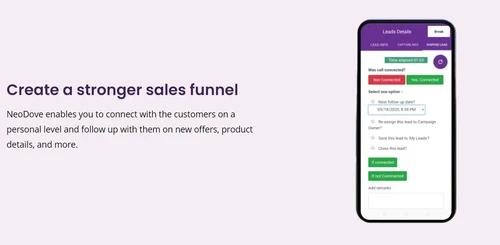
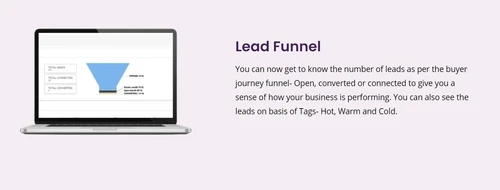
    Tracks and nurtures sales leads, improving conversion rates and customer relationships.
  • icon_check Lead Scoring
    Assign scores to leads based on interactions to prioritize follow-up actions.
  • icon_check Customer Profiles
    Build detailed page layout of profiles with preferences, history, and behavior insights.
  • icon_check Customer Segmentation
    Group customers based on demographics, behaviors, or purchasing patterns.
  • icon_check Customer Interaction History
    Access comprehensive records of all customer interactions across channels.
  • icon_check Customer Lifetime Value (CLV)
    Calculate and track the long-term value a customer brings to the business.

Call Management

  • icon_check Call Recording
    Record calls for quality assurance, training, or compliance purposes.
  • icon_check Call Queuing
    Calls are placed in waiting (queue) and automatically routed to agent based on criteria of call (classification)
  • icon_check Call Tracking
    Track and analyze call data for performance insights and better decision-making.
  • icon_check Call Classification
    Categorize calls based on predefined criteria for better organization and analysis.
  • icon_check Call Notes
    Written record capturing the key points, decisions, and action items discussed during a customer interaction

Ticketing and Case Management

  • icon_check Ticketing System
    Create, track, and manage customer support tickets for smooth issue resolution.
  • icon_check Case Escalation
    Automatically escalate complex cases to higher-level agents or departments.
  • icon_check Knowledge Base
    Provide agents with a searchable knowledge base to resolve cases faster.
  • icon_check Case Resolution Tracking
    Track the progress of customer cases and ensure timely resolution.
  • icon_check SLA (Service Level Agreement) Monitoring
    Monitor adherence to SLAs to ensure timely service delivery.
  • icon_check Purchase History
    Accesses and uses past customer purchase information to tailor support and service.

Communications

  • icon_check Predictive Dialer
    Predict when an agent will be available to take a call, automatically dialing numbers from a list
  • icon_check Omnichannel Support & Engagement
    Engage customers across email, phone, chat, and social media on a single platform.
  • icon_check Reminders & Alerts
    Set up automated reminders and alerts for appointments, tasks, and follow-ups.
  • icon_check Live Chat Support
    Monitor live customer chats and provide instant support or interventions.
  • icon_check Unified Communications (UC)
    Combines voice, video, messaging, and collaboration tools into a single system.

Workflow Automation and Management

  • icon_check Workflow Automation
    Streamline business processes by automating repetitive tasks and workflows.
  • icon_check Automated Task Assignment
    Assign tasks to agents automatically based on availability and expertise.
  • icon_check Call Back Request
    Request a return call from an agent at a convenient time
  • icon_check Auto Dialer
    Automatically dial numbers from a list, connecting agents only when a call is answered.
  • icon_check Trigger-based Actions
    Automate actions based on customer interactions, events, or behaviors.
  • icon_check Service Request Automation
    Automatically process and assign service requests for quicker resolution.

Analytics and Reporting

  • icon_check Call Analytics
    Analyze call data for insights into call volumes, outcomes, and customer satisfaction.
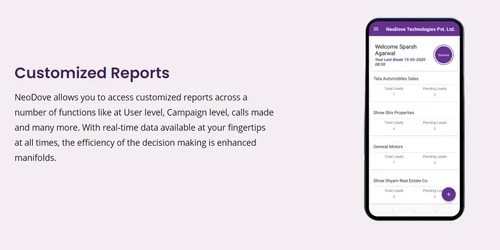
  • icon_check Customizable Reports
    Create tailored reports on call center operations, customer service, and more.
  • icon_check Customer Feedback Management
    Collect and manage customer feedback to improve service and satisfaction.
  • icon_check Agent Performance Dashboards
    Visualize agent performance metrics for real-time feedback and improvement.
  • icon_check Behavioural Analysis
    Analyze customer behavior to predict future actions and personalize service.

Integrations

  • icon_check CRM Integration
    Integrate with CRM platforms like Salesforce for a unified customer view.
  • icon_check API Integration
    Leverage APIs to connect external systems with the CRM for extended capabilities.
  • icon_check Whatsapp Integration
    Integrated marketing with other business applications for extending CRM capabilities.
  • icon_check VOIP Integration
    Enables voice communication through the internet, reducing costs and improving flexibility.
  • icon_check Third Party Integrations
    Connect third-party apps and tools for enhanced functionality and data flow.
  • icon_check SMS and Email Integration
    Integrate SMS and email systems for seamless customer communication.
  • icon_check IVR (Interactive Voice Response)
    Integrates IVR systems to automate call handling and improve customer experience.
  • icon_check CTI Integration - Computer telephony
    Connects telephony systems with computer systems to streamline workflows and data sharing.
  • icon_check ERP Integration
    Sync with ERP systems to manage customer data, orders, and inventories.

Security and Compliance

  • icon_check Call Logging
    Captures metadata about a call, such as the caller ID, timestamp, duration, and notes summarizing the interaction
  • icon_check Blacklisting
    A list of items, people, or entities that are regarded as untrustworthy, undesirable, or harmful
  • icon_check Data Encryption
    Encrypt customer data to safeguard privacy and meet security standards.
  • icon_check GDPR Compliant
    Ensure data handling practices comply with GDPR regulations for privacy.
  • icon_check Role-Based Access Control (RBAC)
    Control system access based on user roles to protect sensitive data.
  • icon_check Audit Logs
    Track system changes and access with detailed audit logs for compliance.
  • icon_check Whitelisting
    List of approved IP addresses, recognized executable files, or even established digital signatures.
  • icon_check PCI Compliance
    Ensures the security and confidentiality of customer payment data, adhering to standards.

AI Capabilities

  • icon_check AI Chatbots
    Use AI-driven chatbots for immediate, automated responses to customer queries.
  • icon_check Voice Assistants
    Uses voice-driven AI bots to manage customer queries and improve service efficiency.
  • icon_check Voicemail Transcriptions
    Converts voicemail messages into text format for easy review and follow-up.
  • icon_check Predictive Analytics
    Leverage AI to predict future trends, sales, and customer behavior for better decision-making.

Others

  • icon_check Offline Mode
    Access CRM features even without an internet connection.
  • icon_check Geolocation
    Track the location of leads, prospects, or team members for better context.
  • icon_check Campaign Management
    Planning, executing, tracking, and analyzing campaigns
  • icon_check Marketing Engagement
    Tracks and measures how customers interact with marketing campaigns across various channels.
  • icon_check Email Tracking
    Monitors whether and when recipients open marketing emails to gauge engagement and effectiveness.
  • icon_check Data Import/Export
    Easily import/export customer and business data in bulk or via integration with other systems.
NeoDove Demo Video play icon

Get NeoDove Demo

Watch the demo video to explore key features, real workflows, and how the software fits your business needs.

Understand
Key Features
Personal
Demo Insights
Interactive
Demo Support

NeoDove Specification

Supported Platforms
Windows Windows iOS iOS Android Android MacOS MacOS
Devices
Desktop Desktop Mobile Mobile Tablet Tablet iPad iPad
Deployment
Web-Based Web-Based
Suitable For
All Industries
Business Specific
All Businesses
Business Size
Small Business Medium Business Enterprises SMEs
Customer Support
Phone Email Forums
Language
English
Training Resources
Videos

NeoDove Reviews

4.3

Out of 5

img

Overall Rating

Based on
17 Verified Reviews

Rating Breakdown

  • Features 4.1
  • Value for Money 4.2
  • Ease of Use 4.3
  • Customer Support 4.6

83% Recommend this Product

Add Review

Pros

  • "I like their customer support and on-time lead, arrival, and follow-up notifications and WhatsApp messages to engage our customers."

    NATCHERO ORGANICJan 3, 2024

  • "I have used NeoDove. NeoDove has best telecalling services. NeoDove telecalling CRM is one of best example."

    Tarun | NeoDoveMar 10, 2022

  • "NeoDove is what I use for my telemarketing team, and it's how we manage everything. From here, we can populate all of our needed calling leads."

    Allen JasFeb 19, 2022

Cons

  • "There is a lack of automation with third-party programmes that can be enhanced."

    Allen JasFeb 19, 2022

  • "I have been using NeoDove from a long time and hasn't come to a single con till date."

    Pragati NandaOct 18, 2021

  • "With third-party apps, there is a lack of automation that can be improved further."

    Rockstar YOct 16, 2021

NeoDove Video Review

youtubeVideoId

4.3

“NeoDove CRM Review – An Honest Look At Its Performance And Usability”

Review by: Helpful Solutions

Yash Khandelwal

Manager

Industry: Retail User since: 6-12 months

4.5

Reviewed on: Sep 10, 2021

Techjockey Verified

“Grow your business with the best telecalling software”

Pros

Perfect telecaller management software. This software manages all of our leads/customer information at a single place. Easy to use and user-friendly interface. Also supports various integrations with different platforms.

Cons

Could not find it as of now.

Reason to switch

Giving me a highly insightful report of my telecallers. Made reaching my prospects really easy.

Paras Kapoor

Administrator

Industry: IT User since: < 6 months

5

Reviewed on: Sep 10, 2021

Techjockey Verified

“Made data and performance management easy”

Pros

After using it for the past 2 months I was able to track telecallers performance and increase my sales by 3x. Best telesales software for telecallers.

Cons

NO CON

Reason to switch

IN managing team and tracking leads inflow an d its journey

Mamta Jangid

Executive

Industry: IT User since: 6-12 months

5

Reviewed on: Sep 10, 2021

Techjockey Verified

“Simpler telesales. Superior results.”

Pros

While its features are indeed impressive, what I appreciate most about NeoDove is its customer support. NeoDove's team lives up to the word success and makes sure that their customers aren't left in the dark. There's no doubt that their team has set the bar high for many!

Cons

No cons

Reason to switch

NeoDove has significantly enhanced telecalling for me. I'm able to meet my targets, I don't miss follow-ups, I have all the information I want in one place and most of all, I know how I'm performing.

See All NeoDove Reviews

Compare NeoDove With other Call Center CRM Software

Products
Ratings
Pricing
Device Supported
Deployment
Supported Platforms
  • img

    NeoDove

  • 4.3

  • ₹ 19999.00 excl. GST

  • Desktop

    Mobile

  • Web based

    On Premises

  • Windows

    Mac OS

  • img

    MyLineHub

  • 4.1

  • Price On Request

  • Desktop

    Mobile

  • Web based

    On Premises

  • Windows

    Mac OS

  • img

    Rolo CRM

  • 4.2

  • Price On Request

  • Desktop

    Mobile

  • Web based

    On Premises

  • Windows

    Mac OS

  • img

    Doocti

  • 4.5

  • ₹ 1200

  • Desktop

    Mobile

  • Web based

    On Premises

  • Windows

    Mac OS

  • img

    Tabbly

  • 4.2

  • ₹ 799

  • Desktop

    Mobile

  • Web based

    On Premises

  • Windows

    Mac OS

  • img

    Crazycall

  • 3.9

  • Price On Request

  • Desktop

    Mobile

  • Web based

    On Premises

  • Windows

    Mac OS

  • img

    Avatar Dialler

  • 4.0

  • Price On Request

  • Desktop

    Mobile

  • Web based

    On Premises

  • Windows

    Mac OS

(0) Product(s) selected

NeoDove Alternatives

See All NeoDove Alternatives

Available

Price on Request

Available

Price on Request

Starting Price:

₹1,200 /User/Month

Starting Price:

₹799 /User/Month

Starting Price:

$20 /Monthly

Articles for NeoDove

See All Related Articles

Which operating system does NeoDove support?

NeoDove is compatible with Windows and Android operating systems.

Is there any Neo Dove app?

NeoDove app is available for Android.

What is deployment type of NeoDove?

NeoDove supports Web-Based.

How much does Neo Dove cost?

The Pricing of NoeDove is available at INR 19,999 per year at techjockey.com.

Who are the potential users of NeoDove?

NeoDove is typically used in all industries.

Is there any free trial or demo for NeoDove?

NeoDove demo is available for free with Techjockey.com

Is NeoDove free?

NeoDove offers a free trial. However, the premium plan with advanced features is available at Techjockey.

How can you download NeoDove?

For NeoDove installation, you don’t need to download anything as it is web based.

How does Neo Dove work?

NeoDove helps with Progressive Dialer, Integration with leading portals, Real time BI and analytics and Lead Management System. It's a complete solution for Integration with WhatsApp, Sending a Preconfigured Message After every Call, Marketplace for cloud telephone & communication and AWS quick insights for trends.

20,000+ Software Listed

Best Price Guranteed

Free Expert Consultation

2M+ Happy Customers

Terms and Condtions

close

Users with registered businesses can purchase goods from merchants on the platform to satisfy their business needs. Users are not permitted to utilize any products acquired through the platform for resale, advertising, business, or further distribution.

For each purchase made, users will receive a Tax Invoice (or 'GST invoice') that includes specific details such as:

  • the GSTIN of the user associated with their registered business, and

  • the specified Entity Name for their business.

It should be noted that not all products are eligible for GST Invoice. Only the products displayed by participating sellers with the 'GST-based Invoice Available' callout on the product description page would qualify.

Certain goods and services are not eligible to get a GST Invoice, including items with VAS, i.e., Value Added Services (e.g., Total Mobile Protection/Assured Buyback) and those involving an exchange offer at the time of purchase.

Users must ensure the accuracy of the GSTIN, and business entity name provided for the GST Invoice. Requests for corrections into GST Invoice would not be accommodated by Techjockey.com or any Seller, and any issues arising from user-provided information are the sole responsibility of users.

Techjockey.com is not liable for the GST Invoice or any associated input tax credit. To efficiently claim an input tax credit, users should select the registered place of business address as per the GST authority's data and follow the provisions of the GST Act and rules.

To claim an input tax credit, the delivery and billing addresses must match. Furthermore, input tax credits will not be granted if the delivery address and GSTIN on the invoice are from different states. In case of incorrect GST details provided during the order placement, the order will be canceled automatically.