 USA
USA UAE
UAESmall Business
Designed for startups and growing businesses


See More


Brand: Simply Vyapar Apps Pvt Ltd
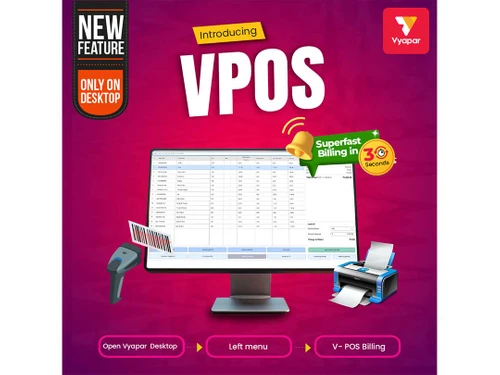
Improve efficiency, boost sales, and manage your retail operations with ease using V-POS software.
See MoreHave you used VPOS before?
Share your insights for better experience
Brand: Simply Vyapar Apps Pvt Ltd
Founded Year: 2015
Vyapar is the simplest and easy to use Billing, Accounting and Inventory management software.
Looking for The Right Pricing?
Share your requirements and get a plan built around your business.
Price Available on Request
Get personalised VPOS pricing that fits your needs. Our team will connect with you.
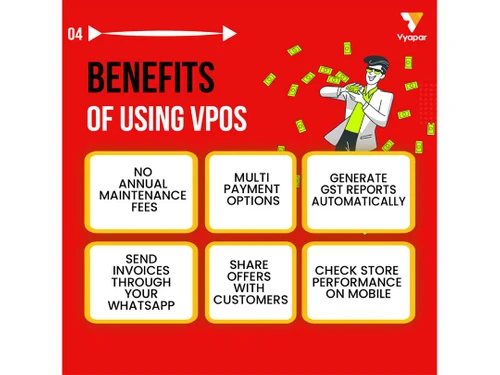
 Online Store builder Touchscreen Interface Barcode Label Printing Multi Godown Support Multiple Payment Options Cloud-Based Convenience Comprehensive Reporting Works Fully Online Financial Accounting Safe & Secure Control Lightning Fast Billing Stock Management GST Compliant Invoices Multi-Device Data Sync Sales Insights
  Windows
  iOS
iOS  Android MacOS
  Desktop
  Mobile
  Tablet
  iPad
iPad  Cloud-Based
  Perpetual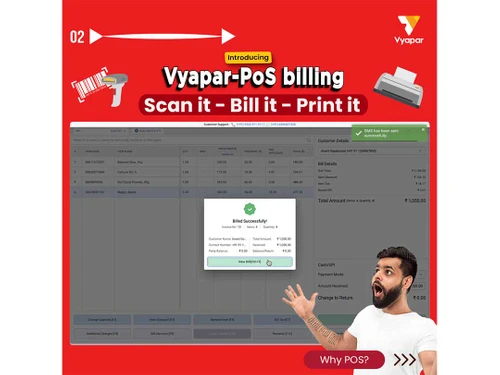

Small Business
Designed for startups and growing businesses
Medium Business
Built for business growth and flexibility
Enterprises
Designed for complex and large-scale business needs
4.7
Out of 5

Overall Rating
Based on
17 Verified Reviews
Rating Breakdown
94% Recommend this Product
Add ReviewUsers generally express high satisfaction with VPOS, highlighting its user-friendly interface and efficiency in billing and accounting tasks. Many appreciate the software's ability to streamline operations, making it accessible even to those with minimal technical knowledge. The strong customer support and regular updates are also frequently praised. However, some users note limitations regarding compatibility with iOS devices and suggest improvements to the user interface for a smoother experience. Overall, VPOS is well-received, particularly among small to medium-sized businesses.
Pros
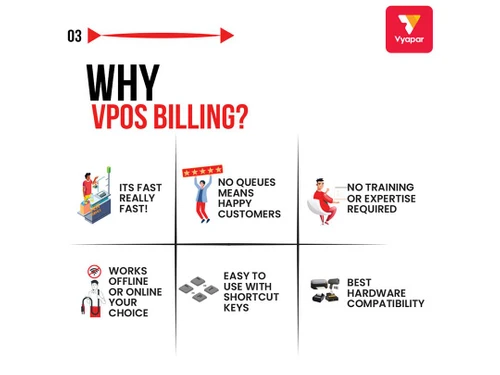
"I like very most thing in this product are inventory management and stocks management. i loved it because it is very fast in billings."
"User friendly, low cost and and easy to use that make it different from other software."
"Every feature is unique , and easy to use even a non technical person can use this software."
Cons
"I don't think any specific reason about this product to dislike, I suggest everyone to download this software for their use"
"We can make little more user friendly that help is not remember everything and can work effectively."
"As of now nothing is like that , over all it is good and best"

Nov 3, 2023
Techjockey Verified
“My experience is very good with this product”
It is very usefull softeware for a buisnwss owner, i am using this software since from 6 months nd i love it, it is very good for faster billings and in accounting
Pros
I like very most thing in this product are inventory management and stocks management. i loved it because it is very fast in billings.
Cons
I don't think any specific reason about this product to dislike, I suggest everyone to download this software for their use
Reason to switch
Its is very high efficient product i like this product because of fast billings with some shortcuts technology,
Nov 3, 2023
Techjockey Verified
“This is a good product which help for billing and accounting.We can manage our accounts by the help of this”
Pros
This is good billing and accounting software and it helps in maintaining the accounts. It can be used by anyone because it is easy to use. The software design is good and user-friendly. There are many modes for entry of different transactions and it is very helpful to maintain all transactions. People with zero accounting knowledge also use the Vyapar app.
Cons
None as of now
Nov 3, 2023
Techjockey Verified
“Good to use and user friendly!”
This software is good to use and user-friendly we can use it in every part of business use for billing and accounting.
Pros
User friendly, low cost and and easy to use that make it different from other software.
Cons
We can make little more user friendly that help is not remember everything and can work effectively.

VPOS
Price On Request
Desktop
Mobile
Web based
On Premises
Windows
Mac OS

Invoay SimplePOS
₹ 8988
Desktop
Mobile
Web based
On Premises
Windows
Mac OS

Bharat ZupPOS
Price On Request
Desktop
Mobile
Web based
On Premises
Windows
Mac OS

Raho Free
₹ 2999
Desktop
Mobile
Web based
On Premises
Windows
Mac OS

Tally Shoper 9
Price On Request
Desktop
Mobile
Web based
On Premises
Windows
Mac OS

Zilicius POS
Price On Request
Desktop
Mobile
Web based
On Premises
Windows
Mac OS

Rain POS
Price On Request
Desktop
Mobile
Web based
On Premises
Windows
Mac OS

Peddle Plus One ERP
₹ 8474
Desktop
Mobile
Web based
On Premises
Windows
Mac OS

LiquorPOS
Price On Request
Desktop
Mobile
Web based
On Premises
Windows
Mac OS

Bravo POS
Price On Request
Desktop
Mobile
Web based
On Premises
Windows
Mac OS

AmberPOS
Price On Request
Desktop
Mobile
Web based
On Premises
Windows
Mac OS
(0) Product(s) selected
Starting Price:
₹7,200 /Year
Available
Price on Request
Available
Price on Request
Available
Price on Request
Available
Price on Request
Available
Price on Request

Available
Price on Request

Starting Price:
$89 /Month

Available
Price on Request

Available
Price on Request
Available
Price on Request





VPOS software is compatible with Windows and Mac operating systems.
VPOS app is available for android mobile devices.
This software supports cloud-based deployment type.
VPOS price is available upon request at techjockey.com.
VPOS demo is available for free with techjockey.com.
VPOS software offers a free trial. However, the premium plan with advanced features starts at Rs. 4011 (including GST).
VPOS software installation is not required, as it is cloud-based. Just open the Setup Wizard to get started.
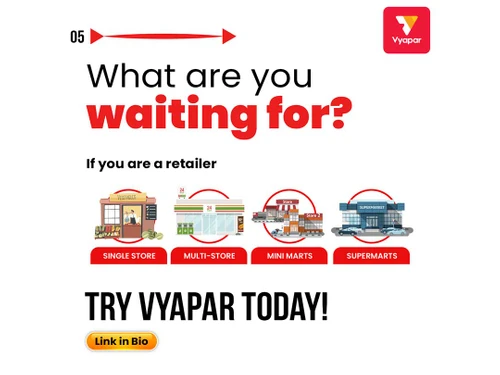
VPOS software helps manage inventory and offers robust analytics tools to provide insights into your inventory management and point of sales processes. This software ensures a streamlined and efficient point-of-sale experience for businesses of all types including supermarkets, electronics, pharma, etc.
20,000+ Software Listed
Best Price Guranteed
Free Expert Consultation
2M+ Happy Customers
Terms and Condtions

Users with registered businesses can purchase goods from merchants on the platform to satisfy their business needs. Users are not permitted to utilize any products acquired through the platform for resale, advertising, business, or further distribution.
For each purchase made, users will receive a Tax Invoice (or 'GST invoice') that includes specific details such as:
the GSTIN of the user associated with their registered business, and
the specified Entity Name for their business.
It should be noted that not all products are eligible for GST Invoice. Only the products displayed by participating sellers with the 'GST-based Invoice Available' callout on the product description page would qualify.
Certain goods and services are not eligible to get a GST Invoice, including items with VAS, i.e., Value Added Services (e.g., Total Mobile Protection/Assured Buyback) and those involving an exchange offer at the time of purchase.
Users must ensure the accuracy of the GSTIN, and business entity name provided for the GST Invoice. Requests for corrections into GST Invoice would not be accommodated by Techjockey.com or any Seller, and any issues arising from user-provided information are the sole responsibility of users.
Techjockey.com is not liable for the GST Invoice or any associated input tax credit. To efficiently claim an input tax credit, users should select the registered place of business address as per the GST authority's data and follow the provisions of the GST Act and rules.
To claim an input tax credit, the delivery and billing addresses must match. Furthermore, input tax credits will not be granted if the delivery address and GSTIN on the invoice are from different states. In case of incorrect GST details provided during the order placement, the order will be canceled automatically.



