linkedin
Nextiva logo
play Fix your communication problem (so customers don't hate you)
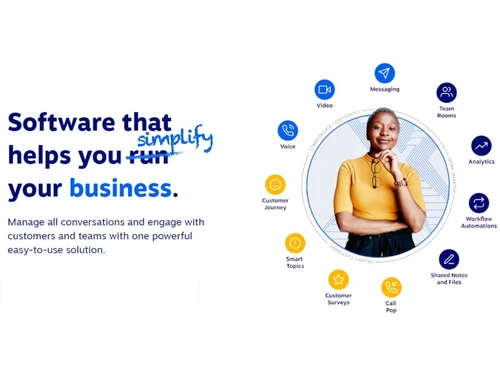
Nextiva Easy to Use
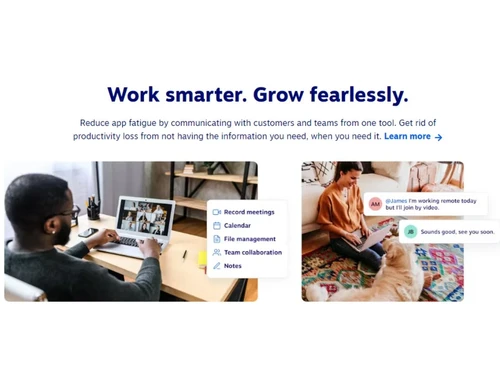
Nextiva Work Smarter

Nextiva

Brand: Nextiva

  • 4.7

  • 3 Ratings & 3 Reviews

An intelligent cloud-based solution for businesses seeking seamless communication management and superior customer service.

See More

Have you used Nextiva before?

Share your insights for better experience

Add a Review
Starting Price
$31

View plans

100% Genuine
Products
Best Price
Guaranteed
Safe & Secure
Payment
  • Description

  • Pricing

  • Features

  • Specification

  • Review

  • Compare

  • Alternatives

  • FAQ

Starting at $31

Nextiva Software Overview

What is Nextiva Software?

Nextiva VoIP Providersa, a pioneering cloud communications firm, empowers businesses to forge profound customer connections. By unifying voice, video, SMS, collaboration, chat, and surveys, Nextiva facilitates swift access to crucial insights, elevating customer experiences and business outcomes.

Designed with business owners in mind, Nextiva's solutions offer seamless setup, usability, and management. Adaptability is key, allowing businesses to expand or contract effortlessly and integrate sales and service tools.

Supporting billions of conversations annually with unparalleled reliability, Nextiva stands out with its signature Amazing Service®. Trusted by enterprises, its platform prioritizes security with ISO/IEC 20071 certified data centers and SOC 2 compliance. Nextiva also offers PCI and HIPAA-compliant solutions.

Nextiva’s acclaim includes being U.S. News & World Report's Best Business Phone System for three consecutive years and G2's top ranking in Collaboration & Productivity. Recognized by Gartner Peer Insights, Nextiva is a trusted choice for Unified Communications as a Service.

Why Choose Nextiva?

  • Unlimited Calling: Make HD voice calls using your business number from anywhere.
  • SMS/MMS Communication: Send texts and images from your business number via Nextiva's Mobile App.
  • Efficient Call Routing: Direct incoming calls to appropriate individuals with custom routes.
  • Custom Caller ID: Personalize caller name for outgoing business calls.
  • Seamless Screen Sharing: Share screens in virtual rooms for efficient team collaboration.
  • Instant Messaging: Communicate instantly within the VoIP app with team members.
  • Local and Toll-Free Numbers: Create local or custom numbers without extra toll charges.
  • Reports & Dashboards: Craft personalized dashboards displaying vital reports, giving you insights at a glance for better business management.
  • Capture, Assess, & Distribute Calls: Retrieve call records from reports, evaluate, annotate, and distribute call audio for comprehensive analysis.

Top Benefits of Nextiva Contact Center Software

  • Integrate all channels for seamless interactions in one app.
  • Prioritize and complete tasks swiftly with sorting and filters.
  • Access customer data within conversations for informed responses.
  • Utilize automation to enhance team focus and efficiency.
  • Enjoy diverse tools for turbocharged business operations.
  • Amplify Nextiva's power with popular tool integrations.

Nextiva Pricing

Nextiva Pricing starts from $31 at techjockey.com. This software comes with multiple pricing plans and caters to a diverse customer base

Read more

Nextiva Company Details

Founded Year:  2006

Nextiva is a leading business communications company that helps organizations simplify and enhance their customer relationships.

Director/Founders Tomas Gorny, Tracy Conrad
Company Size 1000+ Employees

Nextiva Pricing & Plans

Essential (1 to 4 User)
Key Features
  • Unlimited voice & video calling
  • Voicemail
  • Toll-free numbers
  • Outlook/Google Contacts Integrations
  • Unlimited internet fax
Starting at $31
    • Quantity

      Quantity
      Quantity
    • Monthly

      Monthly
      Monthly

Key Features

  • Unlimited voice & video calling

  • Voicemail

  • Toll-free numbers

  • Outlook/Google Contacts Integrations

  • Unlimited internet fax

Nextiva Features

  • icon_check Business VoIP
    Get elevated, seamless, reliable and cost-effective communication with the software’s advanced business VoIP solutions
  • icon_check Encryption
    Safeguard data through robust encryption methods to ensure utmost confidentiality.
  • icon_check Audio / Video Conferencing
    Connect with colleagues and stakeholders through voice and video conferences for remote collaboration.
  • icon_check Multi-User Collaboration
    Encourage collaboration among team members to increase efficiency and productivity using built-in tools.
  • icon_check Voicemail
    Access, view, and listen to voicemails via mobile app or email.
  • icon_check Contact Management
    Speed up communication through efficient contact management to connect with customers using email, SMS, video, etc.
  • icon_check Integrations
    Integrate business phone software with other apps, CRM, VoIP, Google, Microsoft, & more to improve business communications.
  • icon_check IVR/Voice Recognition
    Enhance customer experiences with interactive voice response and voice recognition technology.
  • icon_check Unified Communication
    Unify communication channels for cohesive and efficient communication and interactions with customers.
Nextiva Demo Video play icon

Get Nextiva Demo

Watch the demo video to explore key features, real workflows, and how the software fits your business needs.

Understand
Key Features
Personal
Demo Insights
Interactive
Demo Support

Nextiva Specifications

Supported Platforms
Ubuntu Ubuntu Windows Windows MacOS MacOS Linux Linux
Devices
Desktop Desktop Mobile Mobile Tablet Tablet iPad iPad
Deployment
Cloud-Based Cloud-Based
Suitable For
All Industries
Business Specific
All Businesses
Business Size
Small Business Startups Medium Business Enterprises SMBs SMEs MSMBs MSMEs
Customer Support
Email Live Chat Communities
Language
English
Integration
API Integration
Training Resources
Webinars Documentation Videos

Explore the Best Alternative Solutions Similar to Your Business Size and Needs

Small Business

Designed for startups and growing businesses

DIDVN

4.1

OpenPhone

4.4

Zadarma

4.6

See More

Nextiva Reviews

4.7

Out of 5

img

Overall Rating

Based on
3 Verified Reviews

Rating Breakdown

  • Features 5
  • Value for Money 4.6
  • Ease of Use 4.6
  • Customer Support 4.6

93% Recommend this Product

Add Review

Nextiva Video Reviews

youtubeVideoId

4.8

“Nextiva Review: The Right VoIP Solution for Your Business”

Review by: FitSmallBusiness

youtubeVideoId

4.8

“Why Customers Choose Nextiva - Amazing Service”

Review by: nextiva

Compare Nextiva With other VoIP Providers

Products
Ratings
Pricing
Device Supported
Deployment
Supported Platforms
  • img

    Nextiva

  • 4.7

  • Price On Request

  • Desktop

    Mobile

  • Web based

    On Premises

  • Windows

    Mac OS

  • img

    Zoom Phone

  • 3.9

  • ₹ 9600

  • Desktop

    Mobile

  • Web based

    On Premises

  • Windows

    Mac OS

  • img

    TeleCMI

  • 4.3

  • ₹ 734

  • Desktop

    Mobile

  • Web based

    On Premises

  • Windows

    Mac OS

  • img

    SanIPPBX

  • 5

  • ₹ 60000

  • Desktop

    Mobile

  • Web based

    On Premises

  • Windows

    Mac OS

  • img

    CallHippo

  • 4.3

  • ₹ 2299

  • Desktop

    Mobile

  • Web based

    On Premises

  • Windows

    Mac OS

  • img

    Textable

  • 4.2

  • Price On Request

  • Desktop

    Mobile

  • Web based

    On Premises

  • Windows

    Mac OS

  • img

    OpenPhone

  • 4.4

  • Price On Request

  • Desktop

    Mobile

  • Web based

    On Premises

  • Windows

    Mac OS

  • img

    DIDVN

  • 4.1

  • Price On Request

  • Desktop

    Mobile

  • Web based

    On Premises

  • Windows

    Mac OS

  • img

    Linphone

  • 4.4

  • Price On Request

  • Desktop

    Mobile

  • Web based

    On Premises

  • Windows

    Mac OS

  • img

    Ooma Office

  • 4.4

  • Price On Request

  • Desktop

    Mobile

  • Web based

    On Premises

  • Windows

    Mac OS

  • img

    iPlum

  • 4.5

  • Price On Request

  • Desktop

    Mobile

  • Web based

    On Premises

  • Windows

    Mac OS

(2) Product(s) selected

Nextiva Alternatives

See All Nextiva Alternatives

Starting Price:

$5 /Month

Available

Price on Request

Starting Price:

$9 /Monthly

Starting Price:

$19 /Monthly

Bria

4.4

Starting Price:

$3 /Monthly

Available

Price on Request

Available

Price on Request

Articles for Nextiva

See All Related Articles

Which operating system does the Nextiva Contact Center Software support?

Nextiva Contact Center Software is compatible with Windows and macOS device systems.

Is there any Nextiva app?

Nextiva app is not available on Android and iOS devices.

What is the deployment type of the Nextiva Contact Center Software?

Nextiva Software supports web-based deployment.

How much does the Nextiva Contact Center Software cost?

Nextiva Contact Center Software in India starts at $18 at techjockey.com. This software comes with multiple pricing plans and caters to the diverse customer base.

Who are the potential users of the Nextiva Contact Center Software?

Nextiva's Contact Center Software is suitable for businesses of all sizes and industries that aim to improve customer interactions, streamline communication, and enhance their customer service capabilities.

Is there any free trial or demo for Nextiva Contact Center Software?

Nextiva Contact Center Software’s demo is available for free with techjockey.com.

Is the Nextiva Contact Center Software free?

Nextiva Contact Center Software does not offer a free trial.

How can you download the Nextiva Contact Center Software?

Nextiva Software installation is not required, as it is web-based. Just open the Setup Wizard to get started.

How does Nextiva Contact Center Software work?

Nextiva is a comprehensive solution designed to enhance business communication. It seamlessly integrates with the Nextiva Business Phone Service, providing intelligent cloud-based contact centre capabilities. This tool empowers businesses to efficiently manage customer interactions, streamline communication processes, and deliver exceptional customer service.

20,000+ Software Listed

Best Price Guranteed

Free Expert Consultation

2M+ Happy Customers

Terms and Condtions

close

Users with registered businesses can purchase goods from merchants on the platform to satisfy their business needs. Users are not permitted to utilize any products acquired through the platform for resale, advertising, business, or further distribution.

For each purchase made, users will receive a Tax Invoice (or 'GST invoice') that includes specific details such as:

  • the GSTIN of the user associated with their registered business, and

  • the specified Entity Name for their business.

It should be noted that not all products are eligible for GST Invoice. Only the products displayed by participating sellers with the 'GST-based Invoice Available' callout on the product description page would qualify.

Certain goods and services are not eligible to get a GST Invoice, including items with VAS, i.e., Value Added Services (e.g., Total Mobile Protection/Assured Buyback) and those involving an exchange offer at the time of purchase.

Users must ensure the accuracy of the GSTIN, and business entity name provided for the GST Invoice. Requests for corrections into GST Invoice would not be accommodated by Techjockey.com or any Seller, and any issues arising from user-provided information are the sole responsibility of users.

Techjockey.com is not liable for the GST Invoice or any associated input tax credit. To efficiently claim an input tax credit, users should select the registered place of business address as per the GST authority's data and follow the provisions of the GST Act and rules.

To claim an input tax credit, the delivery and billing addresses must match. Furthermore, input tax credits will not be granted if the delivery address and GSTIN on the invoice are from different states. In case of incorrect GST details provided during the order placement, the order will be canceled automatically.