linkedin
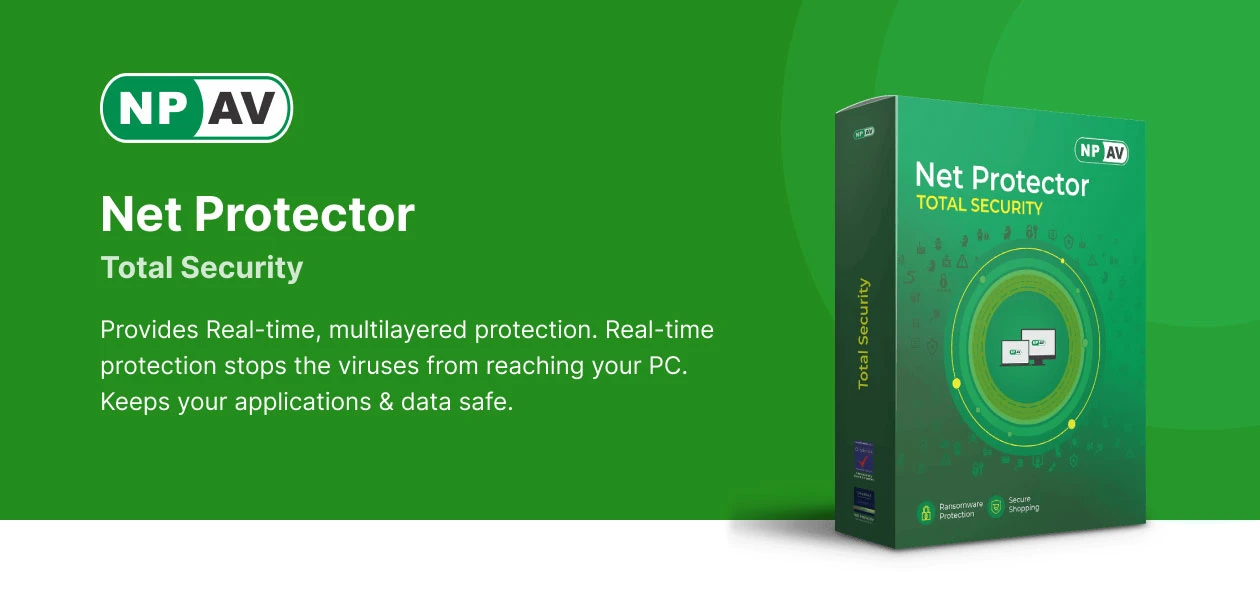
NPAV Net Protector Antivirus logo
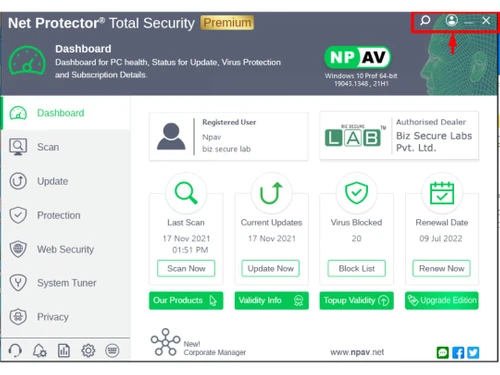
npav-net-protector-antivirus-dashboard
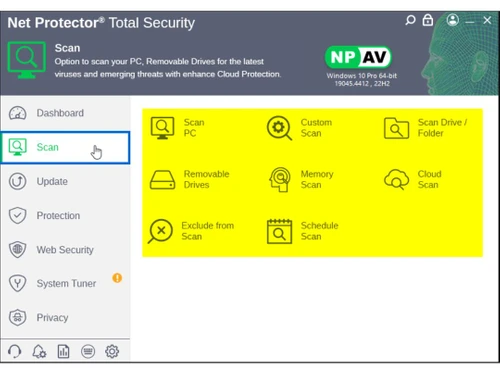
npav-net-protector-antivirus-scan
npav-net-protector-antivirus-update

NPAV Net Protector Antivirus

Brand: NPAV

  • 4.5

  • 16 Ratings & 1 Review

NPAV Net Protector Antivirus is a security guard for computers that constantly checks for viruses, malware, and hackers, and blocks them in time.

See More

Have you used NPAV Net Protector Antivirus before?

Share your insights for better experience

Add a Review
Starting Price 86% OFF
₹210 excl.GST  ₹1,500
₹ 248 incl. GST

View plans

offer Save upto 18%, Get GST Invoice on your business purchase T&C
offer Buy Now & Pay Later, Check offer on payment page.
Buy Now
100% Genuine
Products
Best Price
Guaranteed
Safe & Secure
Payment
  • Description

  • Pricing

  • Features

  • Specification

  • Review

  • Compare

  • Alternatives

  • FAQ

  • Questions

Starting at ₹210
Buy Now

NPAV Net Protector Antivirus Software Overview

What is NPAV Net Protector Antivirus?

The NPAV Net Protector Antivirus is an online antivirus software aimed at protecting computers and networks against viruses, spyware, ransomware, and phishing attacks. It includes threat detection capabilities, automatic hosting and updates and light performance impact to allow easy use of the system.

Some of the tools that are found in the software are USB drive protection, browsing and gaming mode tools so that one can proceed with the usage without interruptions. NPAV is a product that fits all individuals and businesses as appropriate and assists in ensuring digital safety without much involvement of the user.

Why Businesses Need NPAV Net Protector Antivirus?

There are various reasons why businesses choose NPAV Net Protector Antivirus over other software. Here are a few of the reasons:

  • ZeroV DeepLearn AI: It applies AI to detect new and unknown threats and blink them in real-time. It constantly adopts the worldwide trend of attacks to be more precise. It is a proactive strategy providing higher defence against zero-day exploits.
  • Real-Time Protection: This proactively tracks activity on the system to stop malware infection before it succeeds. It checks files, downloads and applications on the fly. This will always provide a secure computing environment.
  • Lightweight & Fast: It will work smoothly in the background without having any slowing effect on your device. The efficient use of resources promotes the seamless use of the computer in work or play. Experience a wonderful trade-off on security with speed.
  • Multi-Layer Security: It brings together defence mechanisms and protects in a much stronger fashion. Firewall, behaviour analysis and heuristic scanning cooperate in obstructing intricate threats. This multilayered principle limits vulnerabilities in a very efficient way.
  • Ransomware Protection: This software blocks attacks based on encryption to ensure that your files do not fall into the hands of hackers. It identifies and stops suspicious extensions of the files in real time. Ransomware cannot touch your documents, photos and data.
  • Cloud-Based Threat Intelligence: It uses intelligence available in the world to identify imminent risks and prevent them. Real-time cloud analysis has current protection against malware. Be secure with the current security knowledge.
  • Automatic Updates: This updates the security patches and the virus definitions automatically. Continuous protection does not require any manual intervention. Your application will be up to date in regard to the emerging cyber threats.
  • Multi-Device Protection: The protection covers PCs, laptops and other devices through a single license. Protect all your devices using one subscription. Enhanced security of your full digital environment.

NPAV Net Protector Antivirus Pricing

The pricing of NPAV Net Protector Antivirus starts from INR 210 at Techjockey.com. You can contact them for more information related to the software.

Read more

NPAV Company Details

Founded Year:  2005

NPAV is a leading, award-winning Cyber Security Company. We are pioneers of Cyber-security with Antivirus, Anti-Ransomware, Secure Data Backup, Anti-malware which provides total security to your digital life. We provide next-generation Cybersecurity solutions and we are a robust must-have security.

Director/Founders Sumeet Kela 3rd degree contact
Company Size 101-500 Employees

NPAV Net Protector Antivirus Pricing & Plans

Net Protector Antivirus for PC
Key Features
  • Anti virus & Anti Malware
  • Ransomware Protection
  • Firewall Protection
  • Automatic Backup

Calculated Price

₹ 210 ₹1500
SAVE UPTO 86%
Exclusive of all taxes
    • Licenses

      Licenses
      Licenses
    • Yearly

      Yearly
      Yearly

Key Features

  • Anti virus & Anti Malware

  • Ransomware Protection

  • Firewall Protection

  • Automatic Backup

NPAV Net Protector Antivirus Features

Core Protection

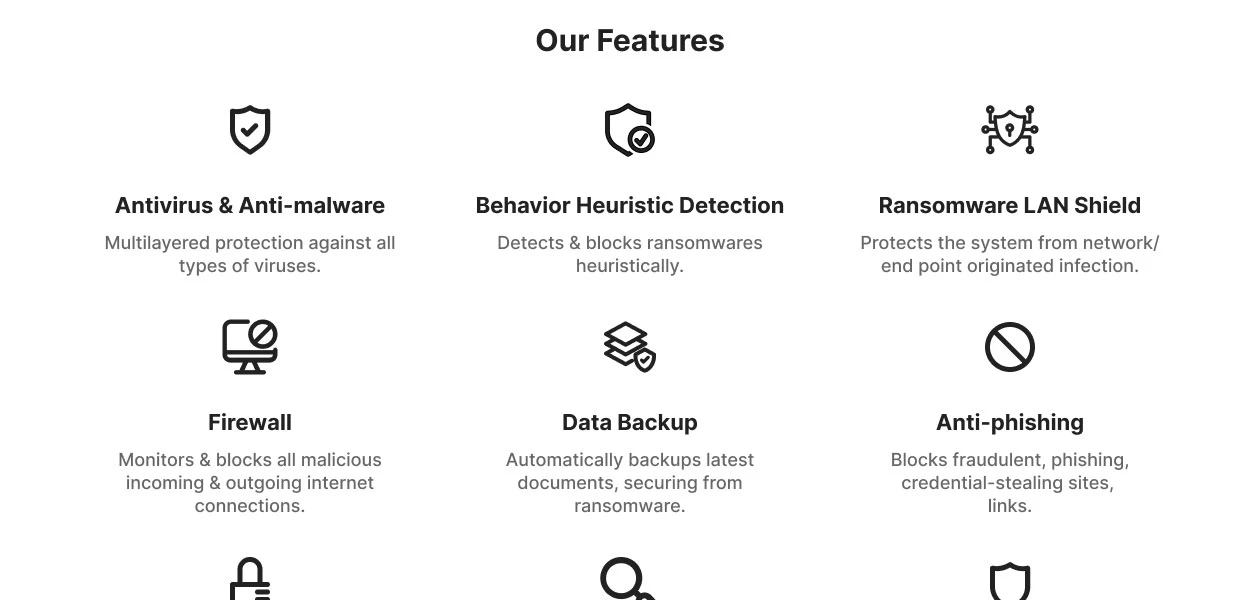
  • icon_check On-Demand & Scheduled Scanning
    Offers flexible scan options for malware detection.
  • icon_check Heuristic Analysis
    Detects unknown malware using heuristic techniques.
  • icon_check Real-Time Threat Detection
    Instantly blocks malware as it appears.
  • icon_check Multi-Layered Malware Detection
    Uses layers to catch both known and new threats.
  • icon_check Threat Removal and Quarantine
    Isolates and removes dangerous files safely.
  • icon_check Rootkit Detection & Removal
    Uncovers hidden rootkits and removes them securely.
  • icon_check Exploit Prevention
    Blocks threats exploiting software vulnerabilities.
  • icon_check Behavioral Analysis
    Monitors apps for suspicious behavior patterns.
  • icon_check Anti-Spyware
    Protects against spyware that steals personal data.
  • icon_check USB Protection
    Scans and protects against USB-based threats.

Internet & Network Security

  • icon_check Firewall Protection
    Blocks unauthorized network access.
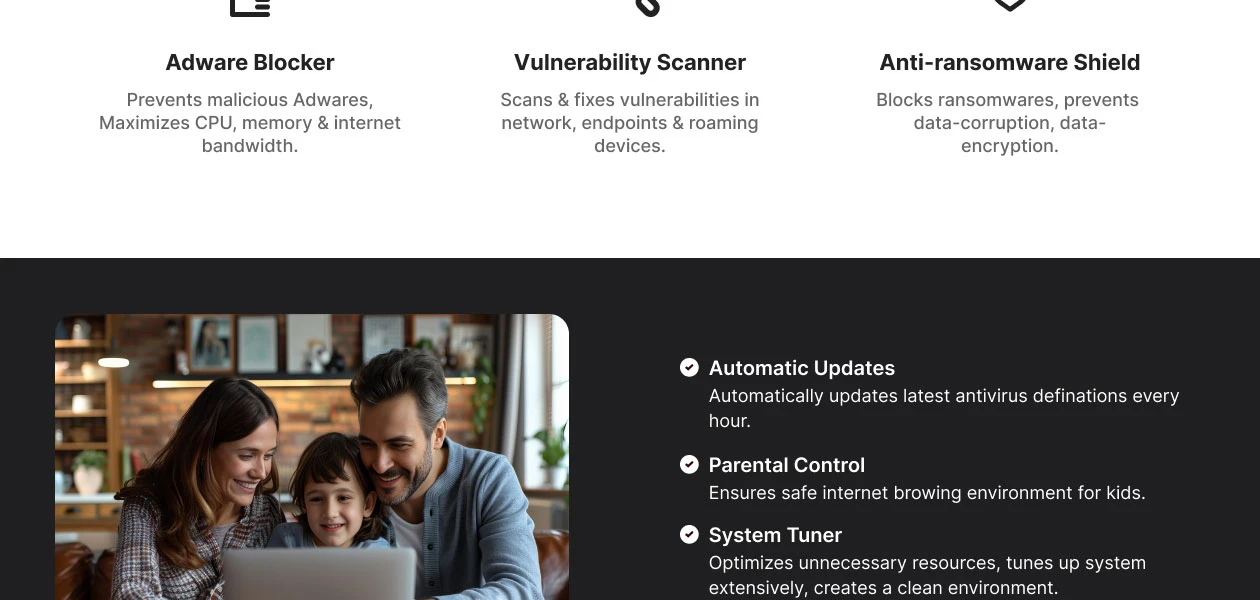
  • icon_check Ad Blocker
    Blocks intrusive and potentially malicious ads.
  • icon_check Web Protection & URL Filtering
    Blocks malicious websites and URLs.
  • icon_check IDS / IPS Protection
    Monitors and prevents network intrusions.
  • icon_check Wi-Fi Security
    Detects and warns about risky Wi-Fi networks.
  • icon_check Email Protection
    Scans emails for phishing and malware.
  • icon_check Anti-Spam Filters
    Keeps spam and phishing emails out of your inbox.

Advanced Threat Protection

  • icon_check Ransomware Protection
    Shields files from ransomware attacks.
  • icon_check File Rollback
    Restores files affected by ransomware to a safe state.
  • icon_check Application Whitelisting
    Allows only trusted apps to run.
  • icon_check Behavioral Ransomware Protection
    Detects ransomware based on behavior.

Data Protection and Privacy

  • icon_check Privacy Control
    Manages app permissions to protect privacy.
  • icon_check Anti-Phishing & Identity Protection
    Blocks phishing and ID theft attempts.
  • icon_check Data Encryption
    Secures sensitive files with encryption.
  • icon_check VPN (Virtual Private Network)
    Hides IP and secures internet browsing.
  • icon_check Browser Privacy Tools
    Blocks tracking and enhances browser privacy.
  • icon_check Data Shredder
    Permanently deletes files to prevent recovery.
  • icon_check Dark Web Monitoring
    Alerts if personal data is found on the dark web.
  • icon_check Data Leak Prevention
    Stops sensitive data from being leaked.
  • icon_check Webcam Protection
    Prevents unauthorized access to the webcam.

Device Performance and Optimization

  • icon_check System Optimization Tools
    Improves device performance and speed.
  • icon_check Disk Cleanup and Junk File Removal
    Clears space by deleting junk files.
  • icon_check Battery Saver
    Extends battery life by optimizing settings.
  • icon_check Startup Manager
    Controls which apps run at startup.
  • icon_check Game Mode
    Reduces lag by pausing non-essential processes.
  • icon_check Network Performance Monitor
    Manages bandwidth for optimal network speed.

Family and Parental Controls

  • icon_check Parental Control
    Manages and restricts children’s online activities.
  • icon_check App Monitoring
    Tracks and limits usage of certain apps.
  • icon_check Geo-Fencing and Location Tracking
    Alerts when a device crosses set boundaries.
  • icon_check Content Filtering
    Blocks inappropriate content for safer browsing.
  • icon_check Activity Reports
    Provides insights into kids' internet usage patterns.

Backup and Data Recovery

  • icon_check Automatic Backup
    Regularly backs up important files automatically.
  • icon_check Cloud Backup
    Stores essential files safely in the cloud.
  • icon_check System Restore Options
    Restores the system to a previous safe state.

Administrative Features

  • icon_check User-Friendly Dashboard
    Easy-to-navigate interface for quick access.
  • icon_check Remote Management Console
    Central control of antivirus settings.
  • icon_check Compliance & Reporting
    Generates reports for security compliance.

Alerts & Notifications

  • icon_check Scan Results Notifications
    Provides updates on completed scans.
  • icon_check Real-Time Updates
    Ensures virus definitions stay up-to-date.
  • icon_check Real-Time Threat Alerts
    Instantly notifies when threats are detected.
  • icon_check Suspicious Activity Alerts
    Alerts about unusual device behavior.
  • icon_check Ransomware Detection Alerts
    Alerts of ransomware-like activities.
  • icon_check Phishing and Malicious Website Warnings
    Warns when visiting dangerous sites.
  • icon_check Webcam and Microphone Access Warnings
    Alerts if accessed without consent.
  • icon_check Network Security Alerts
    Notifies on risky network connections.
  • icon_check Location and Geo-Fencing Alerts
    Alerts if location boundaries are crossed.
  • icon_check Customizable Notifications
    Allows personalized alert settings.
Product Enrichment Section Image

NPAV Net Protector Antivirus Specifications

Supported Platforms
Windows Windows
Devices
Desktop Desktop
Deployment
Perpetual Perpetual
Suitable For
All Industries
Business Specific
All Businesses
Business Size
Small Business Medium Business SMBs SMEs
Customer Support
Email
Language
English

Explore the Best Alternative Solutions Similar to Your Business Size and Needs

NPAV Net Protector Antivirus Review

4.5

Out of 5

img

Overall Rating

Based on
1 Verified Review

Rating Breakdown

  • Features 4.6
  • Value for Money 4.5
  • Ease of Use 4.4
  • Customer Support 4.5

88% Recommend this Product

Add Review

Mohammed Imran

Founder

Industry: Professional Services

4

Reviewed on: May 18, 2026

Techjockey Verified

“Reliable Server Protection with Effective Threat Detection”

NPAV Antivirus Server provides reliable protection against viruses, malware, ransomware, and other cyber threats. It helps secure business servers with real-time scanning, centralized management, and regular security updates while maintaining system performance.

Pros

Strong protection against malware and ransomware with real-time threat detection, easy deployment, and centralized server security management.

Cons

The user interface can feel dated compared to some modern antivirus solutions, and advanced reporting features may require improvement for larger IT environments.

Compare NPAV Net Protector Antivirus With other Antivirus Software

Products
Ratings
Pricing
Device Supported
Deployment
Supported Platforms
  • img

    NPAV Net Protector Antivirus

  • 4.5

  • ₹ 210.00 excl. GST

  • Desktop

    Mobile

  • Web based

    On Premises

  • Windows

    Mac OS

  • img

    Mcafee Antivirus

  • 4.5

  • ₹ 271

  • Desktop

    Mobile

  • Web based

    On Premises

  • Windows

    Mac OS

(0) Product(s) selected

NPAV Net Protector Antivirus Alternatives

See All NPAV Net Protector Antivirus Alternatives
SAVE UPTO 63%
SAVE UPTO 70%
SAVE UPTO 79%

Articles for NPAV Net Protector Antivirus

See All Related Articles

How much does NPAV Net Protector Antivirus cost?

The cost of NPAV Net Protector Antivirus is available on Techjockey.com at INR 210.

How does NPAV Net Protector Antivirus work?

This tool keeps a constant watch over your device, using smart AI detection and real-time protection to spot any threats. It also updates its defences automatically to fend off viruses, malware, and ransomware.

Who uses NPAV Net Protector Antivirus?

Home users, businesses, gamers, and organisations are major users of NPAV Net Protector Antivirus.

Is NPAV Net Protector Antivirus safe to use?

Yes, NPAV software is generally safe and reliable to use.

Does NPAV Net Protector Antivirus offer a free trial?

No, NPAV Net Protector Antivirus does not offer a free trial.

Is NPAV Net Protector Antivirus available for free?

No, NPAV Net Protector Antivirus is not available for free.

Is NPAV a good antivirus?

Yes, Net Protector Antivirus (NPAV) is generally considered a safe and reliable antivirus software.

What is the full form of NPAV?

The full form of NPAV is Net Protector Antivirus.

NPAV Net Protector Antivirus Questions

Q:

How can I renew my NPAV Net Protector Total Security subscription?

Ssenkungu Fad Abdallah • Mar 30, 2026
A:

You can renew your subscription right on techjockey.com. We'll remind you before it expires, and you can easily extend it on our website.

Terence Santiago • Apr 7, 2026
Q:

Why does the NPAV shortcut not work anymore?

Ravi dubey • Oct 10, 2024
A:

The NPAV shortcut may stop working for several reasons:

  • The file path linked to the shortcut might be broken or corrupted
  • The executable file location or name might have changed, causing the old shortcut to break
  • The main NPAV program file may have been moved or deleted, making the shortcut unable to locate it
  • It might have caused issues with the program files, impacting the shortcut
  • Recent OS updates or system changes might have disrupted the shortcut functionality.
Nilankur Das • Oct 10, 2024
Q:

How do you add an EXE in an NPAV exception list?

Shiv Kanojiya • Oct 10, 2024
A:

To add an EXE in an NPAV exception list, follow the list given below:

  • Go to NPAV settings
  • Go to the Exclusion List section and choose Add File
  • Then choose the particular EXE file you wish to have removed from scans.
brijmohan mishra • Oct 10, 2024
Q:

What is Intrusion Detection in NPAV Antivirus?

Shailesh Chavda • Oct 10, 2024
A:

Intrusion Detection helps find new and suspicious files. It can be used in conjunction with other cybersecurity tools to detect attacks that may have gotten past initial defenses and is an essential component of any successful cybersecurity strategy.

Nilankur Das • Oct 10, 2024
A:

To create it again from files, follow the steps given below:

  • Open File Explorer and navigate to the folder where NPAV
  • Find the NPAV executable file
  • Right-click on the NPAV executable file and select ‘Send to’ and then choose Desktop
  • For convenient access to NPAV, a new shortcut will be made on your desktop.
Nilankur Das • Oct 10, 2024
See All NPAV Net Protector Antivirus Questions

20,000+ Software Listed

Best Price Guranteed

Free Expert Consultation

2M+ Happy Customers

Terms and Condtions

close

Users with registered businesses can purchase goods from merchants on the platform to satisfy their business needs. Users are not permitted to utilize any products acquired through the platform for resale, advertising, business, or further distribution.

For each purchase made, users will receive a Tax Invoice (or 'GST invoice') that includes specific details such as:

  • the GSTIN of the user associated with their registered business, and

  • the specified Entity Name for their business.

It should be noted that not all products are eligible for GST Invoice. Only the products displayed by participating sellers with the 'GST-based Invoice Available' callout on the product description page would qualify.

Certain goods and services are not eligible to get a GST Invoice, including items with VAS, i.e., Value Added Services (e.g., Total Mobile Protection/Assured Buyback) and those involving an exchange offer at the time of purchase.

Users must ensure the accuracy of the GSTIN, and business entity name provided for the GST Invoice. Requests for corrections into GST Invoice would not be accommodated by Techjockey.com or any Seller, and any issues arising from user-provided information are the sole responsibility of users.

Techjockey.com is not liable for the GST Invoice or any associated input tax credit. To efficiently claim an input tax credit, users should select the registered place of business address as per the GST authority's data and follow the provisions of the GST Act and rules.

To claim an input tax credit, the delivery and billing addresses must match. Furthermore, input tax credits will not be granted if the delivery address and GSTIN on the invoice are from different states. In case of incorrect GST details provided during the order placement, the order will be canceled automatically.