linkedin
Opera Browser logo
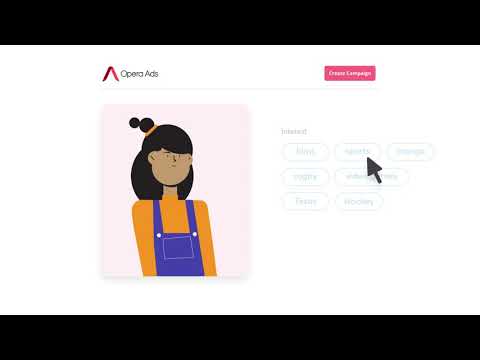
play Introduction to Opera Ad Manager
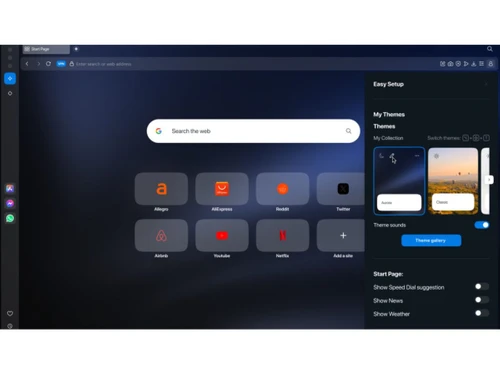
Opera-homepage
Opera-custom-homepage

Opera Browser

Brand: OPERA

  • No Ratings & Reviews

Opera Browser reimagines online browsing with built-in AI, a free VPN, ad blocker, and integrated messengers for a faster and more convenient web experience.

See More

Have you used Opera Browser before?

Share your insights for better experience

Add a Review

Free Forever

Get started immediately at no cost. Upgrade anytime if your business demand more.

100% Genuine
Products
Best Price
Guaranteed
Safe & Secure
Payment
  • Description

  • Pricing

  • Features

  • Specification

  • Review

  • Compare

  • Alternatives

  • FAQ

Opera Browser Software Overview

What is Opera Browser?

Opera is a sophisticated, multi-platform web browser designed to provide a faster, safer, and more productive online experience. It distinguishes itself from competitors by integrating a rich suite of advanced features directly into the browser, eliminating the need for numerous third-party extensions. Opera is built on the principle of reimagining what a browser can do, transforming it from a simple tool for viewing websites into a comprehensive hub for work, communication, and entertainment. Its core focus is on delivering a seamless, distraction-free browsing environment packed with tools for organization, content creation, and enhanced media consumption.

Why Choose Opera Browser?

  • Integrated Functionality: Opera comes with built-in features like a free, no-log VPN and a powerful Ad Blocker. This native integration ensures better performance and security compared to relying on external add-ons.
  • Enhanced Productivity: With unique organizational tools like Tab Islands and Workspaces, users can effortlessly manage multiple tasks and contexts without getting lost in a sea of tabs. The sidebar provides instant access to messengers, social media, and music players, keeping you focused.
  • Superior Media Experience: Features like Video Pop-out, Lucid Mode for video enhancement, and a native Volume Booster create a more immersive and enjoyable media consumption experience directly within the browser.
  • AI at Your Fingertips: Opera integrates leading AI services like ChatGPT and Gemini, along with a native AI Image Generator, empowering users to expand their capabilities and creativity without leaving their browser.
  • Cross-Device Syncing: With Opera Sync and the Flow feature, you can seamlessly share files, links, and notes between your desktop and mobile devices, ensuring your browsing experience is continuous and connected.

Advanced Features of Opera Browser

  • Browser AI: Access built-in AI from Opera, as well as integrated ChatGPT and Gemini, to enhance your productivity and research capabilities.
  • Tab Islands: Automatically group related tabs into collapsible "islands," making it easy to manage and switch between different browsing contexts.
  • Workspaces: Organize groups of tabs into separate, customizable workspaces for different projects or activities, such as 'Work,' 'Personal,' or 'Shopping.'
  • Integrated Messengers & Social Media: Chat on WhatsApp, Telegram, Facebook Messenger, Slack, and Discord, or browse Instagram and X (formerly Twitter) directly from the sidebar.
  • Free VPN & VPN Pro: Enhance your online privacy and security with a free, built-in, no-log browser VPN. For enhanced protection covering your entire device (not just the browser), VPN Pro is available as a paid subscription upgrade.
  • Ad Blocker: Load websites faster and browse with fewer distractions by blocking intrusive ads and trackers natively.
  • Video Pop-out: Detach online videos from the webpage, allowing them to float on top of other tabs so you can watch while you work or browse.
  • Lucid Mode: Improve the clarity and sharpness of online videos and images with a single click.
  • Battery Saver: Extend your laptop's battery life by optimizing the browser's resource consumption.

Key Capabilities of Opera Browser

  • Productivity and Organization: This includes features like Workspaces, Tab Islands, and Split Screen for multitasking. The Easy Files feature simplifies attaching files by showing your most recent downloads, while Search in Tabs helps you find a specific tab quickly.
  • Communication and Social Hub: Opera integrates popular communication platforms like WhatsApp, Slack, and Discord into the sidebar. It also provides quick access to social media like Instagram and X, keeping you connected without switching applications.
  • AI and Content Creation: Leverage the power of Browser AI for summaries, translations, and content generation. The free AI Image Generator allows you to create unique visuals from text prompts, and the Snapshot tool lets you easily capture, edit, and share web content.
  • Media and Entertainment: Enjoy an enhanced media experience with Video Pop-out, Lucid Mode, and a Volume Booster. Integrated music players for Spotify and Deezer put your favorite audio content just a click away.
  • Performance and Security: The built-in Ad Blocker not only removes distractions but also speeds up page loading. The free VPN protects your privacy, and the Battery Saver mode helps you browse longer on the go.

How to Use Opera Browser?

  1. Download: Visit the official Opera website and download the installer for your operating system (Windows, macOS, or Linux).
  2. Install: Run the downloaded installer file and follow the simple on-screen instructions to complete the installation.
  3. Import Data: On first launch, Opera will offer to import your bookmarks, browsing history, and passwords from your previous browser.
  4. Explore the Sidebar: Familiarize yourself with the sidebar on the left. Here you can access Workspaces, integrated messengers, AI tools, and other key features.
  5. Customize: Dive into the settings to personalize your experience. You can change themes, manage the Ad Blocker, enable the VPN, and configure your start page with a personal news feed.

Opera Browser Pricing

Opera Browser is available for free on techjockey.com.

The pricing model is based on different parameters, including extra features, deployment type, and the total number of users. For further queries related to the product, you can contact our product team and learn more about the pricing and offers.

Read more

OPERA Company Details

Founded Year:  1995

Opera Software develops web browsers for mobiles and desktops, mobile payment services and artificial intelligence solutions.

Director/Founders Geir Ivarsøy, Jon S. von Tetzchner
Company Size 501-1000 Employees

Opera Browser Pricing & Plans

This Product is Available Free Forever.

Start instantly with no fees, no subscriptions, and no commitments.

  • Full access to basic version available
  • No credit card or sign-up required

Free Forever Plan

Get started immediately at no cost. Upgrade anytime if your business demand more.

Free Forever

Opera Browser Features

  • icon_check Integrated Crypto Wallet
    Securely manage your digital assets and interact with decentralized apps directly within the browser without any extensions.
  • icon_check Video Pop-Out Feature
    Detach online videos into a floating, adjustable frame that stays on top while you browse other tabs or use different apps.
  • icon_check Pinboards
    Create a visual digital bulletin board to collect, organize, and share web links, images, and notes with anyone in one click.
  • icon_check Search in Tabs
    Quickly locate specific open pages by typing keywords or site titles into a central search bar using the Ctrl+Space shortcut.
  • icon_check Workspaces
    Tidy up your browsing by grouping related tabs into separate, customizable zones like work, shopping, or travel in the sidebar.
  • icon_check Snapshot Tool
    Easily capture, crop, and edit screenshots of webpages with built-in tools for adding text, arrows, stickers, and creative blurs.
  • icon_check Ad Blocker
    Experience faster page loading and a cleaner web by automatically blocking intrusive ads and hidden cryptocurrency miners.
  • icon_check Video Pop-out
    Multi-task efficiently by popping out web videos into a movable window that remains visible even when switching browser tabs.
  • icon_check Easy Files
    Attach or upload files instantly by viewing your most recent downloads and clipboard items in a visual, easy-to-access popup.
  • icon_check Import Bookmarks
    Seamlessly migrate your browsing history, saved passwords, and bookmarks from Chrome, Safari, or Firefox into your new home.
  • icon_check Battery Saver
    Extend your laptop's battery life by up to an hour by automatically optimizing background tab activity and video parameters.
  • icon_check Sync Data
    Access your Speed Dials, bookmarks, and open tabs across all your devices by signing into your secure, unified Opera account.
  • icon_check Crypto Wallet
    A built-in, non-custodial wallet that supports major blockchains, allowing for secure transactions and seamless Web3 browsing.
  • icon_check Ad Blocker
    Stops intrusive advertisements and pop-ups instantly to speed up your page loading and provide a cleaner browsing experience.
  • icon_check Unlimited VPN Pro
    Protect your entire device with high-speed, no-log encryption across thousands of servers for a secure and private connection.
  • icon_check Battery Saver Function
    Significantly reduce power consumption on your laptop by pausing unused plug-ins and background animations with one click.
Opera Browser Demo Video play icon

Get Opera Browser Demo

Watch the demo video to explore key features, real workflows, and how the software fits your business needs.

Understand
Key Features
Personal
Demo Insights
Interactive
Demo Support

Opera Browser Specifications

Supported Platforms
Ubuntu Ubuntu Windows Windows iOS iOS Android Android MacOS MacOS Linux Linux
Devices
Desktop Desktop Mobile Mobile Tablet Tablet iPad iPad
Deployment
Cloud-Based Cloud-Based Perpetual Perpetual
Suitable For
All Industries
Business Specific
All Businesses
Business Size
Individual Small Business Startups Medium Business Enterprises SMBs SMEs Freelancers
Customer Support
Email Communities Forums
Language
English
Integration
API Integration
Training Resources
Documentation Videos
AI Features
AI Integrated
Technology
Next Generation
Compliance Regulation
CCPA

Explore the Best Alternative Solutions Similar to Your Business Size and Needs

Opera Browser Review

Techjockey Trusted Reviews from Verified Users

No reviews are currently available for Opera Browser. Discover similar Browser Software reviews

  • Safari

    4.4

    Whats great - Helps my MacBook battery last noticeably longer. read more

  • Brave Browser

    4.4

    Whats great - Sync bookmarks and settings across devices read more
  • DICloak Antidetect Browser

    5.0

    Whats great - I am very satisfied with DICloak's seamless proxy integration and IP isolation features. It can bind a dedicated proxy IP for... read more
Compare Opera Browser With other Browser Software

Products
Ratings
Pricing
Device Supported
Deployment
Supported Platforms
  • img

    Opera Browser

  • FREE

  • Desktop

    Mobile

  • Web based

    On Premises

  • Windows

    Mac OS

  • img

    ChatGPT Atlas

  • 4.2

  • ₹ 399

  • Desktop

    Mobile

  • Web based

    On Premises

  • Windows

    Mac OS

  • img

    XNXubd VPN Browser

  • 4.3

  • Price On Request

  • Desktop

    Mobile

  • Web based

    On Premises

  • Windows

    Mac OS

  • img

    Perplexity Comet

  • 4.2

  • Price On Request

  • Desktop

    Mobile

  • Web based

    On Premises

  • Windows

    Mac OS

  • img

    SquareX

  • 4.3

  • Price On Request

  • Desktop

    Mobile

  • Web based

    On Premises

  • Windows

    Mac OS

  • img

    Vivaldi

  • 4.1

  • Price On Request

  • Desktop

    Mobile

  • Web based

    On Premises

  • Windows

    Mac OS

  • img

    Fellou

  • 4.4

  • Price On Request

  • Desktop

    Mobile

  • Web based

    On Premises

  • Windows

    Mac OS

  • img

    Brave Browser

  • 4.4

  • Price On Request

  • Desktop

    Mobile

  • Web based

    On Premises

  • Windows

    Mac OS

  • img

    GoLogin

  • 4.7

  • Price On Request

  • Desktop

    Mobile

  • Web based

    On Premises

  • Windows

    Mac OS

  • img

    Mozilla Firefox

  • 4.1

  • Price On Request

  • Desktop

    Mobile

  • Web based

    On Premises

  • Windows

    Mac OS

(0) Product(s) selected

Opera Browser Alternatives

See All Opera Browser Alternatives

Available

Price on Request

Available

Price on Request

Starting Price:

$20 /Month

Starting Price:

$49 /month

Available

Price on Request

Available

Price on Request

Available

Price on Request

What does Opera Browser do?

Opera Browser is a feature-rich web browser designed to enhance the online experience by providing tools for faster, smoother, and distraction-free browsing, allowing users to do more on the web with built-in functionalities.

How much does Opera Browser cost?

Opera Browser is available for free on techjockey.com.

What are the main features of Opera Browser?

Opera Browser offers a wide array of features including a built-in Ad Blocker, free VPN, AI tools like ChatGPT and Gemini, integrated messengers, productivity tools such as Split Screen and Tab Islands, and media enhancements like Video Popout and Volume Booster.

Is there a free trial for Opera Browser?

As Opera Browser is completely free to download and use, there is no need for a free trial; users can access all its features immediately upon installation.

Who can use Opera Browser?

Opera Browser is designed for anyone seeking an enhanced online experience, offering a wide range of features for productivity, entertainment, communication, and privacy across various devices.

Does Opera Browser include AI capabilities?

Yes, Opera Browser comes with built-in AI features, including Browser AI, direct access to ChatGPT and Gemini, and an AI Image Generator to create stunning visuals from text prompts for free.

How does Opera Browser help with productivity and organization?

Opera Browser enhances productivity with features like Vertical Tabs, Split Screen for multiple tabs, Tab Islands for organization, Workspaces for grouping tabs, and Search in Tabs for efficient navigation.

Can I integrate social media and messaging apps into Opera Browser?

Absolutely, Opera Browser features integrated messengers and social media access, allowing users to chat on WhatsApp, Discord, Slack, Telegram, Facebook Messenger, and browse Instagram, X, and Bluesky directly from the sidebar.

What privacy and security features are built into Opera Browser?

Opera Browser prioritizes user privacy and security with a built-in Ad Blocker to reduce distractions and load websites faster, along with a free VPN for enhanced online anonymity and protection.

20,000+ Software Listed

Best Price Guranteed

Free Expert Consultation

2M+ Happy Customers

Terms and Condtions

close

Users with registered businesses can purchase goods from merchants on the platform to satisfy their business needs. Users are not permitted to utilize any products acquired through the platform for resale, advertising, business, or further distribution.

For each purchase made, users will receive a Tax Invoice (or 'GST invoice') that includes specific details such as:

  • the GSTIN of the user associated with their registered business, and

  • the specified Entity Name for their business.

It should be noted that not all products are eligible for GST Invoice. Only the products displayed by participating sellers with the 'GST-based Invoice Available' callout on the product description page would qualify.

Certain goods and services are not eligible to get a GST Invoice, including items with VAS, i.e., Value Added Services (e.g., Total Mobile Protection/Assured Buyback) and those involving an exchange offer at the time of purchase.

Users must ensure the accuracy of the GSTIN, and business entity name provided for the GST Invoice. Requests for corrections into GST Invoice would not be accommodated by Techjockey.com or any Seller, and any issues arising from user-provided information are the sole responsibility of users.

Techjockey.com is not liable for the GST Invoice or any associated input tax credit. To efficiently claim an input tax credit, users should select the registered place of business address as per the GST authority's data and follow the provisions of the GST Act and rules.

To claim an input tax credit, the delivery and billing addresses must match. Furthermore, input tax credits will not be granted if the delivery address and GSTIN on the invoice are from different states. In case of incorrect GST details provided during the order placement, the order will be canceled automatically.