linkedin
Petro ERP logo
play Petro ERP 4.2 Demo | Petrol Pump Management accounting billing online Software | Hindi
play Petrol Pump software | CCM Petro ERP 4.2 Features |HPCL IOCL BPCL Essar
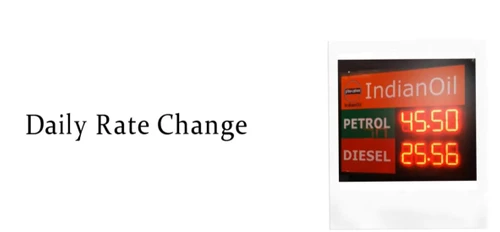
petro erp daily rate change

Petro ERP

Brand: Convince & Convey Marketing

  • 4.1

  • 6 Ratings

Petro ERP helps petrol pump businesses automate tasks, gain sales insights, manage paperwork, and streamline daily operations with a dependable ERP solution.

See More

Have you used Petro ERP before?

Share your insights for better experience

Add a Review

Price Available on Request

Questions about pricing or customization? We’re here to help, just a click away.

100% Genuine
Products
Best Price
Guaranteed
Safe & Secure
Payment
  • Description

  • Pricing

  • Features

  • Specification

  • Review

  • Compare

  • Alternatives

  • FAQ

Petro ERP Software Overview

What is Petro ERP?

Petro ERP, developed by CCM, is a specialized petrol pump management software designed to streamline and supervise the complex operations of petrol filling stations. It serves as a comprehensive solution that automates repetitive and time-consuming tasks, allowing owners and managers to focus on strategic growth. The software is engineered to handle a wide variety of activities, from financial processes like journal entries to inventory and rate management.

A key attribute of Petro ERP is its flexibility. The system offers a suite of comprehensive and adaptable modules that can be tailored to meet the specific requirements of any fuel station. Whether the station is located in a rural or urban area, operates on a small or large scale, or has varying staff sizes, Petro ERP can be configured to optimize its unique operational workflow. This makes it an ideal tool for forward-thinking petrol pump owners aiming to enhance efficiency and profitability.

Why Choose Petro ERP?

  • Enhanced Operational Efficiency: By automating routine tasks, the software significantly reduces manual workload and minimizes the potential for human error. This frees up staff to concentrate on customer service and other high-value activities.
  • Data-Driven Decision Making: Petro ERP generates detailed insights and reports on day-to-day sales performance. This allows managers to analyze trends, understand peak hours, and make informed decisions regarding inventory, pricing, and staffing.
  • Timely Rate Alerts: The software alerts management to daily fuel rate changes after 6:00 AM, helping ensure pricing stays accurate and up to date across the station.
  • Centralized Supervision: It provides a single, unified platform to monitor all business activities, from fuel dispensing and stock levels to financial transactions and employee shifts, offering a holistic view of the entire operation.

Advanced Features of Petro ERP

  • Automated Accounting: The system automates critical accounting functions, including the creation of journal entries, managing ledgers, and simplifying financial reconciliation.
  • Sales Performance Analytics: Access detailed, real-time dashboards and reports that track sales by dispenser, fuel type, and time of day, providing actionable business intelligence.
  • Inventory & Wet Stock Management: Effectively track fuel inventory levels, manage deliveries, and monitor for potential discrepancies or losses through sophisticated stock reconciliation tools.
  • Customer Name Merge: A data management tool to change or merge duplicate customer name entries, keeping customer records clean and accurate for reporting.
  • Rate Change Alerts: An automated alert system that notifies management of daily fuel rate changes after 6:00 AM, helping ensure pricing accuracy across all dispensers.
  • Customizable Modules: The platform's modular architecture allows businesses to select and implement only the features they need, providing a cost-effective and tailored solution.
  • Tally Integration: A complete Tally Accounting Integration module, with all modules integrated to meet CA (Chartered Accountant) requirements for seamless financial reconciliation.
  • Daily SMS Summary: Owners and proprietors automatically receive a daily SMS summary of all transactions.
  • Android App for Credit Sales: Employees can enter a vehicle number and amount directly on a mobile app at the nozzle, with billing automatically reflected in the software.
  • Credit Customer Portal: Credit customers can be granted direct access to view their own billing and account statements.
  • User Authorization: Create new users with role-specific access, such as a Shift Management-only user or a Customer & Finance Management user.

Modules of Petro ERP

  • Sales & Dispenser Module: Manages real-time sales data from each dispenser, handles different payment methods, and integrates with point-of-sale (POS) hardware.
  • Inventory Control Module: Provides end-to-end management of fuel and lubricant stocks, including purchase orders, goods receipt notes (GRN), and dip reading reconciliation.
  • Financial Accounting Module: A complete accounting suite for managing accounts payable/receivable, generating financial statements like P&L and balance sheets, and handling GST compliance.
  • Employee & Shift Management Module: Facilitates staff scheduling, monitors employee activity, manages shift handovers, and records collections from employees across cash, card, PayTM, cheque, and company card payment methods.
  • Reporting & Analytics Module: A robust reporting engine offering 18 distinct accounting reports (including P&L, Balance Sheet, GST Report, and Ledgers) and 21 distinct inventory reports (including Daily Summary, Employee Wise Sale, Stock, and Dip Reading reports) to support strategic planning.

How to Use Petro ERP?

  1. Initial Consultation: Contact the vendor to schedule a free demo and discuss your specific business requirements. This helps in identifying the modules and customizations needed.
  2. System Configuration & Setup: The Petro ERP team will configure the software based on your operational needs, including setting up user roles, inventory items, and accounting parameters.
  3. Data Migration & Installation: Existing data, such as customer lists and inventory records, is securely migrated to the new system. The software is then installed on your hardware.
  4. Team Training: Comprehensive training is provided to ensure your staff, from pump attendants to managers, are proficient in using the software for their daily tasks.
  5. Go-Live & Support: Once the system is live, ongoing technical support is available to address any queries and ensure the software runs smoothly.

Petro ERP Pricing

Petro ERP pricing details are available on request on techjockey.com.

The pricing model is based on different parameters, including extra features, deployment type, and the total number of users. For further queries related to the product, you can contact our product team and learn more about the pricing and offers.

Read more

Petro ERP Pricing & Plans

Looking for The Right Pricing?

Share your requirements and get a plan built around your business.

  • Define your business needs
  • Get customised pricing
  • Choose features that fit your workflow

Price Available on Request

Get personalised Petro ERP pricing that fits your needs. Our team will connect with you.

Petro ERP Features

  • icon_check Accounting Management
    The software offers GST compliant bookkeeping and accounting features. Petrol pump owners can access financial details like
  • icon_check All PPM Activity
    Check the impurity in petrol in ppm (parts per million) for better accuracy. 
  • icon_check Tally Integration
    Petro ERP facilitates integration with Tally Accounting for better accounting functions. 
  • icon_check DSM App
     Petro ERP offers customized “Device Specific Module” mobile applications for petrol pump owners and customers. 
  • icon_check Dealer App
     It also offers an additional dealer app to manage all the back-end work of the petrol pump. 
  • icon_check Pump Membership Card
    Petrol pump owners can create loyalty programs through membership cards for recurring visitors. It can be used to avail discounts
  • icon_check Stock Management
  • icon_check Meter Reading
    Petrol pump owners can organize their workforce into shifts for effective working.   
  • icon_check Centralised Billing & Debit Card Management.
    This petrol pump management software generates all the bills from a single platform. It centralizes the billing process of the
  • icon_check Employee Scheduling
Petro ERP Demo Video play icon

Get Petro ERP Demo

Watch the demo video to explore key features, real workflows, and how the software fits your business needs.

Understand
Key Features
Personal
Demo Insights
Interactive
Demo Support

Petro ERP Specifications

Supported Platforms
Windows Windows
Devices
Desktop Desktop
Deployment
Cloud-Based Cloud-Based
Suitable For
Petrol Pump
Business Specific
Petrol Pump
Language
English

Explore the Best Alternative Solutions Similar to Your Business Size and Needs

Petro ERP Review

4.1

Out of 5

img

Overall Rating

Based on
6 Verified Ratings

Rating Breakdown

  • Features 4.0
  • Value for Money 4.1
  • Ease of Use 4.1
  • Customer Support 4

88% Recommend this Product

Add Review

Techjockey Trusted Reviews from Verified Users

No reviews are currently available for Petro ERP. Discover similar Petrol Pump Management Software reviews

  • SOFTGUN Petrol Pump Software

    4.7

    Whats great - It is only a matter of minutes before the Sales officer’s inspection report gets ready, and gives us an option to keep a self... read more

  • PetroSoft India

    4.4

    Whats great - Covers everything from purchase to sales. read more

  • PumpCount

    4.7

    Whats great - This software is user-friendly and well-supported, offering comprehensive features for efficient petrol pump management, incl... read more

Compare Petro ERP With other Petrol Pump Management Software

Products
Ratings
Pricing
Device Supported
Deployment
Supported Platforms
  • img

    Petro ERP

  • 4.1

  • Price On Request

  • Desktop

    Mobile

  • Web based

    On Premises

  • Windows

    Mac OS

  • img

    PetroPulse360

  • 5

  • ₹ 499

  • Desktop

    Mobile

  • Web based

    On Premises

  • Windows

    Mac OS

  • img

    My Lucky Meter

  • 4.5

  • ₹ 10000

  • Desktop

    Mobile

  • Web based

    On Premises

  • Windows

    Mac OS

  • img

    Petro Genius

  • 4.3

  • ₹ 13500

  • Desktop

    Mobile

  • Web based

    On Premises

  • Windows

    Mac OS

  • img

    MuePetro

  • 4.6

  • ₹ 16000

  • Desktop

    Mobile

  • Web based

    On Premises

  • Windows

    Mac OS

  • img

    PetroMeter

  • 4.6

  • Price On Request

  • Desktop

    Mobile

  • Web based

    On Premises

  • Windows

    Mac OS

  • img

    PumpCount

  • 4.6

  • ₹ 15000

  • Desktop

    Mobile

  • Web based

    On Premises

  • Windows

    Mac OS

  • img

    PetroTally

  • 4.6

  • Price On Request

  • Desktop

    Mobile

  • Web based

    On Premises

  • Windows

    Mac OS

  • img

    PetroSoft India

  • 4.4

  • ₹ 8000

  • Desktop

    Mobile

  • Web based

    On Premises

  • Windows

    Mac OS

(0) Product(s) selected

Petro ERP Alternatives

See All Petro ERP Alternatives

Available

Price on Request

Available

Price on Request

Available

Price on Request

Articles for Petro ERP

See All Related Articles

Can I manage multiple petrol pumps with this software?

Petro ERP allows petrol pump owners to manage more than one petrol pump with a single software.

Where does the Petro ERP saves my data?

Petro ERP saves your data on the cloud. efficient cloud storage for mobile app management and quick data accessibility.

Can I get nozzle count for my petrol filled?

This petrol management software checks nozzle count for every individual filling station. It also offers detailed analysis of petrol deposition with every nozzle count.

Does Petro ERP check for evaporation losses?

Petro ERP checks for evaporation losses based on multiple attributes, such as storage, nozzle, etc.

Are there any hidden costs for access to features?

No, there are no hidden costs. You will pay for what you use, and what you use is based on your requirements stated during the purchase.

What is Petro ERP?

Petro ERP is a comprehensive petrol pump management software designed to help owners manage and supervise all operations of their filling stations.

What are the features of Petro ERP?

Key features of Petro ERP include the automation of repetitive tasks like journal entries, generation of RO registration reminders, and detailed insights into daily sales performance.

What does Petro ERP do?

Petro ERP automates repetitive tasks such as data deduplication and journal entries, helping users to efficiently manage and supervise every aspect of their petrol pump business.

How much does Petro ERP cost?

Petro ERP pricing details are available on request on techjockey.com.

Is Petro ERP suitable for both small rural and large urban petrol pumps?

Yes, Petro ERP is designed to support petrol pump businesses of different sizes and operational requirements.

How does Petro ERP help with compliance and paperwork?

Petro ERP helps with administrative compliance by generating RO registration reminders, helping users keep track of important registration-related requirements.

Who is the ideal user for Petro ERP software?

Petro ERP is ideal for petrol station owners, multi-station operators, fuel retail managers, accountants, and administrative staff looking to streamline fuel retail operations.

Can Petro ERP provide reports on daily sales?

Yes, the software provides detailed insights and reports on day-to-day sales performance, allowing owners to monitor their business effectively.

20,000+ Software Listed

Best Price Guranteed

Free Expert Consultation

2M+ Happy Customers

Terms and Condtions

close

Users with registered businesses can purchase goods from merchants on the platform to satisfy their business needs. Users are not permitted to utilize any products acquired through the platform for resale, advertising, business, or further distribution.

For each purchase made, users will receive a Tax Invoice (or 'GST invoice') that includes specific details such as:

  • the GSTIN of the user associated with their registered business, and

  • the specified Entity Name for their business.

It should be noted that not all products are eligible for GST Invoice. Only the products displayed by participating sellers with the 'GST-based Invoice Available' callout on the product description page would qualify.

Certain goods and services are not eligible to get a GST Invoice, including items with VAS, i.e., Value Added Services (e.g., Total Mobile Protection/Assured Buyback) and those involving an exchange offer at the time of purchase.

Users must ensure the accuracy of the GSTIN, and business entity name provided for the GST Invoice. Requests for corrections into GST Invoice would not be accommodated by Techjockey.com or any Seller, and any issues arising from user-provided information are the sole responsibility of users.

Techjockey.com is not liable for the GST Invoice or any associated input tax credit. To efficiently claim an input tax credit, users should select the registered place of business address as per the GST authority's data and follow the provisions of the GST Act and rules.

To claim an input tax credit, the delivery and billing addresses must match. Furthermore, input tax credits will not be granted if the delivery address and GSTIN on the invoice are from different states. In case of incorrect GST details provided during the order placement, the order will be canceled automatically.