USA
USA UAE
UAESmall Business
Designed for startups and growing businesses

See More



Brand: HIT n Mix
RipX Audio Editing Software delivers powerful audio editing tools, offering precise waveform editing and seamless audio processing.
See MoreHave you used RipX DAW before?
Share your insights for better experience
View plans
 Save upto 18%, Get GST Invoice on your business purchase T&C Buy Now & Pay Later, Check offer on payment page.
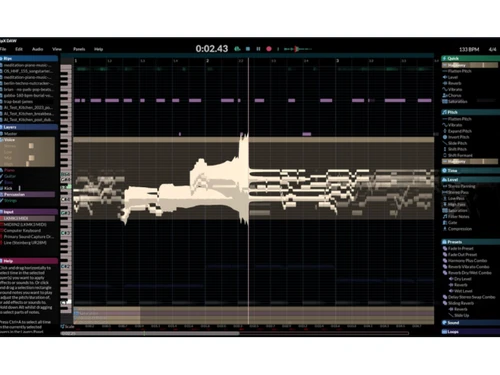
  Stem Separation Note Level Editing Unpitched Sound Editing Harmonic Editor Draw Pitch Tools Clone Note Attributes Audio Repair and Cleanup Smooth Region Editing Harmonics and Bass Sound Replacement and Blending Note or Chord Recognition Custom Scripting Interface Effects and Processing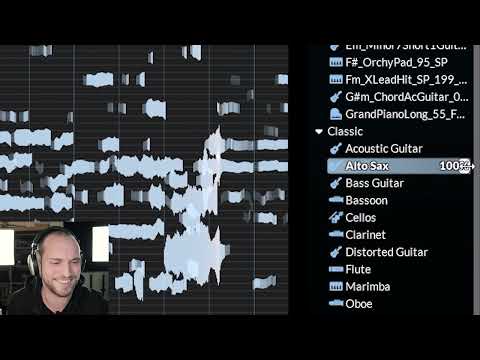

Watch the demo video to explore key features, real workflows, and how the software fits your business needs.
 Windows
  MacOS
MacOS  Desktop
  Perpetual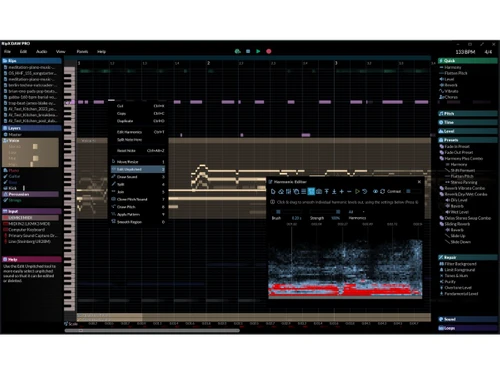
Small Business
Designed for startups and growing businesses
Medium Business
Built for business growth and flexibility
Enterprises
Designed for complex and large-scale business needs
4.3
Out of 5

Overall Rating
Based on
4 Verified Ratings
Rating Breakdown
95% Recommend this Product
Add ReviewTechjockey Trusted Reviews from Verified Users
No reviews are currently available for RipX DAW. Discover similar DAW Software reviews

Reaper
Whats great - REAPER offers a comprehensive set of professional features. read more

Pro Tools
Whats great - Editing is easy to use, with extensive plugins, and edits up to 32-bit, 192hz audio. read more
Mixcraft 10.6
Whats great - Mixcraft 9 offers both audio and video editing feature. That's changed my decision to choose it as my DAW. The software is ma... read more
RipX DAW
₹ 9400.00 excl. GST
Desktop
Mobile
Web based
On Premises
Windows
Mac OS

FL Studio
₹ 2599
Desktop
Mobile
Web based
On Premises
Windows
Mac OS
SynthMaster
Price On Request
Desktop
Mobile
Web based
On Premises
Windows
Mac OS
Nuendo
₹ 64477
Desktop
Mobile
Web based
On Premises
Windows
Mac OS

Resolume
Price On Request
Desktop
Mobile
Web based
On Premises
Windows
Mac OS
Mixcraft 10.6
Price On Request
Desktop
Mobile
Web based
On Premises
Windows
Mac OS
n-Track Studio
Price On Request
Desktop
Mobile
Web based
On Premises
Windows
Mac OS
Addictive Drums 2
Price On Request
Desktop
Mobile
Web based
On Premises
Windows
Mac OS

Groove Agent
₹ 19109
Desktop
Mobile
Web based
On Premises
Windows
Mac OS
Pro Tools
Price On Request
Desktop
Mobile
Web based
On Premises
Windows
Mac OS
Maschine
Price On Request
Desktop
Mobile
Web based
On Premises
Windows
Mac OS
(2) Product(s) selected
Starting Price:
$49 /Quantity
Starting Price:
€299 /Quantity
Starting Price:
$15 /Month
Starting Price:
$179 /Quantity
Starting Price:
₹19,109 /Quantity
Starting Price:
$10 /Month
Starting Price:
$49 /Quantity
Available
Price on Request

Available
Price on Request

Available
Price on Request
RipX Audio Editing software is compatible with Windows and macOS operating systems.
RipX Audio Editing app is unavailable on Android and iOS devices.
RipX Audio Editing system supports cloud-based deployment.
RipX Audio Editing software pricing starts from INR 9400 at techjockey.com.
RipX Audio Editing Software can be used by video editors, musicians, music directors, instrumentalists and individuals looking for robust audio editing software.
RipX demo is available for free with techjockey.com.
RipX audio editing Software offers a 21-day free trial.
RipX is a cloud-based platform. So, download the installation file on your system and open the Setup Wizard to get started.
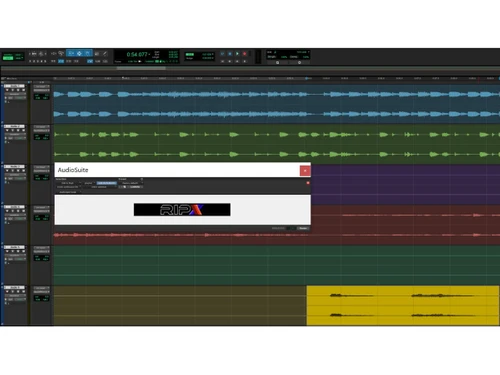
RipX is a versatile audio editing software that allows users to remove vocals, extract individual audio stems, learn and practice songs, remix tracks, and fix the audio. Additionally, users can utilize Audioshop for in-depth audio editing.
20,000+ Software Listed
Best Price Guranteed
Free Expert Consultation
2M+ Happy Customers
Terms and Condtions

Users with registered businesses can purchase goods from merchants on the platform to satisfy their business needs. Users are not permitted to utilize any products acquired through the platform for resale, advertising, business, or further distribution.
For each purchase made, users will receive a Tax Invoice (or 'GST invoice') that includes specific details such as:
the GSTIN of the user associated with their registered business, and
the specified Entity Name for their business.
It should be noted that not all products are eligible for GST Invoice. Only the products displayed by participating sellers with the 'GST-based Invoice Available' callout on the product description page would qualify.
Certain goods and services are not eligible to get a GST Invoice, including items with VAS, i.e., Value Added Services (e.g., Total Mobile Protection/Assured Buyback) and those involving an exchange offer at the time of purchase.
Users must ensure the accuracy of the GSTIN, and business entity name provided for the GST Invoice. Requests for corrections into GST Invoice would not be accommodated by Techjockey.com or any Seller, and any issues arising from user-provided information are the sole responsibility of users.
Techjockey.com is not liable for the GST Invoice or any associated input tax credit. To efficiently claim an input tax credit, users should select the registered place of business address as per the GST authority's data and follow the provisions of the GST Act and rules.
To claim an input tax credit, the delivery and billing addresses must match. Furthermore, input tax credits will not be granted if the delivery address and GSTIN on the invoice are from different states. In case of incorrect GST details provided during the order placement, the order will be canceled automatically.