linkedin
Scribens logo
play Scribens – Your Free AI Spelling Checker on Mobile
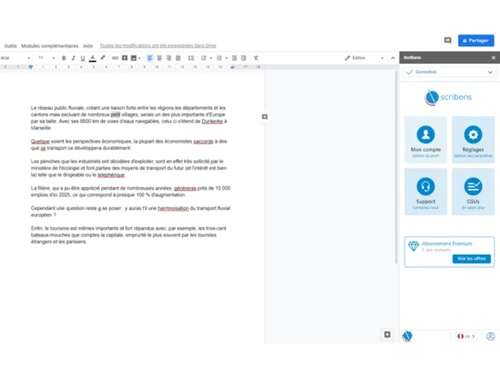
scribens-checking
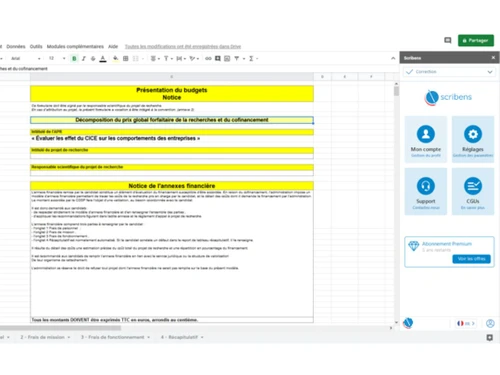
scribens-docs

Scribens

Brand: Scribens

  • No Ratings & Reviews

Scribens is an AI-powered grammar and writing checker that helps users identify and correct grammar, spelling, and style issues.

See More

Have you used Scribens before?

Share your insights for better experience

Add a Review
Starting Price
€10

View plans

100% Genuine
Products
Best Price
Guaranteed
Safe & Secure
Payment
  • Description

  • Pricing

  • Features

  • Specification

  • Review

  • Compare

  • Alternatives

Starting at €10

Scribens Software Overview

What is Scribens?

Scribens is a sophisticated and powerful English grammar checker designed to elevate the quality of written content. It functions as an intelligent writing assistant, utilizing an advanced AI-powered syntactical recognition algorithm to detect and correct a comprehensive range of grammatical errors, spelling mistakes, and stylistic issues. Beyond simple correction, Scribens serves as an educational tool by providing clear explanations for each identified error, helping users improve their writing skills over time. The software is versatile, supporting over 40 languages and integrating seamlessly with various applications to provide real-time assistance wherever you write.

Why Choose Scribens?

  • High Accuracy and Power: Scribens employs a sophisticated algorithm that successfully detects and corrects over 90% of common spelling and grammar mistakes. It identifies even the most subtle errors related to conjugations, agreements, punctuation, and typography.
  • A True Learning Companion: The platform goes beyond basic proofreading. For every mistake it flags, Scribens provides a clear, detailed explanation of the underlying grammar rule. This educational feedback helps users understand their errors, avoid repeating them, and progressively enhance their English writing proficiency.
  • Security and Confidentiality: User privacy is a top priority. All data transfers are secured with SSL encryption (HTTPS protocol). The platform's servers are protected by a powerful web application firewall from Cloudflare, and no user text is ever stored on the servers, ensuring complete confidentiality.
  • Widespread Accessibility: Scribens is available as a free tool, with its revenue generated from non-intrusive advertising and premium subscriptions. This makes powerful writing assistance accessible to everyone.

Advanced Features of Scribens

  • Seamless Application Integration: Scribens integrates directly into your workflow. With extensions for browsers and plugins for popular applications, you can correct and improve your writing directly within Gmail, Outlook, Facebook, LinkedIn, Microsoft Word, Google Docs, PowerPoint, and more, eliminating the need for copy-pasting and preserving original formatting.
  • Advanced Paraphrasing Tool: The Premium version includes an unlimited text paraphrasing and rewriting tool with 20 possible tones, helping users rephrase sentences or passages and adapt their writing style.
  • High-Volume Capacity: For professional writers and heavy users, the Premium plan supports a high volume of text, allowing checks for up to 5 million characters per month, with a maximum of 100,000 characters per individual check.
  • Ad-Free Experience: Upgrading to the Premium version provides a clean, distraction-free interface by removing all advertisements from the website and its tools.
  • Comprehensive Dictionaries: The software includes integrated dictionaries that provide definitions, conjugation tables, and synonyms, acting as an all-in-one reference tool.

Key Capabilities of Scribens

  • Grammar and Spelling Correction: This is the core function of Scribens. It meticulously checks for a wide array of errors, including:
    1. Verb conjugations and tense consistency
    2. Subject-verb and noun-pronoun agreements
    3. Correct use of prepositions, homonyms, and pronouns
    4. Punctuation errors, such as missing commas or incorrect apostrophe usage
    5. Typographical mistakes and common spelling errors
  • Style Enhancement and Rewriting: The paraphrasing tool helps users improve clarity, tone, and style. It suggests alternative phrasings to make writing more engaging, professional, or concise, depending on the user's needs.
  • Learning and Reference Tools: Scribens provides detailed grammar rule explanations for each correction. The integrated dictionary and thesaurus allow users to quickly look up definitions and find synonyms to enrich their vocabulary.
  • Productivity and Workflow Tools: The editor includes several practical features to streamline the writing and editing process, such as options to Import, Export, Share, and Print documents directly from the interface.

How to Use Scribens?

  1. Access the Tool: Navigate to the Scribens website to use the online editor or download the appropriate extension for your browser (like Google Chrome) or add-in for your software (like Microsoft Word or Google Docs).
  2. Input Your Text: You can type directly into the editor, paste text from another source, or use the import function to load a document.
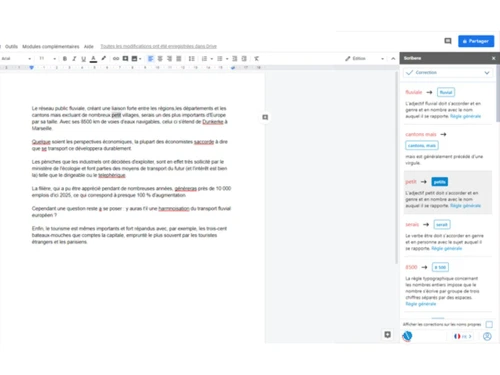
  3. Initiate the Check: Use Scribens to analyze your text for grammar and spelling errors. Detected mistakes are highlighted for easy identification.
  4. Review Suggestions: Hover over or click on a highlighted error to see the suggested correction and a detailed explanation of the relevant grammar rule. You can accept the suggestion with a single click.
  5. Utilize Integrations: For the most efficient workflow, use the extensions. This allows Scribens to provide real-time corrections and suggestions directly within the application you are using, ensuring your writing is flawless across all platforms.

Scribens Pricing

Scribens price starts at Euros 10 at techjockey.com.

The pricing model is based on different parameters, including extra features, deployment type, and the total number of users. For further queries related to the product, you can contact our product team and learn more about the pricing and offers.

Read more

Scribens Pricing & Plans

Monthly Plan
Key Features
  • Deep editorial analysis
  • Detection of inconsistencies
  • Identification of long, heavy, or complex sentence
  • Text statistics
  • Unlimited Text Paraphrasing
  • AI-assisted Text Rewriting
  • Text Summary function
Starting at €10
    • Licenses

      Licenses
      Licenses
    • Monthly

      Monthly
      Monthly

Key Features

  • Deep editorial analysis

  • Detection of inconsistencies

  • Identification of long, heavy, or complex sentence

  • Text statistics

  • Unlimited Text Paraphrasing

  • AI-assisted Text Rewriting

  • Text Summary function

Scribens Features

  • icon_check Morphological Analysis
    Systematic evaluation of word forms to ensure correct usage of conjugations, gender agreements, and pluralization in the text.
  • icon_check Contextual Spell Check
    Detection of spelling errors based on the surrounding sentence context to distinguish between homonyms and similar vocabulary.
  • icon_check Punctuation Checker
    Automated verification of punctuation marks to ensure adherence to standard typographical rules and sentence boundary markers.
  • icon_check Style Consistency Scan
    Monitoring of text for stylistic variations, identifying inconsistencies in tone, formality, and linguistic registers used.
  • icon_check Redundancy Detection
    Identification of repetitive words or redundant phrases within a document to improve the conciseness and flow of the narrative.
  • icon_check Readability Score
    Calculation of text complexity levels using standard indices like Flesch-Kincaid to measure the accessibility of the content.
  • icon_check Synonym Suggestion
    Provision of alternative vocabulary choices to enhance word variety and prevent the overutilization of common or basic terms.
  • icon_check Typographical Correction
    Detection of mechanical errors such as double spaces, non-standard characters, and incorrect capitalization within the text.
  • icon_check Linguistic Explanations
    Provision of detailed grammatical rules and logic behind each detected error to assist the user in manual correction cycles.
  • icon_check Paraphrasing Module
    AI-driven restructuring of sentences to offer different tonal variations while preserving the original semantic information.
  • icon_check Browser Extension
    Integration of correction tools directly into web browser interfaces to enable real-time analysis across external websites.
  • icon_check API Connectivity
    Programmable interface allowing for the integration of the grammar checking engine into third-party enterprise applications.
  • icon_check Tone Classification
    Algorithmic assessment of the emotional or professional intent of the writing to ensure alignment with the target audience.
Scribens Demo Video play icon

Get Scribens Demo

Watch the demo video to explore key features, real workflows, and how the software fits your business needs.

Understand
Key Features
Personal
Demo Insights
Interactive
Demo Support

Scribens Specifications

Supported Platforms
Windows Windows iOS iOS Android Android MacOS MacOS
Devices
Desktop Desktop Mobile Mobile Tablet Tablet iPad iPad
Deployment
Cloud-Based Cloud-Based
Suitable For
All Industries
Business Specific
All Businesses
Business Size
Individual Small Business Startups Medium Business Enterprises
Customer Support
Email Communities
Language
English
Integration
API Integration
Training Resources
Videos

Explore the Best Alternative Solutions Similar to Your Business Size and Needs

Scribens Review

Techjockey Trusted Reviews from Verified Users

No reviews are currently available for Scribens. Discover similar Grammar Checker Software reviews

  • Grammarly

    4.5

    Whats great - This is the best tool for simple office email communications, letterheads and Blogs read more

  • Ginger Grammar Checker

    4.4

    Whats great - When I planned to buy Ginger software, I didn't have any idea about it's working pattern. Later I cross checked with similar ... read more

  • WhiteSmoke

    4.8

    Whats great - A worthy software for use read more
Compare Scribens With other Grammar Checker Software

Products
Ratings
Pricing
Device Supported
Deployment
Supported Platforms
  • img

    Scribens

  • Price On Request

  • Desktop

    Mobile

  • Web based

    On Premises

  • Windows

    Mac OS

  • img

    Sapling

  • 4.5

  • Price On Request

  • Desktop

    Mobile

  • Web based

    On Premises

  • Windows

    Mac OS

  • img

    Grammarly

  • 4.4

  • ₹ 4692

  • Desktop

    Mobile

  • Web based

    On Premises

  • Windows

    Mac OS

  • img

    Trinka

  • 4.7

  • ₹ 1880

  • Desktop

    Mobile

  • Web based

    On Premises

  • Windows

    Mac OS

  • img

    Twain AI

  • 4.1

  • Price On Request

  • Desktop

    Mobile

  • Web based

    On Premises

  • Windows

    Mac OS

  • img

    Linguix

  • 4.4

  • Price On Request

  • Desktop

    Mobile

  • Web based

    On Premises

  • Windows

    Mac OS

  • img

    LanguageTool

  • 4.0

  • ₹ 554

  • Desktop

    Mobile

  • Web based

    On Premises

  • Windows

    Mac OS

  • img

    ProWritingAid

  • 4.4

  • ₹ 1650

  • Desktop

    Mobile

  • Web based

    On Premises

  • Windows

    Mac OS

  • img

    WhiteSmoke

  • 4.7

  • Price On Request

  • Desktop

    Mobile

  • Web based

    On Premises

  • Windows

    Mac OS

(0) Product(s) selected

Scribens Alternatives

See All Scribens Alternatives

Starting Price:

$25 /Month

Starting Price:

$49 /Month

Starting Price:

$8 /Month

Starting Price:

$115 /Year
Articles for Scribens

See All Related Articles

20,000+ Software Listed

Best Price Guranteed

Free Expert Consultation

2M+ Happy Customers

Terms and Condtions

close

Users with registered businesses can purchase goods from merchants on the platform to satisfy their business needs. Users are not permitted to utilize any products acquired through the platform for resale, advertising, business, or further distribution.

For each purchase made, users will receive a Tax Invoice (or 'GST invoice') that includes specific details such as:

  • the GSTIN of the user associated with their registered business, and

  • the specified Entity Name for their business.

It should be noted that not all products are eligible for GST Invoice. Only the products displayed by participating sellers with the 'GST-based Invoice Available' callout on the product description page would qualify.

Certain goods and services are not eligible to get a GST Invoice, including items with VAS, i.e., Value Added Services (e.g., Total Mobile Protection/Assured Buyback) and those involving an exchange offer at the time of purchase.

Users must ensure the accuracy of the GSTIN, and business entity name provided for the GST Invoice. Requests for corrections into GST Invoice would not be accommodated by Techjockey.com or any Seller, and any issues arising from user-provided information are the sole responsibility of users.

Techjockey.com is not liable for the GST Invoice or any associated input tax credit. To efficiently claim an input tax credit, users should select the registered place of business address as per the GST authority's data and follow the provisions of the GST Act and rules.

To claim an input tax credit, the delivery and billing addresses must match. Furthermore, input tax credits will not be granted if the delivery address and GSTIN on the invoice are from different states. In case of incorrect GST details provided during the order placement, the order will be canceled automatically.