
linkedin
SlideSpeak logo
play Create presentations from a Word document with AI
slidespeak-dashboard
slidespeak-discovery

SlideSpeak

Brand: SlideSpeak

  • 4.2

  • 5 Ratings

SlideSpeak quickly turns text, PDFs, Word, or PowerPoint files into summarized, visually appealing presentations.

See More

Have you used SlideSpeak before?

Share your insights for better experience

Add a Review
Starting Price
$29

View plans

100% Genuine
Products
Best Price
Guaranteed
Safe & Secure
Payment
  • Description

  • Pricing

  • Features

  • Specification

  • Review

  • FAQ

Starting at $29

SlideSpeak Software Overview

What is SlideSpeak?

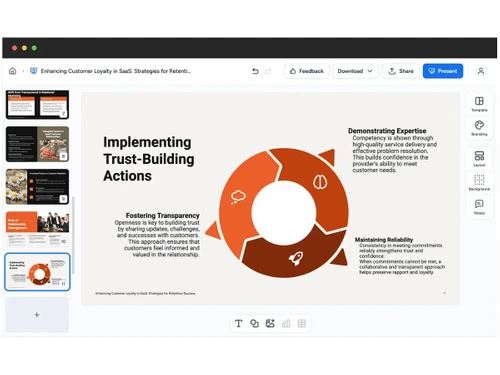
SlideSpeak is a presentation software that transforms text, PDFs, Word documents, or PowerPoint files into well-structured and visually appealing presentations.

It uses ChatGPT to summarize content, create slides automatically, and save time in presentation creation.

SlideSpeak also offers interactive features like chatting with your documents and customizable templates for a polished look.

Why Choose SlideSpeak Software?

  • AI-Powered Slide Creation: SlideSpeak uses advanced AI to automatically generate slides from your text, PDFs, Word, or PowerPoint files, eliminating the need for manual slide creation.
  • Time-Saving: Save hours of work by letting SlideSpeak handle content conversion and slide design, allowing you to focus more on ideas rather than formatting.
  • Content Summarization: Long documents are condensed into concise, meaningful slides, with key points highlighted automatically for easy understanding.
  • Chat with Documents: Interact with your uploaded files directly, asking questions and receiving instant insights from your documents.
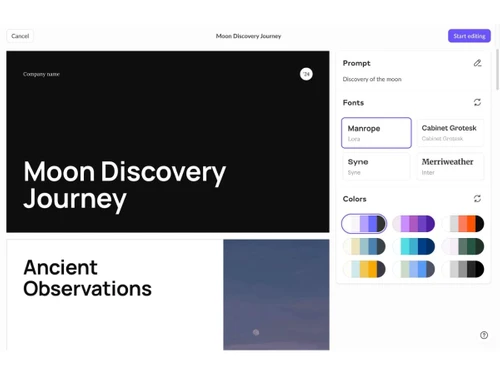
  • Customizable Templates: Choose from a variety of ready-made templates to match your presentation style, and adjust them to fit your brand and theme.
  • User-Friendly Interface: SlideSpeak is intuitive and easy to use, making it suitable for both beginners and professionals.
  • Supports Multiple File Formats: Work seamlessly with PDFs, Word files, PowerPoint presentations, and text documents without manual conversions.
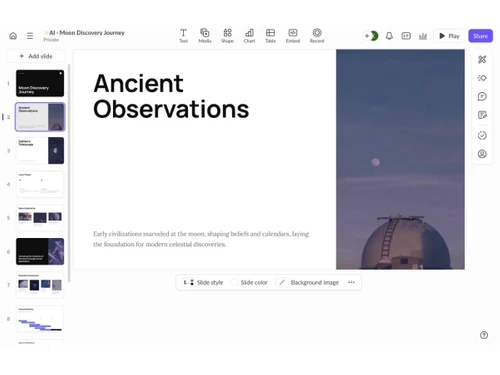
  • High-Quality Slide Designs: Automatically generate visually appealing slides with professional layouts, perfect for meetings, webinars, or conferences.
  • Smart Formatting: Content is organized neatly on each slide, with headings, bullets, and visuals formatted for maximum readability.

Benefits of SlideSpeak Software

  • Collaboration-Friendly: Share slides with colleagues or teams effortlessly, collaborate in real-time, and gather feedback within the platform.
  • Integration with ChatGPT: Powered by ChatGPT, SlideSpeak intelligently summarizes content and generates slides with context-aware insights.
  • Interactive Features: Ask questions about your content and receive instant, accurate responses, making large documents easier to understand.
  • Consistent Styling: All slides maintain a uniform design, ensuring polished and professional presentations every time.
  • Cloud-Based Access: Access your presentations anytime, anywhere, with secure cloud storage and no installation required.
  • Automatic Updates: Benefit from regular updates that add new features, templates, and AI improvements without extra effort.
  • Supports Large Documents: Handles extensive documents seamlessly, extracting and summarizing key content without missing important points.
  • Export Options: Easily export slides as PowerPoint or PDF files, allowing you to present or share work on any platform.
  • Custom Branding: Add logos, brand colors, and custom fonts to every slide to ensure your presentations reflect your company's identity.

SlideSpeak Pricing

SlideSpeak price starts at USD 29 at techjockey.com.

The pricing model is based on different parameters, including extra features, deployment type, and the total number of users. For further queries related to the product, you can contact our product team and learn more about the pricing and offers.

Read more

SlideSpeak Company Details

Founded Year:  2023

Summarize and create PowerPoint presentations with AI. SlideSpeak helps you to create presentations and analyze documents using ChatGPT and AI.

Director/Founders Kevin Goedecke
Company Size 1-100 Employees

SlideSpeak Pricing & Plans

Premium
Starting at $29
    • Licenses

      Licenses
      Licenses
    • Monthly

      Monthly
      Monthly

Key Features

  • Up to 50 presentations/files

  • Export to PowerPoint & PDF

  • Custom presentation length

  • SlideSpeak AI 4.0 Presentation Generator

  • No file size limit

  • AI Presentation Assistant Charles

  • AI Document Chat Bot

  • AI Presentation Video Generator

  • 150+ languages

Premium Plus
Starting at $34
    • Licenses

      Licenses
      Licenses
    • Monthly

      Monthly
      Monthly

Key Features

  • Unlimited presentations/files

  • Export to PowerPoint & PDF

  • Custom presentation length

  • SlideSpeak AI 4.0 Presentation Generator

  • No file size limit

  • AI Presentation Assistant Charles

  • AI Document Chat Bot

  • AI Presentation Video Generator

  • 150+ languages

SlideSpeak Features

  • icon_check Layout Suggestions
    AI proposes optimal slide layouts and structure based on content automatically.
  • icon_check Brand Consistent Design
    Enforce brand fonts, colors, and styles across all slides in generated presentations.
  • icon_check Multilingual Support
    Create and translate presentations in 50+ languages with AI translation
  • icon_check AI Image Generator
    Generate or pick relevant images via AI to complement slide content.
  • icon_check Templates
    Use built-in templates or edit generated ones for customization.
  • icon_check Multi Format Support
    Export generated decks as PPTX, PDF, or share via online link.
  • icon_check Document Summarization
    Upload Word / PDF / PowerPoint to produce concise summaries automatically.
  • icon_check Speaker Notes Generation
    Automatically generate notes for each slide based on content.
  • icon_check Upload Custom Template
    Upload your own PPTX template to be used in AI generation.
  • icon_check Document Conversion
    Support various input file types (Word, PDF, PowerPoint, Excel).
  • icon_check API Integration
    Use SlideSpeak API to generate, edit, or summarize content programmatically.
  • icon_check Data Import/Export
    Export as PPTX and import into Google Slides easily.
  • icon_check Create from Website
    Use AI to convert website content into a slide deck.
SlideSpeak Demo Video play icon

Get SlideSpeak Demo

Watch the demo video to explore key features, real workflows, and how the software fits your business needs.

Understand
Key Features
Personal
Demo Insights
Interactive
Demo Support

SlideSpeak Specifications

Supported Platforms
Ubuntu Ubuntu Windows Windows MacOS MacOS Linux Linux
Devices
Desktop Desktop
Deployment
Cloud-Based Cloud-Based
Suitable For
All Industries
Business Specific
All Businesses
Business Size
Individual Small Business Medium Business Enterprises SMBs SMEs MSMBs MSMEs
Customer Support
Email Communities
Language
English
Integration
API Integration
Training Resources
Documentation Videos
AI Features
AI Integrated

SlideSpeak Review

4.2

Out of 5

img

Overall Rating

Based on
5 Verified Ratings

Rating Breakdown

  • Features 4.6
  • Value for Money 4.4
  • Ease of Use 4.1
  • Customer Support 4

80% Recommend this Product

Add Review

Be the First to Review

This product has no reviews yet. Be the first to leave your feedback.

Add Review

Articles for SlideSpeak

See All Related Articles

How much does SlideSpeak Software cost?

SlideSpeak pricing begins at USD 29 per month, as listed on techjockey.com.

Is there a mobile app available for SlideSpeak Software?

No, SlideSpeak is currently web-based only.

Which operating systems are compatible with SlideSpeak Software?

SlideSpeak works on Ubuntu, Windows, MacOS and Linux.

Does SlideSpeak Software offer a free trial?

Yes, SlideSpeak offers a free trial for new users.

How does SlideSpeak Software function?

SlideSpeak uses AI to convert text, PDFs, Word, or PowerPoint files into summarized, visually appealing slides.

Who uses SlideSpeak Software?

Professionals, educators, students, and business teams use SlideSpeak for creating presentations.

Is a free demo available for SlideSpeak Software?

Yes, users can request a free demo on the SlideSpeak website.

Is SlideSpeak Software available for free?

SlideSpeak offers limited free access, with full features available in paid plans.

20,000+ Software Listed

Best Price Guranteed

Free Expert Consultation

2M+ Happy Customers

Terms and Condtions

close

Users with registered businesses can purchase goods from merchants on the platform to satisfy their business needs. Users are not permitted to utilize any products acquired through the platform for resale, advertising, business, or further distribution.

For each purchase made, users will receive a Tax Invoice (or 'GST invoice') that includes specific details such as:

  • the GSTIN of the user associated with their registered business, and

  • the specified Entity Name for their business.

It should be noted that not all products are eligible for GST Invoice. Only the products displayed by participating sellers with the 'GST-based Invoice Available' callout on the product description page would qualify.

Certain goods and services are not eligible to get a GST Invoice, including items with VAS, i.e., Value Added Services (e.g., Total Mobile Protection/Assured Buyback) and those involving an exchange offer at the time of purchase.

Users must ensure the accuracy of the GSTIN, and business entity name provided for the GST Invoice. Requests for corrections into GST Invoice would not be accommodated by Techjockey.com or any Seller, and any issues arising from user-provided information are the sole responsibility of users.

Techjockey.com is not liable for the GST Invoice or any associated input tax credit. To efficiently claim an input tax credit, users should select the registered place of business address as per the GST authority's data and follow the provisions of the GST Act and rules.

To claim an input tax credit, the delivery and billing addresses must match. Furthermore, input tax credits will not be granted if the delivery address and GSTIN on the invoice are from different states. In case of incorrect GST details provided during the order placement, the order will be canceled automatically.