linkedin
StudySnap logo
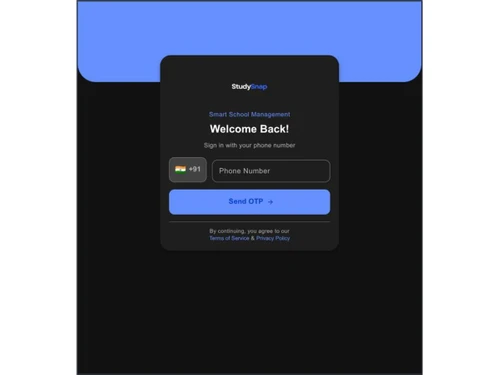
studysnap-login
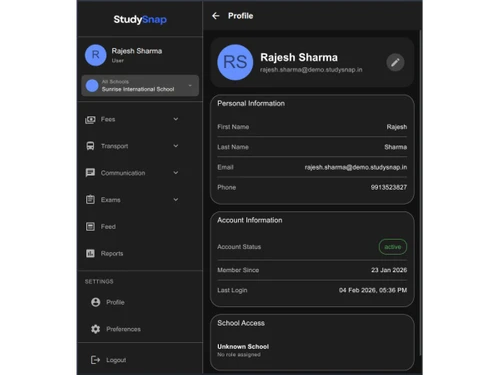
studysnap-profile
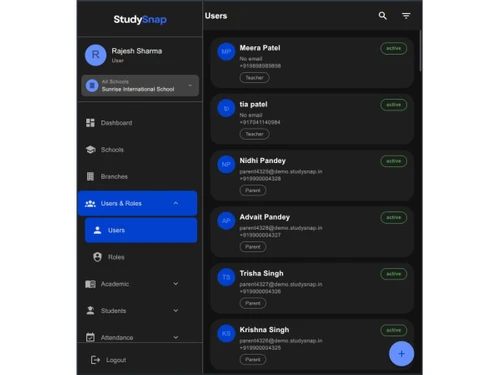
studysnap-users

StudySnap

Brand: StudySnap

  • No Ratings & Reviews

A school management software that helps students learn faster by providing instant explanations, solving questions, and generating quizzes and flashcards from study material.

See More

Have you used StudySnap before?

Share your insights for better experience

Add a Review

Price Available on Request

Questions about pricing or customization? We’re here to help, just a click away.

100% Genuine
Products
Best Price
Guaranteed
Safe & Secure
Payment
  • Description

  • Pricing

  • Features

  • Specification

  • Review

  • FAQ

StudySnap Software Overview

What is StudySnap?

StudySnap is a school management software that helps students study in a smarter and more organized way. It uses artificial intelligence to turn notes, PDFs, and study materials into simple summaries, flashcards, and quizzes.

Students can upload their content, and the platform automatically organizes it into easy-to-understand formats. It also includes a chatbot that provides quick answers and explanations for different subjects, along with tools like a math solver for step-by-step solutions.

StudySnap helps improve learning by making revision easier and more interactive. Users can track their progress and focus on weak areas.

The software is easy to use and works on mobile devices, allowing students to study anytime and anywhere. It also supports sharing study materials with others for better collaboration.

Why Choose StudySnap Software?

  • AI-Powered Learning: StudySnap uses advanced AI technology to make learning faster and more efficient.
  • Instant Answers: Get quick and accurate solutions to your academic questions anytime.
  • Step-by-Step Explanations: Understand complex problems easily with detailed, guided solutions.
  • Smart Quiz Generation: Create customized quizzes to test your knowledge and improve retention.
  • Flashcard Creation: Generate flashcards to simplify revision and boost memory.
  • Easy Note Summarization: Convert lengthy notes into short, clear summaries for quick learning.
  • Image-Based Question Solving: Upload or scan questions and receive instant answers.
  • User-Friendly Interface: Enjoy a simple and intuitive design that's easy to navigate.
  • Time-Saving Tool: Study more in less time with efficient learning features.

Benefits of StudySnap Software

  • Personalized Learning Experience: Get tailored study support based on your learning needs.
  • Multi-Subject Support: Access help across a wide range of subjects and topics.
  • Better Exam Preparation: Enhance your preparation with smart study tools and practice options.
  • Anywhere Access: Learn on the go with easy accessibility across devices.
  • Reduces Need for Tutors: Gain independent learning support without relying heavily on tutors.
  • Encourages Self-Learning: Build confidence and study independently with AI assistance.
  • Accurate AI Solutions: Receive precise and reliable answers powered by intelligent systems.
  • Boosts Productivity: Stay focused and get more done with efficient study methods.
  • Suitable for All Levels: Ideal for school, college, and competitive exam students.
  • Regular Updates: Benefit from continuous improvements and new features.
  • Engaging Learning Experience: Makes studying interactive, interesting, and less stressful.

StudySnap Pricing

StudySnap price details are available on request at techjockey.com. The pricing model is based on different parameters, including extra features, deployment type, and the total number of users. For further queries related to the product, you can contact our product team and learn more about the pricing and offers.

Read more

StudySnap Pricing & Plans

Looking for The Right Pricing?

Share your requirements and get a plan built around your business.

  • Define your business needs
  • Get customised pricing
  • Choose features that fit your workflow

Price Available on Request

Get personalised StudySnap pricing that fits your needs. Our team will connect with you.

StudySnap Features

  • icon_check OCR Engine
    Leverages optical character recognition to extract text from images of handwritten notes or textbooks for digital processing.
  • icon_check Quiz Generator
    Automatically constructs multiple-choice or short-answer assessment questions based on the content of uploaded study documents.
  • icon_check Flashcard Creator
    Synthesizes key concepts and definitions from processed text to generate interactive digital cards for active recall practice.
  • icon_check Math Solver
    Utilizes computer vision and symbolic logic to provide step-by-step mathematical solutions from captured images of problems.
  • icon_check Content Summarizer
    Employs natural language processing to condense lengthy lecture notes into concise bulleted summaries focusing on core themes.
  • icon_check AI Chatbot
    Provides an integrated conversational interface for real-time clarification and contextual explanations of academic materials.
  • icon_check Resource Sharing
    Enables the generation of unique, secure URLs to distribute AI-generated study materials and collaborative notes among peers.
  • icon_check Subject Organizer
    Facilitates a structured hierarchical library where users can categorize notes and generated media into distinct subject folders.
  • icon_check Grade Customization
    Adjusts the complexity and tone of AI-generated explanations to align with the specific academic level of the registered user.
  • icon_check Topic Tagging
    Applies automated metadata tags to uploaded content to enhance searchability and retrieval within the internal database system.
  • icon_check Task Scheduling
    Includes an internal to-do list function to track assignment deadlines and prioritize upcoming academic goals within the app.
  • icon_check Guest Access
    Permits temporary use of core AI tools without requiring account registration, ensuring immediate utility for first-time users.
  • icon_check Admissions Tracking
    Streamlines school-level enrollment via digital forms, lead status monitoring, and automated seat allocation for institutions.
  • icon_check Online Fee Management
    Centralizes tuition collection with support for flexible payment structures, online transactions, and financial reporting tools.

StudySnap Specifications

Supported Platforms
Windows Windows iOS iOS Android Android MacOS MacOS
Devices
Desktop Desktop Mobile Mobile
Deployment
Cloud-Based Cloud-Based
Suitable For
Education
Business Specific
School/Colleges
Business Size
Small Business Startups
Customer Support
Email Communities
Language
English
Training Resources
Videos
AI Features
AI Integrated

StudySnap Review

Be the First to Review

This product has no reviews yet. Be the first to leave your feedback.

Add Review

Articles for StudySnap

See All Related Articles

How much does StudySnap cost?

StudySnap pricing details can be obtained on request via techjockey.

Is there a mobile app available for StudySnap Software?

Yes, StudySnap is available as an Android and iOS mobile app for convenient learning on the go.

Which operating systems are compatible with StudySnap Software?

StudySnap is compatible with Windows, Android, iOS, and MacOS platforms.

Does StudySnap Software offer a free trial?

No, StudySnap does not offer a free trial.

How does StudySnap Software function?

StudySnap uses AI to provide instant answers, explanations, and generate study materials like quizzes and flashcards.

Who uses StudySnap Software?

StudySnap is used by students, learners, and educators for smarter studying and revision.

Is a free demo available for StudySnap Software?

Yes, users can explore its features through a demo.

Is StudySnap Software available for free?

No, StudySnap is not available for free.

20,000+ Software Listed

Best Price Guranteed

Free Expert Consultation

2M+ Happy Customers

Terms and Condtions

close

Users with registered businesses can purchase goods from merchants on the platform to satisfy their business needs. Users are not permitted to utilize any products acquired through the platform for resale, advertising, business, or further distribution.

For each purchase made, users will receive a Tax Invoice (or 'GST invoice') that includes specific details such as:

  • the GSTIN of the user associated with their registered business, and

  • the specified Entity Name for their business.

It should be noted that not all products are eligible for GST Invoice. Only the products displayed by participating sellers with the 'GST-based Invoice Available' callout on the product description page would qualify.

Certain goods and services are not eligible to get a GST Invoice, including items with VAS, i.e., Value Added Services (e.g., Total Mobile Protection/Assured Buyback) and those involving an exchange offer at the time of purchase.

Users must ensure the accuracy of the GSTIN, and business entity name provided for the GST Invoice. Requests for corrections into GST Invoice would not be accommodated by Techjockey.com or any Seller, and any issues arising from user-provided information are the sole responsibility of users.

Techjockey.com is not liable for the GST Invoice or any associated input tax credit. To efficiently claim an input tax credit, users should select the registered place of business address as per the GST authority's data and follow the provisions of the GST Act and rules.

To claim an input tax credit, the delivery and billing addresses must match. Furthermore, input tax credits will not be granted if the delivery address and GSTIN on the invoice are from different states. In case of incorrect GST details provided during the order placement, the order will be canceled automatically.