linkedin
Substance 3D Sampler logo
play Introducing 3D Capture in Adobe Substance 3D Sampler 4.0 | Substance 3D
Substance 3D Sampler 3D Assets
Substance 3D Sampler Capture

Substance 3D Sampler

Brand: Adobe

  • 4.1

  • 3 Ratings

Substance 3D Sampler streamlines the process of creating high-quality textures and materials for 3D models, making it ideal for designers, artists, and developers.

See More

Have you used Substance 3D Sampler before?

Share your insights for better experience

Add a Review
Starting Price
₹3382

View plans

100% Genuine
Products
Best Price
Guaranteed
Safe & Secure
Payment
  • Description

  • Pricing

  • Features

  • Specification

  • Review

  • Compare

  • FAQ

Starting at ₹3,382

Substance 3D Sampler Software Overview

What is Substance 3D Sampler?

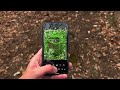
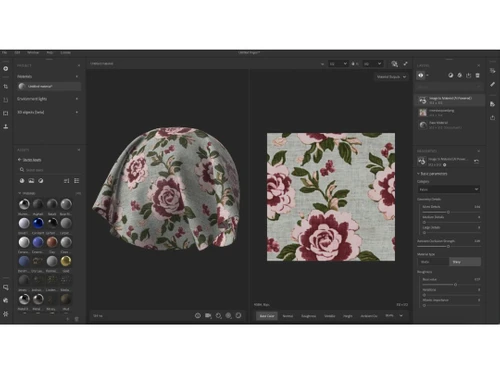
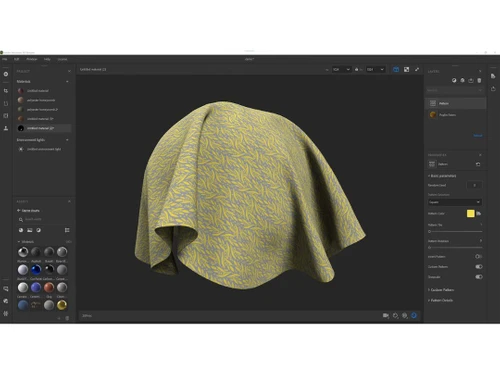
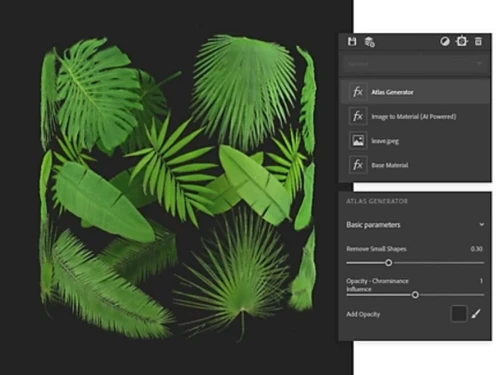
Substance 3D Sampler is a versatile software application that allows users to create 3D materials from real-life photographs and scans. This photogrammetry software is part of the essential business software for designers and artists, providing an array of tools for texture creation, material blending, and photogrammetry. It makes Substance 3D Sampler a powerful addition to any 3D artist's toolkit. With Substance 3D Sampler, users can easily import and export data, access a rich component library, and utilize advanced features like 3D capture and drag-and-drop functionality.

This tool is essential for those involved in game design, animation, and other digital content creation fields, providing an efficient way to generate realistic materials and textures. Substance 3D Sampler simplifies the complex process of material creation, making it accessible to both beginners and experienced professionals.

Why Choose Substance 3D Sampler Photogrammetry Software?

  • Ease of Use: Substance 3D Sampler's intuitive interface allows users to quickly learn and utilize its features without a steep learning curve.
  • Advanced Photogrammetry: Create detailed 3D models from real-world images with powerful photogrammetry tools.
  • Comprehensive Toolset: Access a wide range of tools for material creation, blending, and customization.
  • Versatile Data Handling: Easily import and export data in various formats, ensuring compatibility with other software and workflows.
  • Time-Saving: Streamline the material creation process, reducing the time needed to produce high-quality 3D assets.

Benefits of Substance 3D Sampler

  • High-Quality Textures: Generate realistic textures from real-life images, enhancing the visual quality of 3D models.
  • Efficient Workflow: Save time with drag-and-drop functionality and automated processes.
  • Customizable Materials: Create and customize materials to suit specific project needs, offering flexibility in design.
  • Wide Compatibility: Easily integrate Substance 3D Sampler with other 3D modeling and design software.
  • Community Support: Benefit from a large community of users and extensive online resources for learning and troubleshooting.
  • Regular Updates: Stay current with the latest features and improvements, ensuring the software remains cutting-edge.
  • Secure Data Handling: Safely import and export data with robust security features.
  • Scalable Solutions: Suitable for both small projects and large-scale productions, offering scalable solutions for various needs.
  • Interactive Tutorials: Access interactive tutorials and guides to enhance your skills and get the most out of the software.
  • Enhanced Creativity: Experiment with different materials and textures to push the boundaries of your creativity.

Pricing Of Substance 3D Sampler

Substance 3D Sampler price is available on request at techjockey.com. The pricing model is based on different parameters, including extra features, deployment type, and the total number of users. For further queries related to the product, you can contact our product team and learn more about the pricing and offers.

Read more

Adobe Company Details

Founded Year:  1982

Adobe is the global leader in digital media and digital marketing solutions.

Director/Founders Charles Geschke, Jason Lemkin
Company Size 1000+ Employees

Substance 3D Sampler Pricing & Plans

Subscription Plan
Key Features
  • 3D Modeling
  • Data Import/Export
  • Component Library
  • 3D Capture
Starting at ₹3382
    • Subscription

      Subscription
      Subscription

Key Features

  • 3D Modeling

  • Data Import/Export

  • Component Library

  • 3D Capture

Substance 3D Sampler Features

  • icon_check 3D Modeling
    Create detailed 3D models with advanced tools and features.
  • icon_check Data Import/Export
    Easily import and export data in various formats for seamless integration with other software.
  • icon_check Component Library
    Access a rich library of components and assets to enhance your projects.
  • icon_check 3D Capture
    Use photogrammetry to capture real-world objects and create detailed 3D models.
  • icon_check Photogrammetry
    Create high-quality 3D models from photographs, enhancing the realism of your projects.
  • icon_check Drag & Drop
    Simplify your workflow with intuitive drag-and-drop functionality.
Substance 3D Sampler Demo Video play icon

Get Substance 3D Sampler Demo

Watch the demo video to explore key features, real workflows, and how the software fits your business needs.

Understand
Key Features
Personal
Demo Insights
Interactive
Demo Support

Substance 3D Sampler Specifications

Supported Platforms
Ubuntu Ubuntu Windows Windows MacOS MacOS Linux Linux
Devices
Desktop Desktop
Deployment
Cloud-Based Cloud-Based
Suitable For
All Industries
Business Specific
All Businesses
Business Size
Small Business Medium Business Enterprises
Customer Support
Email Communities
Language
English
Training Resources
Videos

Explore the Best Alternative Solutions Similar to Your Business Size and Needs

Substance 3D Sampler Review

4.1

Out of 5

img

Overall Rating

Based on
3 Verified Ratings

Rating Breakdown

  • Features 4.5
  • Value for Money 3.8
  • Ease of Use 4.5
  • Customer Support 3.8

90% Recommend this Product

Add Review

Be the First to Review

This product has no reviews yet. Be the first to leave your feedback.

Add Review

Compare Substance 3D Sampler With other Photogrammetry Software

Products
Ratings
Pricing
Device Supported
Deployment
Supported Platforms
  • img

    Substance 3D Sampler

  • 4.1

  • Price On Request

  • Desktop

    Mobile

  • Web based

    On Premises

  • Windows

    Mac OS

  • img

    Autodesk ReCap

  • 4.2

  • Price On Request

  • Desktop

    Mobile

  • Web based

    On Premises

  • Windows

    Mac OS

  • img

    Agisoft Metashape

  • 4.3

  • Price On Request

  • Desktop

    Mobile

  • Web based

    On Premises

  • Windows

    Mac OS

  • img

    Nexys

  • 4.4

  • Price On Request

  • Desktop

    Mobile

  • Web based

    On Premises

  • Windows

    Mac OS

  • img

    PIX4Dmapper

  • 4.1

  • Price On Request

  • Desktop

    Mobile

  • Web based

    On Premises

  • Windows

    Mac OS

  • img

    ImageStation

  • 4.1

  • Price On Request

  • Desktop

    Mobile

  • Web based

    On Premises

  • Windows

    Mac OS

  • img

    Mapware

  • 4.1

  • Price On Request

  • Desktop

    Mobile

  • Web based

    On Premises

  • Windows

    Mac OS

  • img

    PhotoModeler

  • 4.1

  • Price On Request

  • Desktop

    Mobile

  • Web based

    On Premises

  • Windows

    Mac OS

(0) Product(s) selected

What is Substance 3D Sampler used for?

Substance 3D Sampler is used to create realistic 3D materials and textures from real-life images and scans.

Can I import my own images into Substance 3D Sampler?

Yes, you can import your own images to create custom materials and textures.

Is Substance 3D Sampler suitable for beginners?

Yes, its user-friendly interface makes it suitable for both beginners and professionals.

What types of files can I export from Substance 3D Sampler?

You can export various file formats, ensuring compatibility with other 3D software.

Does Substance 3D Sampler support photogrammetry?

Yes, it has powerful photogrammetry tools for creating 3D models from photographs.

How often is Substance 3D Sampler updated?

The software receives regular updates to enhance features and performance.

Can I use Substance 3D Sampler for game design?

Absolutely, it's ideal for creating high-quality textures and materials for game design.

Is there a trial version of Substance 3D Sampler?

Yes, you can try a demo version before purchasing the full software.

What platforms is Substance 3D Sampler available on?

It is available on both Windows and macOS platforms.

Where can I find tutorials for Substance 3D Sampler?

Tutorials are available on the official website and various online platforms.

20,000+ Software Listed

Best Price Guranteed

Free Expert Consultation

2M+ Happy Customers

Terms and Condtions

close

Users with registered businesses can purchase goods from merchants on the platform to satisfy their business needs. Users are not permitted to utilize any products acquired through the platform for resale, advertising, business, or further distribution.

For each purchase made, users will receive a Tax Invoice (or 'GST invoice') that includes specific details such as:

  • the GSTIN of the user associated with their registered business, and

  • the specified Entity Name for their business.

It should be noted that not all products are eligible for GST Invoice. Only the products displayed by participating sellers with the 'GST-based Invoice Available' callout on the product description page would qualify.

Certain goods and services are not eligible to get a GST Invoice, including items with VAS, i.e., Value Added Services (e.g., Total Mobile Protection/Assured Buyback) and those involving an exchange offer at the time of purchase.

Users must ensure the accuracy of the GSTIN, and business entity name provided for the GST Invoice. Requests for corrections into GST Invoice would not be accommodated by Techjockey.com or any Seller, and any issues arising from user-provided information are the sole responsibility of users.

Techjockey.com is not liable for the GST Invoice or any associated input tax credit. To efficiently claim an input tax credit, users should select the registered place of business address as per the GST authority's data and follow the provisions of the GST Act and rules.

To claim an input tax credit, the delivery and billing addresses must match. Furthermore, input tax credits will not be granted if the delivery address and GSTIN on the invoice are from different states. In case of incorrect GST details provided during the order placement, the order will be canceled automatically.