
linkedin
Swapcard logo
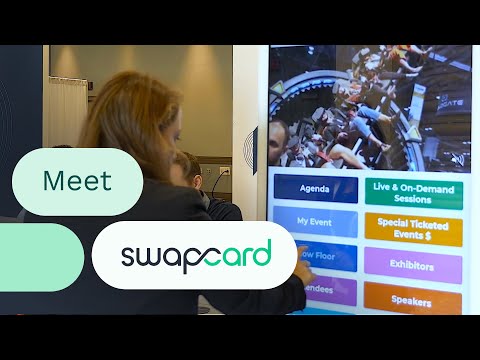
play Meet Swapcard
swapcard-listings
swapcard-files

Swapcard

Brand: Swapcard

  • No Ratings & Reviews

An event management software that helps organizers manage events, connect attendees, and drive engagement and revenue.

See More

Have you used Swapcard before?

Share your insights for better experience

Add a Review
Starting Price
$610

View plans

100% Genuine
Products
Best Price
Guaranteed
Safe & Secure
Payment
  • Description

  • Pricing

  • Features

  • Specification

  • Review

  • FAQ

Starting at $610

Swapcard Software Overview

What is Swapcard?

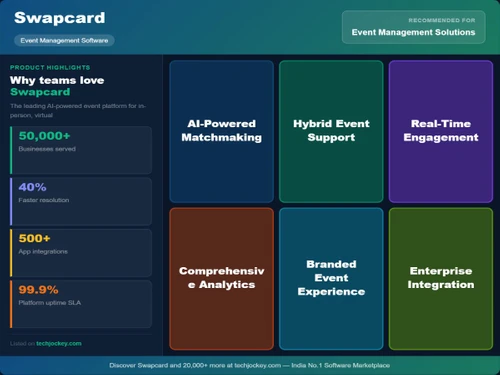
Swapcard is an AI-powered event management software built for conferences, trade shows, and corporate events. It enables organizers to handle everything from event registration to scheduling and attendee engagement in one place.

The platform leverages artificial intelligence to provide smart matchmaking, connecting attendees, exhibitors, and sponsors based on shared interests and behavior.

Swapcard also includes features like mobile event apps, live interaction tools (such as polls and QA), and exhibitor management to enhance networking and engagement.

Why Choose Swapcard Software?

  • AI-Powered Matchmaking: Connects attendees, exhibitors, and sponsors based on interests and behavior.
  • All-in-One Event Platform: Manages registration, networking, scheduling, and analytics in one place.
  • Enhanced Networking Opportunities: Facilitates meaningful business connections during events.
  • Customizable Event Apps: Offers branded mobile and web apps for a personalized experience.
  • Hybrid Virtual Event Support: Seamlessly hosts in-person, virtual, and hybrid events.
  • Real-Time Analytics: Provides actionable insights to track engagement and performance.
  • Lead Generation Tools: Helps exhibitors capture and manage high-quality leads.
  • Interactive Features: Includes live polls, QA sessions, and chat for better engagement.
  • User-Friendly Interface: Easy to navigate for organizers, attendees, and exhibitors.
  • Scalable Solution: Suitable for small meetings to large global conferences.
  • Automated Scheduling: Simplifies agenda creation and session management.
  • Strong Data Security: Ensures safe handling of user and event data.

Benefits of Swapcard Software

  • Monetization Options: Supports sponsorships, ticketing, and revenue generation.
  • Exhibitor Management: Streamlines exhibitor onboarding and performance tracking.
  • Community Building: Encourages year-round engagement beyond the event.
  • Seamless Integrations: Connects with CRM, marketing, and other business tools.
  • Custom Branding: Allows full customization to match event identity.
  • Global Reach: Supports international events with diverse audiences.
  • Time-Saving Automation: Reduces manual work with smart workflows.
  • Dedicated Support: Provides customer assistance for smooth event execution.

Swapcard Pricing

Swapcard price starts at USD 610 per year at Techjockey. The pricing model is based on different parameters, including extra features, deployment type, and the total number of users. For further queries related to the product, you can contact our product team and learn more about the pricing and offers.

Read more

Swapcard Company Details

Founded Year:  2014

Swapcard is the leading AI-powered event engagement platform for associations, trade shows, and conference organizers.

Director/Founders Baptiste Boulard, Damien Courbon, Godefroy des Francs
Company Size 101-500 Employees

Swapcard Pricing & Plans

Event Engagement Platform
Key Features
  • In-App Basic Registration
  • Event Web & Mobile App
  • Sherlock - AI Agent
  • Virtual Events & Webinars
  • Attendee Networking
Starting at $610
    • Licenses

      Licenses
      Licenses
    • Yearly

      Yearly
      Yearly

Key Features

  • In-App Basic Registration

  • Event Web & Mobile App

  • Sherlock - AI Agent

  • Virtual Events & Webinars

  • Attendee Networking

Swapcard Features

  • icon_check Lead Capture
    Enables exhibitors to capture and qualify potential prospects instantly by scanning attendee badges via the event mobile app.
  • icon_check Event Registration
    A customizable interface for handling ticket sales, attendee data collection, and automated confirmation email workflows.
  • icon_check Exhibitor Marketplace
    A self-service portal where sponsors can purchase additional visibility, lead tools, and premium branding opportunities.
  • icon_check Session Scanning
    Tools for onsite staff to track room capacity and monitor attendee attendance by scanning digital badges at session doors.
  • icon_check Hosted Buyer Program
    A structured module designed to manage high-value networking tracks by matching qualified buyers with specific exhibitors.
  • icon_check Abstract Management
    A streamlined workflow for collecting, reviewing, and approving speaker submissions and research papers for the program.
  • icon_check Attendee Networking
    A peer-to-peer communication hub allowing participants to send connection requests and exchange digital business cards.
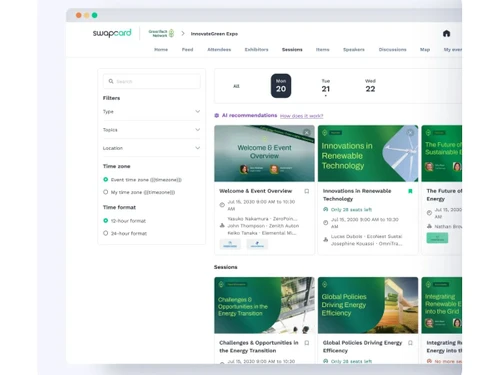
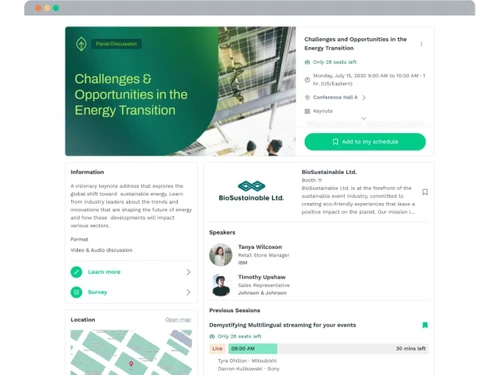
  • icon_check Agenda Management
    A central dashboard to build complex multi-track schedules, manage speaker profiles, and assign specific session rooms.
  • icon_check Onsite Badge Printing
    A high-speed check-in solution that generates physical attendee badges immediately upon arrival at the event venue.
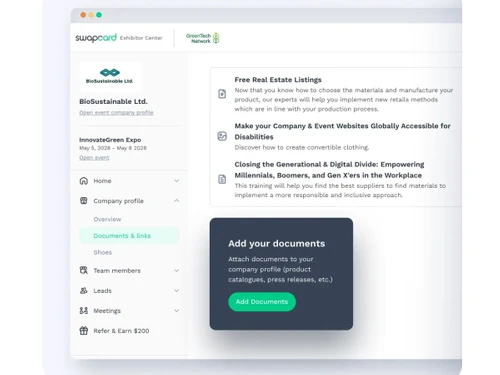
  • icon_check Exhibitor Portal
    A dedicated workspace for sponsors to manage their company profiles, upload marketing assets, and track team performance.
  • icon_check Data Analytics
    A comprehensive reporting suite that tracks attendee behavior, session popularity, and overall event engagement metrics.
  • icon_check CRM Integration
    Seamless data synchronization between the event platform and external sales tools like Salesforce or HubSpot for lead flow.
Swapcard Demo Video play icon

Get Swapcard Demo

Watch the demo video to explore key features, real workflows, and how the software fits your business needs.

Understand
Key Features
Personal
Demo Insights
Interactive
Demo Support

Swapcard Specifications

Supported Platforms
Windows Windows iOS iOS Android Android
Devices
Desktop Desktop Mobile Mobile
Deployment
Cloud-Based Cloud-Based
Suitable For
All Industries
Business Specific
All Businesses
Business Size
Small Business Startups Medium Business Enterprises SMBs SMEs MSMBs MSMEs
Customer Support
Email Communities
Language
English
Integration
API Integration
Training Resources
Videos
AI Features
AI Integrated

Swapcard Review

Be the First to Review

This product has no reviews yet. Be the first to leave your feedback.

Add Review

Articles for Swapcard

See All Related Articles

How much does Swapcard Software cost?

The starting price of Swapcard is USD 610 per year, as listed on techjockey.

Is there a mobile app available for Swapcard Software?

Yes, Swapcard offers an Android and iOS mobile app for both event organizers and attendees.

Which operating systems are compatible with Swapcard Software?

Swapcard is compatible with Windows, Android, and iOS devices.

Does Swapcard Software offer a free trial?

No, Swapcard free trial is not available.

How does Swapcard Software function?

Swapcard works by using AI to manage events, enable networking, and track engagement through a unified platform.

Who uses Swapcard Software?

Event organizers, exhibitors, sponsors, and attendees use Swapcard for managing and participating in events.

Is a free demo available for Swapcard Software?

Yes, a free demo can be requested from the Swapcard team.

Is Swapcard Software available for free?

Swapcard is not available for free.

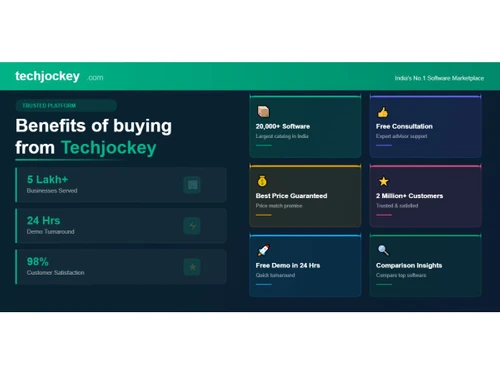
20,000+ Software Listed

Best Price Guranteed

Free Expert Consultation

2M+ Happy Customers

Terms and Condtions

close

Users with registered businesses can purchase goods from merchants on the platform to satisfy their business needs. Users are not permitted to utilize any products acquired through the platform for resale, advertising, business, or further distribution.

For each purchase made, users will receive a Tax Invoice (or 'GST invoice') that includes specific details such as:

  • the GSTIN of the user associated with their registered business, and

  • the specified Entity Name for their business.

It should be noted that not all products are eligible for GST Invoice. Only the products displayed by participating sellers with the 'GST-based Invoice Available' callout on the product description page would qualify.

Certain goods and services are not eligible to get a GST Invoice, including items with VAS, i.e., Value Added Services (e.g., Total Mobile Protection/Assured Buyback) and those involving an exchange offer at the time of purchase.

Users must ensure the accuracy of the GSTIN, and business entity name provided for the GST Invoice. Requests for corrections into GST Invoice would not be accommodated by Techjockey.com or any Seller, and any issues arising from user-provided information are the sole responsibility of users.

Techjockey.com is not liable for the GST Invoice or any associated input tax credit. To efficiently claim an input tax credit, users should select the registered place of business address as per the GST authority's data and follow the provisions of the GST Act and rules.

To claim an input tax credit, the delivery and billing addresses must match. Furthermore, input tax credits will not be granted if the delivery address and GSTIN on the invoice are from different states. In case of incorrect GST details provided during the order placement, the order will be canceled automatically.