linkedin
Trint logo
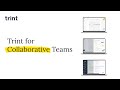
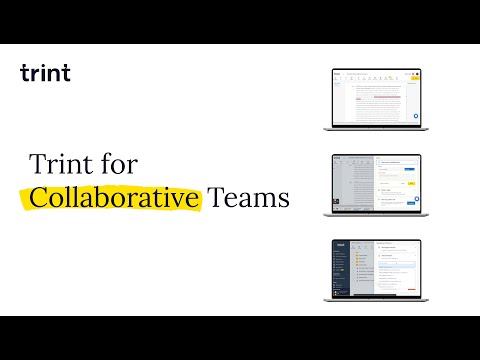
play Trint for Collaborative Teams
trint collaborate from anywhere
trint transcribe any video audio

Trint

Brand: Trint

  • 4.4

  • 3 Ratings

Trint is AI-powered transcription software that efficiently converts audio, video, and speech to text.

See More

Have you used Trint before?

Share your insights for better experience

Add a Review
Starting Price
$80

View plans

100% Genuine
Products
Best Price
Guaranteed
Safe & Secure
Payment
  • Description

  • Pricing

  • Features

  • Specification

  • Review

  • Compare

  • Alternatives

  • FAQ

Starting at $80

Trint Software Overview

What is Trint?

Trint is an AI-powered transcription software that converts audio and video content into accurate text. It facilitates seamless transcription using advanced speech recognition technology to process and transcribe spoken words. The user-friendly interface allows users to upload files, view transcriptions in real-time, and easily edit and share the text. Users can upload pre-recorded files or capture live content using the Trint mobile app, making it a versatile tool for journalists, businesses, and content creators. It allows users to edit, playback, verify, and search transcripts seamlessly, just like working with a text document.

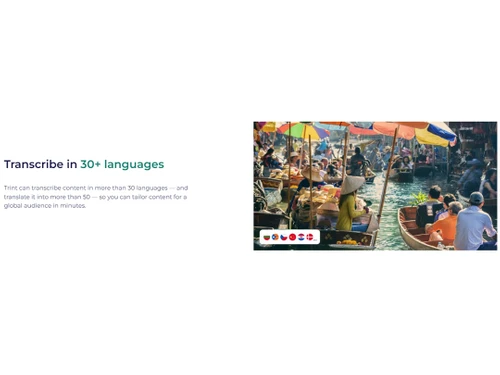
Trint features include multi-language support, real-time collaboration, and integration with various platforms. It supports over 40 languages, making it versatile for global use. The real-time collaboration feature allows multiple users to edit transcriptions simultaneously, enhancing teamwork and productivity. Integration with platforms like Dropbox, Google Drive, and Adobe Premiere Pro streamlines workflows by enabling seamless file sharing and editing. Security is prioritized with ISO 27001 certification and external AI training, safeguarding sensitive data.

Why choose Trint Transcription Software?

  • Audio to Text: Convert audio recordings into accurate text, making interviews, lectures, and meetings easy to review and share.
  • Video to Text: Transcribe video content for creating captions, scripts, and summaries, streamlining post-production workflows efficiently.
  • Live Transcription: Capture and transcribe live events instantly, enabling real-time updates for press conferences, meetings, and interviews.
  • Collaboration: Enhance teamwork with shared drives, real-time editing, commenting, and granular access controls for smooth project management.
  • Accessibility: Generate subtitles and captions to make video content inclusive for diverse audiences, including those with hearing impairments.

Benefits of Trint Transcription Software

  • Time-Saving: Automates transcription to reduce time spent on manual typing and editing tasks with high accuracy and speed.
  • Accuracy: Delivers up to 99% transcription accuracy, minimizing errors and ensuring reliable text output.
  • Global Reach: Supports translation into 50+ languages, enabling content accessibility for international audiences.
  • Enhanced Collaboration: Enhances collaboration with real-time editing, allowing multiple users to work together seamlessly.
  • Improved Accessibility: Creates captions and subtitles, making audio and video content inclusive for all users.

Pricing of Trint

Trint price in India starts at $ 80. Trint comes with multiple pricing plans and caters to the diverse customer base.

For subscription-related details and offers on premium packages, please request a call back from our product experts.

Read more

Trint Company Details

Founded Year:  2014

Trint reinvents transcription extending automated-speech-to text so that users can trust the output. Recorded content becomes searchable.

Director/Founders Jeff Kofman, Mark Boas
Company Size 1-100 Employees

Trint Pricing & Plans

Starter 300
Starting at $80
    • Users

      Users
      Users
    • Monthly

      Monthly
      Monthly

Key Features

  • 300 transcription minutes per seat / month

  • 3 translations per seat / month

  • 30 custom dictionary terms each

  • Basic export formats

  • up to two team members on the platform

Advanced 1200
Starting at $100
    • Users

      Users
      Users
    • Monthly

      Monthly
      Monthly

Key Features

  • 1200 transcription minutes per seat / month

  • 20 translations per seat / month

  • 100 custom dictionary terms each

  • Secure Shared Drives for faster project and team

  • Trint’s API, Zapier and Zoom integrations

Trint Features

  • icon_check Transcribe
    Convert audio and video to text quickly, reducing manual effort and ensuring high accuracy.
  • icon_check Create
    Generate searchable and editable content from audio, making it easier to repurpose for various uses.
  • icon_check Share
    Distribute transcriptions effortlessly with team members or clients, fostering effective communication and collaboration.
  • icon_check Publish to Social
    Create social media-ready content from transcriptions, increasing reach and engagement on platforms.
  • icon_check Integration
    Seamlessly connect with other platforms like Dropbox and Google Drive for streamlined file management.
  • icon_check Collaboration
    Enable multiple users to edit transcriptions in real-time, enhancing teamwork and productivity.
  • icon_check Team Management
    Oversee team activities and track progress, ensuring efficient workflow and task completion.
  • icon_check Workflows
    Automate transcription processes, integrating with existing systems to streamline operations and save time.
  • icon_check Advanced Management
    Utilize advanced features for managing large volumes of content, enhancing organization and accessibility.
  • icon_check Dedicated Customer Success
    Access dedicated support to ensure successful implementation and optimal use of the transcription tool.
Trint Demo Video play icon

Get Trint Demo

Watch the demo video to explore key features, real workflows, and how the software fits your business needs.

Understand
Key Features
Personal
Demo Insights
Interactive
Demo Support

Trint Specification

Supported Platforms
Windows Windows iOS iOS Android Android MacOS MacOS
Devices
Desktop Desktop Mobile Mobile Tablet Tablet iPad iPad
Deployment
Web-Based Web-Based
Suitable For
All Industries
Business Specific
All Businesses
Business Size
Small Business Startups Medium Business Enterprises
Customer Support
Email Live Chat Communities
Language
English
Integration
API Integration
Training Resources
Videos

Explore the Best Alternative Solutions Similar to Your Business Size and Needs

Small Business

Designed for startups and growing businesses

Audext

4.5

Noty AI

4.5

Notta

4.2

See More

Trint Review

4.4

Out of 5

img

Overall Rating

Based on
3 Verified Ratings

Rating Breakdown

  • Features 4
  • Value for Money 4.6
  • Ease of Use 4.3
  • Customer Support 4.6

93% Recommend this Product

Add Review

Techjockey Trusted Reviews from Verified Users

No reviews are currently available for Trint. Discover similar Transcription Software reviews

  • Happy Scribe

    4.5

    Whats great - Team responsive by email, generally helpful read more

  • Gotranscript

    4.4

    Whats great - For long interviews, academic lectures, multi-speaker recordings, GoTranscript handles them well; human transcribers don’t pa... read more

  • Obsidian

    4.4

    Whats great - There are so many cool plugins that let me do things like task management thanks to community plugins. read more

Compare Trint With other Transcription Software

Products
Ratings
Pricing
Device Supported
Deployment
Supported Platforms
  • img

    Trint

  • 4.4

  • Price On Request

  • Desktop

    Mobile

  • Web based

    On Premises

  • Windows

    Mac OS

  • img

    Wispr Flow

  • 4.3

  • ₹ 400

  • Desktop

    Mobile

  • Web based

    On Premises

  • Windows

    Mac OS

  • img

    Tactiq

  • 4.0

  • Price On Request

  • Desktop

    Mobile

  • Web based

    On Premises

  • Windows

    Mac OS

  • img

    tl;dv

  • 4.4

  • ₹ 2764

  • Desktop

    Mobile

  • Web based

    On Premises

  • Windows

    Mac OS

  • img

    Scribejoy

  • 4.3

  • Price On Request

  • Desktop

    Mobile

  • Web based

    On Premises

  • Windows

    Mac OS

  • img

    AutoSubtitles

  • 3.9

  • Price On Request

  • Desktop

    Mobile

  • Web based

    On Premises

  • Windows

    Mac OS

  • img

    Typeless

  • 4.3

  • Price On Request

  • Desktop

    Mobile

  • Web based

    On Premises

  • Windows

    Mac OS

  • img

    Audext

  • 4.5

  • Price On Request

  • Desktop

    Mobile

  • Web based

    On Premises

  • Windows

    Mac OS

  • img

    Happy Scribe

  • 4.3

  • Price On Request

  • Desktop

    Mobile

  • Web based

    On Premises

  • Windows

    Mac OS

  • img

    Speechify

  • 4.5

  • Price On Request

  • Desktop

    Mobile

  • Web based

    On Premises

  • Windows

    Mac OS

  • img

    Revoicer

  • 4.5

  • Price On Request

  • Desktop

    Mobile

  • Web based

    On Premises

  • Windows

    Mac OS

(0) Product(s) selected

Trint Alternatives

See All Trint Alternatives

Starting Price:

$12 /User/Month

Starting Price:

$49 /Provider/Month

Starting Price:

$30 /User/Month

Starting Price:

$29 /Month
Starting Price:

$12 /Month

Starting Price:

$30 /Month

What file formats does Trint support for transcription?

Trint supports common audio and video formats like MP3, WAV, MP4, and MOV for seamless uploads.

Can Trint integrate with other platforms or tools?

Yes, Trint integrates with platforms like Adobe Premiere Pro and exports files in multiple formats, including SRT and DOCX.

How accurate is Trint’s transcription?

Trint delivers up to 99% accuracy, depending on audio quality and speaker clarity.

Does Trint offer live transcription?

Yes, Trint provides live transcription through its mobile app, capturing events in real time.

What security measures does Trint implement for data protection?

Trint is ISO 27001 certified, with data servers in the US and EU, ensuring top-notch security.

Is Trint available on all operating systems?

Trint works on web browsers across Windows, macOS, and Linux and offers mobile apps for iOS and Android.

Can Trint handle multiple speakers in a transcription?

Yes, Trint identifies and differentiates multiple speakers for better transcript clarity and editing.

Does Trint offer translations for transcripts?

Yes, Trint translates transcripts into over 50 languages, expanding global accessibility and reach.

Can I try Trint before purchasing it?

Yes, Trint Transcription Software offers a demo and trial to explore its features and capabilities before subscribing.

Who are the potential users of Trint Transcription Software ?

Trint is ideal for journalists, content creators, educators, legal professionals, and businesses needing efficient transcription tools.

20,000+ Software Listed

Best Price Guranteed

Free Expert Consultation

2M+ Happy Customers

Terms and Condtions

close

Users with registered businesses can purchase goods from merchants on the platform to satisfy their business needs. Users are not permitted to utilize any products acquired through the platform for resale, advertising, business, or further distribution.

For each purchase made, users will receive a Tax Invoice (or 'GST invoice') that includes specific details such as:

  • the GSTIN of the user associated with their registered business, and

  • the specified Entity Name for their business.

It should be noted that not all products are eligible for GST Invoice. Only the products displayed by participating sellers with the 'GST-based Invoice Available' callout on the product description page would qualify.

Certain goods and services are not eligible to get a GST Invoice, including items with VAS, i.e., Value Added Services (e.g., Total Mobile Protection/Assured Buyback) and those involving an exchange offer at the time of purchase.

Users must ensure the accuracy of the GSTIN, and business entity name provided for the GST Invoice. Requests for corrections into GST Invoice would not be accommodated by Techjockey.com or any Seller, and any issues arising from user-provided information are the sole responsibility of users.

Techjockey.com is not liable for the GST Invoice or any associated input tax credit. To efficiently claim an input tax credit, users should select the registered place of business address as per the GST authority's data and follow the provisions of the GST Act and rules.

To claim an input tax credit, the delivery and billing addresses must match. Furthermore, input tax credits will not be granted if the delivery address and GSTIN on the invoice are from different states. In case of incorrect GST details provided during the order placement, the order will be canceled automatically.