linkedin
Audext logo
play How to automatically transcribe audio (Convert Audio) to text in 2019?
audext benefits
audext easy upload

Audext

Brand: Audext

  • 4.5

  • 3 Ratings

Audext is an advanced and fully featured transcription software to convert your audio files to text automatically. You can use AI/ML-enabled technology for recording, editing, and organizing voice notes, interviews, podcasts, and lectures. Its centralized repository helps you save and edit your work easily. Audext has a built-in editor with features like highlighting texts, finding and replacing ...

See More

Have you used Audext before?

Share your insights for better experience

Add a Review
Starting Price
$72

View plans

100% Genuine
Products
Best Price
Guaranteed
Safe & Secure
Payment
  • Description

  • Pricing

  • Features

  • Specification

  • Review

  • Compare

  • Alternatives

  • FAQ

Starting at $72

Audext Software Overview

What is Audext?

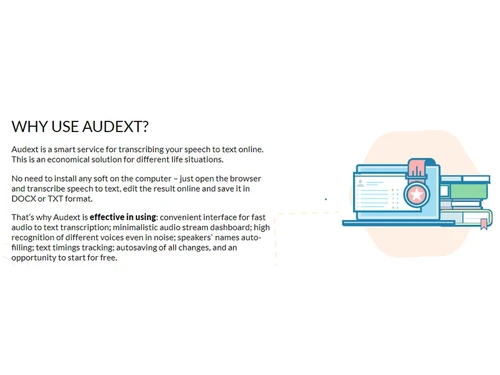
Audext is an advanced and fully featured transcription software to convert your audio files to text automatically. You can use AI/ML-enabled technology for recording, editing, and organizing voice notes, interviews, podcasts, and lectures. Its centralized repository helps you save and edit your work easily.

Audext has a built-in editor with features like highlighting texts, finding and replacing them, playback speed for better editing comfort, and more. It supports various audio files like M4A, MP3, WAV, and more.

As an Audext user, you will have the best-in-class AI algorithms to automatically transcribe audio to text with fast and reliable service.

Who can use Audext?

  • In media houses, journalists can save tons of time from the hustle of transcribing interviews and voice memos with this auto-transcription software.
  • SMEs, Startups, and larger Enterprises can transcribe meetings and store them securely with an edit-later option.
  • Educational institutions can utilize this software to transcribe hours of lectures and correct them easily.

Top Functionalities of Audext

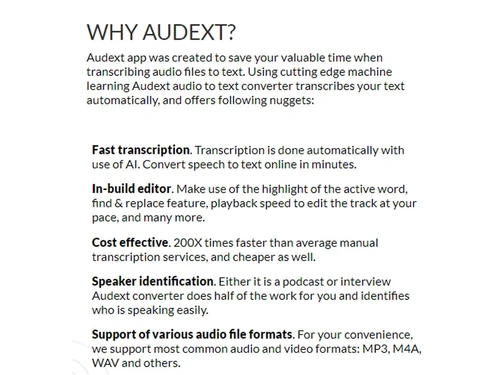
  • Faster Automated Transcription Service: Automatically transcript and convert speech-to-text in minutes with AI technology.
  • In-built-in Editor features to edit transcripted docs: Edit your transcripted documents with in-build editor features like highlighting active words, find and replace, playback speed, and more.
  • Cost-effective: This transcription software is 200x faster, more reliable, and cheaper than others.
  • Offers feature to identify Speaker Identification: This software easily identifies the speaker of your podcasts and interviews completing half of your job.
  • Supports Multiple Audio Formats File Supported: It supports the most common audio and video file formats like MP3, M4A, WAV, and more for your convenience.
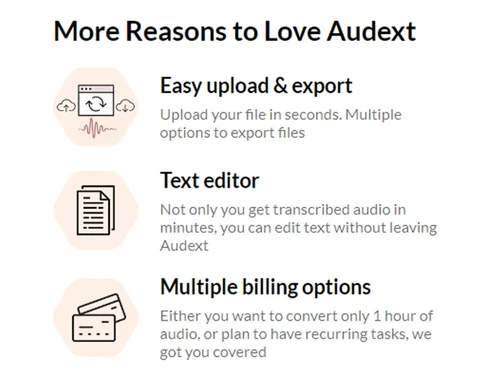
  • Easily Upload and Export Data: Easily upload your audio and video files and export them with multiple options.
  • Multiple Billing Options: You can use one-time, one-hour audio file transcription or recurring transcription with multiple billing options.

Key Benefits of Using Audext

  • Save time and increase productivity with fast and accurate audio-to-text transcription.
  • Reduce errors and enhance transcription quality with top-quality voice recognition technology.
  • Just open your browser and transcribe your data without installing any additional software.
  • Easily monitor your transcription progress with time-stamp and autosaving.
  • Be creative with attention to detail and turn your transcripted texts into high-quality content.

Audext Pricing

Audext is priced at USD 72  (one-time purchase) at techjockey.com.

Read more

Audext Company Details

Founded Year:  2019

Audext is an app that was created to save your valuable time when transcribing audio to text.

Director/Founders Audext
Company Size 1-100 Employees

Audext Pricing & Plans

For 1 Hour - One-time purchase
Key Features
  • Each next hour for $12
  • Free editing and sharing
  • Support 24/7
  • Subscribe any time
Starting at $72
    • Licenses (One-Time)

      Licenses (One-Time)
      Licenses (One-Time)

Key Features

  • Each next hour for $12

  • Free editing and sharing

  • Support 24/7

  • Subscribe any time

Audext Features

  • icon_check Find and Replace
    Rapidly update specific terms or speaker names across your entire transcript using a powerful and efficient search-and-edit tool.
  • icon_check Variable Playback Speed
    Adjust the audio tempo to your preference to make the manual proofreading and editing process much faster and more accurate.
  • icon_check Timestamps
    Insert precise time markers into your text to easily reference specific moments within the audio during your final review phase.
  • icon_check Cloud Storage Integration
    Connect directly with Google Drive or Dropbox to import your media files and save completed transcripts with just a few clicks.
  • icon_check Secure Data Encryption
    Protect your private recordings and sensitive transcripts with high-level SSL encryption to ensure your data remains confidential.
  • icon_check Export Versatility
    Download your finished transcripts in multiple digital formats like DOCX or TXT to suit your specific publishing or archival
  • icon_check Multilingual Support
    Transcribe audio content accurately in dozens of different languages to support your global research and communication projects.
  • icon_check Fast Transcription
    Convert speech/audio files to text automatically with the use of AI within minutes.
  • icon_check In-build Editor
    Offers ready to use in-build editor features like playback speed to edit at your pace, highlighting active words and more.
  • icon_check Cost Effective
    Provides 200x times faster speed than average manual transcription software and cost-effective as well.
  • icon_check Speaker Identification
    Easily identify the speaker of interview or podcast, thus reducing half of your workload.
  • icon_check Multi File Format Support
    Audext supports the majority of the audio and video formats including M4A, WAV, and MP3, to name a few.
  • icon_check Easy Data Upload
    Upload your audio or video files for transcription services with ease.
  • icon_check Multiple Billing Options
    Be it using transcription service for 1 hour or plan to have recurring tasks, Audext has got your covered.
  • icon_check Auto-Save Progress
    Ensure your work is never lost with an automatic saving feature that captures every edit you make in the transcription editor.
Audext Demo Video play icon

Get Audext Demo

Watch the demo video to explore key features, real workflows, and how the software fits your business needs.

Understand
Key Features
Personal
Demo Insights
Interactive
Demo Support

Audext Specifications

Supported Platforms
Windows Windows
Devices
Desktop Desktop
Deployment
Cloud-Based Cloud-Based
Suitable For
All Industries
Business Specific
All Businesses
Business Size
Small Business Startups Medium Business Enterprises SMBs SMEs MSMBs MSMEs
Customer Support
Email
Language
English
AI Features
AI Integrated

Explore the Best Alternative Solutions Similar to Your Business Size and Needs

Audext Review

4.5

Out of 5

img

Overall Rating

Based on
3 Verified Ratings

Rating Breakdown

  • Features 4
  • Value for Money 4.6
  • Ease of Use 5
  • Customer Support 4.6

90% Recommend this Product

Add Review

Techjockey Trusted Reviews from Verified Users

No reviews are currently available for Audext. Discover similar Transcription Software reviews

  • Happy Scribe

    4.5

    Whats great - Team responsive by email, generally helpful read more

  • Gotranscript

    4.4

    Whats great - For long interviews, academic lectures, multi-speaker recordings, GoTranscript handles them well; human transcribers don’t pa... read more

  • Obsidian

    4.4

    Whats great - There are so many cool plugins that let me do things like task management thanks to community plugins. read more

Compare Audext With other Transcription Software

Products
Ratings
Pricing
Device Supported
Deployment
Supported Platforms
  • img

    Audext

  • 4.5

  • Price On Request

  • Desktop

    Mobile

  • Web based

    On Premises

  • Windows

    Mac OS

  • img

    Wispr Flow

  • 4.3

  • ₹ 400

  • Desktop

    Mobile

  • Web based

    On Premises

  • Windows

    Mac OS

  • img

    Tactiq

  • 4.0

  • Price On Request

  • Desktop

    Mobile

  • Web based

    On Premises

  • Windows

    Mac OS

  • img

    tl;dv

  • 4.4

  • ₹ 2764

  • Desktop

    Mobile

  • Web based

    On Premises

  • Windows

    Mac OS

  • img

    Scribejoy

  • 4.3

  • Price On Request

  • Desktop

    Mobile

  • Web based

    On Premises

  • Windows

    Mac OS

  • img

    AutoSubtitles

  • 3.9

  • Price On Request

  • Desktop

    Mobile

  • Web based

    On Premises

  • Windows

    Mac OS

  • img

    Typeless

  • 4.3

  • Price On Request

  • Desktop

    Mobile

  • Web based

    On Premises

  • Windows

    Mac OS

  • img

    Revoicer

  • 4.5

  • Price On Request

  • Desktop

    Mobile

  • Web based

    On Premises

  • Windows

    Mac OS

  • img

    Happy Scribe

  • 4.3

  • Price On Request

  • Desktop

    Mobile

  • Web based

    On Premises

  • Windows

    Mac OS

  • img

    Speechify

  • 4.5

  • Price On Request

  • Desktop

    Mobile

  • Web based

    On Premises

  • Windows

    Mac OS

  • img

    Notta

  • 4.2

  • Price On Request

  • Desktop

    Mobile

  • Web based

    On Premises

  • Windows

    Mac OS

(2) Product(s) selected

Audext Alternatives

See All Audext Alternatives

Starting Price:

$12 /User/Month

Starting Price:

$49 /Provider/Month

Starting Price:

$30 /User/Month

Starting Price:

$14 /Month

Starting Price:

$29 /Month
Starting Price:

$12 /Month

Which operating system does Audext support?

Audext is compatible with Windows and Mac operating systems.

Is there any Audext app available?

No, Audext app is not available.

What is the deployment type of Audext?

Audext supports cloud-based deployment type.

How much does Audext cost?

Audext is priced at USD 72  (one-time purchase) at techjockey.com.

Who are the potential users of Audext?

Audext is typically used in industries namely medical, legal, education, amongst others.

Is there any free trial or demo for Audext?

Audext demo is available for free with techjockey.com.

Is Audext free?

Audext offers a free trial. However, the premium plan with advanced features starts at Rs 1234.

How can you download Audext?

Audext installation is not required, as it is cloud-based. Just open the Setup Wizard to get started.

How does Audext works?

Audext, an AI-based transcription software works by analyzing audio recordings and determining what word is said at each second to convert it into meaningful text.

20,000+ Software Listed

Best Price Guranteed

Free Expert Consultation

2M+ Happy Customers

Terms and Condtions

close

Users with registered businesses can purchase goods from merchants on the platform to satisfy their business needs. Users are not permitted to utilize any products acquired through the platform for resale, advertising, business, or further distribution.

For each purchase made, users will receive a Tax Invoice (or 'GST invoice') that includes specific details such as:

  • the GSTIN of the user associated with their registered business, and

  • the specified Entity Name for their business.

It should be noted that not all products are eligible for GST Invoice. Only the products displayed by participating sellers with the 'GST-based Invoice Available' callout on the product description page would qualify.

Certain goods and services are not eligible to get a GST Invoice, including items with VAS, i.e., Value Added Services (e.g., Total Mobile Protection/Assured Buyback) and those involving an exchange offer at the time of purchase.

Users must ensure the accuracy of the GSTIN, and business entity name provided for the GST Invoice. Requests for corrections into GST Invoice would not be accommodated by Techjockey.com or any Seller, and any issues arising from user-provided information are the sole responsibility of users.

Techjockey.com is not liable for the GST Invoice or any associated input tax credit. To efficiently claim an input tax credit, users should select the registered place of business address as per the GST authority's data and follow the provisions of the GST Act and rules.

To claim an input tax credit, the delivery and billing addresses must match. Furthermore, input tax credits will not be granted if the delivery address and GSTIN on the invoice are from different states. In case of incorrect GST details provided during the order placement, the order will be canceled automatically.