linkedin
Wispr Flow logo
Wispr Flow-prompt
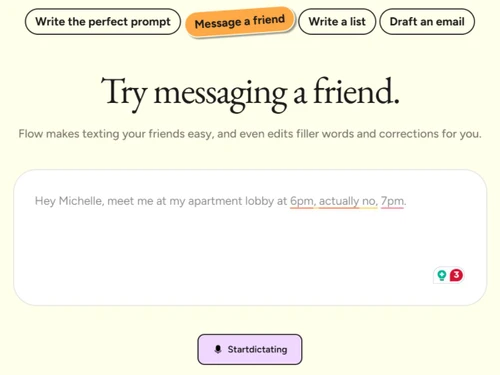
Wispr Flow-messaging
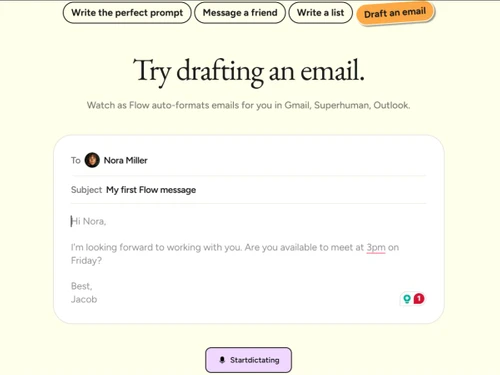
Wispr Flow-email

Wispr Flow

Brand: Wispr Flow

  • 4.3

  • 6 Ratings & 1 Review

A voice-to-text transcription software that converts spoken words into clear written text to help you write faster without typing.

See More

Have you used Wispr Flow before?

Share your insights for better experience

Add a Review
Starting Price
₹400 excl.GST
₹ 472 incl. GST

View plans

offer Save upto 18%, Get GST Invoice on your business purchase T&C
offer Buy Now & Pay Later, Check offer on payment page.
Buy Now
100% Genuine
Products
Best Price
Guaranteed
Safe & Secure
Payment
  • Description

  • Pricing

  • Features

  • Specification

  • Review

  • Compare

  • Alternatives

  • FAQ

Starting at ₹400
Buy Now

Wispr Flow Software Overview

What is Wispr Flow?

Wispr Flow is a voice-to-text transcription software that helps you write by speaking instead of typing. It listens to your voice and turns speech into text instantly.

You can use it in emails, documents, chats, and many other apps. The software automatically adds punctuation and fixes grammar.

It understands natural speech, so you can talk normally. Wispr Flow works on Mac, Windows, and mobile devices. It supports many languages for global users.

The tool learns your words and writing style over time. It helps you save time and reduce typing effort. Wispr Flow is useful for professionals, students, and anyone who prefers speaking to typing.

Why Choose Wispr Flow Software?

  • Fast Voice Typing: Converts speech to text instantly.
  • High Accuracy: Understands natural speaking clearly.
  • Auto Punctuation: Adds commas and full stops automatically.
  • Grammar Correction: Fixes mistakes while you speak.
  • Works Everywhere: Use it in emails, docs, chats, and apps.
  • Multi-Platform Support: Available on Mac, Windows, and iPhone.
  • Quiet Dictation: Works well even with low voice input.
  • Natural Speech Support: No need to speak like a robot.
  • Multiple Languages: Supports many global languages.
  • Personal Vocabulary: Learn your custom words and names.
  • Time Saver: Write much faster than typing.
  • Hands-Free Writing: Ideal when typing is inconvenient.
  • Smart Formatting: Structures text neatly on its own.
  • Voice Commands: Control text using simple voice actions.
  • Consistent Accuracy: Improves with regular use.
  • Easy to Use: Simple setup with no learning curve.

Benefits of Wispr Flow Software

  • Boosts Productivity: Helps complete writing tasks quickly.
  • Reduces Typing Fatigue: Less strain on hands and wrists.
  • Professional Output: Produces clean, polished text.
  • Real-Time Transcription: See words appear as you speak.
  • Cross-App Compatibility: Works across different platforms.
  • Cloud Sync: Saves preferences across devices.
  • Privacy Focused: Designed with user data safety in mind.
  • Flexible Writing Styles: Adapts tone based on usage.
  • Ideal for Meetings: Capture thoughts quickly by voice.
  • Great for Students: Helps with notes and assignments.
  • Helpful for Creators: Faster content and idea capture.
  • Minimal Errors: Reduces rework and editing time.
  • Modern AI Engine: Powered by advanced speech recognition.
  • Effortless Writing Experience: Makes writing simple and smooth.

Wispr Flow Pricing

Wispr Flow price is available for INR 400 at techjockey.com. The pricing model is based on different parameters, including extra features, deployment type, and the total number of users. For further queries related to the product, you can contact our product team and learn more about the pricing and offers.

Read more

Wispr Flow Company Details

Founded Year:  2021

Effortless voice dictation

Director/Founders Sahaj Garg, Tanay Kothari
Company Size 1-100 Employees

Wispr Flow Pricing & Plans

Flow Pro
Key Features
  • Unlimited words per week on Mac, Windows, and iPho
  • Prioritized support and feature requests
  • Command mode for editing
  • Early access to new features
  • Team collaboration features

Calculated Price

₹ 400 Exclusive of all taxes
    • Users

      Users
      Users
    • Monthly

      Monthly
      Monthly

Key Features

  • Unlimited words per week on Mac, Windows, and iPho

  • Prioritized support and feature requests

  • Command mode for editing

  • Early access to new features

  • Team collaboration features

Wispr Flow Features

  • icon_check Speech-to-Text Conversion
    Converts natural speech into accurate text in real time, enabling fast writing without manual typing effort.
  • icon_check AI-Powered Dictation
    Uses AI models to understand conversational speech and convert it into structured, readable text.
  • icon_check Real-Time Transcription
    Displays spoken words instantly as text, allowing users to see and correct content while speaking.
  • icon_check Grammar Checker
    Fixes grammar, punctuation, and sentence structure automatically during or after dictation.
  • icon_check Context-Aware Writing
    Adapts output style based on the application context, such as emails, documents, or chat tools.
  • icon_check Multi-Language Support
    Supports dictation in multiple languages, enabling multilingual users to write seamlessly.
  • icon_check Voice Commands
    Allows users to trigger actions like new lines, formatting, or navigation using spoken commands.
  • icon_check Vocabulary Enhancement
    Learns and remembers names, acronyms, and industry-specific terms for improved accuracy.
  • icon_check Tone Adjustment
    Refines text tone to sound professional, casual, or concise based on user intent and usage.
  • icon_check Cross-Platform Support
    Available on macOS, Windows, and mobile devices for consistent voice input across environments.
  • icon_check Data Security
    Ensures secure handling of voice data with encryption and controlled data processing practices.
  • icon_check Low Latency
    Delivers fast response times with minimal delay between speech input and text output.
  • icon_check Productivity Optimization
    Helps users write up to several times faster than typing, reducing fatigue and improving output speed.

Wispr Flow Specifications

Supported Platforms
Windows Windows iOS iOS Android Android MacOS MacOS Linux Linux
Devices
Desktop Desktop Mobile Mobile Tablet Tablet iPad iPad
Deployment
Cloud-Based Cloud-Based
Suitable For
All Industries
Business Specific
All Businesses
Business Size
Individual Small Business Startups Medium Business Enterprises SMBs SMEs Freelancers
Customer Support
Email Communities
Language
English
Integration
API Integration
Training Resources
Live Online Webinars Documentation Videos
AI Features
AI Integrated
Technology
Next Generation
Compliance Regulation
HIPAA

Explore the Best Alternative Solutions Similar to Your Business Size and Needs

Small Business

Designed for startups and growing businesses

Rask AI

4.4

Dubverse

4.5

Audext

4.5

See More

Wispr Flow Review

4.3

Out of 5

img

Overall Rating

Based on
1 Verified Review

Rating Breakdown

  • Features 4.3
  • Value for Money 4.5
  • Ease of Use 4.3
  • Customer Support 4.1

83% Recommend this Product

Add Review

Wispr Flow Video Review

youtubeVideoId

4.6

“Wispr Flow AI Review: Best AI Dictation Tool for Productivity?”

Review by: Artificial Quotient

Compare Wispr Flow With other Transcription Software

Products
Ratings
Pricing
Device Supported
Deployment
Supported Platforms
  • img

    Wispr Flow

  • 4.3

  • ₹ 400.00 excl. GST

  • Desktop

    Mobile

  • Web based

    On Premises

  • Windows

    Mac OS

  • img

    Tactiq

  • 4.0

  • Price On Request

  • Desktop

    Mobile

  • Web based

    On Premises

  • Windows

    Mac OS

  • img

    tl;dv

  • 4.4

  • ₹ 2764

  • Desktop

    Mobile

  • Web based

    On Premises

  • Windows

    Mac OS

  • img

    Scribejoy

  • 4.3

  • Price On Request

  • Desktop

    Mobile

  • Web based

    On Premises

  • Windows

    Mac OS

  • img

    Audext

  • 4.5

  • Price On Request

  • Desktop

    Mobile

  • Web based

    On Premises

  • Windows

    Mac OS

  • img

    AutoSubtitles

  • 3.9

  • Price On Request

  • Desktop

    Mobile

  • Web based

    On Premises

  • Windows

    Mac OS

  • img

    Typeless

  • 4.3

  • Price On Request

  • Desktop

    Mobile

  • Web based

    On Premises

  • Windows

    Mac OS

  • img

    Speechify

  • 4.5

  • Price On Request

  • Desktop

    Mobile

  • Web based

    On Premises

  • Windows

    Mac OS

  • img

    Happy Scribe

  • 4.3

  • Price On Request

  • Desktop

    Mobile

  • Web based

    On Premises

  • Windows

    Mac OS

  • img

    Revoicer

  • 4.5

  • Price On Request

  • Desktop

    Mobile

  • Web based

    On Premises

  • Windows

    Mac OS

  • img

    Notta

  • 4.2

  • Price On Request

  • Desktop

    Mobile

  • Web based

    On Premises

  • Windows

    Mac OS

(0) Product(s) selected

Wispr Flow Alternatives

See All Wispr Flow Alternatives

Starting Price:

$12 /User/Month

Starting Price:

$49 /Provider/Month

Starting Price:

$30 /User/Month

Starting Price:

$14 /Month

Starting Price:

$29 /Month

Starting Price:

$20
Starting Price:

$12 /Month

Available

Price on Request

How much does Wispr Flow Software cost?

Wispr Flow price is available for INR 400 at techjockey.com.

Is there a mobile app available for Wispr Flow Software?

Yes, Wispr Flow offers a mobile app for iOS.

Which operating systems are compatible with Wispr Flow Software?

Wispr Flow is compatible with Windows and MacOS.

Does Wispr Flow Software offer a free trial?

Yes, Wispr Flow offers a free trial.

How does Wispr Flow Software function?

Wispr Flow converts your spoken words into text in real time using AI, with automatic punctuation and grammar corrections.

Who uses Wispr Flow Software?

Professionals, students, content creators, and anyone who wants faster, hands-free writing use Wispr Flow.

Is a free demo available for Wispr Flow Software?

Yes, Wispr Flow offers a free demo so users can try its features before subscribing.

Is Wispr Flow Software available for free?

Wispr Flow is primarily paid software, though limited free trials or demo versions are available.

20,000+ Software Listed

Best Price Guranteed

Free Expert Consultation

2M+ Happy Customers

Terms and Condtions

close

Users with registered businesses can purchase goods from merchants on the platform to satisfy their business needs. Users are not permitted to utilize any products acquired through the platform for resale, advertising, business, or further distribution.

For each purchase made, users will receive a Tax Invoice (or 'GST invoice') that includes specific details such as:

  • the GSTIN of the user associated with their registered business, and

  • the specified Entity Name for their business.

It should be noted that not all products are eligible for GST Invoice. Only the products displayed by participating sellers with the 'GST-based Invoice Available' callout on the product description page would qualify.

Certain goods and services are not eligible to get a GST Invoice, including items with VAS, i.e., Value Added Services (e.g., Total Mobile Protection/Assured Buyback) and those involving an exchange offer at the time of purchase.

Users must ensure the accuracy of the GSTIN, and business entity name provided for the GST Invoice. Requests for corrections into GST Invoice would not be accommodated by Techjockey.com or any Seller, and any issues arising from user-provided information are the sole responsibility of users.

Techjockey.com is not liable for the GST Invoice or any associated input tax credit. To efficiently claim an input tax credit, users should select the registered place of business address as per the GST authority's data and follow the provisions of the GST Act and rules.

To claim an input tax credit, the delivery and billing addresses must match. Furthermore, input tax credits will not be granted if the delivery address and GSTIN on the invoice are from different states. In case of incorrect GST details provided during the order placement, the order will be canceled automatically.