linkedin
Webflow logo
play If life were like web design — Webflow
webflow low-code
Webflow features

Webflow

Brand: Webflow

  • 4.5

  • 6 Ratings & 2 Reviews

It is a website builder that allows you to design and launch websites visually without writing code.

See More

Have you used Webflow before?

Share your insights for better experience

Add a Review
Starting Price
$18

View plans

100% Genuine
Products
Best Price
Guaranteed
Safe & Secure
Payment
  • Description

  • Pricing

  • Features

  • Specification

  • Review

  • Compare

  • Alternatives

  • FAQ

  • Questions

Starting at $18

Webflow Software Overview

What is Webflow?

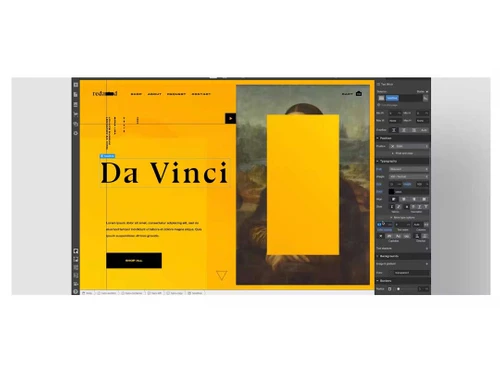
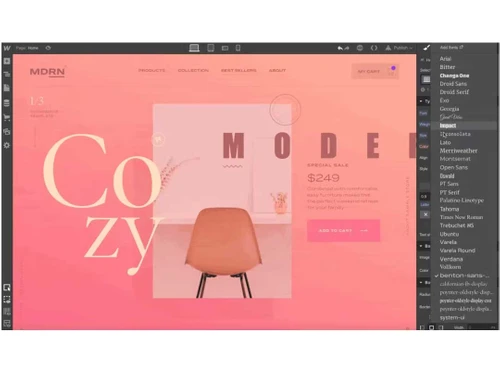
Webflow is a powerful no-code website builder and development platform that allows users to design, build, and launch responsive websites visually. It offers a drag-and-drop interface, eliminating the need for coding while providing full design control.

Webflow includes built-in CMS functionality, making content management seamless. It also provides hosting services, ensuring fast and secure website deployment. With Webflow, users can create custom animations, interactions, and dynamic content. It is widely used by designers, developers, and businesses for building professional websites without technical complexities.

Why Choose Webflow Software?

  • No-Code Development: This website builder creates stunning websites visually without writing code.
  • Design Without Limits: Webflow puts the power of code into a visual canvas so every team can create stunning websites quickly.
  • Complex, Rich Interactions: Design scroll-based and multi-step interactions and animations without writing code.
  • AI Assistant: Build faster and more efficiently with Webflow’s AI Assistant, applying your site's existing design system to new page sections.
  • Full Design Control: Customize layouts, animations, and interactions with precision.
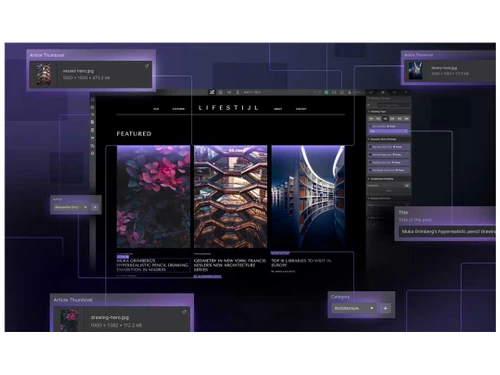
  • Built-in CMS: Manage dynamic content easily without external plugins.
  • SEO-Friendly: Webflow offers clean code, fast loading times, and built-in SEO tools.
  • Responsive Design: Automatically optimizes websites for all screen sizes.
  • Hosting & Security: Provides fast, reliable, and secure hosting with automatic backups.
  • E-commerce Support: Build and manage online stores with advanced customization.
  • Integration & Scalability: Connect with third-party tools and scale as your business grows.

Benefits of Webflow Software

  • Drag-and-Drop Interface: The Webflow website builder easily designs complex layouts without technical expertise.
  • Custom Code Flexibility: Allows adding custom HTML, CSS, and JavaScript for advanced customization.
  • Collaboration Tools: Multiple team members can work on a project simultaneously.
  • Client-Friendly Editor: Clients can update content without altering the design.
  • Automatic Updates: No need to worry about manual software updates or security patches.
  • Rich Template Library: Offers a variety of pre-designed templates for quick website creation.
  • Figma to Webflow Integration: Seamlessly import Figma designs to Webflow for faster development.

Webflow Pricing

Webflow price in India starts at $18 at techjockey.com.

The pricing model is based on different parameters, including extra features, deployment type, and the total number of users. For further queries related to the product, you can contact our product team and learn more about the pricing and offers.

Read more

Webflow Company Details

Founded Year:  2012

Webflow is the way to design, build, and launch powerful websites visually — without coding.

Director/Founders Vlad Magdalin Sergie Magdalin Bryant Chou
Company Size 501-1000 Employees

Webflow Pricing & Plans

Basic
Key Features
  • Custom domain
  • Localization
  • Moderate traffic
Starting at $18
    • Monthly

      Monthly
      Monthly

Key Features

  • Custom domain

  • Localization

  • Moderate traffic

Webflow Features

  • icon_check Website Hosting
    Webflow provides fast, secure, and scalable cloud hosting with automatic backups and SSL certification.
  • icon_check Drag and Drop Functionality
    Easily build and customize web pages without coding using an intuitive visual editor.
  • icon_check Templates
    Choose from a variety of professionally designed templates for quick website creation and customization.
  • icon_check Responsive Design
    Websites automatically adjust to different screen sizes, ensuring a seamless user experience on all devices.
  • icon_check Custom Domain
    Connect your own domain for a professional and branded website presence.
  • icon_check Analytics
    Track website performance with built-in analytics or integrate third-party tools like Google Analytics.
  • icon_check Control Panel Integration
    Manage website settings, hosting, and content easily from a centralized dashboard.
Webflow Demo Video play icon

Get Webflow Demo

Watch the demo video to explore key features, real workflows, and how the software fits your business needs.

Understand
Key Features
Personal
Demo Insights
Interactive
Demo Support

Webflow Specifications

Supported Platforms
Ubuntu Ubuntu Windows Windows MacOS MacOS Linux Linux
Devices
Desktop Desktop
Deployment
Cloud-Based Cloud-Based
Suitable For
All Industries
Business Specific
All Businesses
Business Size
Small Business Startups Medium Business Enterprises
Customer Support
Phone Email Communities Forums
Language
English
Training Resources
Webinars Documentation Videos
Compliance Regulation
SOC 2

Explore the Best Alternative Solutions Similar to Your Business Size and Needs

Webflow Reviews

4.5

Out of 5

img

Overall Rating

Based on
2 Verified Reviews

Rating Breakdown

  • Features 4.3
  • Value for Money 4.5
  • Ease of Use 4.7
  • Customer Support 4.5

96% Recommend this Product

Add Review

Webflow Video Reviews

youtubeVideoId

4.6

“Webflow Review 2023 Is it the BEST Website Builder”

Review by: Dylan Davino

youtubeVideoId

4.6

“Webflow Review - Should You Use Webflow to Build a Website”

Review by: My First Website

Compare Webflow With other Website Builder

Products
Ratings
Pricing
Device Supported
Deployment
Supported Platforms
  • img

    Webflow

  • 4.5

  • Price On Request

  • Desktop

    Mobile

  • Web based

    On Premises

  • Windows

    Mac OS

  • img

    Framer

  • 4.4

  • ₹ 4332

  • Desktop

    Mobile

  • Web based

    On Premises

  • Windows

    Mac OS

  • img

    Creative AI

  • 5

  • Price On Request

  • Desktop

    Mobile

  • Web based

    On Premises

  • Windows

    Mac OS

  • img

    Zoho Sites

  • 4.5

  • ₹ 280

  • Desktop

    Mobile

  • Web based

    On Premises

  • Windows

    Mac OS

  • img

    Readdy AI

  • 4.5

  • Price On Request

  • Desktop

    Mobile

  • Web based

    On Premises

  • Windows

    Mac OS

  • img

    Boost 360

  • 4.5

  • Price On Request

  • Desktop

    Mobile

  • Web based

    On Premises

  • Windows

    Mac OS

  • img

    Durable

  • 4.7

  • Price On Request

  • Desktop

    Mobile

  • Web based

    On Premises

  • Windows

    Mac OS

  • img

    Wegic AI

  • 4.2

  • Price On Request

  • Desktop

    Mobile

  • Web based

    On Premises

  • Windows

    Mac OS

  • img

    Webneed

  • 4.3

  • Price On Request

  • Desktop

    Mobile

  • Web based

    On Premises

  • Windows

    Mac OS

(0) Product(s) selected

Webflow Alternatives

See All Webflow Alternatives

Starting Price:

$25 /Month

Starting Price:

$15

Starting Price:

$24 /Month $40

SAVE UPTO 40%

Starting Price:

$49 /Month

Mixo

4.3

Starting Price:

$10

Starting Price:

$5 /Month

Starting Price:

$14

Articles for Webflow

See All Related Articles

How much does Webflow cost?

Webflow's price in India starts at $18 on Techjockey.

Is there a mobile app available for Webflow Website Builder?

No, Webflow does not have a dedicated mobile app.

Which operating systems are compatible with Webflow Software?

Webflow works on any OS with a web browser, including Ubuntu, Windows, macOS, and Linux.

Does Webflow offer a free trial?

Yes, Webflow provides a free plan to explore its features before upgrading.

How does Webflow work?

Webflow is a no-code website builder that allows users to design, develop, and host websites visually.

Who uses Webflow Software?

Designers, developers, businesses, and marketers benefit from Webflow's flexible web design tools.

Is a free demo available for Webflow Software?

Yes, Webflow offers tutorials, guides, and a free plan to test its features.

Is Webflow available for free?

Yes, Webflow has a free plan with basic features, but premium features require a paid subscription.

Is Webflow beginner-friendly?

Yes, Webflow offers an intuitive drag-and-drop interface, making it easy for beginners to use.

Can I export my Webflow website code?

Yes, Webflow allows you to export HTML, CSS, and JavaScript for external hosting.

Does Webflow support e-commerce?

Yes, Webflow provides e-commerce features for creating and managing online stores.

Can I use Webflow for blogging?

Yes, Webflow includes a built-in CMS that allows users to create and manage blogs easily.

Webflow Questions

Q:

How to create a landing page in Webflow?

ANUBHAV ROY GULSHAN Sep 21, 2025
A:

Here’s how you can create a landing page in Webflow:

  • Set Up Your Webflow Project
  • Design the Layout
  • Customize Styling
  • Set Up Forms & Integrations
  • Optimize for SEO & Mobile
  • Publish & Test
ATUL SHARMA Oct 11, 2025
Q:

How to create a portfolio in Webflow?

Benjamin Beasley Sep 13, 2025
A:

Here’s how you can create a portfolio in Webflow:

  • Set Up Your Webflow Account
  • Define Your Portfolio Structure
  • Design Your Portfolio
  • Optimize for SEO & Responsiveness
  • Publish & Share
Manoj Nayak Kundapura Sep 16, 2025
Q:

How to create a blog in Webflow?

Bhavesh Thakor Sep 11, 2025
A:

Steps to Create a Blog in Webflow

  • Create a Webflow Account – Sign up and choose a CMS-powered template.
  • Pick a Blog Template – Select a design that supports on-page editing and CMS features.
  • Customize the Template – Adjust fonts, colors, and layout to match your brand.
  • Set Up CMS Collections – Define blog post fields like title, summary, images, and author.
  • Create & Publish Posts – Add content directly in the Webflow Editor or CMS panel.
  • Optimize for SEO – Configure meta titles, descriptions, and Open Graph settings.
  • Launch Your Blog – Click Publish to make your site live.
Jaydeep Sep 14, 2025

20,000+ Software Listed

Best Price Guranteed

Free Expert Consultation

2M+ Happy Customers

Terms and Condtions

close

Users with registered businesses can purchase goods from merchants on the platform to satisfy their business needs. Users are not permitted to utilize any products acquired through the platform for resale, advertising, business, or further distribution.

For each purchase made, users will receive a Tax Invoice (or 'GST invoice') that includes specific details such as:

  • the GSTIN of the user associated with their registered business, and

  • the specified Entity Name for their business.

It should be noted that not all products are eligible for GST Invoice. Only the products displayed by participating sellers with the 'GST-based Invoice Available' callout on the product description page would qualify.

Certain goods and services are not eligible to get a GST Invoice, including items with VAS, i.e., Value Added Services (e.g., Total Mobile Protection/Assured Buyback) and those involving an exchange offer at the time of purchase.

Users must ensure the accuracy of the GSTIN, and business entity name provided for the GST Invoice. Requests for corrections into GST Invoice would not be accommodated by Techjockey.com or any Seller, and any issues arising from user-provided information are the sole responsibility of users.

Techjockey.com is not liable for the GST Invoice or any associated input tax credit. To efficiently claim an input tax credit, users should select the registered place of business address as per the GST authority's data and follow the provisions of the GST Act and rules.

To claim an input tax credit, the delivery and billing addresses must match. Furthermore, input tax credits will not be granted if the delivery address and GSTIN on the invoice are from different states. In case of incorrect GST details provided during the order placement, the order will be canceled automatically.