 USA
USA UAE
UAESmall Business
Designed for startups and growing businesses


See More




Brand: X-Cart
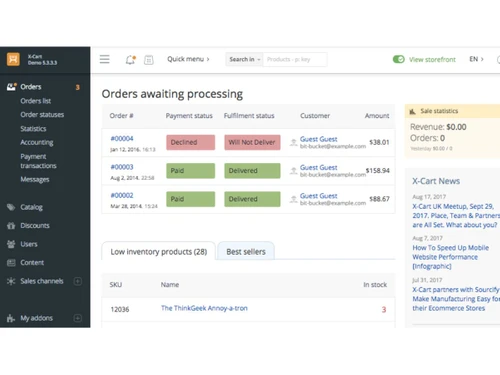
X-Cart is a family of e-commerce software platforms used to build and manage online stores.
See MoreHave you used X-Cart before?
Share your insights for better experience
Brand: X-Cart
Founded Year: 2001
X-Cart
Looking for The Right Pricing?
Share your requirements and get a plan built around your business.
Price Available on Request
Get personalised X-Cart pricing that fits your needs. Our team will connect with you.
 Auto-Suggest Catalogue Management Inventory & Stock Warehouse Management Multichannel Support Theme Customization Marketing Management Robust Security Dashboards Customizable SAAS Solution Shopping Cart eCommerce Security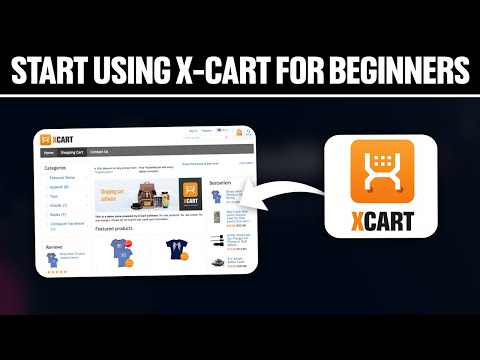

Watch the demo video to explore key features, real workflows, and how the software fits your business needs.
 Windows
  iOS
iOS  Android
  Desktop
  Mobile
  Cloud-Based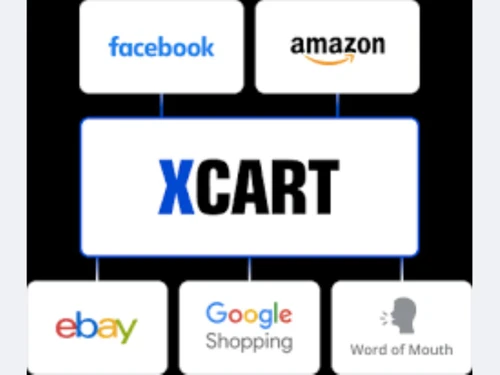
Small Business
Designed for startups and growing businesses
Medium Business
Built for business growth and flexibility
Enterprises
Designed for complex and large-scale business needs
4.3
Out of 5

Overall Rating
Based on
5 Verified Ratings
Rating Breakdown
92% Recommend this Product
Add ReviewTechjockey Trusted Reviews from Verified Users
No reviews are currently available for X-Cart. Discover similar eCommerce Software reviews

Shopify
Whats great - I am currently using Shopify for my online store. It is very easy to use, and the software is very intuitive. It provides you... read more

DotcomPal
Whats great - Dotcompal is very user friendly. Most employees at our business were not previously familiar with an online order fulfillment... read more

Dpanda
Whats great - Dpanda has credible backing and a roadmap for AI recommendations and improved analytics. read more
X-Cart
Price On Request
Desktop
Mobile
Web based
On Premises
Windows
Mac OS

Dukaan
₹ 299
Desktop
Mobile
Web based
On Premises
Windows
Mac OS

Payhip
Price On Request
Desktop
Mobile
Web based
On Premises
Windows
Mac OS

Vendoo
Price On Request
Desktop
Mobile
Web based
On Premises
Windows
Mac OS

Zoho Commerce
₹ 999
Desktop
Mobile
Web based
On Premises
Windows
Mac OS

Fynd
Price On Request
Desktop
Mobile
Web based
On Premises
Windows
Mac OS

Zopping
₹ 50000
Desktop
Mobile
Web based
On Premises
Windows
Mac OS

GoKwik
Price On Request
Desktop
Mobile
Web based
On Premises
Windows
Mac OS
Kwik Checkout
Price On Request
Desktop
Mobile
Web based
On Premises
Windows
Mac OS

ShippyPro
Price On Request
Desktop
Mobile
Web based
On Premises
Windows
Mac OS

Keepa
Price On Request
Desktop
Mobile
Web based
On Premises
Windows
Mac OS
(0) Product(s) selected
Starting Price:
$29 /Month
Starting Price:
$9 /Month
Available
Price on Request
Available
Price on Request
Starting Price:
$220 /Month
Starting Price:
€19

Available
Price on Request

Available
Price on Request
Available
Price on Request

Available
Price on Request

Starting Price:
$39 /Month




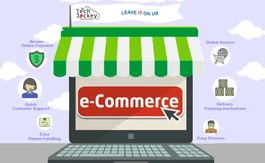
Intuitive Drag and Drop Interface, Solid-State Drives, Export/Import Inventory Data, Cost-effective packaging.
Yes, you can get a demo of X-Cart eCommerce.
Yes, X-Cart eCommerce does provide data security options. It is meant to provide optimum data security to all its users.
Loyalty program, all kinds of reminders, exit offers, an advanced banner system, and other online business tools will make every client a returning client. Customers also bought and Recently viewed, cross-sell and upsell, new arrivals and Coming soon, featured products and bestsellers will push customers to buy.
You can either download X-Cart and install it on your own server or create a free trial and let X-Cart team take care of the environment.
20,000+ Software Listed
Best Price Guranteed
Free Expert Consultation
2M+ Happy Customers
Terms and Condtions

Users with registered businesses can purchase goods from merchants on the platform to satisfy their business needs. Users are not permitted to utilize any products acquired through the platform for resale, advertising, business, or further distribution.
For each purchase made, users will receive a Tax Invoice (or 'GST invoice') that includes specific details such as:
the GSTIN of the user associated with their registered business, and
the specified Entity Name for their business.
It should be noted that not all products are eligible for GST Invoice. Only the products displayed by participating sellers with the 'GST-based Invoice Available' callout on the product description page would qualify.
Certain goods and services are not eligible to get a GST Invoice, including items with VAS, i.e., Value Added Services (e.g., Total Mobile Protection/Assured Buyback) and those involving an exchange offer at the time of purchase.
Users must ensure the accuracy of the GSTIN, and business entity name provided for the GST Invoice. Requests for corrections into GST Invoice would not be accommodated by Techjockey.com or any Seller, and any issues arising from user-provided information are the sole responsibility of users.
Techjockey.com is not liable for the GST Invoice or any associated input tax credit. To efficiently claim an input tax credit, users should select the registered place of business address as per the GST authority's data and follow the provisions of the GST Act and rules.
To claim an input tax credit, the delivery and billing addresses must match. Furthermore, input tax credits will not be granted if the delivery address and GSTIN on the invoice are from different states. In case of incorrect GST details provided during the order placement, the order will be canceled automatically.



