linkedin

Dropbox Sign VS E-Lock Digital Signature Solution

Let’s have a side-by-side comparison of Dropbox Sign vs E-Lock Digital Signature Solution to find out which one is better. This software comparison between Dropbox Sign and E-Lock Digital Signature Solution is based on genuine user reviews. Compare software prices, features, support, ease of use, and user reviews to make the best choice between these, and decide whether Dropbox Sign or E-Lock Digital Signature Solution fits your business.

Quick View

  • Rating & Review
  • Platforms
  • Recommended
  • img 4 Ratings & 0 Reviews
  • icon_ubuntu icon_desktop icon_mac icon_linux
  • img 3 Ratings & 0 Reviews
  • icon_desktop

Key Differences Between Dropbox Sign and E-Lock Digital Signature Solution for Digital Signing and Compliance Workflows

  • Signature Technology: Dropbox Sign provides electronic signatures that can be created using typed, drawn, or uploaded signatures for quick document approvals. E-Lock Digital Signature Solution uses PKI-based digital signatures with certificate authentication, offering higher assurance and legal validity for regulated transactions.
  • Use Case Focus: Dropbox Sign is designed for general business workflows such as contracts, agreements, and approvals across teams. E-Lock Digital Signature Solution is tailored for compliance-heavy use cases such as government filings, statutory submissions, and secure enterprise transactions.
  • Deployment & Accessibility: Dropbox Sign is a cloud-based platform accessible via web and mobile devices, enabling users to sign documents from anywhere. E-Lock Digital Signature Solution often requires secure digital certificates and may involve hardware tokens or controlled environments for signing.
  • Workflow & Automation: Dropbox Sign offers document workflows with features such as templates, automated reminders, and real-time signing notifications. E-Lock Digital Signature Solution focuses more on secure document execution, validation, and audit compliance rather than lightweight workflow automation.
  • Integration Capabilities: Dropbox Sign integrates with widely used productivity tools and cloud storage platforms, enabling seamless document management within existing workflows. E-Lock Digital Signature Solution is typically integrated into enterprise systems and government platforms where secure digital authentication is required.
  • User Experience: Dropbox Sign provides a user-friendly interface with simple drag-and-drop fields and quick signing processes. E-Lock Digital Signature Solution prioritises security and compliance, which may involve more structured processes and technical setup compared to standard e-signature tools.

Pricing

img

Price Plans

$ 20

Essentials

$ 30

Standard

View Details img

Price on Request

Get customise plan according to your business requirement

Get Price

  • Techjockey Verified
  • Free Trial
  • Lifetime Plan
  • img
  • img
  • img
  • img Free Trial
  • img

Offers

img

Available offers & discounts

img Save upto 18%, Get GST Invoice on your business purchase

img Buy Now & Pay Later, Check offer on payment page.

img Save upto 18%, Get GST Invoice on your business purchase

img Buy Now & Pay Later, Check offer on payment page.

img

Get Exclusive Offer

Best deals by our expert on your business requirements

Ratings

img

Overall ratings

4.3

4 Ratings & 0 Reviews

87% Likelihood to Recommend

4.2

3 Ratings & 0 Reviews

86% Likelihood to Recommend

Reviews

img

Verified customer reviews

Rating

urs Nov 20, 2024

Rating

Nankani Oct 19, 2024

Rating

Matal Quran Oct 11, 2024

Rating

morselim Sheikh Aug 31, 2024

Best Use for

img

Business Size:

  • img Individual
  • img 2-50 Employees
  • img 51-250 Employees
  • img 250-500 Employees
  • img 500​-​1000 Employees
  • img More than 1000+ Employees
  • img Individual
  • img 2-50 Employees
  • img 51-250 Employees
  • img 250-500 Employees
  • img 500​-​1000 Employees
  • img More than 1000+ Employees

Business Type:

  • img Small Business
  • img Startups
  • img Medium Business
  • img Enterprise
  • img SMBs
  • img SMEs
  • img MSMBs
  • img MSMEs
  • img Freelancers
  • img Individual
  • img Small Business
  • img Startups
  • img Medium Business
  • img Enterprise
  • img SMBs
  • img SMEs
  • img MSMBs
  • img MSMEs
  • img Freelancers
  • img Individual

Industries:

  • imgManufacturing
  • imgEducation
  • imgHealthcare
  • imgITES
  • imgReal Estate
  • imgLegal
  • imgCorporations
  • imgFinancial Institutions
  • imgConstruction
  • imgBanking
  • imgEntertainment
  • imgNon-Profit
  • imgAll Industries

We provide the best software solution for your business needs

img
img

Features

img

Product features

  • checked Reusable Templates
  • checked Custom Branding
  • checked Status Tracking
  • checked Multi Party Signing
  • checked Bulk Processing
  • checked Automated Reminder
  • checked In-Person Signing
  • checked Data Validation
  • checked SSO (Single Sign-On)
  • checked API Integration
  • checked Two-Factor Authentication (2FA)
  • checked Audit Trails
  • checked No-Code Integrations
  • checked Team Management
  • checked Automated Server Side Signing
  • checked Windows Service Deployment
  • checked Signature Time Stamping
  • checked Failure Segregation Mechanism
  • checked Folder Structuring
  • checked Folder Based Input Processing
  • checked Certificate Source Flexibility
  • checked Cryptographic Hash Support
  • checked Multi Profile Configuration
  • checked Bulk Processing
  • checked Workflow Integration

Specifications

img

Deployment

  • img Web based
  • img On Premises
  • img Web based
  • img On Premises

Device Supported

  • img Desktop
  • img Mobile
  • img iPad
  • img Tablet
  • img Desktop
  • img Mobile
  • img iPad
  • img Tablet

Supported Platforms

  • img Windows
  • img Mac OS
  • img Android
  • img iOS
  • img Linux
  • img Ubuntu
  • img Windows
  • img Mac OS
  • img Android
  • img iOS
  • img Linux
  • img Ubuntu

Languages support

  • imgEnglish
  • imgEnglish

Compliance Regulations:

  • img COPPA
  • img HIPAA
  • img CCPA
  • img CPRA
  • img ECPA
  • img COPPA
  • img HIPAA
  • img CCPA
  • img CPRA
  • img ECPA

Alternatives

img

Top Alternative Products

Adobe Acrobat Sign

Adobe Acrobat Sign


RSign

RSign


Cygnature

Cygnature


Zoho Sign

Zoho Sign


See all Dropbox Sign alternatives img
InstaSigner

InstaSigner


Adobe Acrobat Sign

Adobe Acrobat Sign


RSign

RSign


Cygnature

Cygnature


See all E-Lock Digital Signature Solution alternatives img

Send this comparison to my inbox

img Get directly in your email inbox on your Whatsapp

Similar Comparison

Dropbox Sign vs E-Lock Digital Signature Solution Comparison FAQs

Software questions,
answered

While Dropbox Sign offers customized features, E-Lock Digital Signature Solution has diverse modules. Select between Dropbox Sign or E-Lock Digital Signature Solution as per your business needs.

Both these products offer similar features but with a different approach. While Dropbox Sign emphasizes on user experiences, E-Lock Digital Signature Solution focuses on functionalities.

It all depends on the functionalities that you prefer. While Dropbox Sign offers add-ons along with essential features, E-Lock Digital Signature Solution emphasizes on customization.

No, the difference between Dropbox Sign and E-Lock Digital Signature Solution lies in terms of features and functionalities. While Dropbox Sign can be customized as per the user’s needs, E-Lock Digital Signature Solution addresses the diverse audience.

It depends upon your business requirement. Both Dropbox Sign and E-Lock Digital Signature Solution provides standard features to cater diverse industry needs.

The difference lies in terms of the user interface and functionalities. While Dropbox Sign is customizable, Dropbox Sign offers comprehensive modules.

A Quick Comparison Between Dropbox Sign vs E-Lock Digital Signature Solution

Choosing any software for your organisation is a crucial decision. As a decision maker, you must ensure that the software you choose addresses the pain points of your teams and reaps maximum benefit for you.

  • Comparison of Dropbox Sign vs E-Lock Digital Signature Solution In terms of Features
  • Comparison Between Dropbox Sign and E-Lock Digital Signature Solution In terms of Deployment Type
  • Dropbox Sign or E-Lock Digital Signature Solution : Which Is Ideal for Your Industry
  • Which Is Better? - Dropbox Sign or E-Lock Digital Signature Solution

Comparison of Dropbox Sign vs E-Lock Digital Signature Solution In terms of Features

Dropbox Sign includes features like Templates, Custom Branding, Status Tracking and Multi Location. E-Lock Digital Signature Solution is known for functionalities like Mail Server, Windows 10 full support, Time Saving and Market Segmentation. When you compare Dropbox Sign vs E-Lock Digital Signature Solution , look for scalability, customization, ease of use, customer support and other key factors. The one which suits your business needs is the best.

Comparison Between Dropbox Sign and E-Lock Digital Signature Solution In terms of Deployment Type

While Dropbox Sign supports Web Based deployment; E-Lock Digital Signature Solution is suitable for On Premises deployment. While selecting between Dropbox Sign and E-Lock Digital Signature Solution , figure out which one of the two is compatible with your devices. This will help in reducing the hassle after implementation.

Dropbox Sign or E-Lock Digital Signature Solution : Which Is Ideal for Your Industry

Dropbox Sign is ideal for industries like Manufacturing, Education and Healthcare. For All Industries, E-Lock Digital Signature Solution is a better choice. If you are confused between Dropbox Sign or E-Lock Digital Signature Solution , you can also check if the software has customizable modules for your industry. Industry-specific functionalities will ensure higher efficiency and ROI. However, do check for the hidden price, is any.

Which Is Better? - Dropbox Sign or E-Lock Digital Signature Solution

Dropbox Sign and E-Lock Digital Signature Solution can be used for different purposes and are well-suited for teams with specific needs. If you are looking for a platform that is easy to use, has low barriers to entry, and offers a lot of customization, flexibility, and integration options, then you must compare their specifications in detail at the time of demo. Compare Dropbox Sign and E-Lock Digital Signature Solution during demo to decide which one is best for your business.

Still got Questions on your mind?

Get answered by real users or software experts

Add Product to Compare

close

Recommended Products

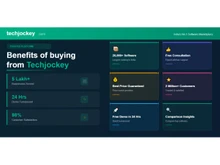
20,000+ Software Listed 20,000+ Software Listed

Best Price Guaranteed Best Price Guaranteed

Free Expert
                        Consultation Free Expert Consultation

2M+ Happy Customers 2M+ Happy Customers