linkedin
Adobe Bridge logo
play Centralize Your Creative Assets with Adobe Bridge | Adobe Creative Cloud
adobe bridge features
adobe bridge file

Adobe Bridge

Brand: Adobe

  • 4.2

  • 3 Ratings

Say goodbye to file fatigue and hello to creative flow with Adobe Bridge as you can easily simplify your creative process by bringing all your assets together, so you can focus on what matters most: creating wonders!

See More

Have you used Adobe Bridge before?

Share your insights for better experience

Add a Review

Price Available on Request

Questions about pricing or customization? We’re here to help, just a click away.

100% Genuine
Products
Best Price
Guaranteed
Safe & Secure
Payment
  • Description

  • Pricing

  • Features

  • Specification

  • Review

  • Compare

  • Alternatives

  • FAQ

Adobe Bridge Software Overview

What is Adobe Bridge Software?

Adobe Bridge can be best defined as your personal assistant for all things creative. It's an exhaustive software solution that helps you manage your digital files, especially photos and videos. You must have once kept that shoebox full of pictures, where it was like a treasure hunt trying to discover anything. Bridge is a digital shoebox of the same kind, but way more organised.

The software allows you to see previews of your photos and videos, so you don’t have to open each file one by one. You can even sort them by date, or name, or add star ratings to your favourites. Imagine finding that perfect vacation picture in seconds instead of mining folders!

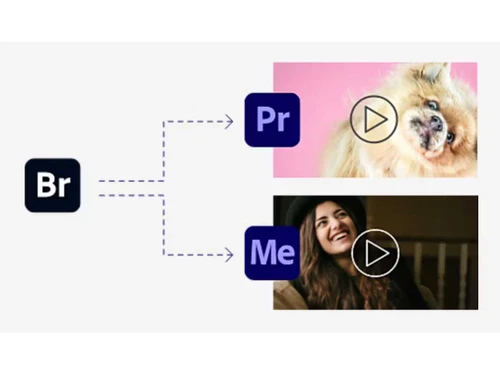
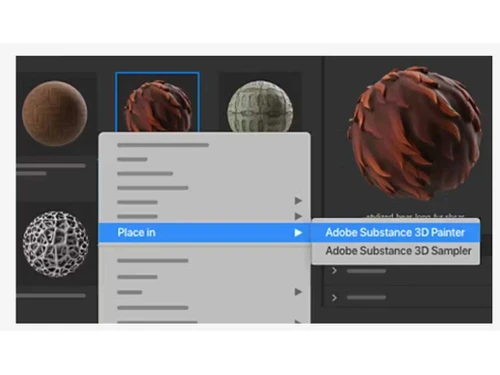
And the best part is that Bridge doesn't work in isolation. It plays nicely with other Adobe Creative Cloud programs, such as Photoshop. So, you can easily switch from browsing your photos in Bridge to editing them in Photoshop, all within a few clicks. It's like having a central hub for all your creative projects, keeping everything organized and within easy reach.

Why Choose Adobe Bridge Software?

  • Rule the Photo Jungle: No more feeling lost in the sea of photos on your computer. Bridge helps you browse and organise all your pictures in one easily accessible place, just like putting in order a messy shoebox of memories.
  • Find Photos Fast: Get rid of that endless folder diving! Bridge lets you preview photos and videos quickly, so you can find what you precisely need in seconds. It's like remembering a funny vacation picture and pulling it up in a flash!
  • Effortless Editing: Bridge works seamlessly with other Adobe programmes, such as Photoshop. With just a click, you can jump from browsing your photos to editing them, making your creative workflow smoother than ever.
  • Star System: Adobe Bridge lets you mark your favourite photos with star ratings, just like picking your favorites in a real photo album.

Benefits of Adobe Bridge Platform

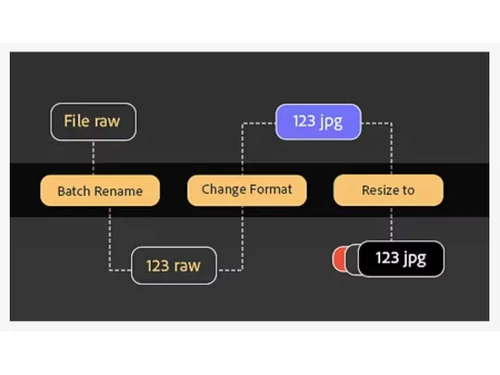
  • Batch Editing Power: Do you frequently need to resize dozens of photos or rename them all at once? Bridge lets you tackle repetitive tasks in batches, saving you tonnes of precious time. Imagine editing a whole vacation's worth of photos in one fell swoop!
  • Keyword Magic: The software allows you to add keywords to your photos, like 'beach,' 'birthday,' or 'funny.' This makes searching for your collection a walk in the park. It's like having a digital organiser for your photos, letting you find specific ones then and there.
  • Easy Creative Collaboration: Adobe Bridge can be your ultimate aide when you're working with a team on a project. The smart software lets you see previews and share files with others, streamlining communication and feedback.
  • All-format Buddy: Bridge isn't just for photos! It can handle videos, Illustrator files, and other creative assets, keeping all your project elements organised in one central location.

Pricing of Adobe Bridge Digital Asset Management Software

Adobe Bridge price details are available on request at techjockey.com.

Its price may vary based on factors like customization, additional features required, number of users, and the deployment type. Please request a call back for subscription-related details and to avail offers on premium packages.

Read more

Adobe Company Details

Founded Year:  1982

Adobe is the global leader in digital media and digital marketing solutions.

Director/Founders Charles Geschke, Jason Lemkin
Company Size 1000+ Employees

Adobe Bridge Pricing & Plans

Looking for The Right Pricing?

Share your requirements and get a plan built around your business.

  • Define your business needs
  • Get customised pricing
  • Choose features that fit your workflow

Price Available on Request

Get personalised Adobe Bridge pricing that fits your needs. Our team will connect with you.

Adobe Bridge Features

  • icon_check Asset Workflows
    Automate repetitive tasks like resizing or renaming multiple photos at once.
  • icon_check Photo Editing
    Seamlessly switch from browsing photos in Bridge to editing them in Photoshop with a single click.
  • icon_check Data Import/Export
    Easily import photos and other creative assets into your project, or export them to share with others.
  • icon_check Metadata Management
    Organise your files better by adding labels like keywords or dates to them for easy searching.
  • icon_check Collaboration Tools
    Share previews and files with others working on the same project, keeping everyone concordant.
  • icon_check Batch Processing
    Save time by editing a whole bunch of photos at once using Bridge's batch processing feature.
  • icon_check Asset Library
    Get a central hub for all your creative projects, keeping everything organised in one place.
Adobe Bridge Demo Video play icon

Get Adobe Bridge Demo

Watch the demo video to explore key features, real workflows, and how the software fits your business needs.

Understand
Key Features
Personal
Demo Insights
Interactive
Demo Support

Adobe Bridge Specifications

Supported Platforms
Windows Windows MacOS MacOS
Devices
Desktop Desktop
Deployment
Cloud-Based Cloud-Based
Suitable For
All Industries
Business Specific
All Businesses
Business Size
Small Business Medium Business Enterprises SMBs SMEs MSMBs MSMEs
Customer Support
Email Communities Forums
Language
English
Training Resources
Documentation

Explore the Best Alternative Solutions Similar to Your Business Size and Needs

Enterprises

Designed for complex and large-scale business needs

Cway

4.1

Pickit

4.6

See More

Adobe Bridge Review

4.2

Out of 5

img

Overall Rating

Based on
3 Verified Ratings

Rating Breakdown

  • Features 4.3
  • Value for Money 3.8
  • Ease of Use 4.6
  • Customer Support 4.3

90% Recommend this Product

Add Review

Be the First to Review

This product has no reviews yet. Be the first to leave your feedback.

Add Review

Compare Adobe Bridge With other Digital Asset Management Software

Products
Ratings
Pricing
Device Supported
Deployment
Supported Platforms
  • img

    Adobe Bridge

  • 4.2

  • Price On Request

  • Desktop

    Mobile

  • Web based

    On Premises

  • Windows

    Mac OS

  • img

    ​Frame.io

  • Price On Request

  • Desktop

    Mobile

  • Web based

    On Premises

  • Windows

    Mac OS

  • img

    Pickit

  • 4.6

  • Price On Request

  • Desktop

    Mobile

  • Web based

    On Premises

  • Windows

    Mac OS

  • img

    4AllPortal DAM

  • 4.5

  • Price On Request

  • Desktop

    Mobile

  • Web based

    On Premises

  • Windows

    Mac OS

  • img

    Crest Finder

  • 4.0

  • Price On Request

  • Desktop

    Mobile

  • Web based

    On Premises

  • Windows

    Mac OS

  • img

    SmugMug

  • 4.0

  • Price On Request

  • Desktop

    Mobile

  • Web based

    On Premises

  • Windows

    Mac OS

  • img

    Vermillio

  • 4.0

  • Price On Request

  • Desktop

    Mobile

  • Web based

    On Premises

  • Windows

    Mac OS

  • img

    Pics DAM

  • 4.6

  • Price On Request

  • Desktop

    Mobile

  • Web based

    On Premises

  • Windows

    Mac OS

  • img

    ioMoVo

  • 4.2

  • Price On Request

  • Desktop

    Mobile

  • Web based

    On Premises

  • Windows

    Mac OS

  • img

    Desygner the hub

  • 4.1

  • Price On Request

  • Desktop

    Mobile

  • Web based

    On Premises

  • Windows

    Mac OS

(0) Product(s) selected

Adobe Bridge Alternatives

See All Adobe Bridge Alternatives

Starting Price:

$30 /Month

Available

Price on Request

Available

Price on Request

Available

Price on Request
Articles for Adobe Bridge

See All Related Articles

Which operating system does Adobe Bridge Software Support?

Adobe Bridge software is compatible with Windows and MacOS systems.

Is there any Adobe Bridge App?

No, there is no mobile app available for Adobe Bridge at present.

What is the deployment type of Adobe Bridge System?

Adobe Bridge system supports web-based deployment.

How much does Adobe Bridge Software Cost?

Adobe Bridge price details are available on request at techjockey.com.

Who are the potential users of Adobe Bridge?

Potential users of Adobe Bridge include photographers, graphic designers, multimedia artists, and anyone who needs to manage and organise a diverse collection of creative assets efficiently within the Adobe Creative Cloud ecosystem.

Is there any free demo for Adobe Bridge Solution?

Yes, a demo of this product is available at techjockey.com.

Is Adobe Bridge Software Free?

No, the product is not available for free.

Does Adobe Bridge offer a free trial?

Yes, Adobe Bridge offers a free trial.

How can you download Adobe Bridge?

Since the product supports web-based deployment there is no need for software installation. Just open the setup wizard and get started.

How does Adobe Bridge Work?

Adobe Bridge acts as a hub for organising creative stuff. It helps you see, sort, and edit your files easily. You can also share and work on projects with others.

20,000+ Software Listed

Best Price Guranteed

Free Expert Consultation

2M+ Happy Customers

Terms and Condtions

close

Users with registered businesses can purchase goods from merchants on the platform to satisfy their business needs. Users are not permitted to utilize any products acquired through the platform for resale, advertising, business, or further distribution.

For each purchase made, users will receive a Tax Invoice (or 'GST invoice') that includes specific details such as:

  • the GSTIN of the user associated with their registered business, and

  • the specified Entity Name for their business.

It should be noted that not all products are eligible for GST Invoice. Only the products displayed by participating sellers with the 'GST-based Invoice Available' callout on the product description page would qualify.

Certain goods and services are not eligible to get a GST Invoice, including items with VAS, i.e., Value Added Services (e.g., Total Mobile Protection/Assured Buyback) and those involving an exchange offer at the time of purchase.

Users must ensure the accuracy of the GSTIN, and business entity name provided for the GST Invoice. Requests for corrections into GST Invoice would not be accommodated by Techjockey.com or any Seller, and any issues arising from user-provided information are the sole responsibility of users.

Techjockey.com is not liable for the GST Invoice or any associated input tax credit. To efficiently claim an input tax credit, users should select the registered place of business address as per the GST authority's data and follow the provisions of the GST Act and rules.

To claim an input tax credit, the delivery and billing addresses must match. Furthermore, input tax credits will not be granted if the delivery address and GSTIN on the invoice are from different states. In case of incorrect GST details provided during the order placement, the order will be canceled automatically.