USA
USA UAE
UAESmall Business
Designed for startups and growing businesses
See More




Brand: Autodesk
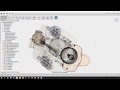
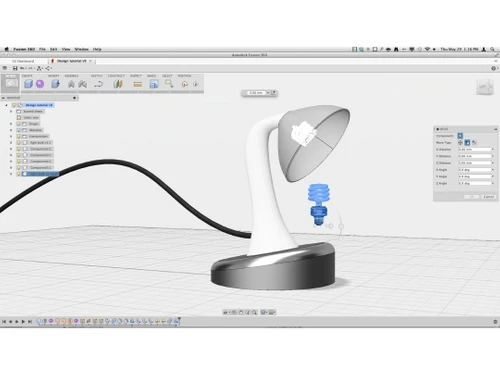
Autodesk Fusion 360 is a 3D designing software that offers sketching tools for helping engineers with designing sketches and dimensions. From curation of designs till their final manufacture, this software offers powerful 3D designing capabilities to business enterprises. Electronic engineers too use these solutions for generating design ideas using the attached PCB layout tools. The fully valida...
See MoreHave you used Fusion 360 before?
Share your insights for better experience
View plans
 Save upto 18%, Get GST Invoice on your business purchase T&C Buy Now & Pay Later, Check offer on payment page.
 Brand: Autodesk
Founded Year: 1982
Autodesk makes software for people who make things. If you’ve ever driven a high-performance car, admired a towering skyscraper, used a smartphone, or watched a great film, chances are you’ve experienced what millions of Autodesk customers are doing with our software.
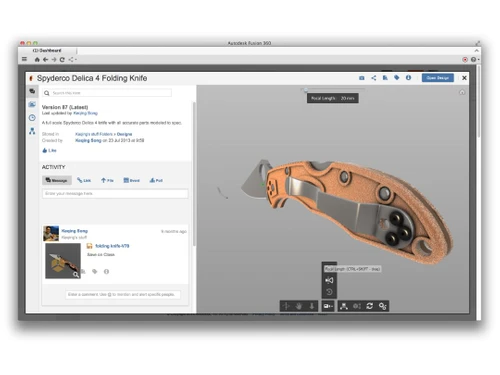
 Designed 3D Modeling Data Management Collaboration Prototyping Generative Design Simulation Documentation Manufacturing Manufacturing Extension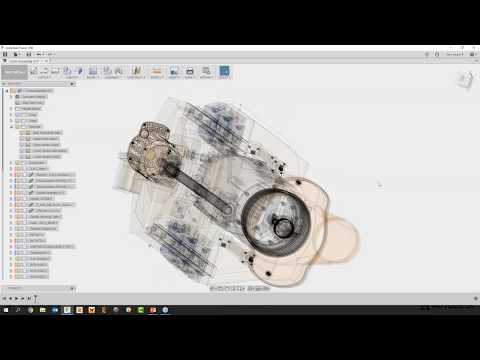

Watch the demo video to explore key features, real workflows, and how the software fits your business needs.
 Windows
  iOS
iOS  Android MacOS
  Linux
Linux  Desktop
  Mobile
  Cloud-Based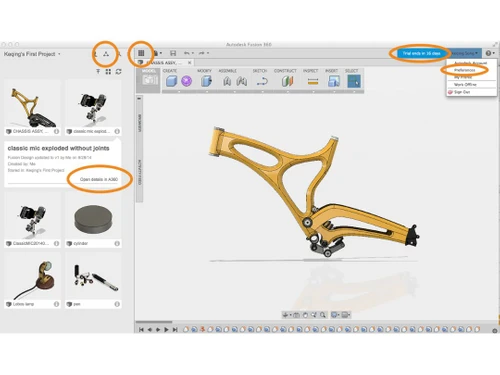
Small Business
Designed for startups and growing businesses
Medium Business
Built for business growth and flexibility
Enterprises
Designed for complex and large-scale business needs
4.9
Out of 5

Overall Rating
Based on
23 Verified Reviews
Rating Breakdown
90% Recommend this Product
Add ReviewUsers generally appreciate Fusion 360 for its speed and efficiency in 3D CAD modeling, often highlighting its advantages over competitors like SOLIDWORKS. The software is seen as a valuable tool for quickly visualizing design concepts. Additionally, customer support has received positive feedback for being helpful in guiding users through the selection process. However, there are no significant complaints noted, indicating a strong overall satisfaction among users.



May 5, 2019
Techjockey Verified
“Lot quicker stacking”
Pros
I use Fusion 360 as a speedy and straightforward approach to effortlessly coax things out. It is an a lot quicker stacking and brisk programming than SOLIDWORKS, so I like to utilize it for fast 3D CAD demonstrating and drawing. It is carefully utilized by me, as the essential and just structure engineer. It causes me rapidly model thoughts that I have in my mind to perceive what they resemble physically.
Cons
NO CONS
Jun 13, 2018
Techjockey Verified
“get help in narrowing down the search”
Pros
I really appreciate what Techjockey does, and the idea behind their service. My initial conversation with the representative, was really helpful, and they asked in-depth questions to best match us with a software/service that could help.
Cons
N/A
Jun 6, 2018
Techjockey Verified
“economical & quick”
Pros
A terrific resource to begin your selection process
Cons
N/A

Fusion 360
₹ 5900.00 excl. GST
Desktop
Mobile
Web based
On Premises
Windows
Mac OS

Autodesk AutoCAD
₹ 16520
Desktop
Mobile
Web based
On Premises
Windows
Mac OS

AutoCAD LT
₹ 4720
Desktop
Mobile
Web based
On Premises
Windows
Mac OS

Autodesk Inventor
₹ 20060
Desktop
Mobile
Web based
On Premises
Windows
Mac OS

Tinkercad
Price On Request
Desktop
Mobile
Web based
On Premises
Windows
Mac OS

Autocad Mechanical
Price On Request
Desktop
Mobile
Web based
On Premises
Windows
Mac OS
Autodesk Autocad Mobile App
₹ 2520
Desktop
Mobile
Web based
On Premises
Windows
Mac OS

Solid Edge
Price On Request
Desktop
Mobile
Web based
On Premises
Windows
Mac OS

Siemens NX
₹ 623869
Desktop
Mobile
Web based
On Premises
Windows
Mac OS

CADMATE
₹ 25000
Desktop
Mobile
Web based
On Premises
Windows
Mac OS

progeCAD
Price On Request
Desktop
Mobile
Web based
On Premises
Windows
Mac OS
(0) Product(s) selected
Starting Price:
₹20,060 /User/Month
Available
Price on Request
Starting Price:
₹15,000 /License

Starting Price:
₹121,046 /Quantity

Available
Price on Request

Starting Price:
$38 /Seat/Month

Starting Price:
$15 /Month

Starting Price:
$70 /License

Starting Price:
€41 /Quantity

Starting Price:
$70 /License

Starting Price:
$39 /Month
The feature helps designers in understanding thermal distributions and its interactions with the physical forces.
You can generate and make edits within complex parametric surfaces and can also patch or repair them using the surface modelling tools offered by the software.
Yes, You can send in a demo request for Autodesk Fusion 360. Product experts from Techjockey will get back to you in real-time.
The software supports a wide variety of file formats like OBJ, STEP, DXF, STL and more.
Yes, Autodesk Fusion 360 has a dedicated mobile app for iOS and Android operated devices.
Fusion 360 is excellent for manufacturers as it provides robust tools for 3D modeling and product design, making it perfect for creating prototypes and detailed garment designs.
0 0
To make the pencil using Fusion 360, follow the steps given below:
0 0
If you are unable to access the 'Administration' tools under the Manage profile, despite being the administrator for your company's Fusion 360 and Manage products, it could be related to user permissions or roles. Check your user account settings and ensure that you have the necessary administrative privileges assigned.
0 0
Fusion Team does not natively track link clicks. You may need to use third-party tools or analytics services to monitor link clicks in shared documents.
1 0
Fusion 360 educational licenses may have restrictions on certain cloud services. To avoid this, make sure that your license specifically covers shape optimization or contact Autodesk support for clarification.
0 0
20,000+ Software Listed
Best Price Guranteed
Free Expert Consultation
2M+ Happy Customers
Terms and Condtions

Users with registered businesses can purchase goods from merchants on the platform to satisfy their business needs. Users are not permitted to utilize any products acquired through the platform for resale, advertising, business, or further distribution.
For each purchase made, users will receive a Tax Invoice (or 'GST invoice') that includes specific details such as:
the GSTIN of the user associated with their registered business, and
the specified Entity Name for their business.
It should be noted that not all products are eligible for GST Invoice. Only the products displayed by participating sellers with the 'GST-based Invoice Available' callout on the product description page would qualify.
Certain goods and services are not eligible to get a GST Invoice, including items with VAS, i.e., Value Added Services (e.g., Total Mobile Protection/Assured Buyback) and those involving an exchange offer at the time of purchase.
Users must ensure the accuracy of the GSTIN, and business entity name provided for the GST Invoice. Requests for corrections into GST Invoice would not be accommodated by Techjockey.com or any Seller, and any issues arising from user-provided information are the sole responsibility of users.
Techjockey.com is not liable for the GST Invoice or any associated input tax credit. To efficiently claim an input tax credit, users should select the registered place of business address as per the GST authority's data and follow the provisions of the GST Act and rules.
To claim an input tax credit, the delivery and billing addresses must match. Furthermore, input tax credits will not be granted if the delivery address and GSTIN on the invoice are from different states. In case of incorrect GST details provided during the order placement, the order will be canceled automatically.