USA
USA UAE
UAESmall Business
Designed for startups and growing businesses
See More





Brand: Autodesk
Autodesk AutoCAD LT is one of the industry-leading Computer-aided design software for engineers. This CAD software comes with an in-built CUI customization feature which enables users to configure the user interface of the software. This results in saving time and making the work easy by making personalized shortcuts and much more. Autodesk AutoCAD LT offers multifaceted visibility of the CAD mod...
See MoreHave you used AutoCAD LT before?
Share your insights for better experience
View plans
 Save upto 18%, Get GST Invoice on your business purchase T&C Buy Now & Pay Later, Check offer on payment page.
 Brand: Autodesk
Founded Year: 1982
Autodesk makes software for people who make things. If you’ve ever driven a high-performance car, admired a towering skyscraper, used a smartphone, or watched a great film, chances are you’ve experienced what millions of Autodesk customers are doing with our software.
 User Interface Annotations Performance Management Workflow Management General Features 2D Drafting Smart Blocks Logic Trace Markup Sheet Set Manager Cloud Storage Performance Analytics AutoCAD mobile app bridges the gap Integrations & Customisations Customization Integration & Automation

Watch the demo video to explore key features, real workflows, and how the software fits your business needs.
 Windows
  iOS
iOS  Android MacOS
  Desktop
  Mobile
  Tablet
  iPad
iPad  Cloud-Based
  Perpetual
Small Business
Designed for startups and growing businesses
Medium Business
Built for business growth and flexibility
Enterprises
Designed for complex and large-scale business needs
4.4
Out of 5

Overall Rating
Based on
2 Verified Reviews
Rating Breakdown
85% Recommend this Product
Add Review
Feb 25, 2019
Techjockey Verified
“Perform 2D sketches”
Pros
AutoCAD develops features to perform 2D sketches, drawings. To do this, it proposes a revision cloud that summarizes all the new modifications around a drawing. Functions related to scoring, benchmarks and tables are also provided.
Cons
NO CONS
May 8, 2018
Techjockey Verified
“I had a good purchase”
Pros
Excellent service. Very trustworthy software at lowest cost. Highly recommended.
Cons
N/A

AutoCAD LT
₹ 4720.00 excl. GST
Desktop
Mobile
Web based
On Premises
Windows
Mac OS

Autodesk AutoCAD
₹ 16520
Desktop
Mobile
Web based
On Premises
Windows
Mac OS

Fusion 360
₹ 5900
Desktop
Mobile
Web based
On Premises
Windows
Mac OS

Autodesk Inventor
₹ 20060
Desktop
Mobile
Web based
On Premises
Windows
Mac OS

Tinkercad
Price On Request
Desktop
Mobile
Web based
On Premises
Windows
Mac OS

Autocad Mechanical
Price On Request
Desktop
Mobile
Web based
On Premises
Windows
Mac OS
Autodesk Autocad Mobile App
₹ 2520
Desktop
Mobile
Web based
On Premises
Windows
Mac OS

Solid Edge
Price On Request
Desktop
Mobile
Web based
On Premises
Windows
Mac OS

Siemens NX
₹ 623869
Desktop
Mobile
Web based
On Premises
Windows
Mac OS
CADMATE
₹ 25000
Desktop
Mobile
Web based
On Premises
Windows
Mac OS

progeCAD
Price On Request
Desktop
Mobile
Web based
On Premises
Windows
Mac OS
(0) Product(s) selected
Starting Price:
₹20,060 /User/Month
Available
Price on Request
Starting Price:
₹15,000 /License

Starting Price:
₹121,046 /Quantity

Available
Price on Request

Starting Price:
$38 /Seat/Month

Starting Price:
$15 /Month

Starting Price:
$70 /License

Starting Price:
€41 /Quantity

Starting Price:
$70 /License

Starting Price:
$39 /Month
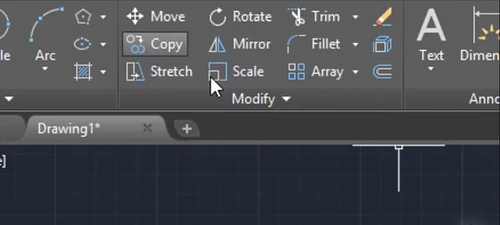
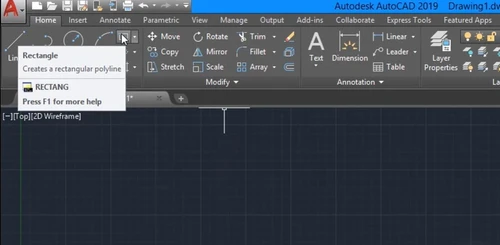
To hide the cursor badges, open the software and check the CURSORBADGE system variable. When it is set to 1, cursor badges used in MOVE, ROTATE, MEASUREGEOM, COPY, LIST, AREA, ERASE, CALE, ZOOM, MASSPROP, and TRIM, commands are turned off.
Autodesk AutoCAD LT is predominantly used by engineers, fashion designers, construction professionals, etc.
Yes, Autodesk AutoCAD LT allows users to customize toolkit, shortcuts for easy and faster output.
Techjockey offers a demo before purchase for Autodesk AutoCAD LT. Please request a call to get the demo.
Yes, Autodesk AutoCAD LT offers a mobile application for both Android and iPhone.
The pricing of Autodesk AutoCAD LT is available at INR 4720 per month/user at techjoceky.com.
When Inventor opens an AutoCAD DWG with blocks (imported as sketch symbols), there’s no direct API method to replace blocks with parts, but here's a common workaround:
Identify all sketch symbols in the drawing using SketchedSymbolDefinitions and SketchedSymbolInstances.
0 0
You can troubleshoot crashes in AutoCAD with the following methods:
0 0
To write text in AutoCAD LT go to the home tab. Then go to Multiline Text under the Annotation panel. Now state the opposite corners of the bounding box and define the multiline width of text object. In the now displayed Text Editor contextual tab, enter the text. To transform the text, select and highlight it then specify the formatting changes. Lastly, save the changes and exit the editor.
0 0
Yes, AutoCAD LT offer an isometric drawing tool for creating isometric drawings.
0 0
Yes, you can upgrade AutoCAD LT to full version. To upgrade you will require an upgrade license and Upgrades of LT are about USD 325 per seat.
0 0
20,000+ Software Listed
Best Price Guranteed
Free Expert Consultation
2M+ Happy Customers
Terms and Condtions

Users with registered businesses can purchase goods from merchants on the platform to satisfy their business needs. Users are not permitted to utilize any products acquired through the platform for resale, advertising, business, or further distribution.
For each purchase made, users will receive a Tax Invoice (or 'GST invoice') that includes specific details such as:
the GSTIN of the user associated with their registered business, and
the specified Entity Name for their business.
It should be noted that not all products are eligible for GST Invoice. Only the products displayed by participating sellers with the 'GST-based Invoice Available' callout on the product description page would qualify.
Certain goods and services are not eligible to get a GST Invoice, including items with VAS, i.e., Value Added Services (e.g., Total Mobile Protection/Assured Buyback) and those involving an exchange offer at the time of purchase.
Users must ensure the accuracy of the GSTIN, and business entity name provided for the GST Invoice. Requests for corrections into GST Invoice would not be accommodated by Techjockey.com or any Seller, and any issues arising from user-provided information are the sole responsibility of users.
Techjockey.com is not liable for the GST Invoice or any associated input tax credit. To efficiently claim an input tax credit, users should select the registered place of business address as per the GST authority's data and follow the provisions of the GST Act and rules.
To claim an input tax credit, the delivery and billing addresses must match. Furthermore, input tax credits will not be granted if the delivery address and GSTIN on the invoice are from different states. In case of incorrect GST details provided during the order placement, the order will be canceled automatically.