linkedin
KOMPAS-3D logo
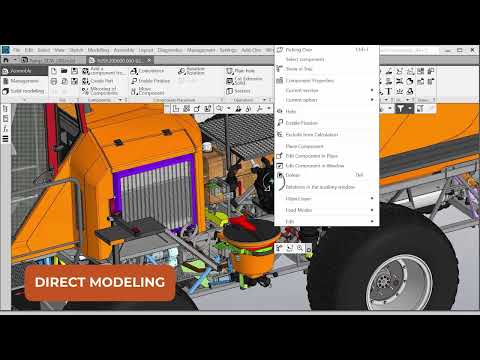
play KOMPAS-3D CAD Software Features
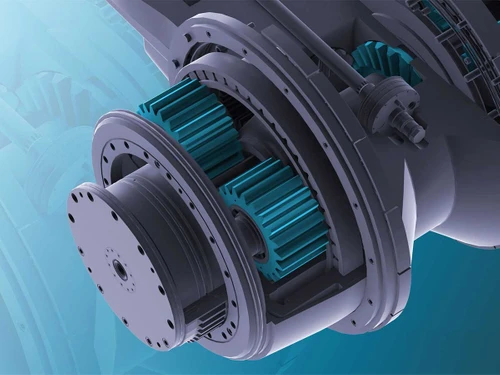
kompas-3d Modeling
kompas-3d Toolkit

KOMPAS-3D

Brand: ASCON Solutions

  • 4.4

  • 3 Ratings & 3 Reviews

KOMPAS-3D is a Computer-Aided Design software used to model parts and assemblies in 3D for engineering and manufacturing workflows.

See More

Have you used KOMPAS-3D before?

Share your insights for better experience

Add a Review
Starting Price
$3150

View plans

100% Genuine
Products
Best Price
Guaranteed
Safe & Secure
Payment
  • Description

  • Pricing

  • Features

  • Specification

  • Review

  • FAQ

Starting at $3,150

KOMPAS-3D Software Overview

What is KOMPAS-3D?

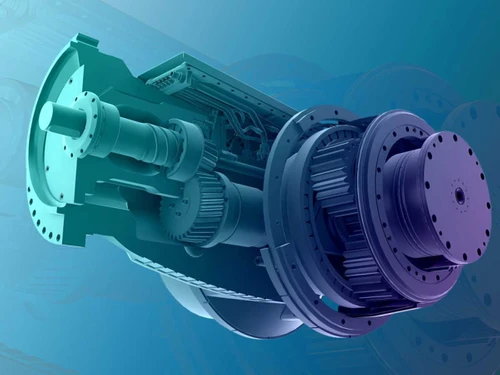
KOMPAS-3D is a CAD software used for designing and modeling products in 3D. It helps engineers and designers create detailed virtual models of individual parts and large assemblies, which can contain both original and standardized structural elements. This engineering design software has its own geometric kernel and parametric technologies developed by ASCON specialists, making KOMPAS-3D independent and reliable for technical tasks.

KOMPAS-3D is widely used for product design in various industries, including aerospace, automotive and transportation, agriculture, energy, oil and gas, shipbuilding, industrial machinery and heavy equipment, rail transportation, metallurgy, industrial and civil construction, etc. The system has powerful functionality for project management, including thousands of sub-assemblies, parts, and standard products. It supports all the capabilities of three-dimensional solid-state modeling that have become a standard for CAD/CAM designs.

Why Choose KOMPAS-3D Software?

  • 36 years on the market: Proven stability and experience.
  • Lower Total Cost of Ownership: Saves money compared to other CAD tools.
  • Perpetual licenses: Buy once, use forever.
  • Import-independent: Uses its own geometric kernel for better security and flexibility.
  • Industry-specific focus: Adaptable for different engineering needs.
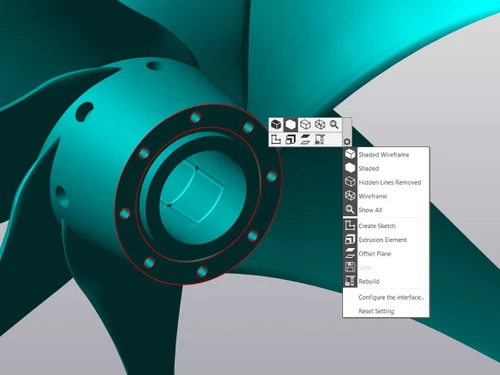
  • User-friendly interface: Easy to use and customize.
  • Effortless engineering documentation: Create, view, and edit technical files simply.
  • Optimal functionality: Packed with essential features for design work.
  • Automation of tasks: Handles repetitive tasks to boost efficiency.
  • High productivity: Fast and powerful tool for big projects.
  • Extensive automation capabilities: Offers tools to automate multiple processes.
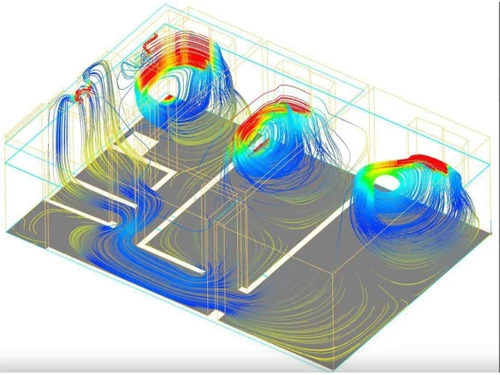
  • Built-in FEM, CFD, and CAE tools: Supports analysis and simulations directly inside the software.
  • 400,000 seats sold: Trusted by a huge user base.

Benefits of KOMPAS-3D Software

  • Flexible Design Methods: Supports both top-down and bottom-up approaches, giving engineers freedom in how they develop projects.
  • Parametric Modeling Power: Allows quick adjustment of product geometry and easy creation of multiple design variations from one model.
  • Engineering Tools: Provides calculators for strength analysis, gear sizing, springs design, thermal and fluid flow analysis, reducing reliance on external tools.
  • Error Prevention & Quality Assurance: Collision detection and threaded connection checks help avoid costly manufacturing errors.
  • Rich Libraries & Standardization: Extensive fasteners, materials, and pipelines databases simplify part selection and ensure adherence to standards.
  • Seamless Documentation: Automatically generates 2D drawings, specifications, and diagrams linked with 3D models, saving significant drafting time.
  • Enhanced Collaboration & Compatibility: Works with data from other CAD systems, making it easier to collaborate across different software environments.
  • Customization & Ease of Use: Offers customizable toolbars, shortcuts, and command search, making it adaptable to both beginners and experts.
  • Realistic Visualization & Simulation: Add-ons like Animation, APM FEM, and KompasFlow provide motion simulation, stress testing, and aerohydrodynamics analysis for better decision-making.
  • Specialized Industry Applications: Tailored modules (e.g., Pipelines 3D, Unwrap, Mechanics: Springs, Shafts & Gears) automate complex engineering tasks, boosting productivity.
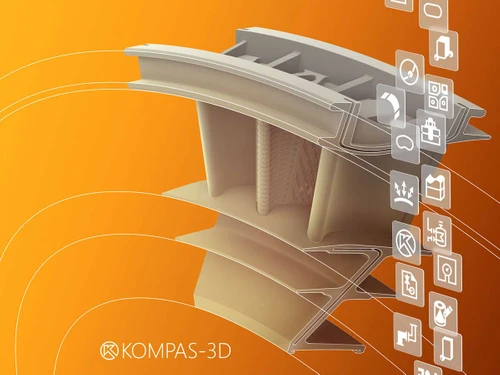
  • Versatile 3D Modeling Approaches: Supports solid, surface, sheet metal, and object modeling, covering a wide range of mechanical and industrial design needs.
  • Competitive Advantage: By combining modeling, analysis, documentation, and automation in one platform, KOMPAS-3D reduces design cycles, increases accuracy, and enhances innovation.

KOMPAS-3D Pricing

KOMPAS-3D perpetual license starts at $3150 at techjockey.com.

The pricing model is based on different parameters, including extra features, deployment type, and the total number of users. For further queries related to the product, you can contact our product team and learn more about the pricing and offers.

Read more

ASCON Solutions Company Details

Founded Year:  1989

ASCON, founded in 1989, is a leading software developer in Russia and CIS for design and manufacturing process automation. Its solutions drive digitalisation across industries, including automotive, aerospace, heavy machinery, energy, electronics, agriculture, civil engineering, and plant design.

Director/Founders Alexander Golikov and Tatyana Yankina
Company Size 1000+ Employees

KOMPAS-3D Pricing & Plans

KOMPAS-3D (Perpetual License)
Key Features
  • Parametric Modeling
  • Collision Detection
  • PMI Support
  • Strength Analysis
  • Automated Drawings
  • 2D Drafting
Starting at $3150
    • Quantity

      Quantity
      Quantity

Key Features

  • Parametric Modeling

  • Collision Detection

  • PMI Support

  • Strength Analysis

  • Automated Drawings

  • 2D Drafting

KOMPAS-3D Features

  • icon_check Parametric Modeling
    Helps create and modify multiple design variations using variables.
  • icon_check Collision Detection
    Identifies part intersections and threaded connection errors automatically.
  • icon_check PMI Support
    Embeds product manufacturing information directly into 3D models.
  • icon_check Strength Analysis
    Performs stress and load calculations to validate designs.
  • icon_check Automated Drawings
    Generates 2D drawings and updates them when the 3D model changes.
  • icon_check 2D Drafting
    Allows creation of technical drawings without 3D models.
  • icon_check Customizable Interface
    Lets users set toolbars, shortcuts, and panels for easier use.
  • icon_check Solid Modeling
    Builds 3D geometry with extrusion, rotation, fillets, and more.
  • icon_check Project Management
    Supports structured assembly design and documentation workflow.
  • icon_check Multi-CAD Compatibility
    Works with files from other CAD systems for seamless collaboration.
KOMPAS-3D Demo Video play icon

Get KOMPAS-3D Demo

Watch the demo video to explore key features, real workflows, and how the software fits your business needs.

Understand
Key Features
Personal
Demo Insights
Interactive
Demo Support

KOMPAS-3D Specifications

Supported Platforms
Windows Windows
Devices
Desktop Desktop
Deployment
Perpetual Perpetual
Suitable For
Manufacturing Automotive
Business Specific
All Businesses
Business Size
Medium Business Enterprises
Customer Support
Email
Language
English русский
Training Resources
Live Online

KOMPAS-3D Reviews

4.4

Out of 5

img

Overall Rating

Based on
3 Verified Reviews

Rating Breakdown

  • Features 4.3
  • Value for Money 4.5
  • Ease of Use 4.1
  • Customer Support 4.6

80% Recommend this Product

Add Review

Andrey

Lead

Industry: Industrial Automation User since: 2+ years

4.2

Reviewed on: Apr 30, 2025

Techjockey Verified

“KOMPAS-3D has become an excellent choice for us to start”

Pros

low license cost, fast documentation preparation, wide range of built-in and additional applications that allow flexible adaptation to design changes

Cons

None

Switched from AutoCAD LT

Reason to switch

We have completely switched to the KOMPAS-3D CAD system because its applications fully meet our needs. We use Pipelines application to design hydraulic and pneumatic systems, get ready-made gears in a few clicks with automated calculation modules, and perform simple strength calculations of both parts and entire assemblies in APM FEM.

salvador Romero

Project Manager

Industry: Market Research User since: < 6 months

4.5

Reviewed on: Jun 6, 2025

Techjockey Verified

“Cost-effective 3D software with a strong parameterization, powerful 2D and advanced sheet metal features.”

Pros

Powerful parametrization, low hardware requirements, user-friendly interface, advanced 2D sketching and drafting functionality, strong sheet metal features.

Cons

No subscription, although perpetual version is much more cost-efficient.

Switched from Palette CAD

Reason to switch

Our production of dome structures made of plywood, glass and sheet metal required inexpensive and fast 3D solution, with low computer requirements. We also needed good parameterization, so that we could quickly scale the product line.

konstantin malakhov

Industry: Computer Networking

4.5

Reviewed on: Jul 16, 2025

Techjockey Verified

“The core benefit of KOMPAS-3D is that you simply can’t achieve the same result in any other CAD system”

Pros

KOMPAS-3D delivers value throughout its entire lifecycle. It’s a powerful, fast-evolving software product. We’ve worked on projects for both the European and Chinese markets. In our experience, setting up a user profile in KOMPAS-3D to meet specific drawing standards is fast, straightforward, and flexible. As a result, our deliverables meet the exact needs of international customers.

Cons

No cons. Whenever an issue arises, technical support is always there to provide a prompt solution. They take customer feedback seriously, and we’ve observed that critical updates are incorporated into every new release.

Reason to switch

We use KOMPAS because this solution is much better than other systems we’ve tried. We did try other CAD systems from major players, but KOMPAS-3D is the best.

Articles for KOMPAS-3D

See All Related Articles

How much does KOMPAS-3D Software cost?

KOMPAS-3D perpetual license pricing begins at $3150 on techjockey.com.

Is there a mobile app available for KOMPAS-3D Software?

No, KOMPAS-3D does not offer mobile apps.

Which operating systems are compatible with KOMPAS-3D Software?

KOMPAS-3D works on Windows 10 and 11 operating systems. A Linux native version will be available in 2026.

Does KOMPAS-3D Software offer a free trial?

Yes, KOMPAS-3D offers a 30-day free trial.

How does the KOMPAS-3D Software function?

KOMPAS-3D functions by creating parametric 3D models and assemblies with built-in tools for design, analysis, and documentation.

Who uses KOMPAS-3D Software?

KOMPAS-3D is used by engineers, designers, and managers in industries such as mechanical engineering, electronics, and equipment manufacturing.

Is KOMPAS-3D Software available for free?

No, KOMPAS-3D is not available for free.

20,000+ Software Listed

Best Price Guranteed

Free Expert Consultation

2M+ Happy Customers

Terms and Condtions

close

Users with registered businesses can purchase goods from merchants on the platform to satisfy their business needs. Users are not permitted to utilize any products acquired through the platform for resale, advertising, business, or further distribution.

For each purchase made, users will receive a Tax Invoice (or 'GST invoice') that includes specific details such as:

  • the GSTIN of the user associated with their registered business, and

  • the specified Entity Name for their business.

It should be noted that not all products are eligible for GST Invoice. Only the products displayed by participating sellers with the 'GST-based Invoice Available' callout on the product description page would qualify.

Certain goods and services are not eligible to get a GST Invoice, including items with VAS, i.e., Value Added Services (e.g., Total Mobile Protection/Assured Buyback) and those involving an exchange offer at the time of purchase.

Users must ensure the accuracy of the GSTIN, and business entity name provided for the GST Invoice. Requests for corrections into GST Invoice would not be accommodated by Techjockey.com or any Seller, and any issues arising from user-provided information are the sole responsibility of users.

Techjockey.com is not liable for the GST Invoice or any associated input tax credit. To efficiently claim an input tax credit, users should select the registered place of business address as per the GST authority's data and follow the provisions of the GST Act and rules.

To claim an input tax credit, the delivery and billing addresses must match. Furthermore, input tax credits will not be granted if the delivery address and GSTIN on the invoice are from different states. In case of incorrect GST details provided during the order placement, the order will be canceled automatically.