linkedin
DesignCAD logo
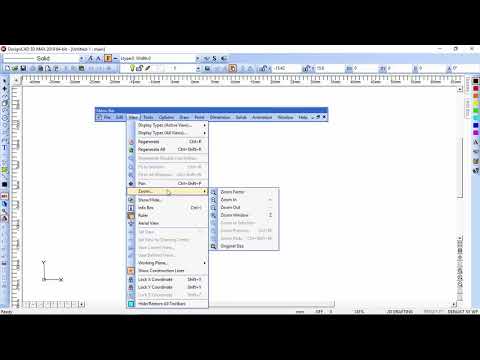
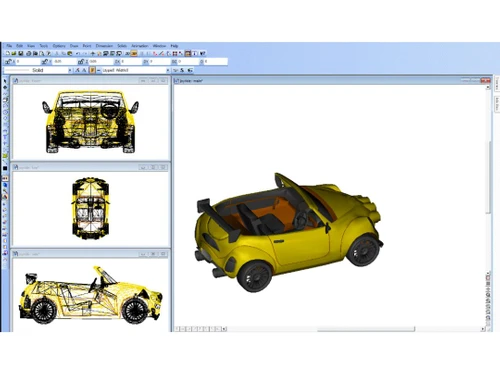
play DesignCad Environment
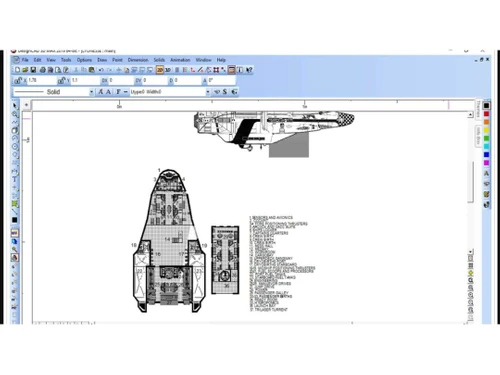
designcad design
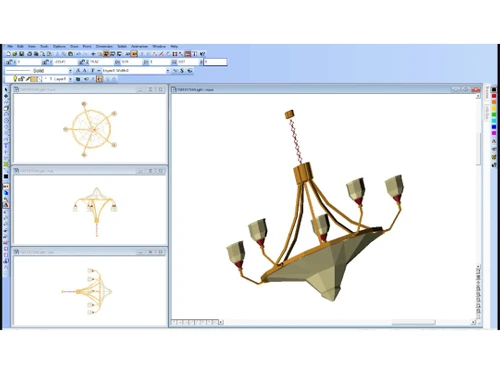
designcad model

DesignCAD

Brand: IMSI Design

  • 4.5

  • 5 Ratings

DesignCAD is a computer-aided design (CAD) software that offers 2D drafting and basic 3D modeling tools, thereby catering to the creative needs of architects, engineers, and animators.

See More

Have you used DesignCAD before?

Share your insights for better experience

Add a Review
Starting Price
$70

View plans

100% Genuine
Products
Best Price
Guaranteed
Safe & Secure
Payment
  • Description

  • Pricing

  • Features

  • Specification

  • Review

  • Compare

  • Alternatives

  • FAQ

Starting at $70

DesignCAD Software Overview

What is DesignCAD?

DesignCAD is a computer-aided design (CAD) software designed for the creation and management of 2D and 3D designs, models, and animations. Catering to the needs of architects, engineers, and diverse users, it facilitates the development of engineering layouts, plots, maps, toys, furniture, decks, floor plans, architectural drawings, electronics schematics, and much more.

The software's 2D drafting and design functionality empowers designers to handle geometric construction and image layers with precision. Utilizing macros, groups, symbols, blocks, and a range of drawing tools, users can seamlessly create intricate designs.

The software allows users to add shadows and incorporate procedural textures like wood, bricks, marble, or cement, enhancing the visual appeal of their creations. The visualization and lighting tool further contributes to the realism of designs.

Why Choose DesignCAD Software?

  • The CAD software automatically generates and updates dimensions based on your drawing elements.
  • It allows you to organize your drawing elements into separate layers for better control and visibility.
  • The platform provides access to pre-made symbols and components for faster and more consistent drafting.
  • It enables you to personalize your workspace by arranging and adding desired tools for a smoother workflow.
  • The designing tool provides specialized tools for designing and creating sheet metal components.

Benefits of DesignCAD Platform

  • The CAD software ensures design elements maintain relationships and update automatically when changes are made.
  • It allows you to import and work with point cloud data from 3D scanners for various applications.
  • The platform provides features like markups and annotations for easy communication and collaboration on projects.
  • It offers a collection of pre-defined materials and textures to enhance the visual realism of your 3D models.
  • The design tool enables the generation of high-quality, photorealistic images of your designs for presentations or marketing purposes.

Pricing of DesignCAD Computer-Aided Design Software

DesignCAD price in India starts from $70 at techjockey.com. It comes with multiple pricing plans and caters to a diverse customer base.

For subscription-related details and offers on premium packages, please request a call back from our product experts.

Read more

IMSI Design Company Details

Founded Year:  1983

Formerly known as IMSI, IMSI® Design is the global leader in retail CAD (Computer Aided Design) and Home Design and the #1 alternative to AutoCAD LT®.

Director/Founders IMSI Design
Company Size 1-100 Employees

DesignCAD Pricing & Plans

DesignCAD 2D
Starting at $70
    • Licenses

      Licenses
      Licenses

Key Features

  • 2D PDF Import

  • Support for AutoCAD 2019

  • Intuitive User Interface

  • Extensive Online Help

  • 2D Drawing & Editing Tools

  • Geometric Construction Capabilities

  • Groups, Blocks & Symbols

  • Layers and Layer Management

  • Associative Dimensions

  • Drawing Shortcut Keys

DesignCAD 3D Max
Starting at $200
    • Licenses

      Licenses
      Licenses

Key Features

  • Everything in 3MF Export and Import

  • FBX Import and Export

  • Everything in DesignCAD 2D

  • 3D Modeling Primitives

  • 3D Boolean Operations

  • 300 Editable 3D Architectural Models

  • Materials, Textures & Texture Maps

  • Lighting, Transparency & Rendering

  • Animation & Walkthroughs

  • GPU-Accelerated Drawing Engine

DesignCAD Features

  • icon_check Versatile 2D/3D CAD Solution
    Allows you to create and edit both 2D drawings and 3D models.
  • icon_check Precision 3D Surface Modeling
    Enables the creation of accurate and realistic 3D models with precise surfaces.
  • icon_check Real-Time OpenGL Rendering
    Provides smooth visualization of designs through real-time rendering using OpenGL technology.
  • icon_check Animation & Walkthroughs
    Empowers you to bring your designs to life by creating animations and walkthroughs.
  • icon_check Drawing Compare
    Helps you compare different versions of your designs to identify changes and make informed decisions.
  • icon_check 9 Pre-defined Views
    Offers nine preset viewpoints for easy navigation and visualization within your 3D model.
  • icon_check PDF Underlay
    This allows you to use PDF files as a base layer for tracing or referencing while creating your designs.
  • icon_check 2D PDF Import
    This enables importing 2D drawings directly from PDF files into your DesignCAD project.
  • icon_check Adobe Illustrator Import Filter
    Supports importing vector graphics created in Adobe Illustrator for seamless integration.
  • icon_check Support for AutoCAD
    Provides compatibility with AutoCAD files for seamless data exchange.
DesignCAD Demo Video play icon

Get DesignCAD Demo

Watch the demo video to explore key features, real workflows, and how the software fits your business needs.

Understand
Key Features
Personal
Demo Insights
Interactive
Demo Support

DesignCAD Specifications

Supported Platforms
Windows Windows
Devices
Desktop Desktop
Deployment
Perpetual Perpetual
Suitable For
Manufacturing Education Automobiles
Business Specific
Automobile Manufacturer University
Business Size
Small Business Startups Medium Business Enterprises
Customer Support
Phone Email Live Chat Communities
Language
English
Training Resources
Documentation Videos

Explore the Best Alternative Solutions Similar to Your Business Size and Needs

DesignCAD Review

4.5

Out of 5

img

Overall Rating

Based on
5 Verified Ratings

Rating Breakdown

  • Features 4.2
  • Value for Money 4.8
  • Ease of Use 4.9
  • Customer Support 4.4

96% Recommend this Product

Add Review

Techjockey Trusted Reviews from Verified Users

No reviews are currently available for DesignCAD. Discover similar CAD Software reviews

  • Tinkercad

    4.9

    Whats great - One of the best experiences I had with Tinkercad is its ability to provide primitive shapes that I could easily drag out, man... read more

  • Autocad Mechanical

    4.6

    Whats great - As same as customary autocad I like all the visual enhancements in most recent form, for the most part I like the best approa... read more
  • Autodesk Autocad Mobile App

    4.6

    Whats great - AutoCAD portable (once in the past AutoCAD 360) is a simple to utilize drawing and drafting application from Autodesk. It tha... read more

Compare DesignCAD With other CAD Software

Products
Ratings
Pricing
Device Supported
Deployment
Supported Platforms
  • img

    DesignCAD

  • 4.5

  • Price On Request

  • Desktop

    Mobile

  • Web based

    On Premises

  • Windows

    Mac OS

  • img

    TurboCAD

  • 4.5

  • Price On Request

  • Desktop

    Mobile

  • Web based

    On Premises

  • Windows

    Mac OS

  • img

    Solid Edge

  • 4.6

  • Price On Request

  • Desktop

    Mobile

  • Web based

    On Premises

  • Windows

    Mac OS

  • img

    Autodesk AutoCAD

  • 4.7

  • ₹ 16520

  • Desktop

    Mobile

  • Web based

    On Premises

  • Windows

    Mac OS

  • img

    Siemens NX

  • 4.7

  • ₹ 623869

  • Desktop

    Mobile

  • Web based

    On Premises

  • Windows

    Mac OS

  • img

    AutoCAD LT

  • 4.4

  • ₹ 4720

  • Desktop

    Mobile

  • Web based

    On Premises

  • Windows

    Mac OS

  • img

    CADMATE

  • 4.3

  • ₹ 25000

  • Desktop

    Mobile

  • Web based

    On Premises

  • Windows

    Mac OS

  • img

    progeCAD

  • 4.3

  • Price On Request

  • Desktop

    Mobile

  • Web based

    On Premises

  • Windows

    Mac OS

  • img

    MicroStation

  • 4.1

  • ₹ 121046

  • Desktop

    Mobile

  • Web based

    On Premises

  • Windows

    Mac OS

  • img

    Visao

  • 4.1

  • Price On Request

  • Desktop

    Mobile

  • Web based

    On Premises

  • Windows

    Mac OS

  • img

    KOMPAS-3D

  • 4.4

  • Price On Request

  • Desktop

    Mobile

  • Web based

    On Premises

  • Windows

    Mac OS

(2) Product(s) selected

DesignCAD Alternatives

See All DesignCAD Alternatives

Starting Price:

$70 /License

Available

Price on Request

Starting Price:

$38 /Seat/Month

Starting Price:

$15 /Month

QCAD

4.5

Starting Price:

€41 /Quantity

Starting Price:

$100 /Quantity

Starting Price:

$25 /Quantity

Which operating system does DesignCAD support?

DesignCAD is compatible with the Windows operating system.

Is there any DesignCAD app?

DesignCAD is unavailable for Android and iOS app users.

What is the deployment type of DesignCAD software?

DesignCAD supports on-premises deployment.

How much does DesignCAD cost?

DesignCAD price starts at $70 on techjockey.com.

Who are the potential users of DesignCAD?

DesignCAD can help engineers, architects, and designers to create technical drawings, schematics, and plans.

Is there any free trial or demo for DesignCAD?

The free DesignCAD software demo is available at techjockey.com.

Is DesignCAD free?

No, DesignCAD software is not available for free. It's a paid solution, and its pricing starts from $70 at techjockey.com.

Does DesignCAD Software offer a free trial?

Yes, DesignCAD software offers users a free trial.

How can you download DesignCAD software?

DesignCAD software is a web-based platform. So, installation is not required. Just open the Setup Wizard to get started.

20,000+ Software Listed

Best Price Guranteed

Free Expert Consultation

2M+ Happy Customers

Terms and Condtions

close

Users with registered businesses can purchase goods from merchants on the platform to satisfy their business needs. Users are not permitted to utilize any products acquired through the platform for resale, advertising, business, or further distribution.

For each purchase made, users will receive a Tax Invoice (or 'GST invoice') that includes specific details such as:

  • the GSTIN of the user associated with their registered business, and

  • the specified Entity Name for their business.

It should be noted that not all products are eligible for GST Invoice. Only the products displayed by participating sellers with the 'GST-based Invoice Available' callout on the product description page would qualify.

Certain goods and services are not eligible to get a GST Invoice, including items with VAS, i.e., Value Added Services (e.g., Total Mobile Protection/Assured Buyback) and those involving an exchange offer at the time of purchase.

Users must ensure the accuracy of the GSTIN, and business entity name provided for the GST Invoice. Requests for corrections into GST Invoice would not be accommodated by Techjockey.com or any Seller, and any issues arising from user-provided information are the sole responsibility of users.

Techjockey.com is not liable for the GST Invoice or any associated input tax credit. To efficiently claim an input tax credit, users should select the registered place of business address as per the GST authority's data and follow the provisions of the GST Act and rules.

To claim an input tax credit, the delivery and billing addresses must match. Furthermore, input tax credits will not be granted if the delivery address and GSTIN on the invoice are from different states. In case of incorrect GST details provided during the order placement, the order will be canceled automatically.