linkedin
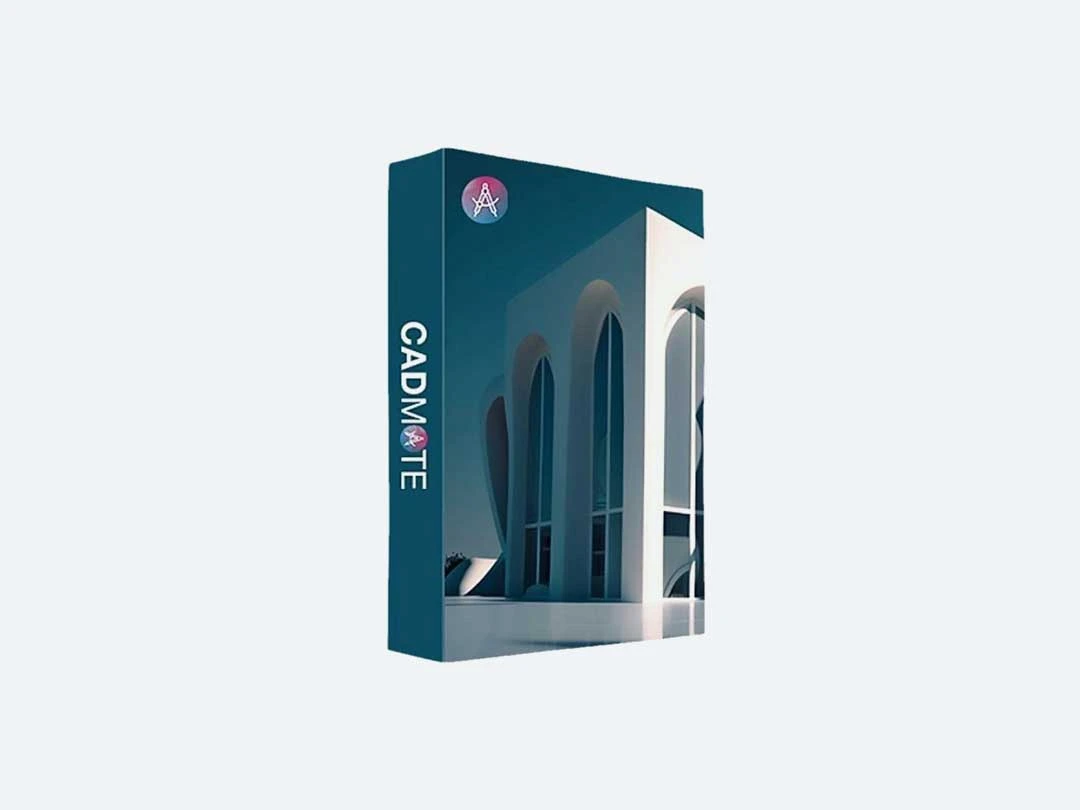
CADMATE logo
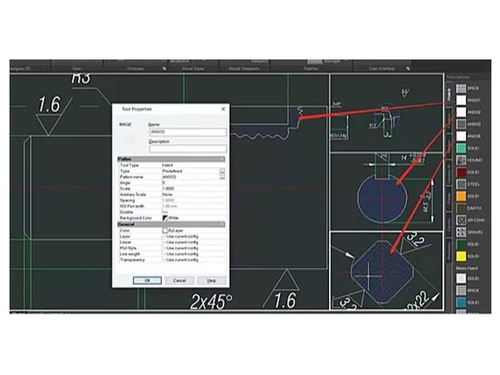
cedwen 2d-modiling
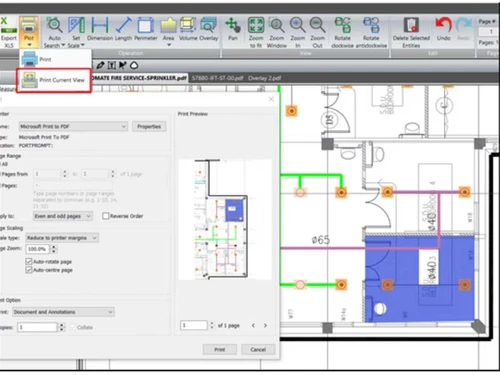
cedwen collaboration tools
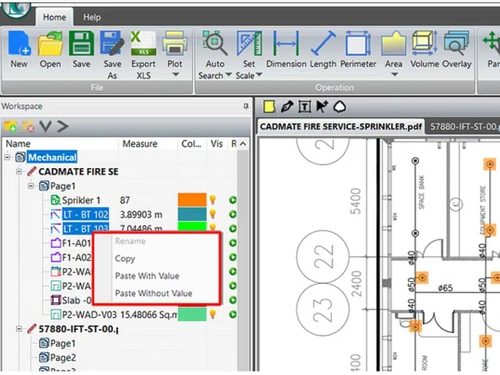
cedwen lt

CADMATE

Brand: CEDWEN Technologies Pvt Ltd

  • 4.3

  • 3 Ratings

Unleash the full potential of your CAD designs with speed, affordability, and unmatched flexibility.

See More

Have you used CADMATE before?

Share your insights for better experience

Add a Review
Starting Price
₹25,000 excl.GST
₹ 29,500 incl. GST

View plans

100% Genuine
Products
Best Price
Guaranteed
Safe & Secure
Payment
  • Description

  • Pricing

  • Features

  • Specification

  • Review

  • Compare

  • Alternatives

  • FAQ

Starting at ₹25,000

CADMATE Software Overview

What is CADMATE?

CADMATE is a leading CAD software solution, providing a robust platform for easily and efficiently fulfilling both 2D and 3D design requirements. Whether you're a seasoned professional requiring advanced tools or a newcomer seeking simplicity, CADMATE offers a tailored solution. From the comprehensive capabilities of CADMATE Professional to the streamlined functionality of CADMATE Lite, there's an option to match every project's complexity and every user's skill level.

Speed is one of CADMATE's hallmark features, allowing designers to accomplish tasks swiftly without compromising quality. This efficiency saves time and enhances productivity, empowering users to tackle projects confidently and meet tight deadlines. Moreover, affordability is a key aspect of CADMATE, ensuring that cutting-edge CAD technology remains accessible to individuals and businesses of all sizes. Its cost-effective licensing options further reinforce its appeal, allowing users to optimize their investment according to their needs and budget constraints.

CADMATE's intuitive interface and extensive feature set provide a seamless design experience. The software's user-friendly design enables smooth navigation and efficient workflow, reducing the learning curve for new users and maximizing productivity for experienced professionals. With a rich library of tools and functionalities, designers can unleash their creativity and bring their ideas to life precisely and clearly.

Why Choose CADMATE Software?

  • Low On Budget: Enjoy high-quality CAD capabilities without a hefty price tag.
  • Flexibility in Licensing: Tailor the licensing model to your specific business requirements.
  • Zero Learning Curve: Get started with CADMATE effortlessly, minimizing training costs.
  • Enhanced Features: Explore new functionalities like BIM support and dynamic dimension input in CADMATE 2024.
  • Compatibility: Ensure seamless file interchangeability with 100% compatibility with DWG/DXF formats.
  • Familiarity: Benefit from a UI reminiscent of industry-standard CAD platforms, enhancing user experience.

Benefits of CADMATE Platform

  • Enhanced Efficiency: Streamline your design process and reduce project turnaround time.
  • Cost-Effectiveness: Achieve your CAD goals without breaking the bank.
  • Versatile Licensing: Adapt the software to your needs with flexible licensing options.
  • Rich Feature Set: Access a wide range of features to customize and optimize your designs.
  • Seamless Integration: Experience smooth interoperability with DWG/DXF file formats.
  • Familiar Interface: Utilize a user-friendly interface with familiar commands and shortcuts.

Pricing of CADMATE CAD Solution

CADMATE CAD solution pricing starts from INR 25,000 at techjockey.com.

You can connect with our experts to learn more about the pricing plans.

Read more

CEDWEN Technologies Pvt Ltd Company Details

Founded Year:  2015

CADMATE has a strong R&D team and a dedicated support team. Every user feedback is taken seriously and these feedbacks make CADAMTE better and better every day. We believe in “zero tolerance” when it comes to customer satisfaction.

Director/Founders CADMATE
Company Size 1-100 Employees

CADMATE Pricing & Plans

CADMATE
Key Features
  • Intuitive Interface
  • 2D & 3D Modeling
  • Parametric Design
  • Extensive Library
  • Precision & Accuracy
  • Collaboration Tools

Calculated Price

25000 Exclusive of all taxes
    • Quantity

      Quantity
      Quantity

Key Features

  • Intuitive Interface

  • 2D & 3D Modeling

  • Parametric Design

  • Extensive Library

  • Precision & Accuracy

  • Collaboration Tools

CADMATE Features

  • icon_check LayoutMerge Command
    Simplifies project organization by merging multiple specific layouts into a single layout for easier management and plotting.
  • icon_check PDF digital signatures and archival
    Provides two robust digital signature features to validate the authenticity and integrity of your sensitive engineering files.
  • icon_check Comprehensive 2D Suite
    Offers a feature-rich 2D solution that is ideal for creating intricate architectural plans and detailed engineering drawings.
  • icon_check Flexible Licensing
    Provides various licensing options that are low on budget, making it an affordable alternative for AEC and manufacturing.
  • icon_check Symbol Library
    Includes an extensive library of pre-defined symbols to expedite the design process across various engineering disciplines.
  • icon_check Realistic Rendering
    Brings designs to life with realistic rendering capabilities that make client presentations more engaging and professional.
  • icon_check CADMATE Mechanical
    Offers specialized tools for mechanical engineers to create intricate machine parts and assembly drawings with high detail.
  • icon_check Real-Time Collaboration
    Features real-time collaboration tools that enhance communication among project stakeholders and internal engineering teams.
  • icon_check Intuitive Interface
    Seamlessly navigate and operate the software with ease and efficiency.
  • icon_check 2D & 3D Modeling
    Create detailed and dynamic designs in two and three dimensions.
  • icon_check Dynamic Block Support
    Allows users to interact with dynamic blocks, enabling flexible modifications to geometry through predefined parameters.
  • icon_check Parametric Design
    Utilize intelligent design elements that automatically adjust to specified parameters.
  • icon_check Extensive Library
    Access vast resources, components, and templates to enrich your designs.
  • icon_check Precision & Accuracy
    Achieve exacting standards and meticulous detail in your designs.
  • icon_check Integration & Export
    Seamlessly integrate with other software and easily export files to various formats.

CADMATE Specifications

Supported Platforms
Windows Windows MacOS MacOS
Devices
Desktop Desktop
Deployment
Cloud-Based Cloud-Based
Suitable For
Designers
Business Specific
All Businesses
Business Size
Small Business Startups Medium Business Enterprises SMBs SMEs MSMBs MSMEs
Customer Support
Email Live Chat Communities
Language
English
Training Resources
Live Online Documentation

Explore the Best Alternative Solutions Similar to Your Business Size and Needs

CADMATE Review

4.3

Out of 5

img

Overall Rating

Based on
3 Verified Ratings

Rating Breakdown

  • Features 4.3
  • Value for Money 4.1
  • Ease of Use 4.6
  • Customer Support 4.3

90% Recommend this Product

Add Review

Techjockey Trusted Reviews from Verified Users

No reviews are currently available for CADMATE. Discover similar CAD Software reviews

  • Tinkercad

    4.9

    Whats great - One of the best experiences I had with Tinkercad is its ability to provide primitive shapes that I could easily drag out, man... read more

  • Autocad Mechanical

    4.6

    Whats great - As same as customary autocad I like all the visual enhancements in most recent form, for the most part I like the best approa... read more
  • Autodesk Autocad Mobile App

    4.6

    Whats great - AutoCAD portable (once in the past AutoCAD 360) is a simple to utilize drawing and drafting application from Autodesk. It tha... read more
Compare CADMATE With other CAD Software

Products
Ratings
Pricing
Device Supported
Deployment
Supported Platforms
  • img

    CADMATE

  • 4.3

  • ₹ 25000.00 excl. GST

  • Desktop

    Mobile

  • Web based

    On Premises

  • Windows

    Mac OS

  • img

    Solid Edge

  • 4.6

  • Price On Request

  • Desktop

    Mobile

  • Web based

    On Premises

  • Windows

    Mac OS

  • img

    Autodesk AutoCAD

  • 4.7

  • ₹ 16520

  • Desktop

    Mobile

  • Web based

    On Premises

  • Windows

    Mac OS

  • img

    Siemens NX

  • 4.7

  • ₹ 623869

  • Desktop

    Mobile

  • Web based

    On Premises

  • Windows

    Mac OS

  • img

    AutoCAD LT

  • 4.4

  • ₹ 4720

  • Desktop

    Mobile

  • Web based

    On Premises

  • Windows

    Mac OS

  • img

    progeCAD

  • 4.3

  • Price On Request

  • Desktop

    Mobile

  • Web based

    On Premises

  • Windows

    Mac OS

  • img

    MicroStation

  • 4.1

  • ₹ 121046

  • Desktop

    Mobile

  • Web based

    On Premises

  • Windows

    Mac OS

  • img

    Visao

  • 4.1

  • Price On Request

  • Desktop

    Mobile

  • Web based

    On Premises

  • Windows

    Mac OS

  • img

    KOMPAS-3D

  • 4.4

  • Price On Request

  • Desktop

    Mobile

  • Web based

    On Premises

  • Windows

    Mac OS

  • img

    Shapr3D

  • 4.6

  • Price On Request

  • Desktop

    Mobile

  • Web based

    On Premises

  • Windows

    Mac OS

  • img

    Actcad

  • 4.4

  • Price On Request

  • Desktop

    Mobile

  • Web based

    On Premises

  • Windows

    Mac OS

(0) Product(s) selected

CADMATE Alternatives

See All CADMATE Alternatives

Available

Price on Request

Starting Price:

$38 /Seat/Month

Starting Price:

$15 /Month

Starting Price:

$70 /License

QCAD

4.5

Starting Price:

€41 /Quantity

Starting Price:

$70 /License

Starting Price:

$100 /Quantity

Starting Price:

$25 /Quantity

Is CADMATE free?

No, CADMATE is not available for free.

How to install CADMATE?

To install CADMATE software, go to Techjockey's official website and purchase the solution. Thanks to its web-based deployment, software installation is hassle-free. Just launch the setup wizard and begin using it right away.

What are the pricing details for CADMATE?

CADMATE's pricing starts at INR 25,000, excluding GST at techjockey.com.

Is there a mobile app available for CADMATE?

Unfortunately, CADMATE does not currently offer a mobile or tablet app.

Does CADMATE provide a free trial option?

No, CADMATE does not have a free trial available.

Which operating systems does CADMATE support?

CADMATE is compatible with both Windows and MacOS operating systems.

Who uses CADMATE?

CADMATE is designed to meet the needs of professionals and businesses searching for efficient and affordable CAD solutions.

How does CADMATE function?

CADMATE simplifies the process of CAD design through its user-friendly interface, extensive range of features, and seamless file compatibility.

20,000+ Software Listed

Best Price Guranteed

Free Expert Consultation

2M+ Happy Customers

Terms and Condtions

close

Users with registered businesses can purchase goods from merchants on the platform to satisfy their business needs. Users are not permitted to utilize any products acquired through the platform for resale, advertising, business, or further distribution.

For each purchase made, users will receive a Tax Invoice (or 'GST invoice') that includes specific details such as:

  • the GSTIN of the user associated with their registered business, and

  • the specified Entity Name for their business.

It should be noted that not all products are eligible for GST Invoice. Only the products displayed by participating sellers with the 'GST-based Invoice Available' callout on the product description page would qualify.

Certain goods and services are not eligible to get a GST Invoice, including items with VAS, i.e., Value Added Services (e.g., Total Mobile Protection/Assured Buyback) and those involving an exchange offer at the time of purchase.

Users must ensure the accuracy of the GSTIN, and business entity name provided for the GST Invoice. Requests for corrections into GST Invoice would not be accommodated by Techjockey.com or any Seller, and any issues arising from user-provided information are the sole responsibility of users.

Techjockey.com is not liable for the GST Invoice or any associated input tax credit. To efficiently claim an input tax credit, users should select the registered place of business address as per the GST authority's data and follow the provisions of the GST Act and rules.

To claim an input tax credit, the delivery and billing addresses must match. Furthermore, input tax credits will not be granted if the delivery address and GSTIN on the invoice are from different states. In case of incorrect GST details provided during the order placement, the order will be canceled automatically.