linkedin
Digicuro VMS logo
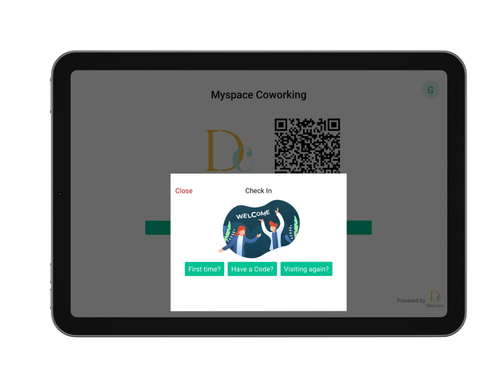
digicuro-guests-coworking
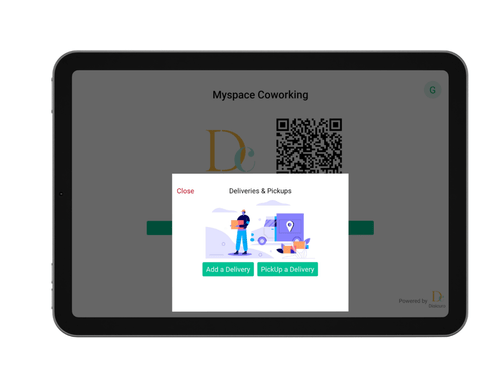
digicuro-guests-details
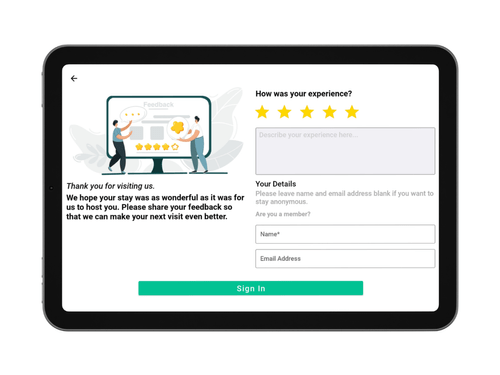
digicuro-guests-feedback

Digicuro VMS

Brand: Digicuro

  • 4.0

  • 6 Ratings

Digicuro Visitor Management Software is a touchless visitor check-in system that uses facial recognition and mask detection to enhance safety and security in offices and coworking spaces.

See More

Have you used Digicuro VMS before?

Share your insights for better experience

Add a Review

Price Available on Request

Questions about pricing or customization? We’re here to help, just a click away.

100% Genuine
Products
Best Price
Guaranteed
Safe & Secure
Payment
  • Description

  • Pricing

  • Features

  • Specification

  • Review

  • Compare

  • Alternatives

  • FAQ

Digicuro VMS Software Overview

What is Digicuro?

Digicuro Visitor Management Software is designed to streamline the process of managing visitors in offices and coworking spaces. It features touchless check-in options using facial recognition and mask detection, enhancing safety during visits. Users can pre-register guests, allowing for quicker sign-ins and better tracking of visitor records.

The software also includes automated notifications to alert hosts when their guests arrive and provide analytics for monitoring visitor patterns. Additionally, it can restrict entry for guests who do not meet specific guidelines, ensuring a secure environment. With its user-friendly interface, Digicuro makes it easy for businesses to manage visitor flow efficiently while maintaining high-security standards.

Why Choose Digicuro Software?

  • Comprehensive Management: It automates various tasks like bookings, invoicing, and visitor management, saving time and reducing manual work.
  • Real-Time Analytics: The software offers real-time analytics and reporting features, allowing users to track space utilization and make informed decisions.
  • Touchless Visitor Management: It includes a COVID-19-ready touchless visitor management system with features like facial recognition and visitor screening for enhanced safety.
  • Mobile Accessibility: Users can manage their coworking spaces remotely through a mobile app, providing flexibility and convenience.
  • Customizable Features: It allows for extensive customization to fit specific business needs, including branding options and customizable floor plans.
  • User-Friendly Interface: Designed with ease of use in mind, its interface makes it accessible for users of all technical levels.

Benefits of Digicuro Platform

  • Integration Capabilities: It can integrate with other software systems, such as access control, HR management, and communication platforms, to create a cohesive operational ecosystem.
  • Space Management: Real-time space booking and occupancy tracking, including desk and meeting room reservations.
  • Visitor otifications: The software can send automated notifications to hosts when their guests arrive, ensuring timely reception and improving the overall visitor experience.
  • Data Analytics and Reporting: Organizations can generate insightful reports and analytics on visitor patterns, helping to make informed decisions regarding facility management and security protocols.
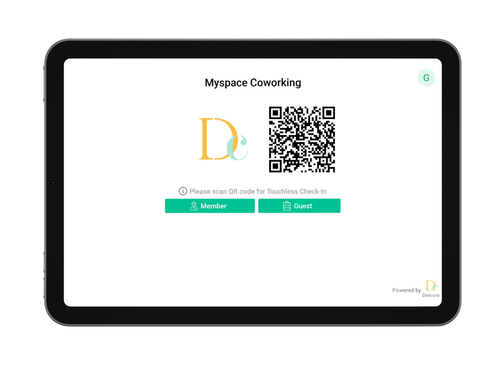
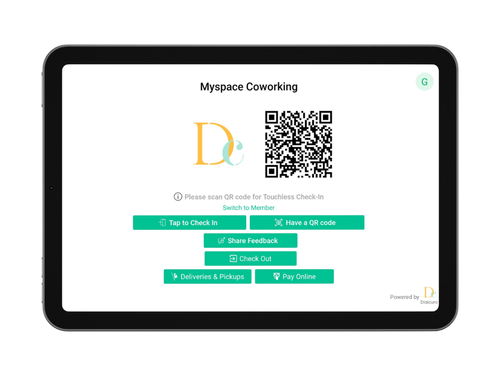
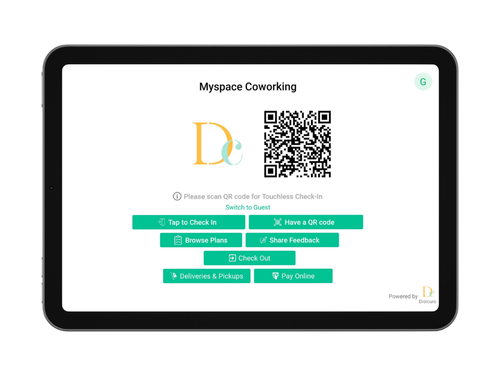
  • Contactless Check-In Options: With features like QR code scanning and pre-registration, it enables contactless check-in, enhancing safety and convenience during visits.
  • Compliance Management: It helps organizations comply with industry regulations and standards by maintaining a detailed log of visitor activity and access records.

Pricing of Digicuro

Digicuro price details are available on request at techjockey.com.

The pricing model is based on different parameters, including extra features, deployment type, and the total number of users. For further queries related to the product, you can contact our product team and learn more about the pricing and offers.

Read more

Digicuro Company Details

Founded Year:  2017

Automate your business processes and stay ahead of the competition curve with Digicuro. It powers to maintain the daily business of your coworking space.

Director/Founders Ishan Agarwal
Company Size 1-100 Employees

Digicuro VMS Pricing & Plans

Looking for The Right Pricing?

Share your requirements and get a plan built around your business.

  • Define your business needs
  • Get customised pricing
  • Choose features that fit your workflow

Price Available on Request

Get personalised Digicuro VMS pricing that fits your needs. Our team will connect with you.

Digicuro VMS Features

  • icon_check Booking and Events
    Facilitates the scheduling and management of appointments and events, allowing for organized visitor management.
  • icon_check Membership Management
    Manages membership records, enabling tracking of member access and privileges within the facility.
  • icon_check Check-in & Check-out
    Streamlines the process for visitors to check in and out, enhancing efficiency and reducing wait times.
  • icon_check Real time notification
    Sends instant alerts to hosts and staff about visitor arrivals and important updates for better communication.
  • icon_check Visitor Registration
    Captures essential visitor information during registration, improving security and record-keeping.
  • icon_check Visitor History & Detailed Logs
    Maintains comprehensive records of visitor activities, including entry and exit times, for accountability and security.
  • icon_check Evacuation Management
    Assists in managing visitor information during emergencies, ensuring safety and accountability.
  • icon_check Dashboards
    Provides visual summaries of visitor data and metrics, helping organizations monitor activity at a glance.
  • icon_check User Access Management
    Controls user permissions and access levels to protect sensitive information and ensure compliance with policies.
  • icon_check Facial Recognition Entry
    Identifies visitors securely using face recognition technology.
  • icon_check QR Code
    Allows fast visitor entry via QR scanning or secure access codes.
  • icon_check Courier Management
    Track and manage parcels and deliveries from a central dashboard.
  • icon_check Multi Location Management
    Control visitor access across multiple offices from one dashboard.
  • icon_check Self-Service Access Control
    Integrates smart locks and wireless access control for secure entry.
  • icon_check Reporting & Insights
    Generates reports to monitor visitor activity and operations.

Digicuro VMS Specifications

Supported Platforms
Windows Windows iOS iOS Android Android MacOS MacOS
Devices
Desktop Desktop Mobile Mobile Tablet Tablet iPad iPad
Deployment
Cloud-Based Cloud-Based
Suitable For
All Industries
Business Specific
All Businesses
Business Size
Small Business Startups Medium Business SMBs SMEs MSMBs
Customer Support
Phone Email Communities Forums
Language
English
Training Resources
In Person Documentation

Explore the Best Alternative Solutions Similar to Your Business Size and Needs

Digicuro VMS Review

4.0

Out of 5

img

Overall Rating

Based on
6 Verified Ratings

Rating Breakdown

  • Features 4.0
  • Value for Money 3.7
  • Ease of Use 4.2
  • Customer Support 4

88% Recommend this Product

Add Review

Techjockey Trusted Reviews from Verified Users

No reviews are currently available for Digicuro VMS. Discover similar Visitor Management Software reviews

  • SeQure Visitor Management Software

    4.7

    Whats great - The visitor tracking and screening feature has helped keep the office premises covid free. The centralized system for accessi... read more

  • Eptura Visitor

    4.5

    Whats great - Overall the product is high quality, comprehensive and well regarded. read more

  • INDAS Visitor Management (iVMS)

    4.3

    Whats great - iVMS has drastically cut down on the time we spend on visitor management. Highly recommend it. read more
Compare Digicuro VMS With other Visitor Management Software

Products
Ratings
Pricing
Device Supported
Deployment
Supported Platforms
  • img

    Digicuro VMS

  • 4.0

  • Price On Request

  • Desktop

    Mobile

  • Web based

    On Premises

  • Windows

    Mac OS

  • img

    Spintly VMS

  • 4.9

  • Price On Request

  • Desktop

    Mobile

  • Web based

    On Premises

  • Windows

    Mac OS

  • img

    Vizitor App

  • 5

  • ₹ 19200

  • Desktop

    Mobile

  • Web based

    On Premises

  • Windows

    Mac OS

  • img

    Archie

  • 4.3

  • Price On Request

  • Desktop

    Mobile

  • Web based

    On Premises

  • Windows

    Mac OS

  • img

    EasyLobby

  • 4.3

  • Price On Request

  • Desktop

    Mobile

  • Web based

    On Premises

  • Windows

    Mac OS

  • img

    Entry2Exit

  • 4.7

  • Price On Request

  • Desktop

    Mobile

  • Web based

    On Premises

  • Windows

    Mac OS

  • img

    VAMS

  • 4.5

  • Price On Request

  • Desktop

    Mobile

  • Web based

    On Premises

  • Windows

    Mac OS

  • img

    GuestRAR

  • 4.1

  • ₹ 1999

  • Desktop

    Mobile

  • Web based

    On Premises

  • Windows

    Mac OS

  • img

    NoBrokerHood

  • 4.4

  • Price On Request

  • Desktop

    Mobile

  • Web based

    On Premises

  • Windows

    Mac OS

(0) Product(s) selected

Digicuro VMS Alternatives

See All Digicuro VMS Alternatives

Starting Price:

$109 /Month

Available

Price on Request

VAMS

4.5

Available

Price on Request

Available

Price on Request
Available

Price on Request

Starting Price:

$19 /Location/Month

Available

Price on Request

Starting Price:

$420 /Location/Year

Articles for Digicuro VMS

See All Related Articles

What is the pricing for Digicuro Software?

Pricing details for Digicuro are available upon request at techjockey.com.

Is there a mobile app available for Digicuro Software?

Yes, Digicuro offers an iOS and Android mobile app for convenient visitor management.

Which operating systems are supported by Digicuro Software?

Digicuro Software is compatible with Windows, macOS, iOS and Android.

Does Digicuro Software offer a free trial option?

Yes, Digicuro provides a free trial for users to explore its features.

What is the functionality of Digicuro Software?

The functionality of Digicuro Software includes automating coworking space management tasks such as bookings, invoicing, and visitor management, and providing real-time analytics for improved operational efficiency.

Who can benefit from using Digicuro Software?

Organizations like offices, schools, and hospitals can benefit from Digicuro Software.

Is there a free demo available for Digicuro Software?

Yes, Digicuro free demo can be requested at techjockey.com.

Is Digicuro Software available for free?

Digicuro Software is a paid solution.

20,000+ Software Listed

Best Price Guranteed

Free Expert Consultation

2M+ Happy Customers

Terms and Condtions

close

Users with registered businesses can purchase goods from merchants on the platform to satisfy their business needs. Users are not permitted to utilize any products acquired through the platform for resale, advertising, business, or further distribution.

For each purchase made, users will receive a Tax Invoice (or 'GST invoice') that includes specific details such as:

  • the GSTIN of the user associated with their registered business, and

  • the specified Entity Name for their business.

It should be noted that not all products are eligible for GST Invoice. Only the products displayed by participating sellers with the 'GST-based Invoice Available' callout on the product description page would qualify.

Certain goods and services are not eligible to get a GST Invoice, including items with VAS, i.e., Value Added Services (e.g., Total Mobile Protection/Assured Buyback) and those involving an exchange offer at the time of purchase.

Users must ensure the accuracy of the GSTIN, and business entity name provided for the GST Invoice. Requests for corrections into GST Invoice would not be accommodated by Techjockey.com or any Seller, and any issues arising from user-provided information are the sole responsibility of users.

Techjockey.com is not liable for the GST Invoice or any associated input tax credit. To efficiently claim an input tax credit, users should select the registered place of business address as per the GST authority's data and follow the provisions of the GST Act and rules.

To claim an input tax credit, the delivery and billing addresses must match. Furthermore, input tax credits will not be granted if the delivery address and GSTIN on the invoice are from different states. In case of incorrect GST details provided during the order placement, the order will be canceled automatically.