 USA
USA UAE
UAE



Brand: FOXIT
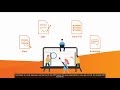
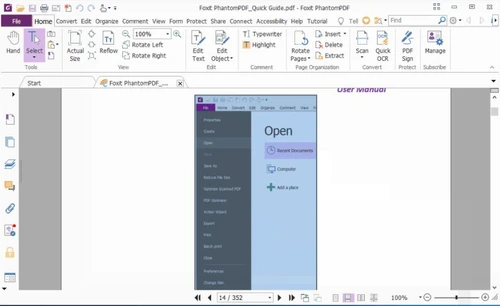
Foxit PDF Reader is a feature-rich file viewer used for creating and converting PDF files. Foxit PDF editor also supports a robust rendering engine for displaying multiple documents and rotating pages between portrait/landscape views. Foxit Reader for Windows 10,7, macOS X and Linux helps set such document properties as choosing a page range, selecting paper settings and summarising comments. Con...
See MoreHave you used Foxit PDF Reader before?
Share your insights for better experience
View plans
 Save upto 18%, Get GST Invoice on your business purchase T&C Buy Now & Pay Later, Check offer on payment page.
 Brand: FOXIT
Founded Year: 2001
Founded in 2001, Foxit is a leading provider of innovative PDF and eSignature products and services, helping knowledge workers increase productivity and do more with documents.
 PDF Reader Edit PDF Files Online PDF Creator & Converter Merge PDF Files Online Annotate PDFs Reduce PDF File Size Convert PDFs and Scans Fill,Sign,and Secure PDFs Print to PDF Protect PDFs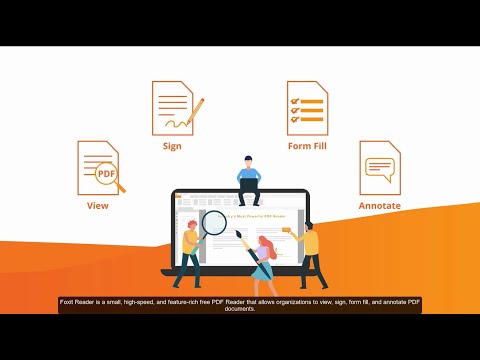

Watch the demo video to explore key features, real workflows, and how the software fits your business needs.
 Windows
  iOS
iOS  Android MacOS
  Desktop
  Mobile
  Tablet
  iPad
iPad  Cloud-Based
  Perpetual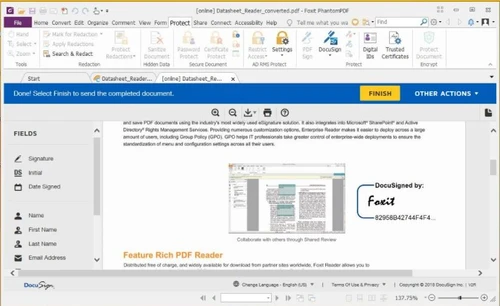
4.6
Out of 5

Overall Rating
Based on
1 Verified Review
Rating Breakdown
90% Recommend this Product
Add Review
Foxit PDF viewer is best used for creating PDF documents, editing these and sharing the same through multiple collaboration tools available within the application.
Yes, there is a speech option available enlisted in the preferences section. You can hear texts in audio format.
Yes, you can scan files here. In the create file section is available the option convert group. Click on this and the scan button would pop up.
You can use multiple colours for highlighting texts, comments, etc. by clicking on accessibility option in the preferences section.
Foxit Reader for Windows 7/10, Linux and macOS X provides the page display preference tool. Here it is easy to alter the reading mode.
Foxit PDF reader can be used on following platforms- Windows, macOS X, Linux, Linux 1.1, iOS and Android
20,000+ Software Listed
Best Price Guranteed
Free Expert Consultation
2M+ Happy Customers
Terms and Condtions

Users with registered businesses can purchase goods from merchants on the platform to satisfy their business needs. Users are not permitted to utilize any products acquired through the platform for resale, advertising, business, or further distribution.
For each purchase made, users will receive a Tax Invoice (or 'GST invoice') that includes specific details such as:
the GSTIN of the user associated with their registered business, and
the specified Entity Name for their business.
It should be noted that not all products are eligible for GST Invoice. Only the products displayed by participating sellers with the 'GST-based Invoice Available' callout on the product description page would qualify.
Certain goods and services are not eligible to get a GST Invoice, including items with VAS, i.e., Value Added Services (e.g., Total Mobile Protection/Assured Buyback) and those involving an exchange offer at the time of purchase.
Users must ensure the accuracy of the GSTIN, and business entity name provided for the GST Invoice. Requests for corrections into GST Invoice would not be accommodated by Techjockey.com or any Seller, and any issues arising from user-provided information are the sole responsibility of users.
Techjockey.com is not liable for the GST Invoice or any associated input tax credit. To efficiently claim an input tax credit, users should select the registered place of business address as per the GST authority's data and follow the provisions of the GST Act and rules.
To claim an input tax credit, the delivery and billing addresses must match. Furthermore, input tax credits will not be granted if the delivery address and GSTIN on the invoice are from different states. In case of incorrect GST details provided during the order placement, the order will be canceled automatically.





